
IP65 and IP67 security cameras are both dust-tight, but their water ratings describe different tests. IP65 covers water jets; IP67 covers temporary immersion under specified conditions. Choose by the exposure at each mounting position, then check the supplied connectors and accessories separately. When comparing outdoor security cameras, a higher water digit alone does not establish protection against every type of water exposure.
For a distributor or installation contractor, the decision also affects the order specification: which model, which accessories and which evidence must match the approved sample. The camera housing, solar panel and connected cable can have different protection requirements.
IP65 vs IP67: water jets and immersion are different tests
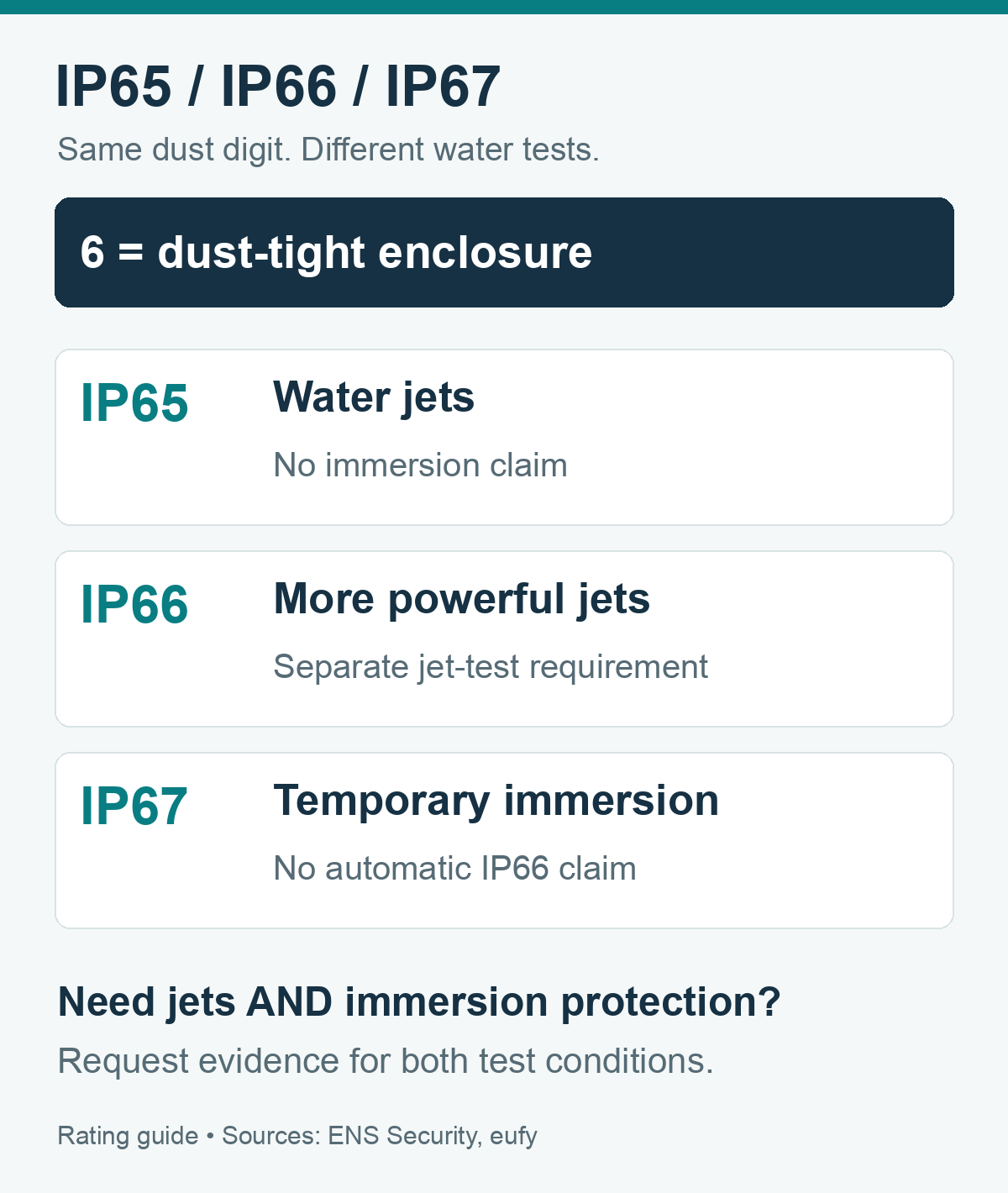
IP65 and IP67 share the dust-tight first digit 6. The final digit describes water protection: 5 concerns water jets, while 7 concerns temporary immersion. IP66 concerns more powerful water jets. A single IP67 label does not establish that a camera has also passed the separate IP66 jet test.
| Rating | Protection described | Ordering note |
|---|---|---|
| IP65 | Dust-tight enclosure; water jets | Does not establish suitability for immersion. |
| IP66 | Dust-tight enclosure; more powerful water jets | Ask for the jet-test evidence when this exposure is required. |
| IP67 | Dust-tight enclosure; temporary immersion | Check the stated test conditions and whether separate jet protection is documented. |
The IP Code comes from IEC 60529, which addresses protection provided by enclosures. The familiar IP67 description of immersion up to one metre for 30 minutes describes a defined test condition. It does not promise uninterrupted underwater recording, repeated flooding or protection after a seal has been damaged.
If a specification calls for both strong jets and temporary immersion, request evidence for both conditions on the exact model. An IP66/IP67 designation can express both requirements, but the supporting report still needs to match the supplied enclosure and configuration. Avoid approving a substitute solely because its final digit is larger.
A pressure washer adds conditions that the camera’s stated rating may not cover. Keep cleaning methods within the manufacturer’s instructions. Temperature limits, impact resistance and corrosion resistance also need their own specifications; none follows automatically from an IP65 or IP67 label.
Is IP65 enough? Start with the mounting position
IP65 can be a candidate for an outdoor mounting position where immersion is excluded, provided the model’s installation instructions cover the expected exposure. For an exposed wall, assess wind-driven rain and connections. Where temporary immersion is credible, address the mounting height and require evidence for that exposure before choosing a camera.
| Mounting position | Practical decision | What to confirm |
|---|---|---|
| Under an eave or canopy | Consider IP65 with the model’s mounting instructions. | Rain reaching the lens, ports and cable entry. |
| Open wall or exposed entrance | Specify the expected water exposure and required evidence. | Wind-driven rain, connection protection and maintenance access. |
| Low point with a flooding risk | Raise or relocate the camera where possible; review immersion requirements. | Depth, duration, power connections and the manufacturer’s restrictions. |
Rain can obscure a lens without entering the enclosure. Lorex recommends a sheltered installation to maintain a clearer view. Position the camera so roof runoff does not fall directly across the lens, and check whether a canopy or drainpipe blocks the required viewing angle. Shelter remains useful with an IP67 model.
Cold weather requires another check. The C45L page lists an operating range of −10°C to 45°C. An installation expected to fall outside that range needs a different model or written confirmation of a suitable configuration. The panel’s IP66 label does not extend the camera’s operating range.
Record exposure per position rather than assigning one requirement to the whole property. A sheltered doorway and an open perimeter wall may need different configurations. For network and power selection alongside weather protection, use the outdoor WiFi, 4G and solar camera guide.
Check the camera, solar panel and connected cable separately
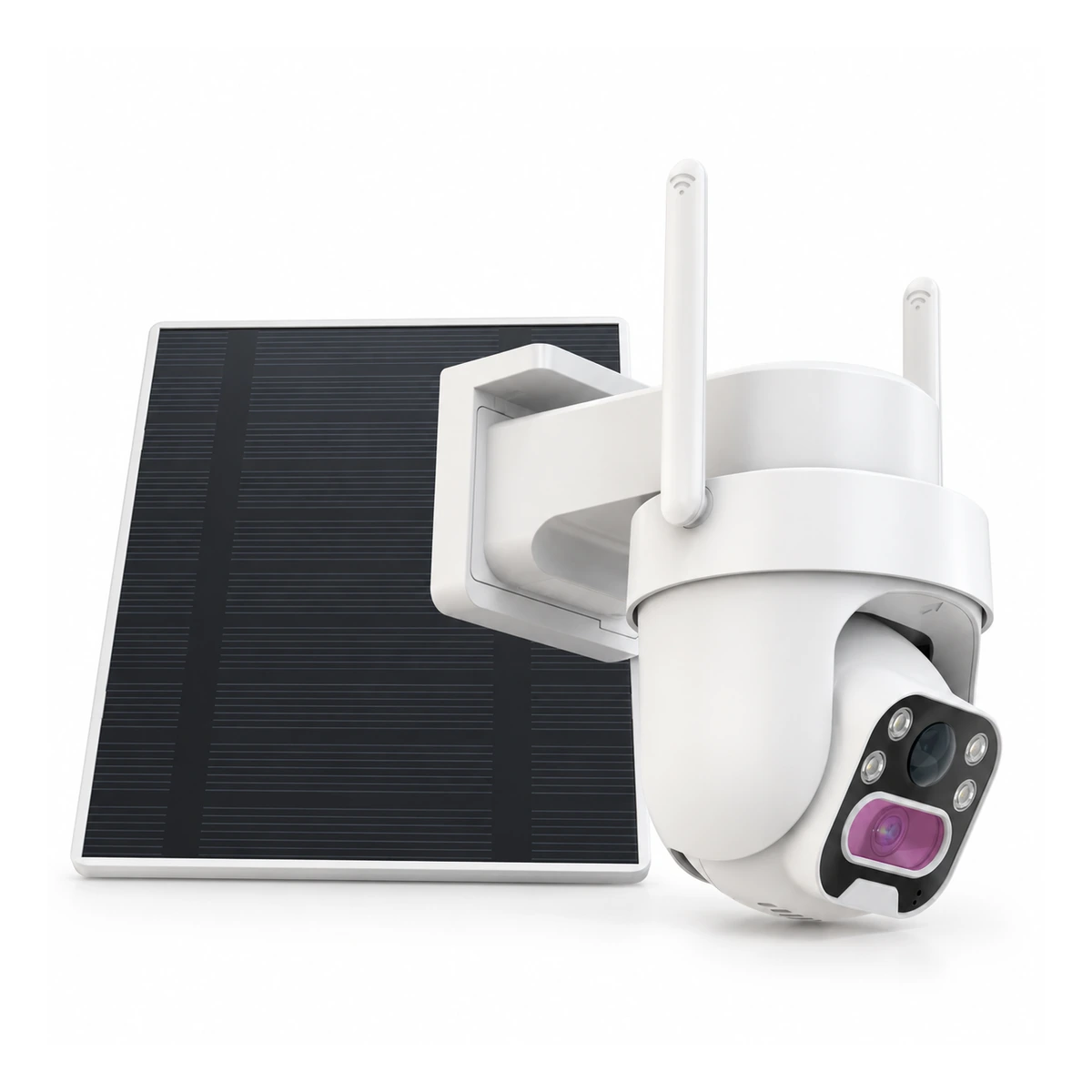
A solar panel’s rating does not upgrade the camera or the complete kit. The QZT C45L page lists an IP65 camera and an IP66 solar panel. Those component listings do not establish an IP66 rating for the connected kit, an IP67 camera rating or a separate rating for the connected Type-C port.
The C45L is a useful example because the panel can occupy a different position from the camera. A camera under an eave may be sheltered while its panel is exposed for sunlight. The cable route and connection between them still need the manufacturer’s installation requirements. Ask which seals, covers or accessories are required during normal connected use.
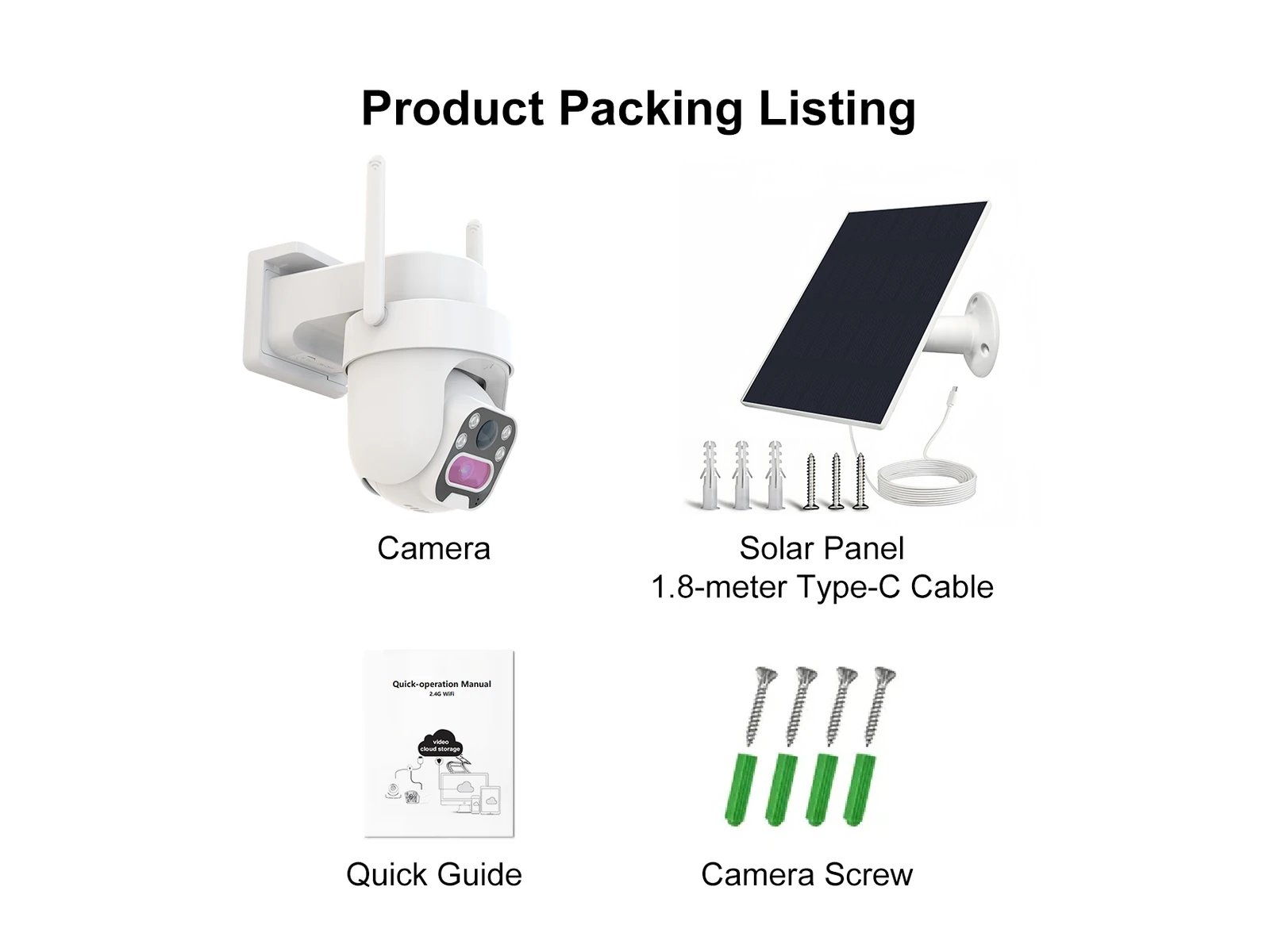
There is also a documentation disagreement to resolve before fixing the cable route: the package artwork specifies a 1.8-metre Type-C cable, while the page text specifies 2 metres. Confirm the supplied cable length on the ordered sample and purchase order. Do not assume either figure includes the extra length needed for routing around a bracket or corner.
During sample inspection, compare the cable, connector and protective parts against the agreed packing list. Record the delivered configuration with photographs. If a substitute cable is proposed for a bulk order, review its compatibility and connection protection before accepting the change. The connector’s shape alone cannot prove outdoor suitability.
Keep open compartments and charging ports dry during service, following the exact model’s instructions. Arlo’s weatherproof-camera guidance, for example, warns against exposing batteries or open compartments to water. That guidance is specific to Arlo; obtain the relevant C45L instructions rather than treating another manufacturer’s advice as a QZT rating.
Put the protection requirement into the purchase specification
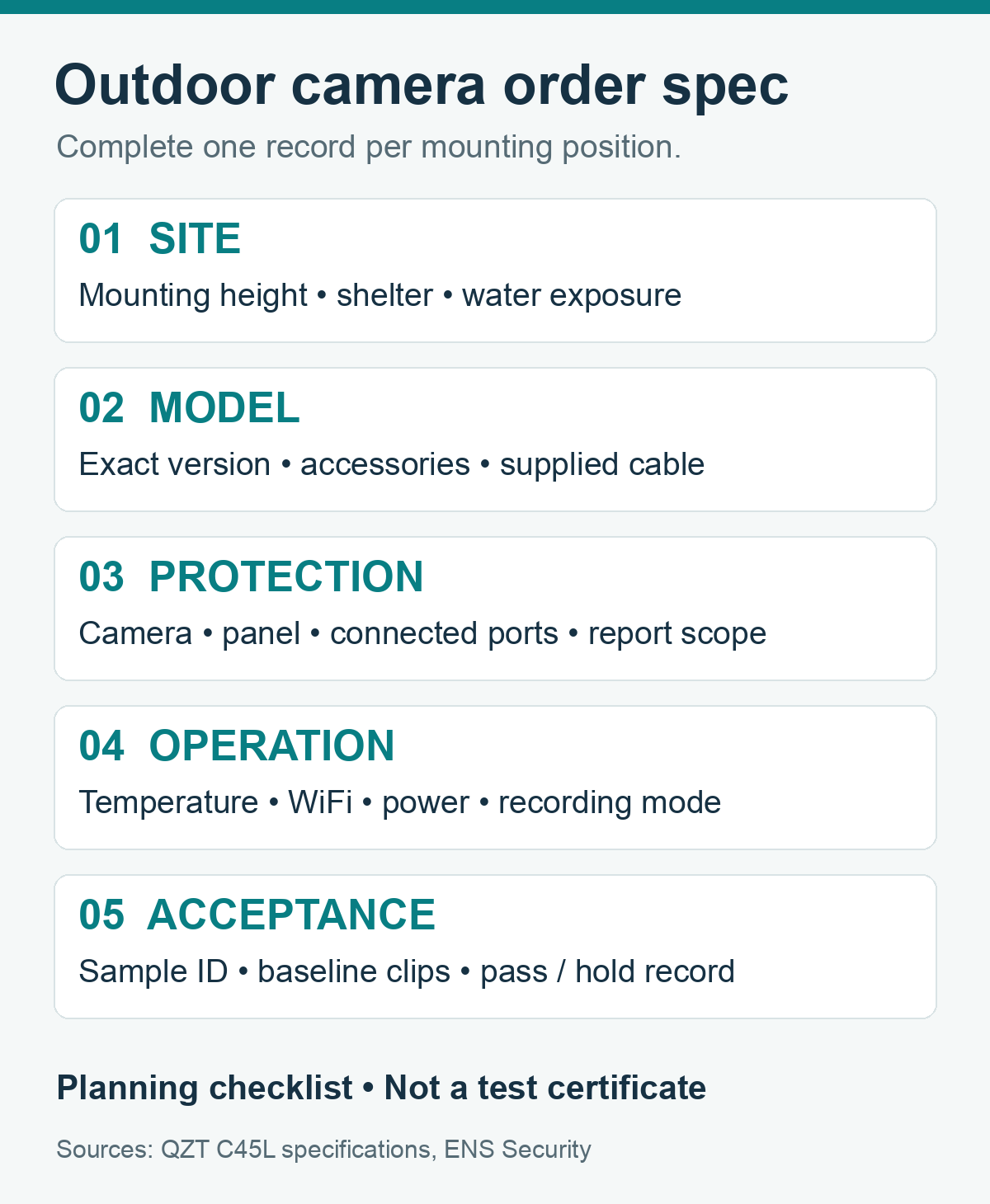
Specify an exact model and configuration, then describe the water exposure and documents required for acceptance. “Outdoor waterproof camera” leaves the housing, connected ports and accessories undefined. A distributor ordering several variants should keep a separate specification for each variant so the approved sample can be compared with the delivered stock.
For a C45L enquiry, start with the product’s listed IP65 camera, IP66 panel and −10°C to 45°C operating range. Describe the intended site and ask whether the supplied configuration is suitable. If the project requires IP67 for the camera, the C45L’s listed IP65 rating does not satisfy that requirement.
| Specification field | What to record |
|---|---|
| Model and version | Model code, supplied variant, accessories and approved sample ID. |
| Water exposure | Mounting position, shelter, jet or immersion requirement, and relevant restrictions. |
| Document scope | Which enclosure, connected-port state and accessories the report covers. |
| Operating conditions | Required temperature range, network, power arrangement and recording behaviour. |
| Delivery and acceptance | Cable length, packing list, permitted substitutions and sample acceptance criteria. |
Request the applicable test report when the project needs documented conformity. Check the model identification, report date, tested assembly and any stated installation conditions. A report for a similar-looking enclosure should not be accepted as evidence for a different camera without a documented basis.
The C45L page lists 2.4 GHz WiFi. Confirm reception at the mounting position before approving a WiFi installation; an IP rating says nothing about signal coverage. Specify the required recording behaviour separately, including how events must be retrieved. Ask for the model’s supported behaviour rather than assuming a battery-and-solar camera provides continuous recording.
Resolve cable length and document scope before placing a bulk order. Send QZT your mounting details and required configuration, including the water exposure and documents needed for approval.
Approve the sample with a recorded baseline and clear hold conditions
A functional sample check can confirm operation in an agreed installation, but it does not independently certify an IP rating. Record the dry baseline, inspect the supplied parts and check event playback after installation. Any water exposure must remain within the manufacturer’s instructions and the conditions agreed for that model.
- Identify the sample. Record the model, version, serial number where available, cable length and protective accessories. Compare them with the proposed order.
- Save a dry baseline. Capture a live view and a retrievable event clip. Record the network and power conditions so later failures can be compared with the same setup.
- Inspect the installation. Check the mount, cable route and required seals against the manual. Resolve missing parts or unsupported mounting arrangements before exposure.
- Check operation again. After the agreed safe conditions, retrieve a new event clip and compare image clarity and connection behaviour with the baseline.
- Record acceptance or hold. Note the conditions, observations and unresolved items. Keep photographs and clips with the approved configuration.
If water is visible inside the housing, stop use and follow the manufacturer’s safe power-isolation and service instructions. Do not continue charging or repeated exposure to see whether the fault clears. Send the sample identity, conditions and observations to the supplier for a service decision.
If the lens is externally wet but playback works, assess whether the resulting footage meets the site’s requirement. A dry enclosure can still produce unusable images during rain. A mounting adjustment may improve the view, but check any change against the installation instructions and repeat the same functional checks.
Hold approval when the required report is missing, the supplied cable remains unresolved or the sample differs from the proposed bulk configuration. A working sample cannot close a documentation gap for a contractual IP requirement. Record each open item and the evidence needed to release it.
Frequently asked questions
Is IP65 enough for an outdoor security camera?
IP65 security cameras have a dust-tight enclosure and protection against water jets. IP65 may suit an outdoor position without immersion exposure when the manufacturer’s installation instructions cover the conditions. Check the connected ports, temperature range and mounting arrangement separately before approving an IP65 security camera for a project.
Is IP67 better than IP65 for security cameras?
IP65 and IP67 security cameras address different water tests. IP67 adds temporary-immersion protection under specified conditions, while IP65 addresses water jets. IP67 alone does not establish passage of the separate IP66 jet test. Choose the required exposure protection and request model-matched evidence rather than ranking cameras by the final digit alone.
Can IP65 security cameras be used in heavy rain?
IP65 security cameras are rated for water jets, but “heavy rain” does not define every installation condition. Wind-driven water, connected ports and roof runoff need attention. Follow the exact model’s instructions, keep service compartments closed and check footage clarity. IP65 security cameras should not be treated as immersion-rated equipment.
Can IP67 security cameras be left outside?
IP67 security cameras have dust-tight and temporary-immersion protection, but outdoor suitability also depends on temperature limits, connection protection and installation instructions. The IP67 code does not establish corrosion resistance or continuous underwater operation. Confirm these separate requirements and shelter the lens where practical to maintain a usable view during rain.
Does the C45L solar panel’s IP66 rating cover the camera?
The QZT C45L 4MP Solar Pan-Tilt Security Camera is listed as IP65, while the separate solar panel is listed as IP66. The panel rating does not upgrade the camera or establish a whole-kit rating. Confirm connected-port protection and the supplied Type-C cable configuration before approving the installation.
Choose the configuration before approving the order
Mark each mounting position, record its exposure and match the requirement to a documented camera configuration. For a solar kit, include the panel, cable and connected-port conditions in the same approval record. Compare the QZT outdoor camera range with those requirements, then resolve sample differences and missing documents before releasing a bulk order.

 English
  Italiano
  Deutsch
  Français
  Español
  Polski