
A GPS tracker can send positions without creating a trip in the platform’s trip list. First check whether the raw route points exist for the correct vehicle and time window. If the points are present, inspect the trip-detection rules and report filters. If the points are absent, investigate recording and connectivity. For QZT GPS trackers, route playback and a platform-generated trip summary should be checked separately on the approved sample.
This sequence is for installers and fleet operators who have live location but missing journeys. Keep the original settings and export one affected journey before changing the device or replacing hardware.
Raw route points · Trip detection · Sample acceptance checks · FAQ
Check whether the route points exist
Open the position history or route playback for the affected tracker. A missing trip row does not establish that the device sent no data. Conversely, a current map pin proves only that a position exists; it cannot confirm the complete earlier journey.
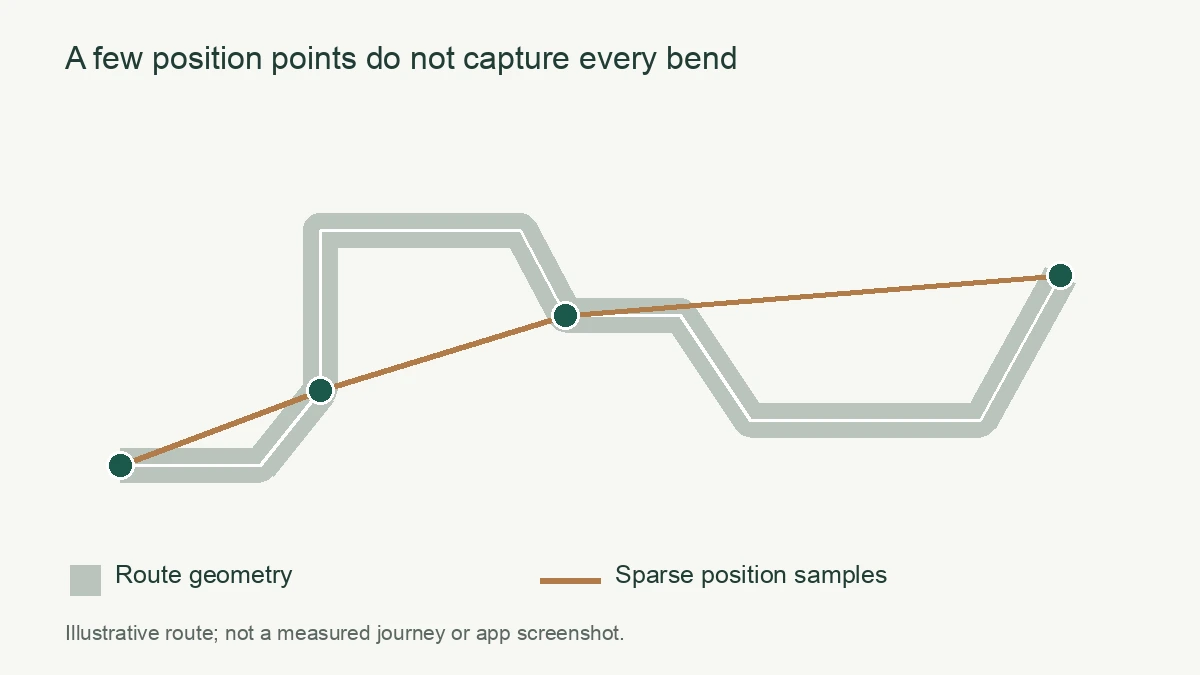
Start with a journey whose departure and arrival times you know. Check the tracker identifier against the vehicle assignment, select the relevant date and include a little time on either side. Where available, export the individual positions rather than only the trip-summary row. Preserve the file before a spreadsheet reformats the timestamps.
The N70 4G Wired Vehicle GPS Tracker lists route history and offline data retransmission. Those functions make raw-history inspection a useful first step for an N70 sample. The product specification does not define a universal trip-summary threshold or a guaranteed recovery window. Confirm those details with the selected platform and firmware.
Separate three observations: no points in the requested period, points with long gaps, and a plausible sequence of points with no trip summary. Save the last point before a gap and the first point after it. Do not fill missing travel with an assumed straight line and then present the result as a measured journey.
| Evidence from the affected journey | Next check | What the evidence cannot prove |
|---|---|---|
| Route points exist, trip row is absent | Trip rules, account permissions and report window | That the tracker failed to record positions |
| Points appear after a reconnect | Original timestamps and delayed uploads | That every missing position was retained |
| Only a current position exists | Earlier power, reporting mode and connection | That the earlier route was recorded |
| App and export place events on different days | Time-zone and date-window interpretation | That the vehicle did not travel |
Use the GPS timestamp checks when a journey appears on the wrong reporting day. A wider date window can reveal misplaced events, but the timestamp cause still needs correction.
Ask which rules create a trip and end a stop
A tracking platform may require sustained motion, a minimum distance, a completed stop or an ignition state before creating a trip. Confirm the active rules and software version. A short movement can be present in raw history while absent from the trip report.
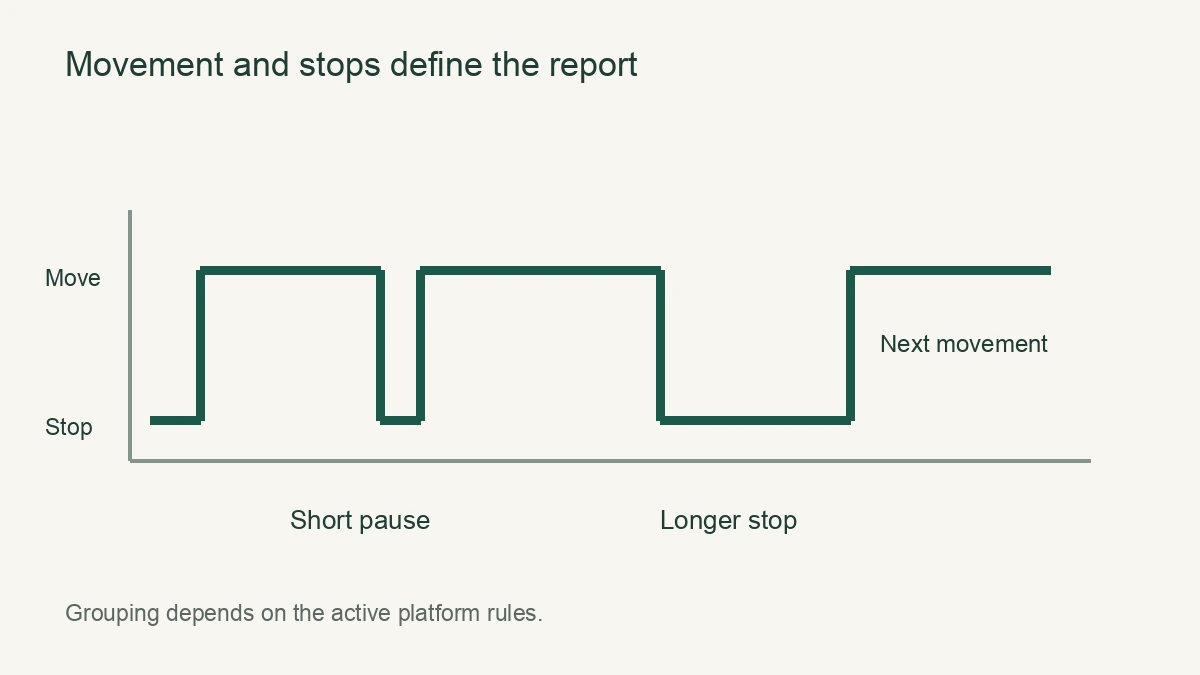
Traccar’s current Motion, Trips and Stops documentation gives a concrete example. Its standard logic lists default minimums of 300 seconds and 500 metres for trip detection, and 300 seconds for parking. Motion fluctuations can reset detection; optional ignition logic can force a stop. Traccar also documents an alternative spatial-clustering model when its new trip logic is enabled. These are Traccar settings, not N70 or SecumorePlus factory values.
Ask the provider to explain the rule using the missing journey’s position sequence. Request the active distance and duration settings, the motion source and whether ignition status participates. Record the answer with the platform version. Copying a value from another vendor’s screenshot can suppress short trips or divide ordinary pauses into separate journeys.
If the tracker supplies ACC or ignition status, compare that state with a parked vehicle and an authorized ignition-on check. A status that never changes deserves installation or decoding review. Have a qualified installer check the documented connector and ACC input; do not probe or reconnect vehicle wiring from an internet diagram.
Also compare a narrow report window with the original wider query. Traccar documents different report processing paths that can handle late, out-of-order positions differently. This is a reason to ask about report processing when the raw route looks complete. It is not a promise that another platform can rebuild every past trip after a setting change.
Keep operational requirements explicit. If the fleet needs every short yard movement recorded, approve that behavior during sampling. A system set up for road journeys may intentionally group those movements differently.
Validate the installation and one known journey
Make one documented change, then run a known journey under authorized conditions. Compare the resulting positions, timestamps and trip summary. Use the result to decide whether to investigate the installation, reporting mode or platform calculation next.
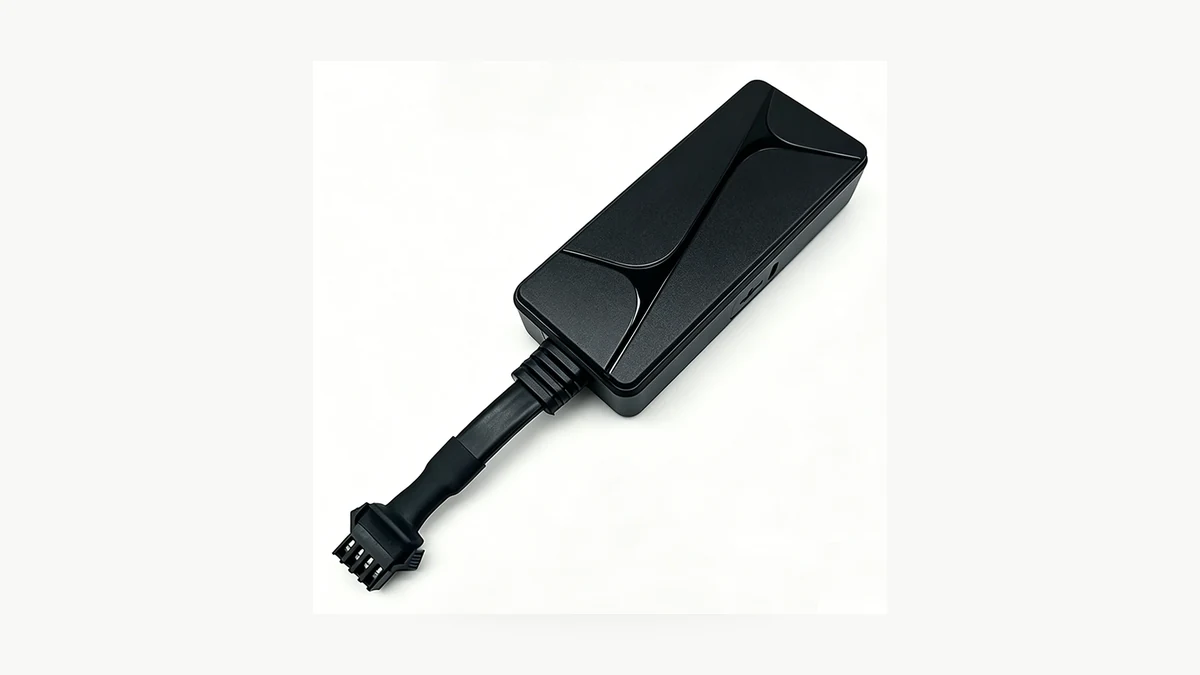
The N70 specification lists DC 9–90V input and a four-pin harness. The N80 vehicle GPS tracker also lists DC 9–90V power, route history and ACC-related functions. These published capabilities do not validate an individual installation. Confirm stable power and correct input states with the installer before adjusting report thresholds to compensate for an electrical problem.
For the journey, write down departure, a planned stop and arrival using a correctly set phone. Choose a route and stop that exceed the platform’s confirmed detection minimums. Record the configured reporting interval and active sleep or movement mode if the provider exposes them. Keep the comparison within one account, vehicle assignment and known time zone.
After the journey, wait for the documented stop-completion and upload behavior, then compare the raw history and summary. If the raw positions are complete but the summary remains empty, give the platform provider the sequence and configuration. If reporting stops during travel, continue with the separate GPS tracker offline diagnosis. A lower trip threshold cannot restore an absent upload.
For a repeat order, keep a sample acceptance record with model, firmware, platform, SIM operator, installation format and reporting settings. Include the observed outcome for a road journey and a short movement if both matter to the project. Avoid treating a successful live-location demonstration as proof that route history and daily reports meet the fleet’s requirements.
Frequently Asked Questions
Can a GPS tracker show live location but no trips?
A GPS tracker can show live location while its platform creates no trip summary. Position history and trip detection are separate checks. The QZT N70 lists route history, but trip thresholds depend on the receiving platform. Compare the GPS tracker raw positions with the missing report period before changing hardware.
Why does my GPS tracker miss very short journeys?
A GPS tracker can report a short movement that falls below the platform’s trip criteria. Traccar’s standard logic documents default minimums of 300 seconds and 500 metres; other platforms differ. Confirm the active rules and inspect raw positions before deciding that a GPS tracker failed to record the journey.
Can ACC wiring affect GPS tracker trip records?
GPS tracker trip records can depend on ignition status when the platform uses that input. The N70 and N80 list ACC-related functions, but the wiring and decoding need sample verification. Have a qualified installer check the documented connection and compare parked and ignition-on states before changing GPS tracker report rules.
Will a shorter GPS reporting interval restore missing trips?
A shorter GPS tracker reporting interval does not guarantee missing trips will return. Trip detection also depends on platform rules, usable positions and connectivity. Check whether the original points exist first. Confirm battery, data and reporting-mode consequences with the provider before changing a GPS tracker interval across a fleet.
What evidence helps diagnose GPS tracker missing trips?
GPS tracker missing-trip diagnosis needs the exact model, firmware, platform settings and an affected journey’s raw positions. Record the vehicle assignment, report window, time zone and observed ACC state. The N70 supports offline retransmission, so include whether reports arrived after reconnection. Share GPS tracker identifiers privately with the support provider.
Approve the report behavior before ordering
Include trip-history acceptance in the sample order, with the required journey types and reporting rules written down. Compare QZT vehicle GPS trackers by power, mounting and platform support, then confirm that the selected sample produces the reports your fleet uses.

 English
  Italiano
  Deutsch
  Français
  Español
  Polski