
A GPS tracker that shows the wrong time may have a display time-zone error, delayed uploads, or an incorrect date in the device report. Start by comparing the same event on the tracker platform, an export and a correctly set phone. For vehicle GPS trackers, a consistent whole-hour offset calls for a different check from a report that arrives late or carries the wrong year.
Keep one original report before changing settings. The checks below let installers separate a harmless display conversion from a fault that changes route history, daily totals or the order of events.
Report time versus receipt time · UTC and local time · Wrong dates and support evidence · FAQ
Compare the event time with the upload time
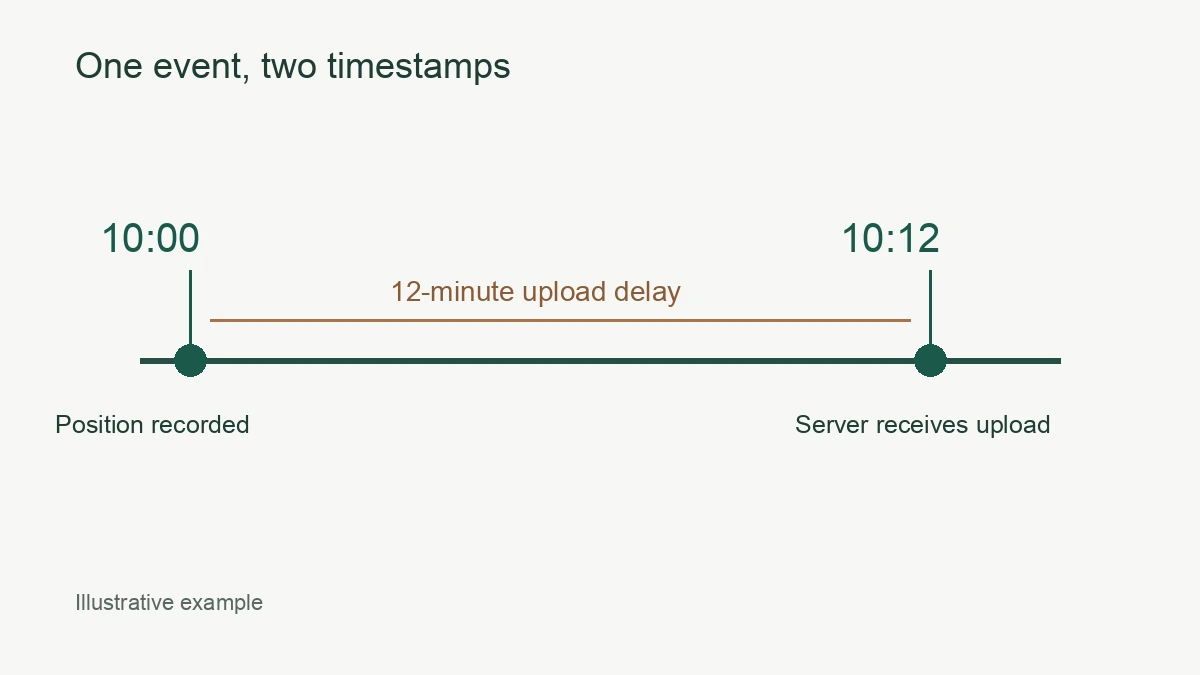
A position recorded before a coverage gap can arrive after the vehicle reconnects. The arrival time and the time of the original position can both be correct. Check the field names before treating the difference as a clock fault.
Tracking systems do not all expose the same labels. Traccar, for example, defines separate fixTime, deviceTime and serverTime fields in its position record. Use those as a checklist when asking your platform provider which timestamp a report displays. Do not assume an SMS reply, a map label and a CSV export use the same field.
The N70 4G Wired Vehicle GPS Tracker lists offline storage and retransmission when coverage returns. A delayed upload is therefore a branch worth checking on an N70 installation. The feature does not promise that every missing position will be recovered, or specify how long a particular batch retains records.
Choose one recent event with a known local time. Record the displayed position time, the platform’s receipt time if available, and the time you opened the report. Normalize the first two to the same time zone. In an illustrative example, a 10:00 position received at 10:12 is 12 minutes late. Adding an hour to the tracker clock would leave that upload delay unresolved.
| What you observe | What to compare next | Useful evidence |
|---|---|---|
| Every event is exactly one or two hours displaced | Account, browser and report time zones | One event in the app and export |
| Old events arrive together after a coverage gap | Original event time against server receipt time | Sequence of stored and received records |
| Only one export disagrees with the app | Export time zone and spreadsheet interpretation | Original CSV before editing |
| The year or full date is wrong | Raw device report and firmware version | Manufacturer support record |
If no recent reports arrive at all, use the separate GPS tracker offline checks. A time-zone change cannot establish a missing data connection.
Check UTC, the account time zone and daylight saving
Compare the underlying timestamp before changing the local display. Many tracker protocols send UTC while the platform converts the timestamp for the user. Sending local time to a decoder that expects UTC can create a second offset.
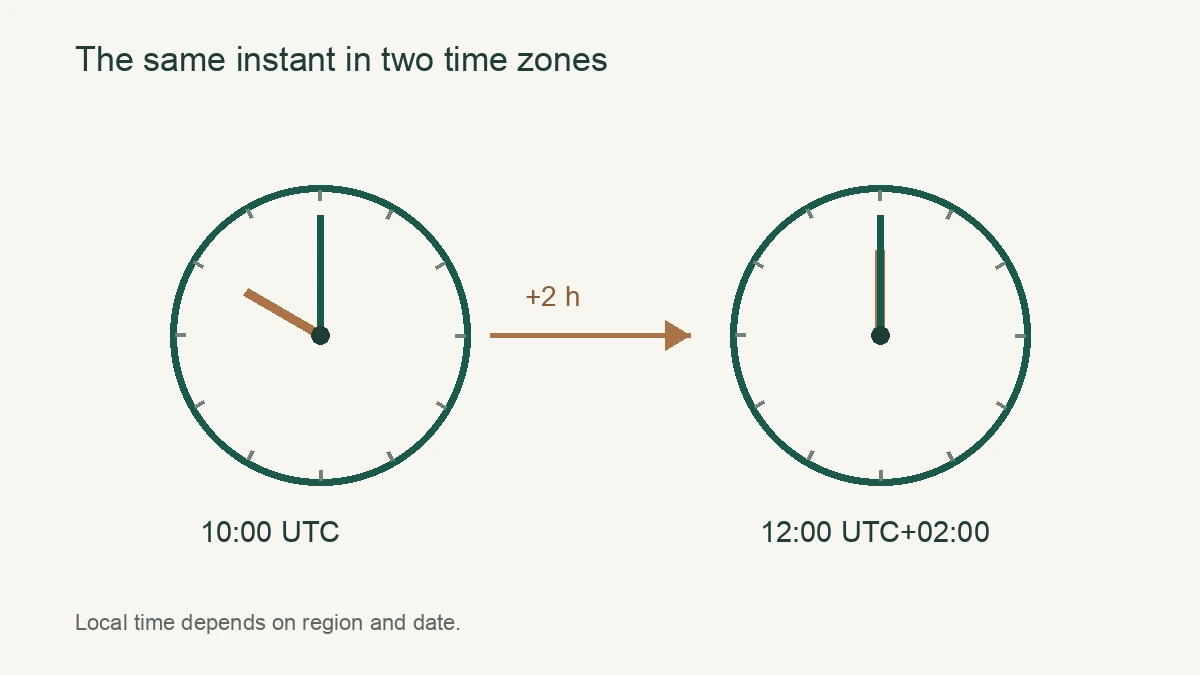
Traccar’s decoder time-zone documentation says most devices report UTC, while some report local time and need a corresponding decoder setting. That is a platform-specific rule, not a universal instruction to send a UTC command to every QZT model. Confirm the protocol, firmware and service provider’s requirement before changing the device.
For a phone or browser, first check automatic date and time and the selected location. Then check the tracking account and report settings. If the platform offers a regional zone such as Europe/Berlin, ask whether that setting applies daylight-saving changes automatically. A fixed UTC offset and a named regional zone can behave differently during a clock change.
The European Commission’s summertime guidance states that EU countries switch to summer time on the last Sunday in March and return to standard time on the last Sunday in October. A one-hour discrepancy around those changes merits a daylight-saving check before a reset.
Use one correction at a time. Save the old value, make the documented change, and compare a new event in both the app and export. If you change the device offset and the account offset together, the screen can appear correct while the underlying report remains wrong.
Also check midnight boundaries. An event displayed on the previous day may fall outside the selected report window even though the timestamp differs by only a few hours. Expand the date range during diagnosis and verify which time zone defines the report’s start and end. Preserve the original export so a spreadsheet’s automatic date formatting does not hide the value you received.
Escalate a wrong date with a complete sample report
A report with the wrong year needs a different investigation from a correct date with an hour offset. Preserve the raw report, firmware identity and original settings. Ask the manufacturer to identify the cause before applying a generic reset or firmware file.
GPS.gov explains that the legacy GPS week field uses 10 bits and repeats after 1,024 weeks, about 19.7 years. Its week-number rollover notice records the April 2019 rollover and recommends current firmware and manufacturer support for affected equipment. This is a possible explanation for some older receivers, not evidence that an N70 or another current QZT tracker has that fault.
Other report-date errors still need the vendor to inspect the data. A correct clock display on the device does not prove that its transmitted timestamp or the server’s interpretation is correct. Ask which layer first contains the wrong value. If the raw report is correct but the export is wrong, send the case to the platform provider with both files.
For a support request, provide the exact model, hardware and firmware version if available, platform name, account time zone, destination country and one dated example. Include the expected local time and UTC offset, the observed time, whether the vehicle was moving, and whether coverage had recently returned. Share identifiers privately with the support team rather than posting them in a public screenshot.
Acceptance should use new records. Confirm that a fresh event has the right date, appears in the correct reporting day and retains the correct order in the export. Repeat after a reconnect if the original symptom involved queued uploads. An N80 vehicle tracker also lists route history and offline retransmission, but its account and firmware settings still need confirmation on the supplied sample.
Frequently Asked Questions
Should every GPS tracker be set to UTC?
A GPS tracker should use the time format expected by the receiving platform and protocol. Traccar documents UTC as the format reported by most devices, with a decoder setting for exceptions. Confirm the supplied firmware instructions before changing a GPS tracker; a local display zone can be configured separately.
Why is my GPS tracker exactly one hour behind?
A GPS tracker exactly one hour behind may have a display offset or daylight-saving mismatch. EU summertime changes occur on the last Sundays in March and October. Compare a fresh event in the app and original export, then check the account and phone zones before changing a GPS tracker command.
Does a late GPS tracker report mean the clock is wrong?
A late GPS tracker report can be an earlier position uploaded after coverage returns. The QZT N70 lists offline storage and retransmission, so compare original event time with server receipt time. Diagnose upload delay separately from time conversion before changing the GPS tracker clock or account settings.
Can GPS rollover cause the wrong year?
A GPS tracker using an affected legacy receiver can report a wrong date after a week-number rollover. GPS.gov describes the 10-bit week counter and the April 2019 event. This does not diagnose a particular QZT model. Give the GPS tracker manufacturer a raw report and firmware identity for confirmation.
What should I send support about incorrect GPS tracker time?
An incorrect GPS tracker time support request should include model, firmware, platform, time-zone settings and one original report. Record the expected local time and UTC offset alongside the observed timestamp. Include whether connectivity had recently returned, since the N70 supports offline retransmission. Send GPS tracker identifiers through a private support channel.
Before the next fleet rollout
Save the accepted timestamp settings with the approved sample and repeat the app-and-export check on the next batch. When selecting QZT GPS trackers, confirm the platform’s timestamp rules alongside network bands and installation requirements.

 English
  Italiano
  Deutsch
  Français
  Español
  Polski