
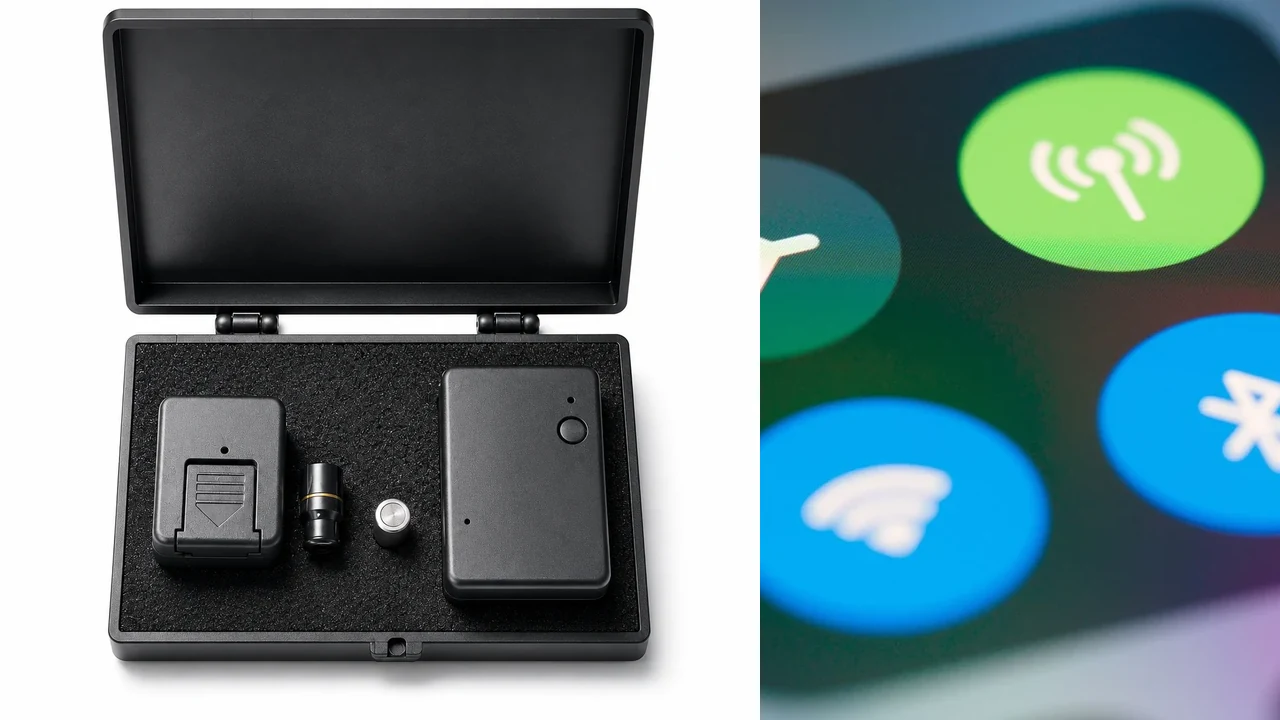
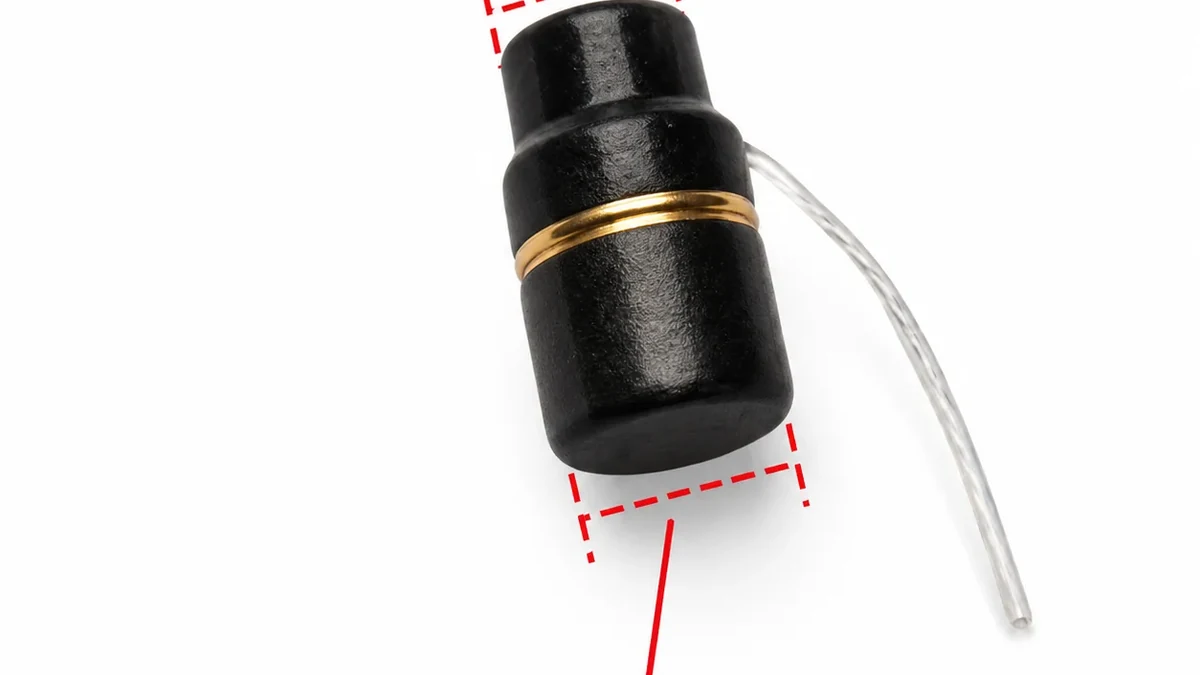
A Bluetooth earpiece kit can fail before audio ever reaches the earpiece. On the current QZT BT01, the external microphone transmitter pairs with the phone by Bluetooth; the 6 mm nano earpiece receives audio from that transmitter. Check the phone-to-transmitter connection first, then the earpiece receive side.
Do not copy pairing button timing, PIN codes or indicator meanings from another kit. QZT’s current BT01 page confirms the connection structure and published working-distance/battery figures, but it does not publish a universal pairing-button sequence for every supplied revision.
Is the phone trying to pair with the external transmitter?
The phone should look for the BT01 external Bluetooth microphone transmitter, not the tiny in-ear receiver itself. If the wrong component is being searched for, changing phone settings will not solve the connection.
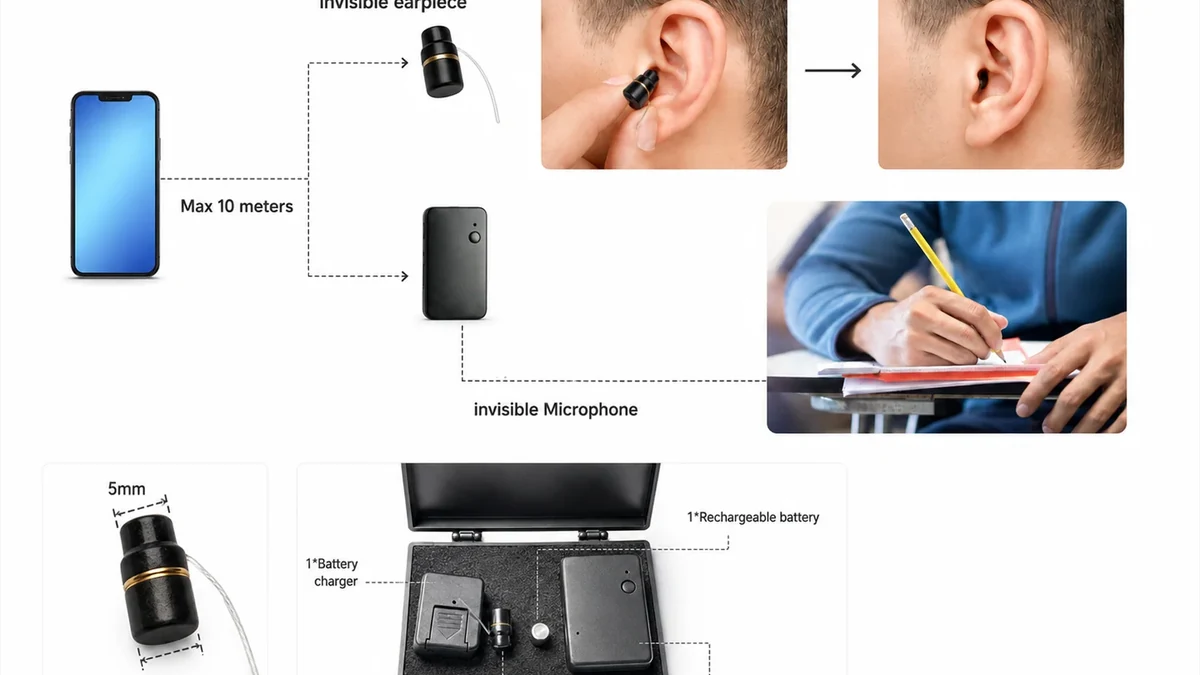
The current QZT BT01 product page describes the set as a 6 mm nano earpiece plus an external Bluetooth microphone transmitter. It says the transmitter pairs with a mobile phone, while the nano earpiece receives the audio from the transmitter.
That layout gives a useful first diagnostic split:
| Check | What it proves |
|---|---|
| Phone Bluetooth is on | The phone is available for pairing |
| External transmitter is powered | The Bluetooth source can potentially advertise |
| Transmitter appears in available devices | The phone can currently see a Bluetooth accessory |
| Phone reports the transmitter as connected | The phone-to-transmitter Bluetooth link exists |
| Nano earpiece has power | The receive side can be tested separately |
Apple’s current third-party Bluetooth accessory instructions tell iPhone and iPad users to turn on Bluetooth, make the accessory discoverable according to its own instructions, then select the accessory when it appears. The important boundary is Apple’s own wording: the accessory manual controls how the product becomes discoverable.
Google’s Android Bluetooth setup guide similarly directs users to Pair new device, select an available Bluetooth accessory and follow the on-screen instructions. Android documentation mentions common passcodes for generic accessories, but that is not evidence that BT01 uses one of those codes. If a BT01 sample requests a PIN, use the supplied BT01 instructions or ask the supplier for that revision.
For an approved sample, record the Bluetooth name that actually appears on the phone. Do not publish a guessed device name as a universal BT01 identifier. Firmware and OEM batches can use different Bluetooth names.
If the transmitter never appears on two known-good phones while following the supplied pairing instructions, preserve the transmitter’s power state, revision and observed indicators for support. That evidence is more useful than repeatedly toggling Bluetooth without knowing which component is failing.
Could a saved Bluetooth record be blocking a fresh connection?
A phone can remember an old Bluetooth record even when the current connection no longer works. Remove only the specific BT01 transmitter record, then pair it again according to the supplied instructions.
Apple provides a clear example of this cleanup path. In Bluetooth settings, users can open the accessory information and choose Forget This Device, then pair the accessory again later. Android provides a comparable Forget control for saved Bluetooth devices.
I would use that step only after noting the current Bluetooth name and connection state. It gives you a before-and-after record and avoids wiping unrelated accessories from the phone.
A controlled sequence is:
1. Confirm the BT01 transmitter is powered.
2. Confirm Bluetooth is on at the phone.
3. Note whether the transmitter is shown as Available, Saved, Connected or absent.
4. If the saved record is present but reconnecting fails, remove that one saved accessory.
5. Return the transmitter to the pairing state described for the supplied revision.
6. Search again and select the transmitter when it appears.
7. Do not change three other settings at the same time.
If the BT01 transmitter pairs to a second phone but not the first phone, the first phone’s saved record or Bluetooth configuration becomes more likely than a dead transmitter. If neither phone can see the transmitter, focus on transmitter power, revision-specific pairing procedure and hardware condition.
Keep the phones close during the initial bench check. The current QZT BT01 page lists a typical working distance up to 7 m and says open-space range can reach about 20 m. Those are product-page figures for the BT01 set, not a pairing guarantee at the edge of that distance. First prove the connection at short range, then test the intended room.
Do not use a successful long-range connection on one sample as a batch specification. Walls, bodies, interference, phone radios and transmitter placement can change the result. QZT’s product page itself tells wholesale buyers to test the range in the actual room or event environment.
What if Bluetooth says connected but the call audio is elsewhere?
A Connected label proves the phone has a Bluetooth link. It does not prove the active call, media or voice guidance is being routed through the BT01 transmitter and nano earpiece.
Apple’s Bluetooth support notes that a phone with multiple paired Bluetooth devices can choose which audio source to use. Android likewise exposes settings for connected audio accessories. That means a phone can remain paired to BT01 while the current audio is routed to the handset speaker, another headset or another Bluetooth accessory.
Test one audio direction at a time:
– Start with an authorized test call or permitted audio source.
– Confirm the BT01 transmitter is the selected Bluetooth accessory where the phone exposes audio-output controls.
– Remove or disconnect another nearby headset if it keeps taking the audio route.
– Confirm the nano earpiece has a usable battery before blaming the phone connection.
– Keep the transmitter close to the earpiece for the first bench test.
The current BT01 page lists about 2.5 hours of use per nano-earpiece battery. The external microphone transmitter is described as rechargeable, but QZT tells buyers to confirm the current transmitter runtime for the selected order version before quotation. Keep those two power sources separate in troubleshooting.
A result table prevents “connected but no sound” from being treated as one failure:
| Phone / transmitter | Nano earpiece | What to check next |
|---|---|---|
| Transmitter not visible | Unknown | Transmitter power and revision-specific pairing mode |
| Visible but will not pair | Powered | Saved phone record, second-phone comparison, supplied pairing instructions |
| Connected | Silent | Earpiece battery, final transmitter placement and phone audio route |
| Connected | Audio works briefly | Battery condition, distance and final placement |
| Connected on one phone only | Earpiece works | First phone’s Bluetooth record/configuration |
If the phone connects but the earpiece remains silent, the separate GSM earpiece no-sound guide covers call and local-audio-path checks. Do not restart the entire pairing workflow when the Bluetooth link is already confirmed.
How do you verify one BT01 sample before a batch order?
Pairing acceptance should reproduce the customer’s real setup: phone model, operating system, permitted use environment, working distance and session length. One successful connection in a supplier office is not enough for a bulk order.
Use one clean acceptance record:
| Field | Record |
|---|---|
| BT01 batch / revision | As supplied |
| Phone model | Exact model |
| Phone OS version | Exact version |
| Bluetooth name shown | Actual observed name |
| First pairing | Pass / fail |
| Reconnect after power cycle | Pass / fail |
| Reconnect after Forget / re-pair | Pass / fail |
| Audio route | Correct / incorrect |
| Nano earpiece battery | Fresh / measured condition |
| Transmitter placement | Actual test position |
| Distance | Measured test distance |
| Authorized call / audio result | Pass / fail |
| Interruptions | Time and condition |
| Package contents | Match quotation / mismatch |
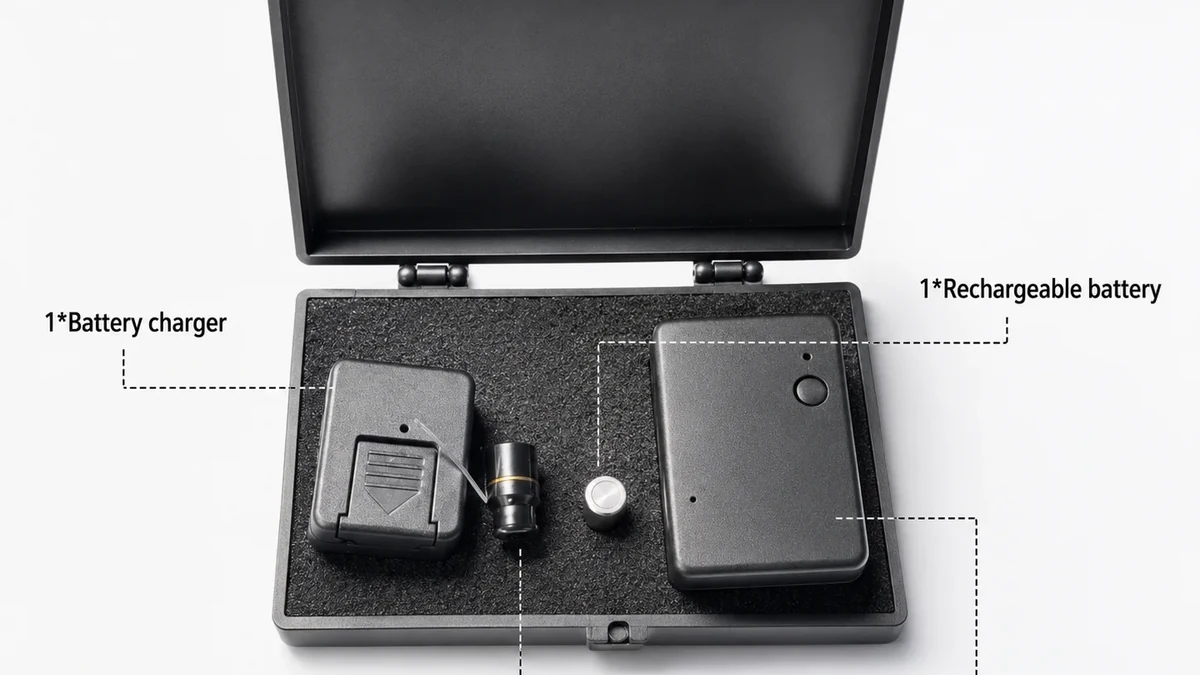
The current BT01 listing says the kit normally includes the nano earpiece, external Bluetooth microphone transmitter, earpiece battery, rechargeable battery charger, carry case and user manual. Confirm the actual sample because charging accessories, package language and extra batteries can vary by order.
I would also test reconnection, not only the first pairing. Turn the approved sample off and on according to its manual, reconnect the same phone and repeat the audio check. Then deliberately Forget the saved Bluetooth record and prove that the supplied pairing instructions can rebuild the connection.
Run the same test on at least one iPhone or iPad and one Android phone if those platforms are part of the buyer’s market. Apple and Android expose Bluetooth controls differently, so a distributor should retain platform-specific screenshots or notes from its own approved samples rather than publish one universal screen sequence.
For long sessions, remember that the current BT01 page lists about 2.5 hours per earpiece battery. A pairing test that lasts five minutes does not establish session endurance. Test the battery and connection duration separately.
Use the BT01 only for lawful, authorized communication such as training, stage cues, event staff coordination or approved security communication. Do not use troubleshooting guidance to bypass rules that prohibit concealed communication in a room, school, workplace or private conversation.
Frequently Asked Questions
Why can’t my Bluetooth earpiece kit appear on my phone?
A Bluetooth earpiece kit may not appear when the phone is searching for the wrong component, the external transmitter is not powered or the transmitter is not in its documented pairing state. On QZT BT01, the phone pairs with the external Bluetooth microphone transmitter, not directly with the 6 mm nano earpiece.
Should I forget the Bluetooth device and pair it again?
For a Bluetooth earpiece kit with a stale saved connection, removing that specific saved accessory can be a useful controlled check. Apple and Android both provide a Forget function. Record the existing device name first, then follow the BT01 instructions to make the transmitter discoverable and pair it again.
Why does my Bluetooth earpiece say connected but I hear no sound?
A Bluetooth earpiece can be connected while the phone routes call or media audio to another output. Confirm the BT01 transmitter is the selected audio accessory, check the nano earpiece battery and test at short range. Do not treat a Connected label as proof that every part of the local audio path works.
How far should the QZT BT01 Bluetooth earpiece work?
The current QZT BT01 product page lists a typical working distance up to 7 m and says open-space range can reach about 20 m. Treat these as current supplier-listed figures, not a guaranteed pairing distance. Test the approved sample in the actual room, with the intended phone and transmitter placement.
How long does the QZT BT01 nano earpiece battery last?
The current QZT BT01 listing states about 2.5 hours of use per nano-earpiece battery. The external Bluetooth microphone transmitter has its own rechargeable power source, and its current runtime should be confirmed for the selected order version. Keep earpiece runtime and transmitter runtime as separate acceptance fields.
Before approving a Bluetooth earpiece batch
For QZT GSM listening devices and wireless earpiece kits, send the intended phone platforms, session length, working distance and package requirements with the enquiry. Approve a sample only after first pairing, reconnection and actual call/audio routing have all been reproduced on the intended phones.

 English
  Italiano
  Deutsch
  Français
  Español
  Polski