
How WiFi Hidden Cameras Work: Signal Chain, Power and Setup
WiFi hidden cameras work by pairing an image sensor with an onboard 2.4 GHz or dual-band radio module that encodes video into H.264/H.265 and pushes it to a local NVR, router or P2P cloud relay. This explainer follows the full signal chain: sensor and ISP, encoder, WiFi SoC, AP-mode pairing, UID handshake, NAT traversal and mobile app playback. It also covers power budgets in standby versus active streaming, PIR wake-up logic, SD-card fallback recording when the link drops, effective range through masonry and drywall, and bandwidth required per channel. Written for EU resellers and integrators who must specify network conditions, firmware behaviour and GDPR-relevant data paths before quoting a deployment.
How WiFi Hidden Cameras Actually Work
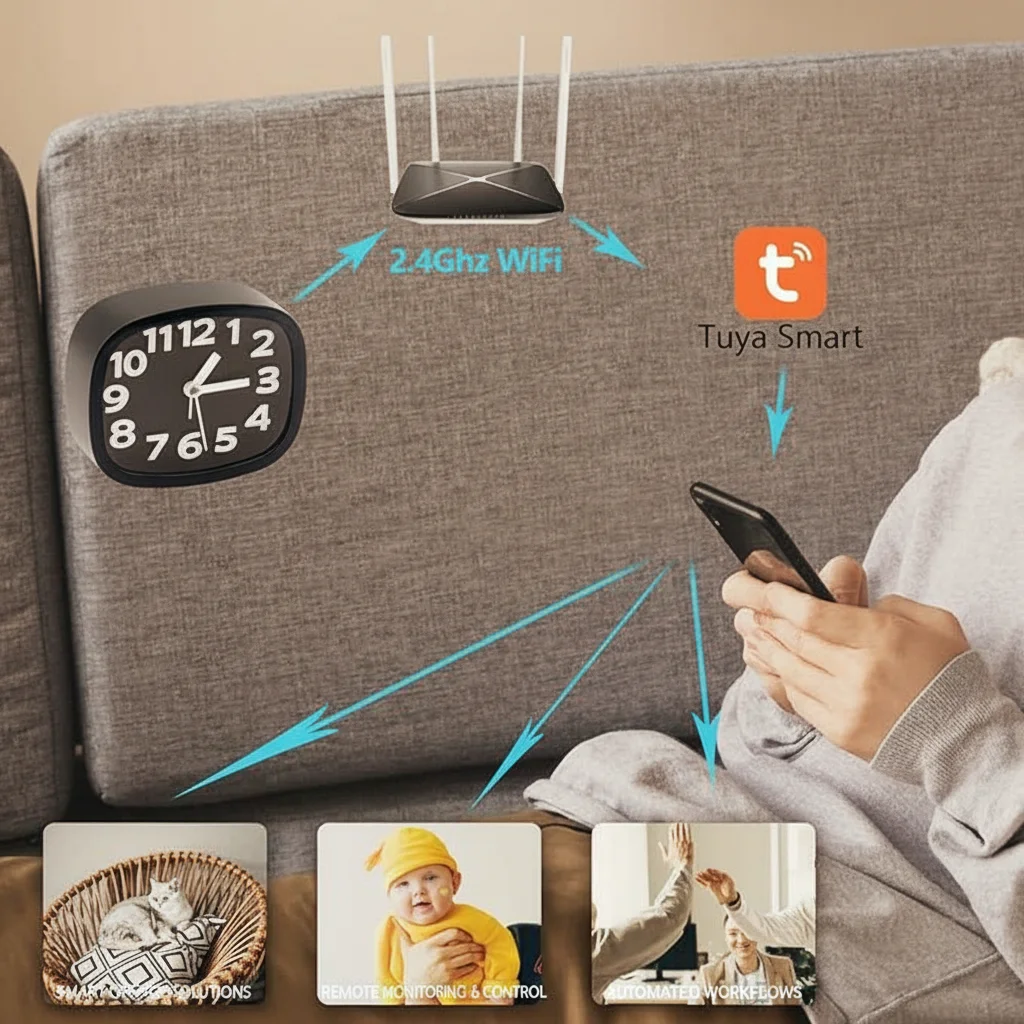
A WiFi hidden camera looks like an ordinary object — a clock, a charger, a pen, a smoke detector — but contains a miniature lens, an image sensor, a processor, and a WiFi module. When connected to a 2.4GHz network, it streams video to a smartphone application in real time.
The basic signal path works like this:
Camera sensor captures footage → Processor compresses video → WiFi module transmits to router → Router forwards to cloud or local server → App displays live feed on smartphone
This means the camera itself does not need to be physically accessible once installed. As long as it has power and sits within WiFi range of your router, you can monitor it from anywhere in the world.
> One common misconception: many buyers assume the camera must be connected to the internet for any recording to happen. In reality, every WiFi hidden camera also records to an internal or inserted SD card. Internet connectivity only enables remote viewing and push notifications — the camera works completely offline.

The Different Types of WiFi Hidden Cameras Available
Not all covert cameras are the same. Italian buyers typically source across these popular form factors:
WiFi Clock Cameras are among the best-selling categories in the European market. The Z10 WiFi Spy Clock Camera sits naturally on a bedside table, shelf, or office desk — places where a surveillance device would never look out of place. It records continuously or on motion activation, and the app delivers alerts to your phone when movement is detected.
WiFi Socket Cameras plug directly into a wall outlet and never need battery charging. The WiFi 1080P Hidden EU Socket Camera is one of the most reliable form factors for long-term installations because power is uninterrupted.
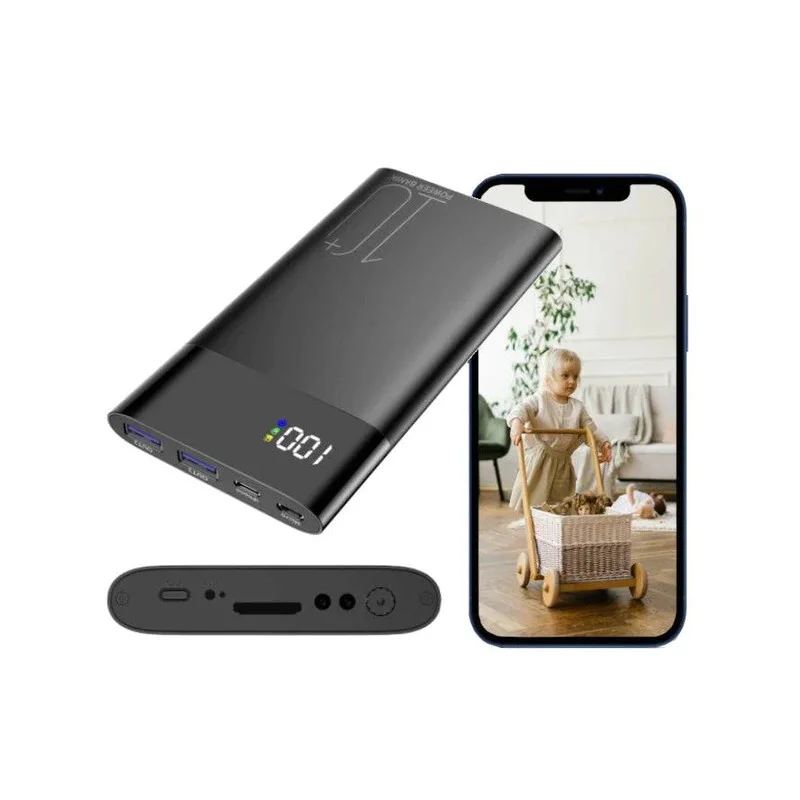
WiFi Power Bank Cameras combine a functional power bank with a hidden lens. They are particularly useful for mobile deployments — security guards, delivery drivers, or anyone who needs to monitor from a different location each day. The WiFi 1080P Power Bank Hidden Camera adds night vision capability for overnight recording.
WiFi USB Charger Cameras look like ordinary USB charging blocks but record continuously when plugged in. The WiFi Spy Camera USB Charger 1080P is popular in office environments and Airbnb rentals.
Setting Up Your WiFi Hidden Camera: A Practical Walkthrough
Getting a WiFi hidden camera online takes about 10 minutes. The process varies slightly by app, but the steps are consistent:
Step 1 — Download the app. Most covert cameras from established manufacturers use Tuya Smart or Smart Life — both available on iOS and Android. Some suppliers use proprietary apps. Always download the app before purchasing if possible, so you can check the interface before committing.
Step 2 — Power on and enter pairing mode. Usually this means holding the reset button for 5–10 seconds until an LED flashes. The pairing mode puts the camera in hotspot mode so your phone can communicate with it directly before connecting to your home network.
Step 3 — Connect your phone to the camera’s hotspot. The camera broadcasts its own temporary WiFi signal. Your phone joins this network, and the app searches for the camera.
Step 4 — Enter your home WiFi credentials. Once the app has found the camera, you input your 2.4GHz network name and password. The camera then connects to your home router and drops the hotspot connection.
Step 5 — Name your camera and configure recording settings. Set your time zone, enable motion detection if desired, choose loop recording duration, and configure push notification preferences.
> Pro tip: always test the camera at its intended installation location before you mount or conceal it permanently. WiFi signal strength varies significantly between rooms, especially through walls. A camera that streams perfectly next to your router may stutter badly from a different floor.
Tuya Smart and App Compatibility: What Italian Buyers Should Know
The Tuya Smart ecosystem dominates the WiFi hidden camera market. It is a cloud platform that thousands of manufacturers use — which means a Tuya-based camera from one supplier often works with the same app as a Tuya-based camera from a completely different supplier.
For Italian buyers sourcing inventory for resale, this is a significant advantage: your end customers already know the Tuya or Smart Life app, and they can add multiple devices without downloading separate apps for each product.
Tuya-compatible cameras support:
– Live streaming with low latency
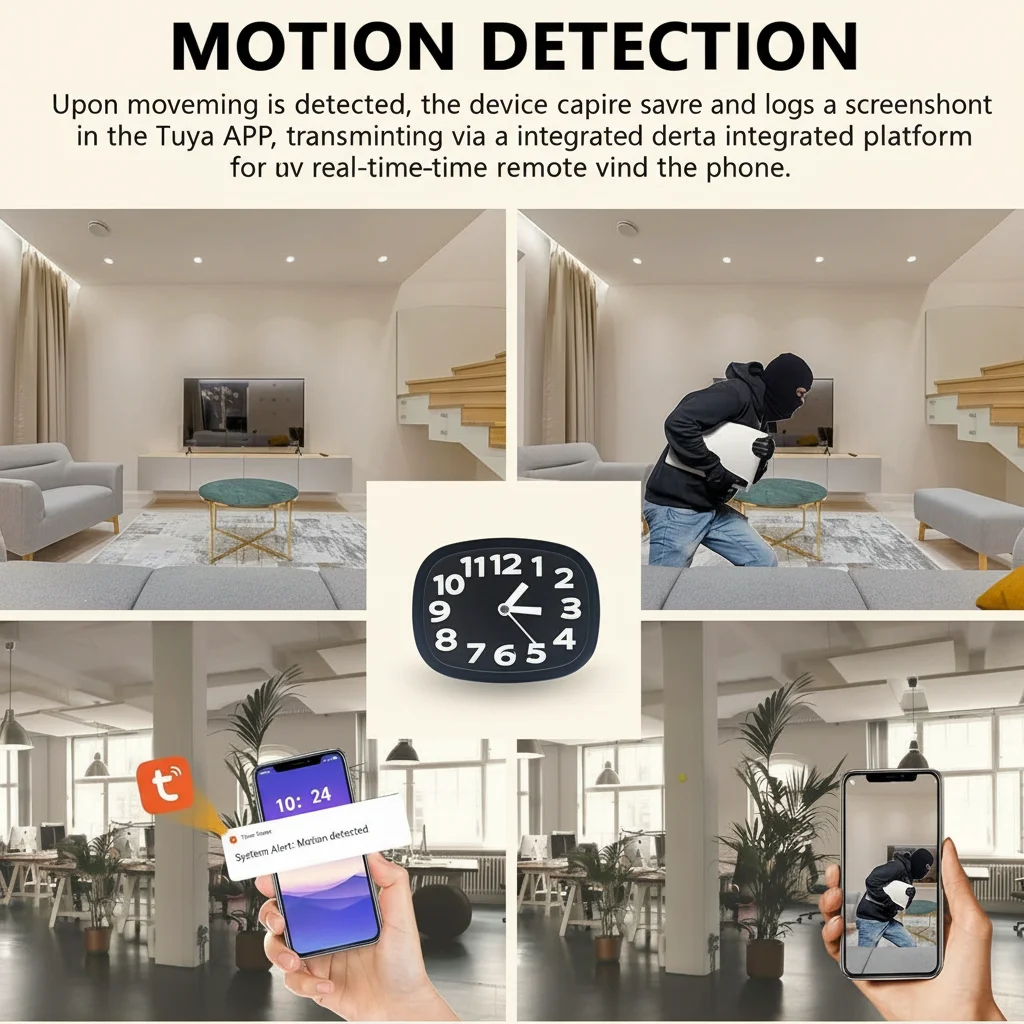
– Motion detection and instant push notifications
– Cloud storage subscription options
– Scheduling (start/stop recording at set times)
– Sharing access with multiple family members or colleagues
One limitation: Tuya cameras operate exclusively on 2.4GHz WiFi. 5GHz networks are not supported. In Italy, most residential routers broadcast both bands on the same network name — the camera connects to the 2.4GHz side automatically. If your router uses separate network names for each band, make sure the camera connects to the correct 2.4GHz SSID.

Motion Detection: The Feature That Makes Hidden Cameras Actually Useful
A hidden camera that records continuously fills an SD card in hours and forces you to scrub through irrelevant footage to find what matters. Motion detection changes everything — the camera only records when something moves, dramatically extending both battery life and storage efficiency.
Professional models offer configurable motion detection sensitivity. This matters because:
– Too sensitive and the camera triggers on shadows, light changes, or dust particles — you get hundreds of false alerts
– Too insensitive and you miss genuine movement events
– Correctly calibrated and the camera captures only meaningful activity
Most apps allow you to set motion detection zones — you draw a rectangle over the area of interest, and the camera ignores movement outside that zone. This is useful in rooms where a window or doorway generates constant background motion.
When evaluating a WiFi hidden camera, check whether motion detection works locally on the device or in the cloud. Local detection triggers recording even when the internet is down. Cloud-based detection introduces a 2–5 second delay and fails without connectivity. For security applications, local motion detection is preferable.
Storage Options: SD Card, Cloud, or Both
Italian buyers serving end customers with different requirements should know the storage landscape well:
SD Card Recording is the most reliable option. Cameras typically support cards up to 128GB. At 1080p/30fps, a 128GB card holds roughly 35–40 hours of footage before loop recording kicks in. For a camera running 8 hours per day on motion detection, that is potentially weeks of coverage.
Cloud Storage adds a monthly subscription fee but provides off-site backup — if someone steals the camera and the SD card, the cloud footage survives. For retail loss prevention and business security applications, cloud storage is increasingly considered essential.
Dual Recording — both SD and cloud simultaneously — is available on higher-end models. This is the most robust configuration for professional deployments.
Where WiFi Hidden Cameras Are Most Commonly Used in Italy
The Italian market uses covert WiFi cameras across several distinct scenarios:
– Retail stores and small shops — monitoring staff behavior, deterring theft, resolving disputes
– Home and family security — monitoring babysitters, elderly relatives, or domestic workers
– Office environments — documenting meetings, protecting confidential information
– Short-term rentals — landlords using Airbnb-style platforms who need evidence in case of property damage
– Nurseries and childcare — parents wanting to verify caregiver behavior
For each scenario, the right form factor differs. A clock camera suits a home bedroom or nursery. A socket camera fits an office or living room. A USB charger camera is ideal for rental properties. Dealers who match the right form factor to the use case generate fewer returns and happier end customers.
Frequently Asked Questions
Can WiFi hidden cameras record audio as well as video?
Most WiFi hidden cameras sold in the European market include built-in microphones that capture audio alongside video. Check the specific product listing to confirm — some models disable audio recording due to the legal restrictions in certain jurisdictions. In Italy, recording audio on your own property is generally permitted; audio recording of third parties without consent may have privacy implications that should be reviewed with a legal advisor.
Do WiFi hidden cameras work without internet access?
Yes. Every WiFi hidden camera records to its internal or inserted SD card regardless of internet connectivity. Remote viewing and push notifications require an active internet connection, but local recording, motion detection triggering, and in-app playback all function without it. This makes WiFi hidden cameras suitable for properties with limited or intermittent connectivity.
How do I know if a WiFi hidden camera is actually recording?
Most models include a small LED indicator that can be disabled through the app. In standby or WiFi-pairing mode, the LED is typically visible. Once configured and recording, the LED can be switched off for complete stealth operation. Always verify the LED disable function works correctly before installing the camera permanently.
What happens when the SD card is full?
Professional WiFi hidden cameras use loop recording — when the card fills, the oldest footage is automatically overwritten with new recordings. You typically configure the loop period in the app (overwrite after 1, 3, 7, or 14 days, for example). The camera continues operating indefinitely as long as it has power.
Are WiFi hidden cameras secure from hacking?
No device connected to the internet is 100% immune from unauthorized access, but reputable manufacturers implement encryption and require app authentication. Choose cameras from established brands or verified suppliers, change default passwords, and keep firmware updated. Avoid the cheapest models from unknown suppliers — their firmware may have security vulnerabilities that are never patched.
Conclusion
Understanding how telecamere nascoste wifi actually work — the signal path, the app ecosystem, the storage architecture — lets you make purchasing decisions based on real performance rather than listing specs. Focus on form factor fit for the intended use case, verify motion detection performance before committing to large orders, and prioritize local SD recording as the default capability.
For B2B buyers sourcing WiFi covert cameras for the Italian market, our catalog covers every major form factor from clock cameras to socket cameras to USB charger cameras. Browse the full range or get in touch with our team for volume pricing and OEM inquiries.

 English
  Italiano
  Deutsch
  Français
  Español
  Polski