
“Socket camera” can describe two very different product architectures.
QZT currently has:
- S2 — a fixed camera built into a wall-mounted EU double socket;
- S3 — a portable camera built into an EU plug-adapter body.
They can look similar in search results, but installation, power, app workflow and video specifications are not interchangeable.
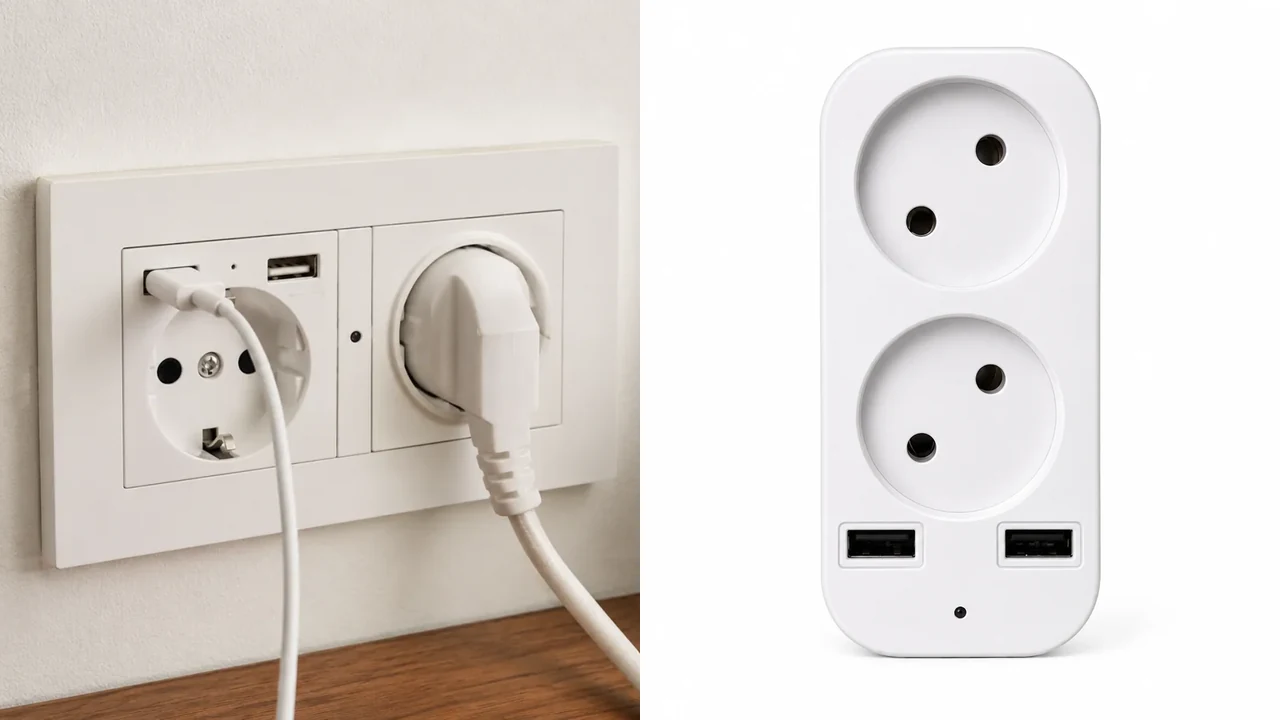
No-text comparison made from current QZT product-page images. S2 is the fixed wall-socket architecture; S3 is the portable plug-adapter architecture.
1. S2 is fixed into the wall; S3 plugs into an existing socket
The biggest difference is not resolution. It is the installation architecture.
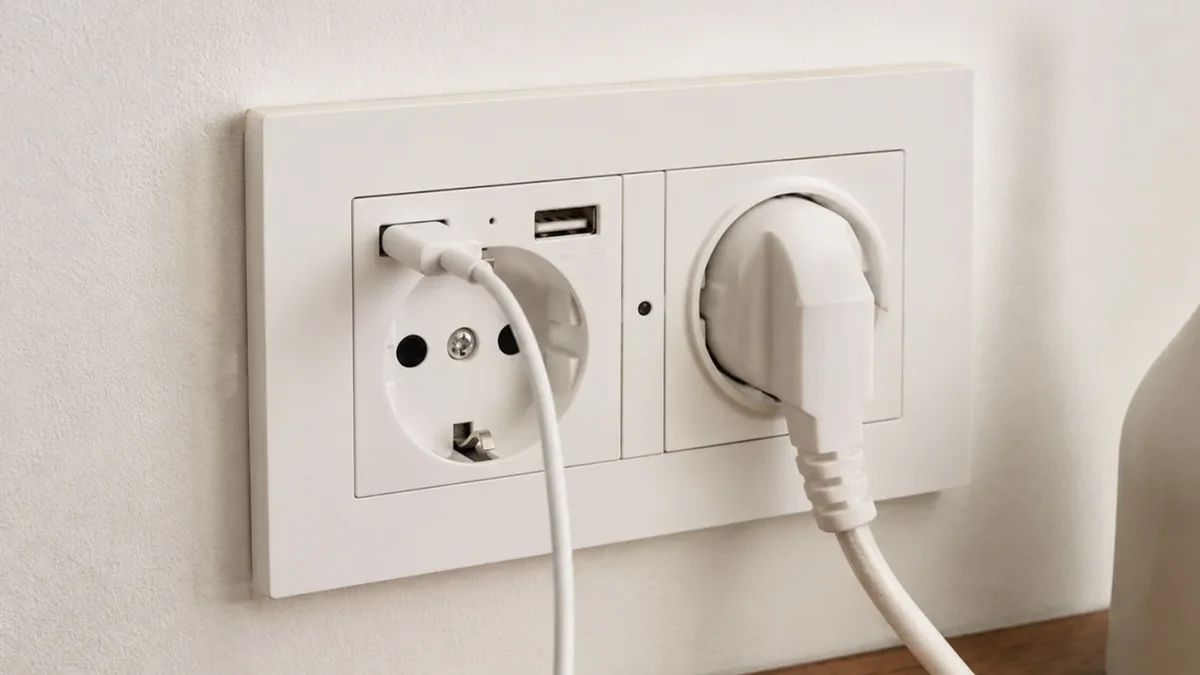
Current QZT S2 product-page image. The source asset has a legacy “s3” filename, but the current product page identifies this gallery image as S2.
The current QZT S2 Wall Socket Camera is designed for a fixed indoor wall-socket position. Its current page lists direct AC mains power and a functional double EU socket body with two USB charging ports.
The current QZT S3 Portable EU Plug Adapter Camera is a portable plug-in adapter. It plugs into an existing EU socket and can be moved without replacing a wall outlet.
That gives a simple first decision:
| Requirement | S2 | S3 |
|---|---|---|
| Fixed wall installation | Yes | No |
| Portable between rooms | No | Yes |
| Replaces/occupies wall-socket position | Fixed wall-socket body | Plugs into existing socket |
| Current product role | Permanent/fixed | Temporary/portable |
Do not list S3 as the fixed hardwired wall-socket model. Do not list S2 as the portable plug adapter.
2. Current S2 specifications belong to S2 only
The current S2 page lists a 1080p fixed wall-socket configuration.
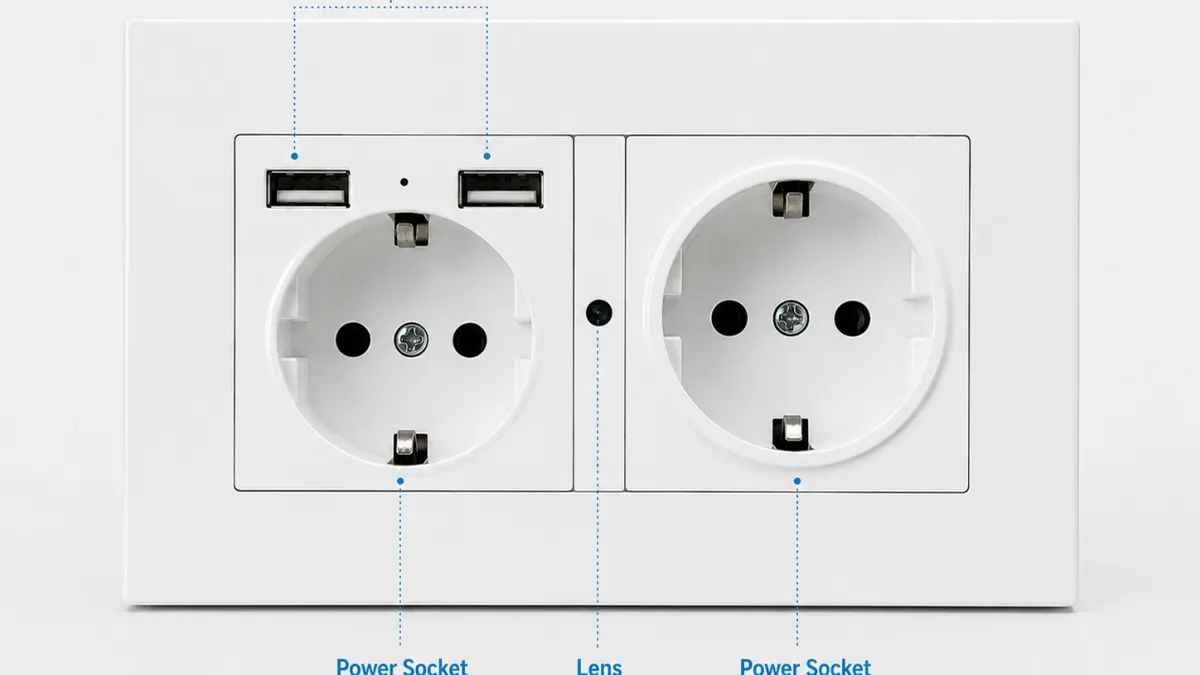
Current QZT S2 product-page source image. Verify the exact sample before copying specifications into a reseller listing.
Current S2 page data includes:
- model: S2;
- 1920 × 1080p Full HD;
- 30fps;
- M-JPEG / AVI;
- listed 90° viewing angle;
- 2.4GHz WiFi app access;
- integrated microphone / audio-video sync;
- motion, continuous and loop recording;
- MicroSD up to 128GB;
- direct AC mains power;
- two EU sockets + two USB charging ports;
- listed size 146 × 86mm;
- 12-month warranty support.
Those specifications should stay attached to the S2 hardware/revision being quoted.
The current page also tells buyers to test the app, local recording, socket/USB output, heat and playback on a sample before repeat supply.
3. Current S3 specifications describe a different portable device
S3 is not just “the same socket camera without installation.”
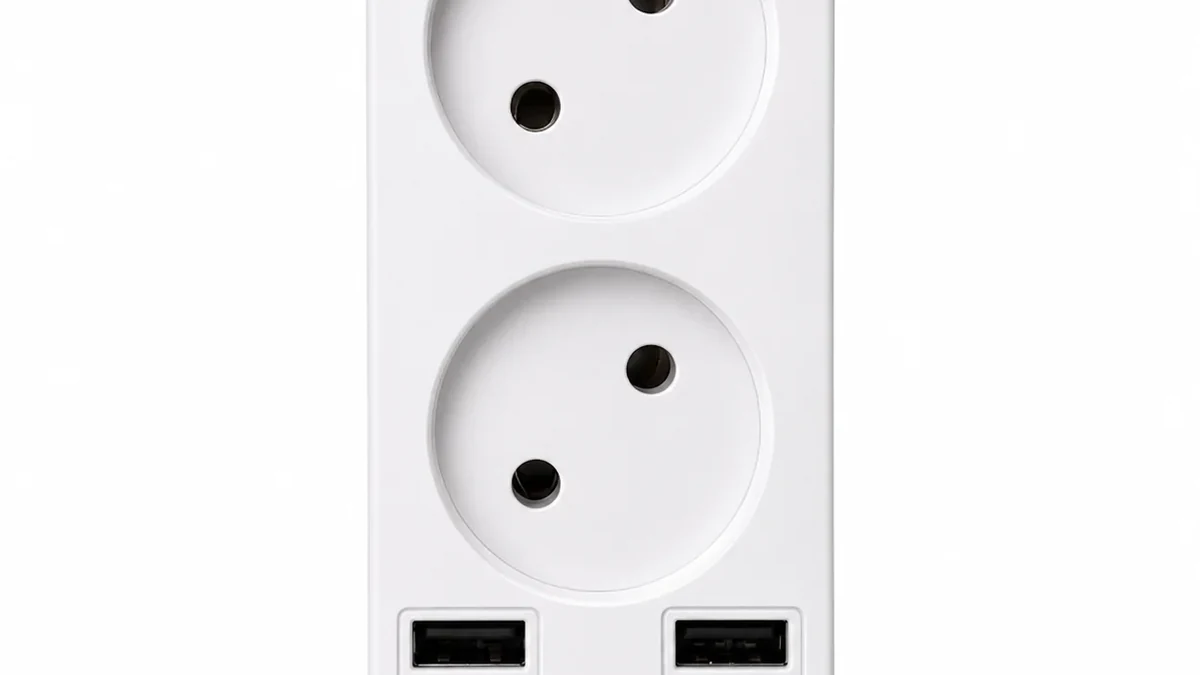
Real QZT S3 current product image. The adapter can be moved between suitable EU sockets.
The current S3 page lists:
- model: S3;
- portable EU plug-adapter body;
- LookCam app;
- 4K / 2K / Full HD selectable online preview;
- HD AVI local recording;
- listed local frame rate 15fps;
- listed viewing angle 80°;
- MicroSD 8GB to 128GB;
- no built-in battery;
- current page lists USB 5V constant power;
- motion detection;
- no IR LEDs in the current S3 version;
- two AC sockets + two USB ports;
- listed size 90 × 46 × 45mm.
The distinction between online preview and local recording matters. Do not turn “4K preview” into a claim that every saved MicroSD file is 4K.
The S3 page also says the current version has no IR LEDs. That must not be replaced with S2 or another charger-camera night-vision specification.
4. Power and installation change the maintenance workflow
A fixed wall product and a portable adapter create different service tasks.
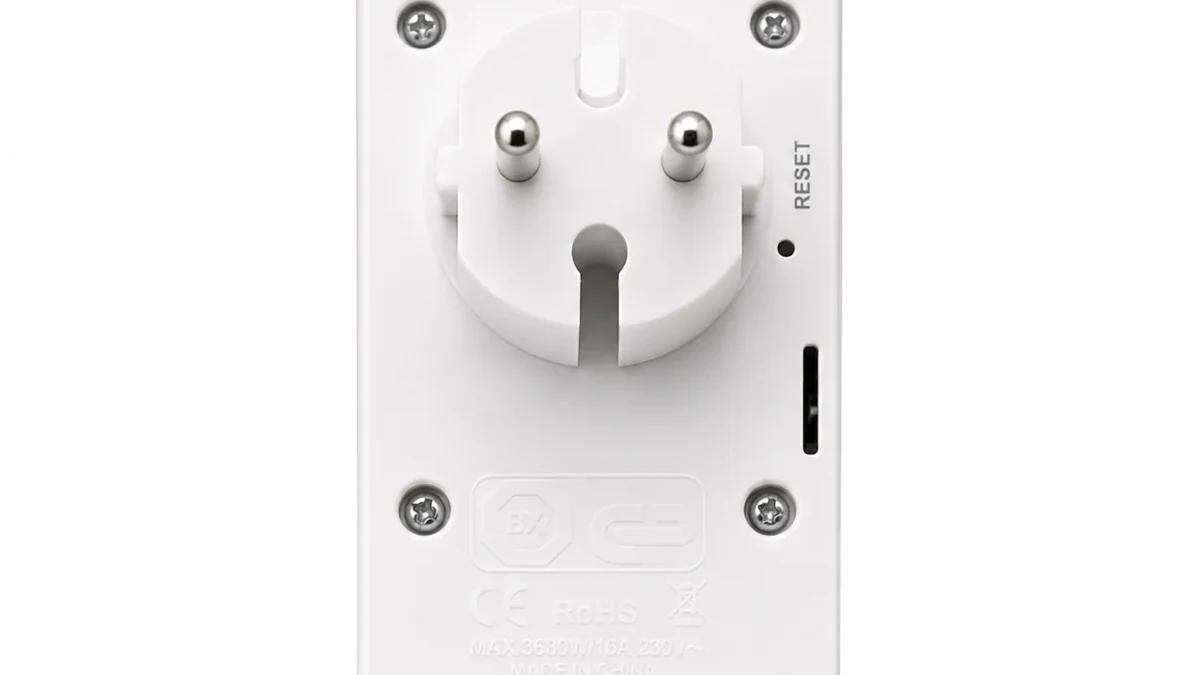
Real QZT S3 source image. Portable installation makes relocation easier, while storage and app access still need sample verification.
For S2, check:
- wall dimensions and wiring plan;
- socket orientation and camera angle;
- safe AC installation;
- socket and USB output;
- app connection;
- local recording;
- heat during powered use;
- access for MicroSD/service.
For S3, check:
- plug orientation;
- whether the existing outlet gives a useful view;
- LookCam setup;
- MicroSD access;
- direct/local WiFi setup if used;
- stable power;
- whether the room has enough light because the current S3 page lists no IR LEDs.
Neither product should be described as “maintenance-free.” Power, network, storage and app workflows can still require support.
5. App, video and storage labels must not be mixed between S2 and S3
A reseller listing can become inaccurate when features from two similar-looking socket products are merged.
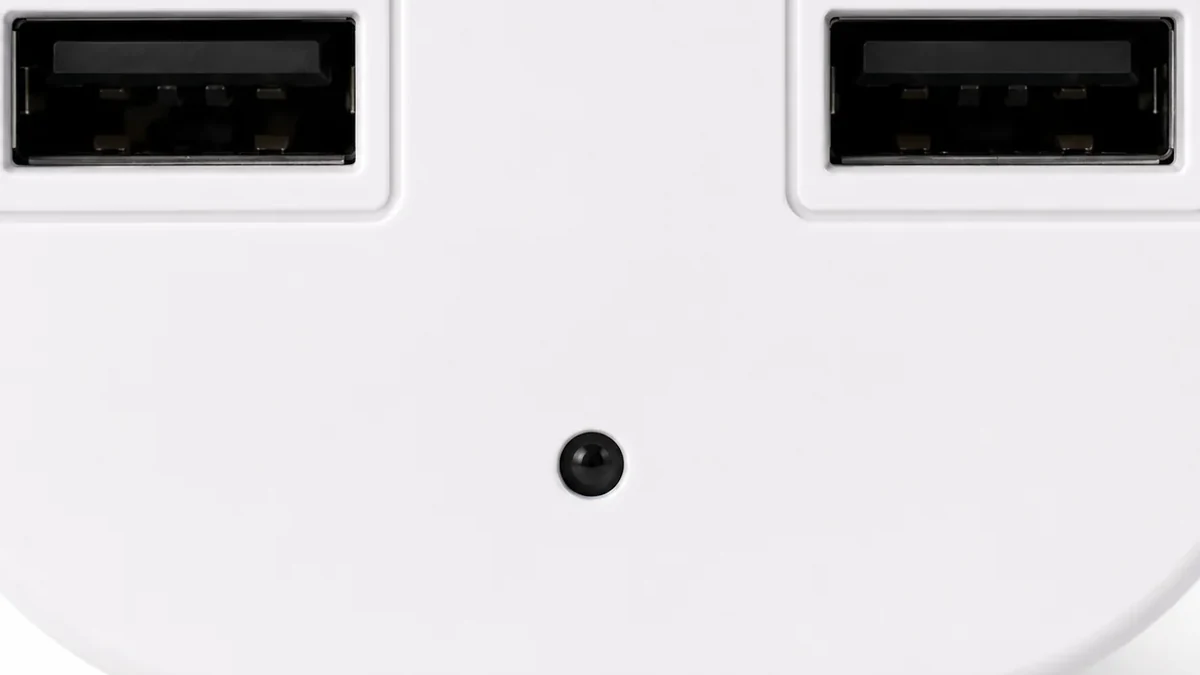
Real QZT S3 lens source image. Keep S3 LookCam/video/storage claims separate from S2 specifications.
Use a version-specific record:
| Field | S2 current page | S3 current page |
|---|---|---|
| Product architecture | Fixed EU wall socket | Portable EU plug adapter |
| App | iOS/Android compatible app; exact app should be confirmed on sample | LookCam |
| Video | 1080p, 30fps | 4K/2K/FHD online preview; HD AVI local recording, 15fps |
| Listed view | 90° | 80° |
| Storage | MicroSD up to 128GB | MicroSD 8–128GB |
| Power | Direct AC mains | Current page lists USB 5V constant power |
| Battery | No battery charging routine | No built-in battery |
| Night | Test selected S2 configuration | Current S3 page: no IR LEDs |
| Socket/USB | 2 EU sockets + 2 USB | 2 AC sockets + 2 USB |
If a supplier sample differs from the page, freeze the sample revision and update the listing before selling it.
6. Choose the architecture first, then approve the exact sample
The search phrase “wall socket camera” is not enough to select a SKU.
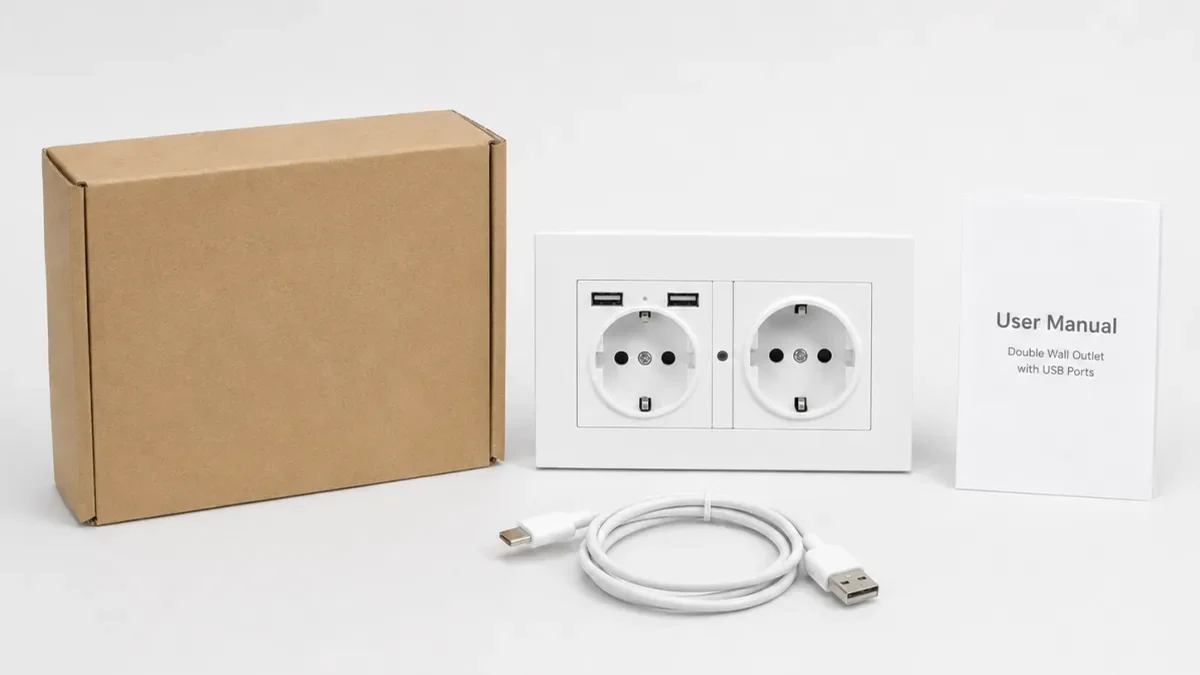
Current QZT S2 package source image. Match the repeat-order hardware, documentation and accessories to the approved sample.
Choose S2 when:
- the project needs a fixed wall-socket installation;
- wall height gives the required view;
- permanent AC installation is appropriate;
- the customer wants the camera integrated into the wall-socket position.
Choose S3 when:
- the camera must move between rooms or temporary locations;
- the customer wants plug-in installation without replacing the wall socket;
- the current LookCam workflow fits the project;
- the available outlet position gives the required view.
For either model, record:
- exact model and hardware revision;
- product form;
- power input;
- app and account workflow;
- video preview mode;
- local recording file properties;
- MicroSD capacity and overwrite behavior;
- motion/event behavior;
- real viewing angle from the installed position;
- restart/reconnect behavior;
- socket/USB function;
- packaging, manual and compliance documents for the exact order.
Use the device only for lawful, authorized monitoring. Privacy and audio-recording rules vary by jurisdiction and context.
Frequently asked questions
What is a wall socket camera?
It is a camera integrated into or positioned as an electrical socket product. The term can cover different architectures, so confirm whether the product is a fixed wall socket or a portable plug adapter.
Is QZT S2 the same product as S3?
No. The current QZT pages define S2 as the fixed wall-socket model and S3 as the portable EU plug-adapter model.
Which one is easier to move?
S3. It is the portable plug-adapter architecture. S2 is intended for fixed wall installation.
Do S2 and S3 use the same app?
Do not assume that. The current S3 page lists LookCam. The current S2 page describes app access but tells buyers to confirm the actual app/router workflow on the sample.
Does S3 record 4K to the MicroSD card?
The current S3 page distinguishes 4K/2K/FHD online preview from HD AVI local recording. Do not advertise 4K local files unless the exact sample file confirms it.
Which model has night vision?
The current S3 page states no IR LEDs. For S2, confirm the selected configuration and test the sample rather than copying a night-vision claim from another socket or charger camera.
The safest rule is: treat S2 and S3 as separate SKUs with separate specifications, then verify the exact sample before a repeat order.

 English
  Italiano
  Deutsch
  Français
  Español
  Polski