
What Are IP Spy Cameras for Children and How Do They Work?
Parents in the UK, Germany, France, and across Europe increasingly turn to IP-based covert cameras to monitor their children’s rooms, nannies, and caregivers. The appeal is obvious: you can check in from anywhere in the world using your phone, review footage of what happened while you were away, and have a visual record in the event of an incident. But IP covert cameras for childcare are a product category where the technology, the privacy law, and the parenting use case all intersect in ways that are worth understanding carefully before you buy.
This guide explains how IP spy cameras work in a childcare context, what features genuinely matter, how to deploy them legally across Europe, and what alternatives exist.
Table of Contents
1. How IP Cameras Work: The Technical Basics
2. Why Parents Choose Covert IP Cameras for Childcare
3. Key Features to Look for in a Childcare IP Camera
4. Where to Place IP Cameras in a Childcare Setting
5. Privacy and GDPR Compliance for Childcare Monitoring
6. Recommended IP Camera Products
7. FAQ
1. How IP Cameras Work: The Technical Basics
An IP (Internet Protocol) camera captures video and transmits it over a network — either a local network or the wider internet. Unlike older analogue CCTV cameras, which send a raw video signal to a dedicated recording device (DVR), an IP camera digitises the video internally and can stream it anywhere with network connectivity.
The Signal Path
1. Camera lens captures light → CMOS sensor converts it to a digital image
2. Onboard processor compresses the image (H.264 or H.265 codec) to reduce file size
3. Compressed video is packaged as a stream and sent over WiFi or Ethernet
4. Router forwards the stream — either locally (for viewing on the same network) or via the internet (for remote viewing)
5. Your phone app receives the stream and decompresses it for display
For the user, the entire process takes 1–3 seconds of latency from camera to phone screen, assuming standard home broadband.
P2P vs. Routed Connections
Most consumer IP cameras use P2P (peer-to-peer) connectivity via a relay server. When you open the app, it establishes a direct or semi-direct connection to the camera using a unique device ID — without requiring complex port forwarding on your router. This is the technology behind Tuya Smart and Smart Life apps used by QZT Security’s product range.
> Here’s what most people get wrong: They assume that P2P means their footage goes through the manufacturer’s servers. In most implementations, the P2P relay only brokers the connection — video data travels directly between your phone and the camera. However, cloud storage options (if enabled) do send footage to third-party servers. Always check where your footage is stored.
2. Why Parents Choose Covert IP Cameras for Childcare
The childcare IP camera market grew substantially after high-profile cases of nanny abuse were captured on home cameras and shared publicly. For parents, the argument is simple: you cannot be in the room 24 hours a day, and a camera gives you an objective record.
Legitimate Use Cases
– Nanny and au pair monitoring: Verifying that contracted caregivers follow agreed care protocols
– Elderly parent care: Ensuring professional carers provide adequate support
– Sleep monitoring: Checking on infants without entering the room and disturbing sleep
– Teen safety: Monitoring the home environment when teenagers are alone
– Behavioural concerns: Providing objective evidence in custody or child welfare proceedings
> “The use of CCTV to monitor care workers must be balanced against their right to privacy and dignity. Any covert use must be proportionate and legally sound.” — UK ICO, Covert Surveillance in Care Settings
The crucial distinction is between covert (hidden, undisclosed) and overt (visible, disclosed) monitoring. If you employ a nanny or au pair, disclosing the presence of cameras in your home — typically in your employment contract and a separate Camera Use Policy — is legally safer and ethically clearer. Covert placement in bathrooms or changing areas is never permissible under any EU legal framework.
3. Key Features to Look for in a Childcare IP Camera
Not all IP cameras are suitable for childcare environments. Here is what matters when selecting a system for monitoring children or vulnerable individuals.
Resolution and Low-Light Performance
A 720p camera at 3 metres can show that a person is in the room. It cannot reliably show whether their eyes are open or closed. A 1080p camera at the same distance provides enough detail for facial expressions and body language — the cues that matter most in childcare monitoring.
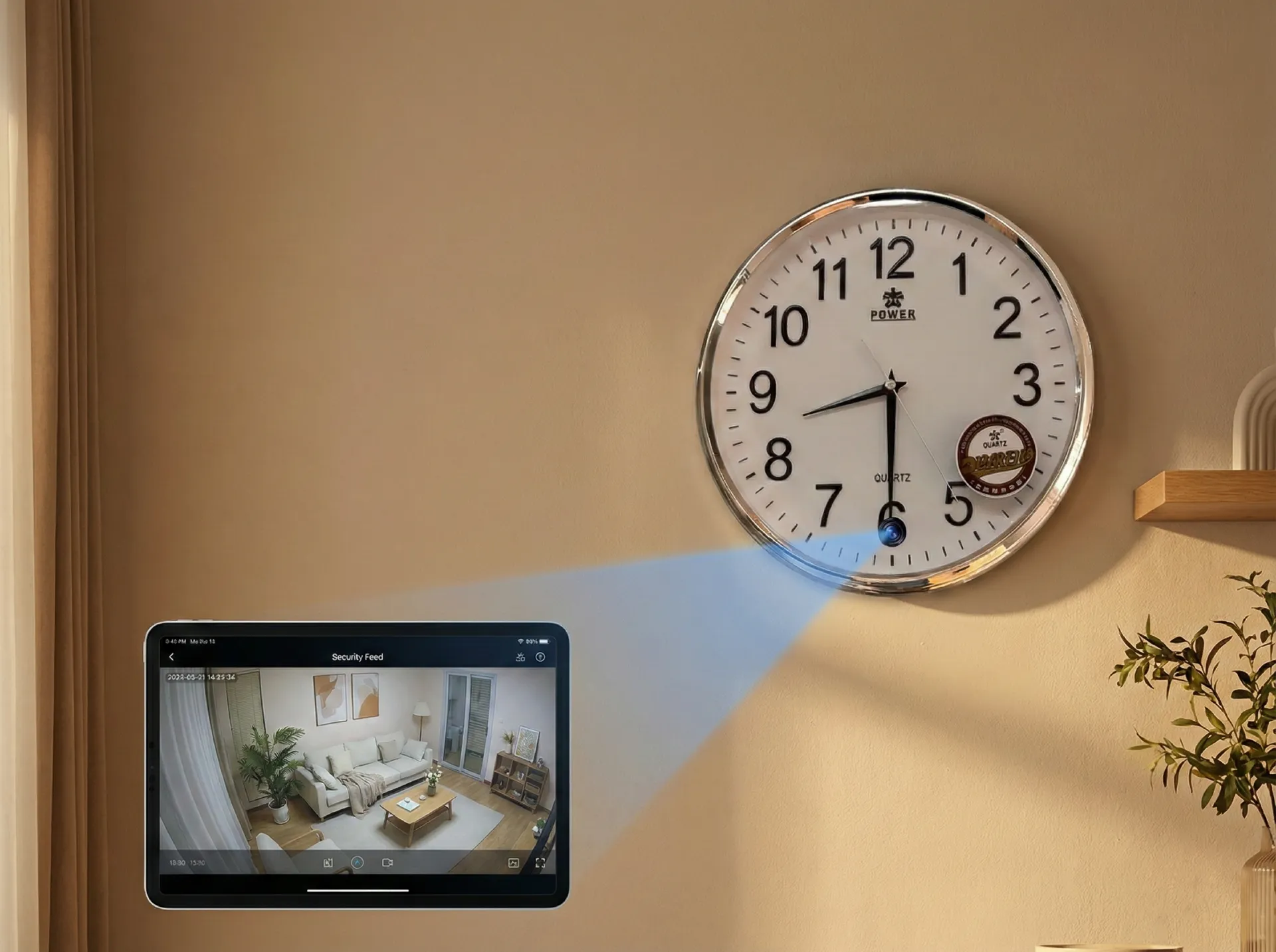
Night vision is non-negotiable. Children sleep. Carers work at night. A camera without functional IR night vision misses everything that happens after dark. The Z10 WiFi Spy Clock Camera features six infrared LEDs providing clear footage in complete darkness at up to 5 metres.
Motion Detection and Smart Alerts
Motion-triggered recording is essential for childcare cameras because it creates an event log — a series of timestamped clips of significant moments rather than hours of empty-room footage. Look for:
– Adjustable motion sensitivity — too high and you get false alarms from shadows; too low and you miss events
– Alert push notifications — instant phone notification when motion is detected, with thumbnail preview
– Motion detection zones — define specific areas of the frame (e.g., the cot) as detection regions and ignore peripheral movement
The Tuya Smart app used by QZT Security cameras supports all three of these features.
Two-Way Audio
The ability to speak through the camera and hear what is happening in the room is valuable for childcare monitoring. You can soothe an upset child remotely, give real-time instructions to a babysitter, or simply listen in without entering the room. All WiFi cameras in the QZT range include built-in microphones and speakers for two-way audio.
Local vs. Cloud Storage
– Local SD card storage: Footage stays on the device. Lower ongoing cost, but the SD card can be removed or the device can be stolen, destroying the record.
– Cloud storage: Footage is uploaded to servers in real time. Even if the camera is removed, the cloud footage survives. Requires a subscription and raises GDPR considerations (see Section 5).
– Hybrid: The WiFi 1080P Hidden EU Socket Camera supports both local SD recording and optional cloud backup simultaneously.
| Feature | Minimum | Recommended |
|---|---|---|
| Resolution | 720p | 1080p |
| Night vision | IR, 3m | 6 IR LEDs, 5m+ |
| Audio | One-way (listen) | Two-way |
| Alerts | Push notification | Push + thumbnail |
| Storage | 64 GB SD | 128 GB SD + cloud |
| App | Proprietary | Tuya Smart / Smart Life |
4. Where to Place IP Cameras in a Childcare Setting
Camera placement in childcare environments requires balancing monitoring effectiveness with privacy law compliance.
Permitted Placements
– Living rooms and play areas: Generally permissible with disclosure
– Children’s bedrooms: Permissible for parents monitoring their own children, particularly infants; disclose in household camera policy
– Kitchen and dining areas: Permissible with disclosure
– Childcare professional’s bedroom (if employed in the home): Requires explicit disclosure in employment contract; some EU jurisdictions require works council consultation
Never Permitted
– Bathrooms, changing rooms, or toilet areas under any circumstances
– Anywhere a child or carer has a reasonable expectation of complete privacy
– Inside wardrobes or other enclosed private spaces
Optimal Positions for Childcare Monitoring
1. High corner of the room, downward angle: Maximum coverage, hardest to tamper with. The WiFi Smoke Detector Hidden Camera is specifically designed for this position.
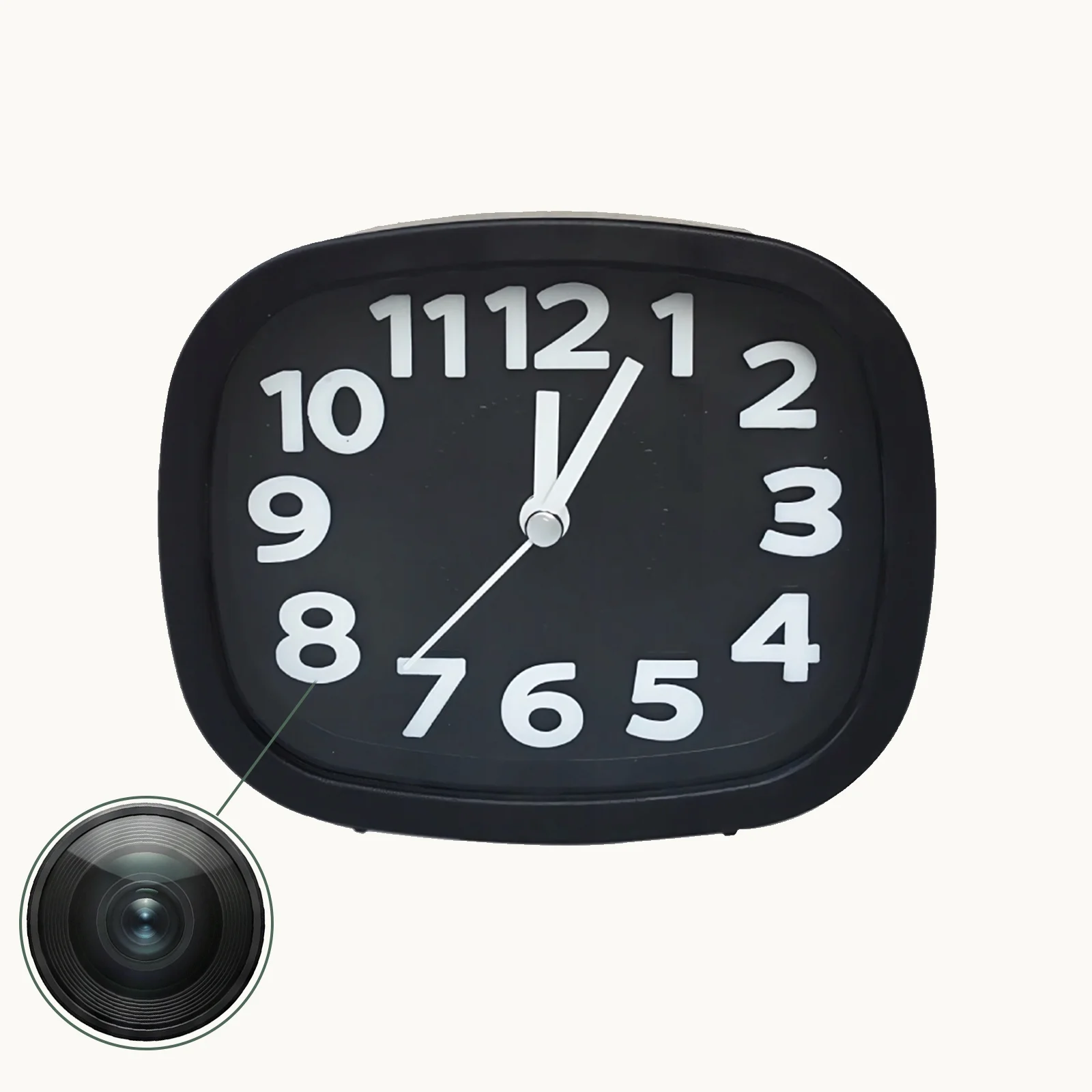
2. Overlooking the cot or bed: Z10 Clock Camera positioned on a high shelf provides an unobstructed view of the sleeping area.
3. Kitchen benchtops: Any USB charger or mains-powered device positioned on a shelf with a clear view.
> The bedroom debate: European works councils and data protection authorities generally take the position that cameras in employees’ sleeping areas (for live-in nannies or au pairs) require explicit written consent and a specific data protection impact assessment. Even for parents monitoring their own children, some UK letting agents recommend disclosing cameras to nanny agency placements as a matter of professional practice.
5. Privacy and GDPR Compliance for Childcare Monitoring
The GDPR classifies video footage of identifiable individuals as personal data. This means that if your IP camera captures footage of a nanny, au pair, grandparent carer, or anyone other than immediate family members in your home, you are a data controller with corresponding legal obligations.
What GDPR Requires of Parents/Employers
| Obligation | Requirement |
|---|---|
| Lawful basis | Legitimate interest (your property, your children) or consent from recorded individuals where required |
| Transparency | Inform all household members and visitors that cameras are in operation — typically via employment contract + visible notices |
| Purpose limitation | Use footage only for the stated purpose (childcare monitoring); do not share without legal basis |
| Storage limits | Retain footage no longer than necessary — typically 7–30 days for home use |
| Subject access | Recorded individuals have the right to request copies of footage showing them |
| Data breach | If footage is accessed without authorisation, report to the relevant supervisory authority within 72 hours |
Special Considerations for Professional Childcare Settings
If you run a nursery, preschool, or registered childcare service, the requirements are significantly more stringent:
– Registration with your national data protection authority may be required
– A Data Protection Impact Assessment (DPIA) is recommended before deployment
– Staff must be informed and consulted (in Germany, works council co-determination rights apply)
– Signage requirements are mandatory and prescriptive
– Footage retention periods are typically capped by childcare regulations, not just GDPR
> For professional childcare operators in Germany: BDSG §26 and the EU GDPR together require that any CCTV in a childcare setting be accompanied by a written data protection concept, staff information, and parental notification. Failure to comply can result in fines from the Datenschutzbeauftragter (data protection officer) and exclusion from regulatory childcare registration.
6. Recommended IP Camera Products
For parents and childcare professionals seeking reliable, legally compliant monitoring:
Best overall for home childcare monitoring:
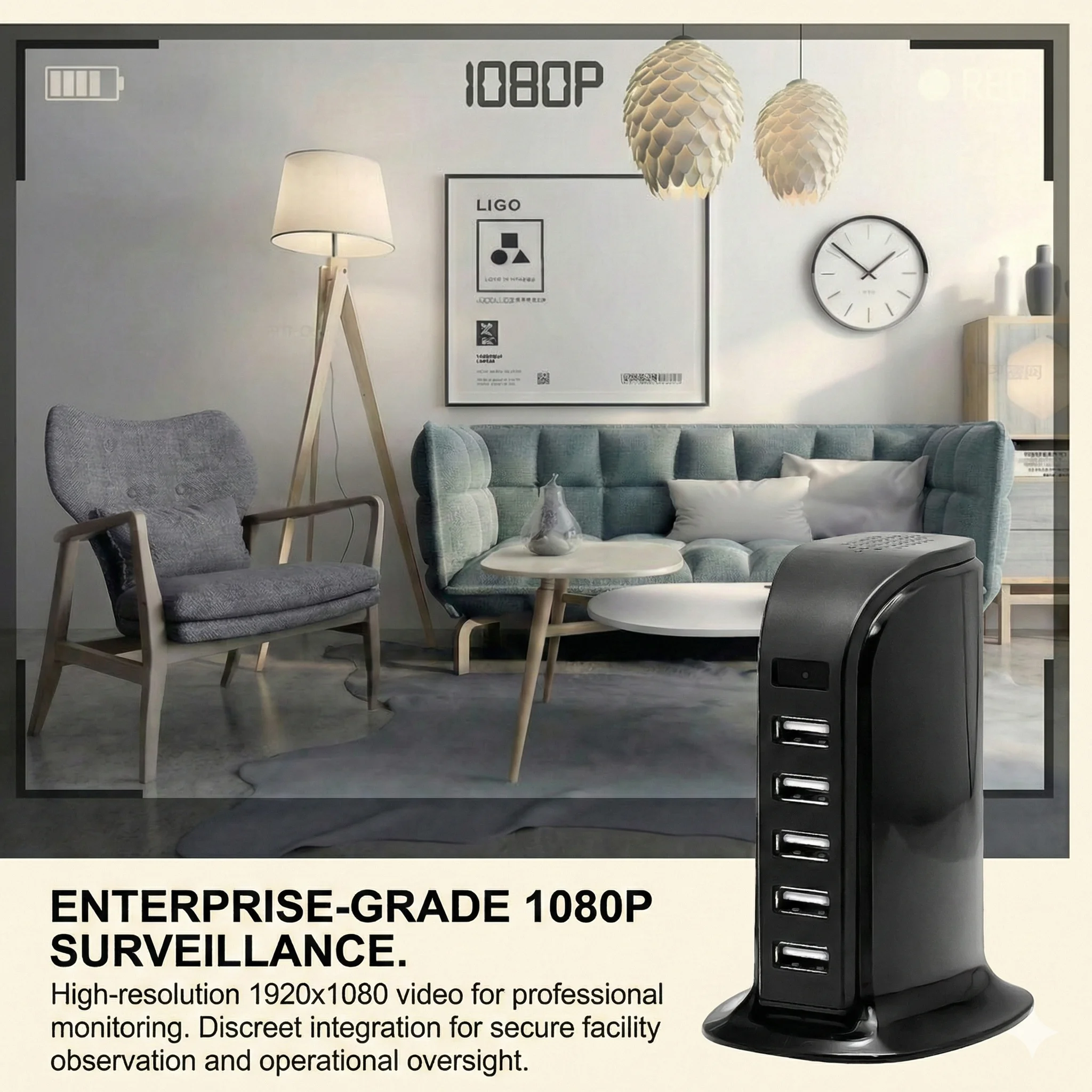
→ Z10 WiFi Spy Clock Camera — blends into bedroom and living room environments; full HD; night vision; two-way audio; Tuya Smart app
Best for wide-area ceiling coverage:
→ WiFi Smoke Detector Hidden Camera — elevated position; functional housing; no additional shelf space required
Best for long-term permanent installation:
→ WiFi 1080P Hidden EU Socket Camera — permanent mains power; no battery management; works 24/7
Best portable/travel option:
→ WiFi 1080P Power Bank Hidden Camera — take it to hotel rooms, family homes, or temporary childcare settings
7. FAQ
Is it legal to install a hidden camera to monitor my nanny in the UK?
Yes, with conditions. The ICO permits parents to monitor their own children via CCTV in their own home. Recording your nanny requires disclosure in the employment contract and a household camera policy. Covert recording without disclosure is not automatically illegal in your own home but is inadvisable and can be challenged in employment tribunals. In Scotland, the position is stricter — the Employment Practices Regulations require that covert surveillance be proportionate and legally authorised.
Can a nanny legally refuse to work in a home with cameras?
This depends on your jurisdiction. In Germany, works councils have co-determination rights over workplace surveillance and can effectively veto camera deployment. In most EU member states, a condition of employment can include acceptance of CCTV monitoring if it is proportionate and disclosed. Nannies who have not been informed of cameras and who subsequently object may have grounds for constructive dismissal claims in an employment tribunal.
How do I access footage remotely from an IP camera?
Download the Tuya Smart or Smart Life app (free on iOS and Android), create an account, and scan the QR code on the camera using the app. The app handles P2P connection setup automatically. You can then view live footage, review SD card recordings, and receive motion alerts from anywhere with internet connectivity.
What happens to the footage when the SD card is full?
All QZT Security IP cameras support loop recording — when the SD card is full, the oldest footage is automatically overwritten by new footage. This ensures continuous coverage without manual intervention. You can set recording quality to lower resolution to extend storage duration.
Can I use an IP camera without an internet connection?
Yes. Cameras record to local SD card without internet. For remote viewing via smartphone, an internet connection is required (the camera connects to your home WiFi, which connects to the internet). Without internet, you can view live footage only by connecting directly to the camera’s local hotspot WiFi signal.
How do I protect camera footage from being hacked?
Change the default camera password immediately after setup. Use a strong, unique WiFi password on your home network. Keep camera firmware updated via the app. Disable UPnP on your router to prevent automatic port forwarding. Enable two-factor authentication on the Tuya Smart app. Only purchase from reputable suppliers with established app ecosystems — third-party no-name cameras often have security vulnerabilities that are never patched.
Need reliable IP cameras for your childcare monitoring needs? Contact us today to explore our range, from single units to OEM/ODM orders for childcare service providers.

 English
  Italiano
  Deutsch
  Français
  Español
  Polski