
How to Protect Your Small Business with Hidden Cameras
Running a small business means wearing a dozen hats. You’re the boss, the marketer, the customer service rep, and—whether you signed up for it or not—the head of security. A single break-in, a shoplifting incident, or an internal theft can wipe out a month’s profit. That’s why more small business owners are turning to hidden cameras: they provide round-the-clock protection without broadcasting to the world that they’re watching.
Here’s what most people get wrong: they think hidden cameras are just for catching criminals after the fact. The real value is deterrence, operational insight, and having ironclad documentation if something does go wrong. In this guide, we’ll walk through exactly how to choose, install, and manage hidden cameras for a small business—with an eye on both security and the law.
What Legal Considerations Should Small Business Owners Know Before Installing Hidden Cameras?
Before you mount a single device, you need to understand where the legal landmines are. In the UK, the Data Protection Act 2018 and UK GDPR apply to any business that records identifiable individuals. That means if your camera captures employees or customers, you’re processing personal data—and you have legal obligations.
The key principle: you must have a legitimate reason, and you must be transparent about it. For customer-facing areas, that means putting up a sign. For staff areas, you need to inform employees and, in many cases, consult with employee representatives. The Information Commissioner’s Office (ICO) provides clear guidance on this, and ignoring it can lead to fines that dwarf the cost of any camera system.
Here’s the thing—hidden cameras in staff-only areas like break rooms or changing rooms are almost never permissible. Privacy expectations are highest there. But in sales floors, warehouses, and cash-handling areas, the case for surveillance is strong. Article 6(1)(f) of the GDPR framework recognizes “legitimate interests” as a lawful basis, and protecting business assets firmly qualifies.
For businesses in the EU, the rules are similar but with local variations. France, Germany, and Italy all have their own implementations of the GDPR, and some have additional workplace surveillance laws. Italy, for instance, requires prior notification to employees and, in unionized workplaces, consultation agreements. If you’re operating across borders—or selling to customers who do—these details matter.
Internal link: For a deeper dive into the legal framework, see our guide on GDPR CCTV Compliance for EU Retail Shops.

Key Takeaway: Legality hinges on transparency, proportionality, and respect for privacy in sensitive areas. When in doubt, consult a local solicitor—but the broad principle is that business protection is a legitimate interest under the law.
| Legal Factor | UK (DPA 2018 / UK GDPR) | EU (GDPR + Local Law) |
|---|---|---|
| Signage Required | Yes, in customer areas | Yes, visibly posted |
| Employee Consent | Informed notice; consultation recommended | Varies; Italy requires formal notification |
| Restricted Areas | Toilets, changing rooms, break rooms | Same; stronger privacy in Germany/France |
| Lawful Basis | Legitimate interests (Art 6(1)(f)) | Same, plus local labor law overlay |
| Maximum Fine | Up to £17.5M or 4% of turnover | Same ceiling under GDPR |
How Do Hidden Cameras Compare to Traditional CCTV for Small Business?
Traditional CCTV has its place—but for small businesses, it often sends the wrong message. A visible camera tells everyone “this place has security problems.” It can make customers uncomfortable, and it gives shoplifters a heads-up to either avoid the store or find the system’s blind spots. Hidden cameras flip that dynamic: they see everything while revealing nothing.
The technical comparison is worth dwelling on. Traditional CCTV typically records to a DVR/NVR on-site, which means if a thief steals the recorder, you’ve lost your evidence. Hidden cameras, especially WiFi-enabled models, can push footage to the cloud or a secure off-site server in real time. That’s a meaningful difference when you’re looking at a break-in that involves stealing the recording equipment itself.
But here’s what the brochures won’t tell you: hidden cameras aren’t a silver bullet. They typically have smaller lenses, which means lower light performance compared to a dedicated CCTV camera with a large sensor. They also have more limited storage locally, though cloud integration mostly solves that. And they require more planning around placement—you can’t just mount them on a wall and call it done.
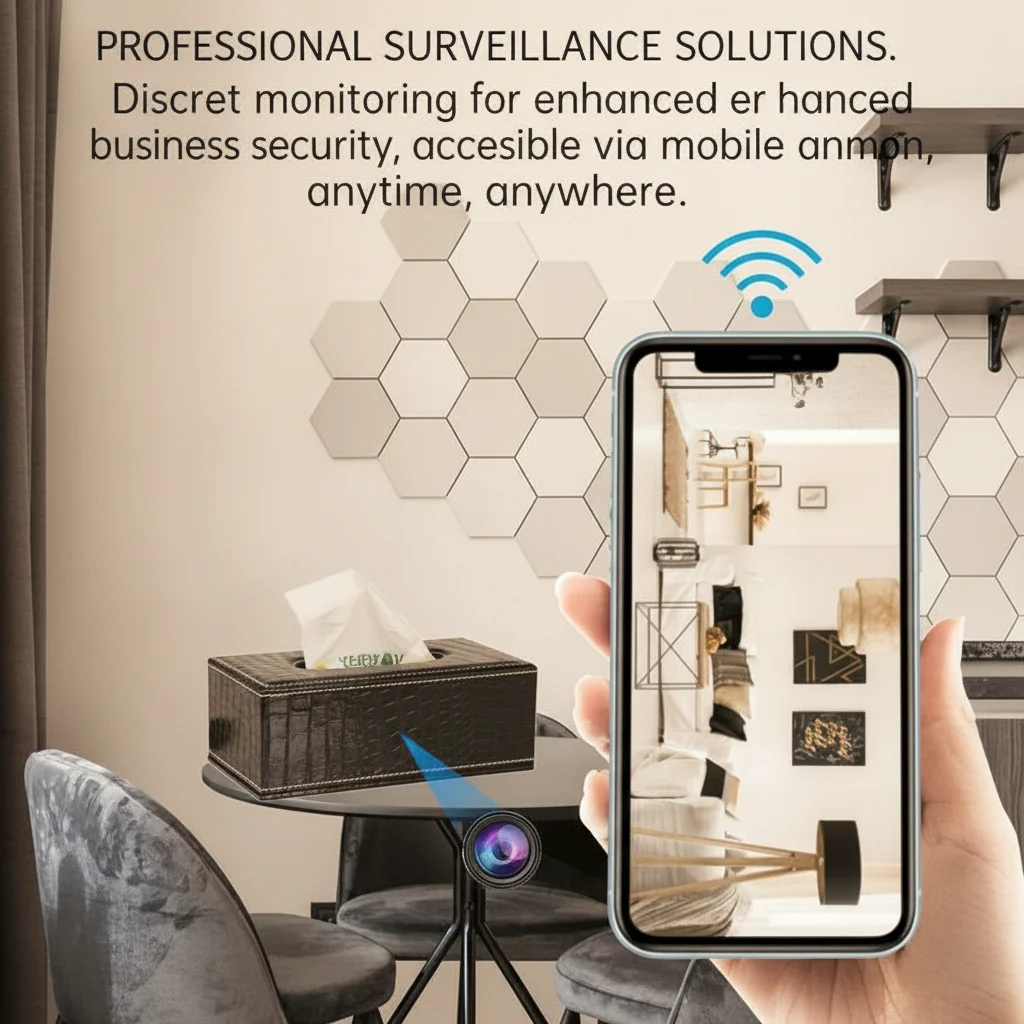
For small businesses, the sweet spot is usually a hybrid approach: visible cameras at the entrance (deterrence) and hidden cameras in high-value areas (evidence capture). A retail shop might have a visible dome camera at the door and a WiFi Smoke Detector Hidden Camera discreetly placed near the high-value merchandise. The entrance camera deters; the hidden camera captures.
Another factor: insurance. Many business insurance policies offer discounts for monitored security systems, and some insurers now recognize hidden camera setups as part of that. It’s worth a phone call to your broker—the savings can offset the entire cost of the camera system over a year.
Key Takeaway: Hidden cameras excel at discreet evidence capture and preventing camera-avoidance tactics. Traditional CCTV is better for overt deterrence. The best small business setups use both.
| Feature | Traditional CCTV | Hidden Cameras |
|---|---|---|
| Deterrence Value | High (visible) | Low (covert) |
| Evidence Quality | Excellent (large sensors) | Good (smaller sensors) |
| Blind Spot Awareness | Thieves look for them | Thieves don’t know they exist |
| Storage Risk | DVR can be stolen | Cloud/off-site options |
| Installation Cost | Higher (cabling) | Lower (wireless options) |
| Employee Acceptance | Neutral to negative | Can raise privacy concerns |
Where Are the Best Places to Install Hidden Cameras in a Retail Shop?
Placement is everything. A hidden camera in the wrong spot is worse than no camera at all—it gives you a false sense of security while leaving your actual vulnerabilities exposed. The goal is to cover the areas where theft happens, where liability claims originate, and where operational bottlenecks occur.
The checkout counter is priority number one. Research consistently shows that the vast majority of retail theft is internal—staff stealing from the till or manipulating transactions. A WiFi Spy Camera USB Charger plugged into a power strip behind the counter gives you a direct view of every transaction without anyone being the wiser. Position it so the lens has a clear view of the register, the cash drawer, and the employee’s hands.
High-value merchandise areas are number two. If you sell electronics, cosmetics, or small high-margin items, those shelves need coverage. The challenge is making the camera look like something that belongs there. A WiFi 1080P Power Bank Hidden Camera sitting on a shelf among actual products is nearly impossible to spot—especially if the power bank is real and functional.
The entrance and exit matter for different reasons. You want to capture faces coming in (for shoplifting identification) and what leaves the store (to dispute false theft accusations). But you also need to be careful about GDPR compliance here—clear signage is essential, and the camera shouldn’t capture areas beyond your premises.
Storage and stock rooms are where internal theft often goes undetected. Employees know the main floor is monitored but assume the back room is private. A WiFi Spy Camera Bluetooth Speaker sitting on a shelf in the stock room blends perfectly into the environment while capturing who accesses inventory and when.
But here’s the thing most guides won’t tell you: you also need to think about camera spacing relative to lighting. A hidden camera placed in a shadow or backlit by a window will produce unusable footage regardless of its resolution. Test your placements at different times of day before committing.

Key Takeaway: Prioritize the checkout counter, high-value merchandise areas, and stock rooms. Test lighting at different times of day before finalizing placement.
How Can Hidden Cameras Help Prevent Employee Theft Without Creating a Hostile Workplace?
Employee theft is the open secret of retail. Industry surveys consistently put the number at 5–10% of revenue walking out the back door—not through customers, but through staff. But confronting it directly can destroy morale and trust. Hidden cameras let you verify suspicions before you act, rather than accusing someone based on a hunch.
The key is to frame the camera as a business protection tool, not a “gotcha” device. If you discover theft, you handle it through proper HR channels with documented evidence. If you don’t, you’ve confirmed your team is honest and can move forward with full trust. Either way, the camera has served its purpose.
But there’s a fine line between reasonable monitoring and creating a surveillance state that makes people feel like criminals. The ICO’s guidance is clear: surveillance should be proportionate to the risk. If you’re running a jewelry store with £50,000 of inventory, comprehensive monitoring is proportionate. If you’re running a small bookstore with £2,000 of stock, a single camera at the register might be all that’s justified.
Communication matters here. You don’t have to announce every camera location (that would defeat the purpose of hidden cameras), but you do need to inform employees that CCTV is in operation and what its purpose is. In the UK, this is a legal requirement under the DPA 2018. A discreet sign at the entrance and a note in the employee handbook covers you.
One more nuance: in some EU countries, covert monitoring of employees without their knowledge is only permissible if you have a reasonable suspicion of criminal activity. The Netherlands and Germany are particularly strict about this. If you’re operating in those markets—or selling equipment to customers who are—this distinction is critical.
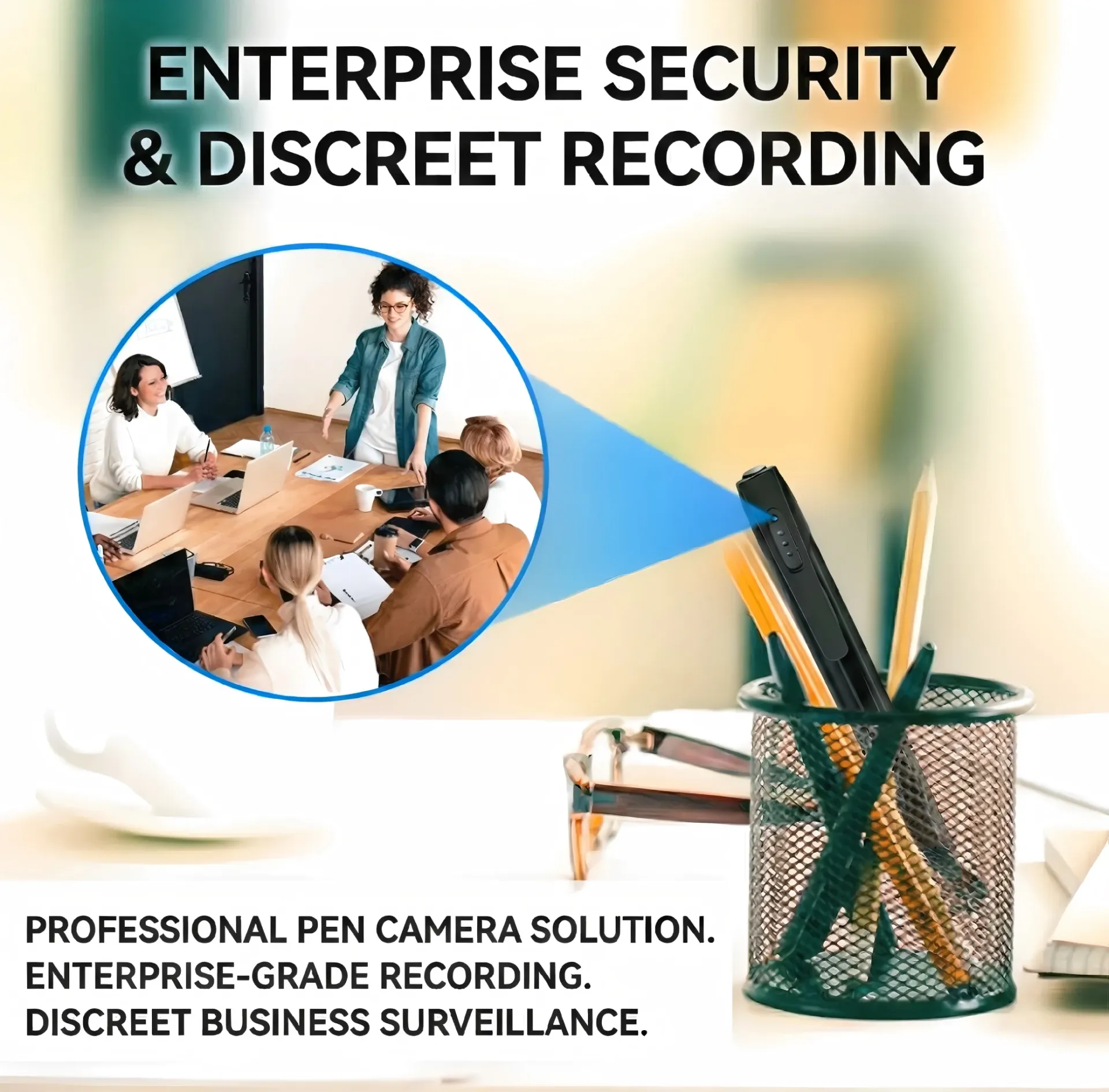
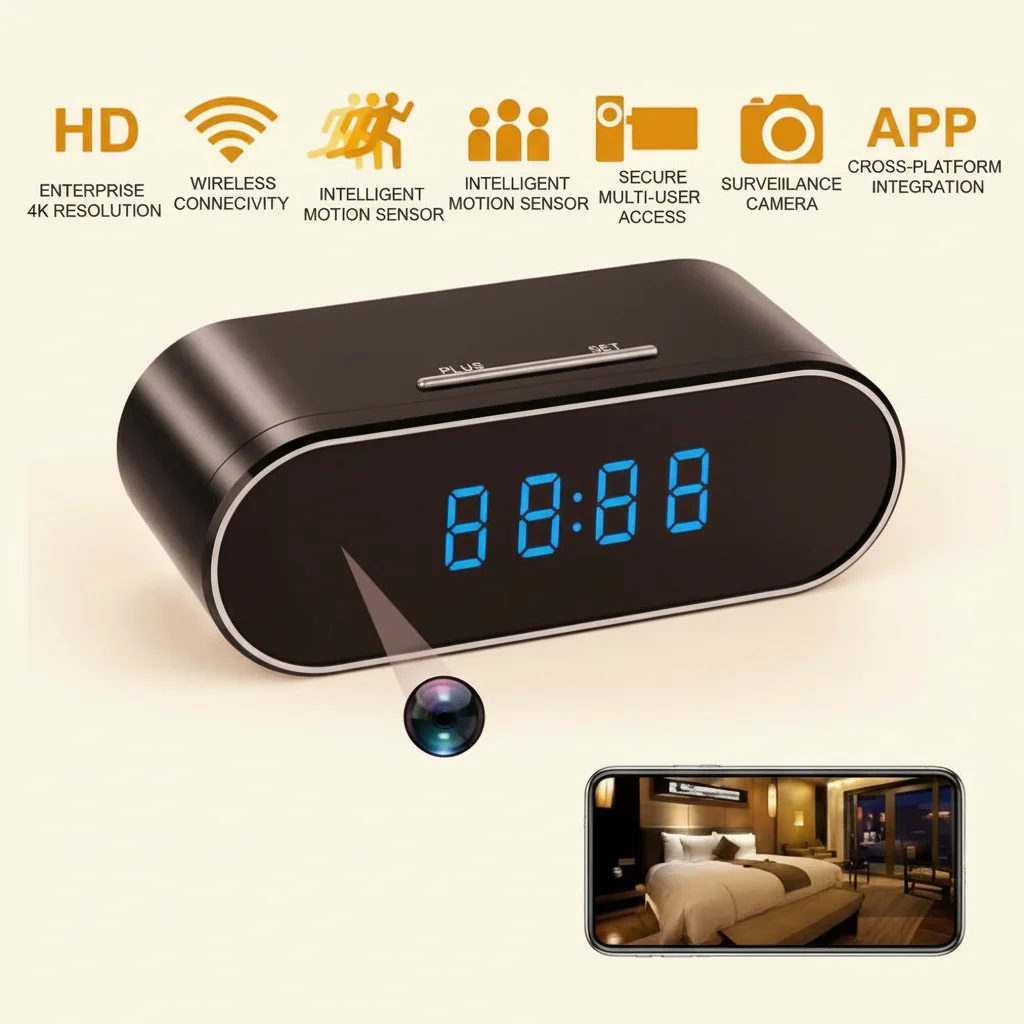
For business owners who want to monitor without tension, a Z10 WiFi Spy Clock Camera on a desk or shelf is ideal. It looks like an ordinary clock, it tells the time, and it captures everything in the room. Employees know the business is monitored (because you’ve told them CCTV is in operation) but they can’t tell which objects are cameras.
Key Takeaway: Hidden cameras let you verify suspicions before acting, but legal and cultural boundaries vary significantly across the EU. Proportionate monitoring with proper disclosure is the safest approach.
| Approach | Trust Impact | Legal Risk | Evidence Strength |
|---|---|---|---|
| Announced CCTV only | Neutral | Low | Weak (theft moves to blind spots) |
| Hidden cameras + disclosure | Moderate (if communicated well) | Low-Moderate | Strong |
| Covert monitoring without disclosure | High (if discovered) | High (GDPR violation risk) | Strongest |
| Random spot checks | Low | Low | Moderate |
What Features Matter Most When Choosing a Hidden Camera for Business Use?
Consumer-grade hidden cameras are fine for monitoring a home nanny cam. For business use, you need professional-grade reliability. The difference shows up in three areas: uptime, image quality under stress, and integration with your workflow.
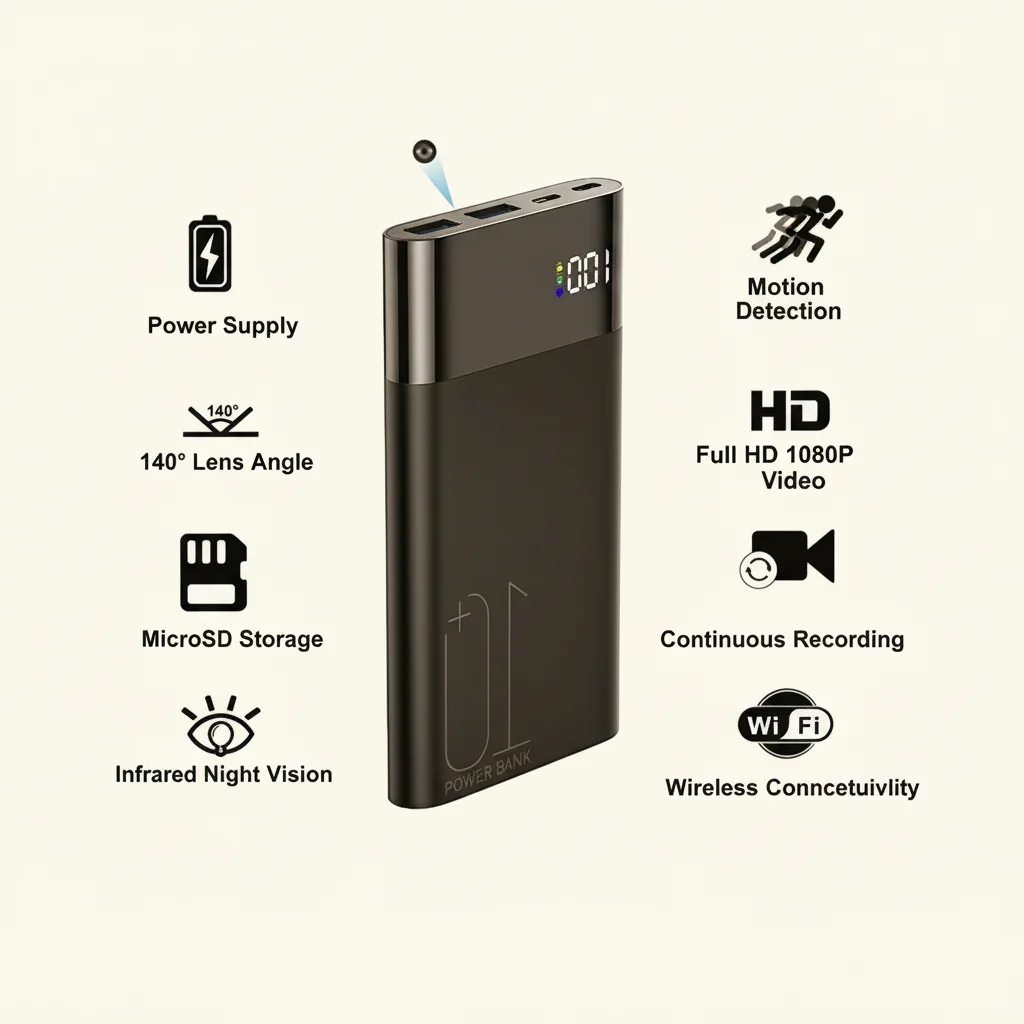
Continuous recording capability is non-negotiable. Many consumer cameras record only when they detect motion, which means they miss the moments right before and after an event. For business evidence, you want a device that can record 24/7 or at minimum has a pre-roll buffer that captures 10–15 seconds before motion triggers. The WiFi Smoke Detector Hidden Camera supports continuous recording to a microSD card or cloud sync, so you never miss a frame.
Night vision quality matters more than you think. Most retail thefts and break-ins happen after hours or in low-light conditions. Infrared (IR) night vision is standard, but not all IR is created equal. Look for cameras with no-glow IR LEDs—standard LEDs emit a faint red pinprick of light that can give away the camera’s position in a dark room. No-glow LEDs are invisible to the human eye.
Audio recording is a legal minefield. In the UK, recording audio without consent in areas where people have a reasonable expectation of privacy (like a break room) is almost certainly illegal. But in customer-facing areas, the rules are fuzzier. Some business owners record audio at the checkout to resolve transaction disputes. If you go this route, your signage needs to disclose audio recording, not just video.
WiFi stability is where many business deployments fail. A hidden camera is only useful if it maintains a connection to your network. In a small shop, a single consumer-grade router might suffice. In a larger space with thick walls or a metal stock room, you’ll need access points or a mesh system to ensure reliable connectivity. Test your WiFi signal strength at each camera location before installing.
Power source is the final piece. Battery-powered cameras are convenient but require maintenance—and a camera with a dead battery is just an expensive paperweight. For business-critical locations, prioritize cameras that plug into mains power, like the WiFi 1080P Power Bank Hidden Camera (which can run off mains while charging) or the WiFi Spy Camera USB Charger, which draws power directly from the wall.
Key Takeaway: Prioritize continuous recording, no-glow night vision, WiFi stability, and mains power for business installations. Audio recording requires careful legal consideration.
How Do You Set Up Remote Viewing So You Can Check Your Business from Anywhere?
The whole point of a WiFi hidden camera is being able to check in from your phone while you’re at dinner, on holiday, or running a second location. But “remote viewing” covers a range of capabilities, and not all cameras handle them equally well.
Most modern hidden cameras use a mobile app for remote access. For QZT products, the Tuya Smart or Smart Life apps are the standard—they let you view live footage, receive motion alerts, and review recorded clips from anywhere with an internet connection. The setup process is straightforward: you connect the camera to your business WiFi during installation, download the app, scan a QR code on the camera, and you’re live.
But here’s where a lot of small business owners get stuck: port forwarding and firewall configuration. If you want to access the camera from outside your business network, the camera needs to be reachable through your router’s firewall. Some cameras handle this automatically via cloud relay (Tuya does this), but others require manual port forwarding. If you’re not comfortable with network configuration, choose a camera with built-in cloud relay—it’s one less thing to troubleshoot at 2 a.m.
Multiple camera management is another consideration. If you’re running a business with three or four hidden cameras, you want them all accessible from a single app interface. Tuya Smart handles this elegantly—you add each camera to the same account, and they all appear in a grid view. You can even set up automated scenarios, like “if motion is detected at the back door after 8 p.m., send a push notification to the owner’s phone.”
For business owners who want a more robust solution, some cameras support RTSP streaming—that means you can pull the video feed into professional surveillance software like Blue Iris or SecuritySpy. This gives you more control over recording schedules, backup policies, and multi-camera viewing. It’s more technical to set up, but for a business with 5+ cameras, it’s worth the effort.
One warning: don’t use cameras that require a subscription for remote viewing. Some consumer brands charge a monthly fee to access your own footage remotely. For a business with multiple cameras, those fees add up fast. Choose cameras that offer remote viewing as a built-in feature with no recurring cost.
Key Takeaway: Use cameras with cloud relay (no port forwarding needed) and manage all devices from a single app. Avoid subscription-required models for business use.
| Remote Viewing Method | Setup Difficulty | Monthly Cost | Best For |
|---|---|---|---|
| Tuya Smart app (cloud relay) | Low | £0 | 1–4 cameras |
| RTSP + NVR software | High | £0 (software cost only) | 5+ cameras |
| Manufacturer’s cloud subscription | Low | £5–15/month per camera | Businesses wanting off-site backup |
| Port forwarding + dynamic DNS | Medium-High | £0 | Tech-comfortable owners |
What Are the Storage Options and How Long Can You Keep Footage?
Storage is where a lot of hidden camera deployments fall apart. You buy the camera, install it, and three days later it stops recording because the SD card is full. Or worse—you need footage from two weeks ago to prosecute a shoplifter, and the camera has already overwritten it.
There are three main storage approaches, and each has trade-offs. Local microSD storage is the simplest: the camera writes footage to a memory card inserted into the device. It’s free, it doesn’t require an internet connection, and it’s fast to review. But it’s also vulnerable—if someone steals the camera, they steal the evidence. And microSD cards have a limited write cycle lifespan; cheap cards fail within months under continuous recording.
Cloud storage solves the theft problem—your footage is safely stored off-site even if the camera is stolen or destroyed. Tuya Smart and similar platforms offer cloud plans, but as mentioned, subscriptions add up. A hybrid approach works well: record continuously to the local SD card (cheap, fast access) and push motion-triggered clips to the cloud (evidence preservation).
NVR (Network Video Recorder) storage is the professional approach. You run all your camera feeds to a central recorder on your business network. It’s more expensive upfront, but it gives you the most control over retention policies. For a small business, a 1TB NVR can store 30+ days of footage from 4 cameras at 1080p. After that, it rolls over automatically—you always have the most recent 30 days available.
How long should you keep footage? That depends on your business and local regulations. In the UK, the ICO recommends keeping CCTV footage no longer than necessary. For most retail businesses, 30 days is a reasonable retention period. If you capture an incident, you should extract and preserve that footage separately—once it rolls off the end of the retention period, it’s gone.
One more tip: use high-endurance microSD cards. Standard SD cards are designed for cameras that take a few photos a day, not security cameras that write continuously. Look for “high endurance” or “video monitoring” rated cards from reputable brands. They cost more upfront but they don’t fail at the worst possible moment.
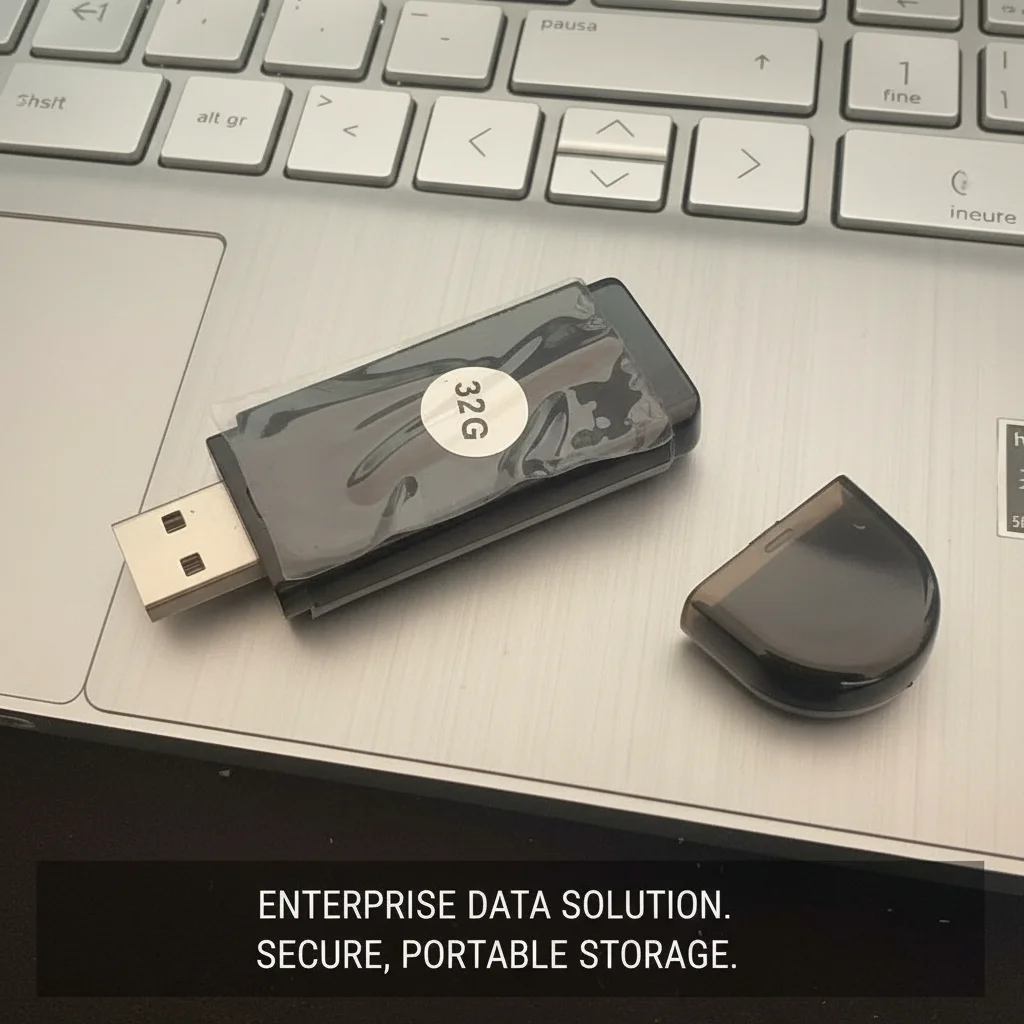
Key Takeaway: Use high-endurance microSD cards for local storage and consider cloud backup for critical clips. Set a 30-day retention policy as a default, adjusting based on your business needs and ICO guidance.
How Much Do Hidden Camera Systems Cost for a Small Business?
One of the biggest myths in security is that you need to spend thousands to protect your business. That might have been true ten years ago, but the economics of hidden cameras have completely changed. You can deploy a professional-grade system for less than the cost of a single shoplifting incident.
Let’s break down the numbers. A single WiFi Smoke Detector Hidden Camera costs roughly £80–120. For a small retail shop, three cameras (checkout, high-value area, entrance) would be £240–360. Add a 128GB high-endurance microSD card (£20) and you’re at under £400 for a complete system. Compare that to a traditional CCTV install with cabling and a DVR: you’re easily looking at £1,500–3,000 for a professional install.
But the cost discussion needs to include value, not just price. A visible CCTV system might deter some thieves but it also tells them exactly where your blind spots are. A hidden camera system gives you evidence even if the thief knows you have security—because they don’t know where the cameras are. That evidence is what lets you make an insurance claim, prosecute a case, or terminate an employee for cause.
There’s also the insurance angle. Many UK business insurance policies offer a discount of 5–15% for monitored security systems. If your annual premium is £2,000, a 10% discount saves you £200 a year—enough to cover half the cost of a three-camera system in the first year alone. Over three years, the system effectively pays for itself.
For business owners who want to go further, professional monitoring is an option. Instead of relying on push notifications to your phone, you pay a service to monitor your cameras and call the police if they see something suspicious. This typically costs £20–40 per month per camera. For high-risk businesses (jewelry stores, convenience stores in high-crime areas), it can be worth it. For most small shops, self-monitoring via app notifications is sufficient.
If you’re buying for a business, you should also be thinking about tax deductions. In the UK, security equipment is a capital expense that can be written off against business profits. The Annual Investment Allowance lets you deduct the full cost of equipment up to £1,000,000 in the year of purchase. That means the real cost of your camera system is significantly lower once you factor in the tax savings.

Key Takeaway: A three-camera hidden camera system can be deployed for under £400. Factor in insurance discounts and tax deductions, and the real cost is even lower.
| Expense Category | Low-End (1–2 cameras) | Mid-Range (3–4 cameras) | High-End (5+ cameras + NVR) |
|---|---|---|---|
| Camera Hardware | £160–240 | £360–480 | £600+ |
| Storage (SD cards) | £20 | £40 | £60 + NVR (£200–500) |
| Professional Install | £0 (DIY) | £100–200 | £300–500 |
| Cloud Subscription | £0 | £5–10/month | £15–30/month |
| Total First Year | £180–260 | £465–730 | £1,160–2,090 |
Can Hidden Cameras Be Used as Evidence in Court If Something Goes Wrong?
This is the question that keeps business owners up at night: you’ve captured footage of a theft, vandalism, or fraudulent injury claim—but will it hold up in court? The answer is yes, with some important caveats that determine whether your footage is admitted as evidence or tossed out.
UK courts accept CCTV and hidden camera footage as evidence under the same general principles as any other documentary evidence. But there’s a chain of custody requirement. You need to be able to prove that the footage hasn’t been edited or tampered with between the time it was recorded and the time it’s presented in court. Cloud storage with a clear audit trail is your best friend here—it creates a tamper-evident record of when footage was accessed and by whom.
Image quality is another factor. Footage that’s too pixelated to identify a face or too dark to see what’s happening is of limited use to a prosecutor. This is why 1080p resolution is the minimum you should consider for business use—and why night vision quality matters so much. A WiFi 1080P Power Bank Hidden Camera with good low-light performance will produce evidence that’s actually usable in court.
Audio recording adds another layer of complexity. In the UK, it’s not illegal to record audio in your own business—but using that audio as evidence requires that the recording was made lawfully. If you’ve followed GDPR requirements (signage, legitimate purpose, proportionality), you’re on solid ground. If you’ve secretly recorded audio in a staff break room, that evidence may be excluded and you could face a GDPR complaint.
One of the strongest pieces of evidence you can have is timestamped, dated footage that shows a clear sequence of events. Courts look for consistency: does the footage match witness statements? Does the timeline make sense? Hidden cameras are particularly valuable here because they capture spontaneous behavior—people who don’t know they’re being recorded act naturally, which makes the footage more credible than a staged reenactment.
For our full guide on using hidden camera footage as legal evidence, see our detailed article: How to Use Hidden Camera Footage as Legal Evidence in UK and EU Courts.
Key Takeaway: Footage is admissible if the chain of custody is clear, image quality is sufficient, and the recording was made lawfully. Cloud storage with audit trails strengthens admissibility.
How Do You Maintain and Troubleshoot Hidden Cameras So They Keep Working?
A hidden camera is a “set it and forget it” device—until it isn’t. The most common failure modes are predictable, and a little preventative maintenance goes a long way toward keeping your system reliable.
WiFi disconnections are the #1 issue. Your camera might work perfectly for three weeks and then suddenly go offline because your router reprovisioned IP addresses or a firmware update changed a setting. The fix is simple: log into your router and assign a static IP address to each camera. That way, even if the router restarts, the camera always gets the same address and reconnects automatically.
Lens obstructions are the #2 issue—and they’re sneakier. A well-placed hidden camera can be partially blocked by a new display, a stack of inventory, or even a cobweb. Make it a habit to check your camera feeds once a week. If a view looks different than it did last week, investigate. Some cameras send a “camera occlusion detected” alert if the lens is covered, but not all do.
Power issues are the #3 culprit. Cameras that plug into mains power rarely fail—but the power adapter can fail, or someone can accidentally unplug the device. If you’re using a WiFi Spy Camera USB Charger, make sure nothing else on that power strip is drawing heavy current, which can cause voltage drops that reset the camera.
Firmware updates are a double-edged sword. On one hand, updates patch security vulnerabilities and fix bugs. On the other hand, a bad firmware update can brick a camera or change settings in unexpected ways. My recommendation: if your system is working reliably, don’t rush to update. When you do update, do it one camera at a time—not all at once—so you can roll back if something goes wrong.
SD card corruption is the final common failure. As mentioned earlier, use high-endurance cards. But even the best cards eventually wear out. Check your available storage once a month, and replace cards every 12–18 months in continuous-recording setups. If you notice footage with glitches or missing time segments, replace the card immediately.
Key Takeaway: Assign static IP addresses, check feeds weekly for obstructions, use high-endurance SD cards, and replace storage media every 12–18 months.
| Problem | Likely Cause | Fix |
|---|---|---|
| Camera offline | IP address changed / WiFi dropped | Assign static IP; check router |
| Grainy night footage | IR LEDs obstructed / camera repositioned | Clean lens; check for new obstructions |
| Footage has gaps | SD card corruption | Replace with high-endurance card |
| App can’t connect remotely | Cloud relay disrupted / firewall change | Restart router; check Tuya service status |
| Camera restarts randomly | Power supply issue | Use a different power adapter; check for voltage drop |
What Products Does QZT Security Recommend for Small Business Deployments?
Not all hidden cameras are created equal, and for business use, you want devices that are reliable, discreet, and legally defensible. At QZT Security, we’ve tested dozens of models in real-world small business environments. Here are the ones that consistently deliver.
The WiFi Smoke Detector Hidden Camera is our top pick for most retail environments. It mounts on the ceiling, giving you a wide-angle view of the entire room. Nobody looks twice at a smoke detector—and even if they do, it’s a functioning smoke detector (with a real alarm) as well as a camera. The 1080p resolution captures faces clearly up to about 5 meters, and the IR night vision is genuinely invisible.
For desk-level coverage—like monitoring a checkout counter or a reception area—the Z10 WiFi Spy Clock Camera is the standout choice. It sits naturally on a desk, a shelf, or a bedside table in a B&B setting. The clock function is real (it syncs via WiFi), so there’s a legitimate reason for it to be there. And the camera angle is optimized for capturing anyone standing or sitting within 3 meters of the device.
If you need coverage in an area without convenient power outlets, the WiFi 1080P Power Bank Hidden Camera is the solution. It looks like a standard portable charger—because it is one. You can leave it on a shelf, plugged into a USB power source, and it will run indefinitely. The 10,000mAh versions can also operate on battery power for 8–12 hours, making them ideal for temporary deployments.
For business owners who want the most discreet option possible, the DIY Hidden WiFi Spy Camera Module offers ultimate flexibility. It’s a bare camera module that you can integrate into existing objects—a speaker housing, a decorative item, even a hollowed-out book. If you’re handy with basic DIY, this gives you camouflage options that no off-the-shelf product can match.
And for business buyers who need to purchase in quantity—either for multiple locations or for resale—we offer wholesale pricing and OEM customization. Our Spy Camera Wholesale Purchase page has details on minimum order quantities, branding options, and EU warehousing for fast delivery.

Key Takeaway: For most small businesses, start with a smoke detector camera for ceiling coverage and a clock camera for desk-level monitoring. Expand with power bank cameras for flexible placement.
FAQ
Can I install hidden cameras in my business without telling my employees?
In the UK, you must inform employees that CCTV is in operation. You don’t have to disclose the exact locations of hidden cameras, but you do need to display signage and include monitoring in your employee privacy notice. In some EU countries (Germany, Netherlands), covert monitoring without suspicion of criminal activity may violate workplace surveillance laws.
Will hidden camera footage hold up in court if I need to prosecute a thief?
Yes, provided the footage was obtained lawfully, the chain of custody is documented, and the image quality is sufficient to identify individuals and events. Cloud storage with access logs strengthens your case significantly. See our full guide on legal evidence use.
How many hidden cameras do I need for a small retail shop of about 500 square feet?
Typically three: one at the checkout counter, one covering the entrance/exit, and one covering your highest-value merchandise area. If you have a stock room, add a fourth. The goal is to have no blind spots where high-value items or cash handling occurs.
Do I need to register with the ICO if I use hidden cameras in my business?
If you’re a business that processes personal data (which includes video footage of identifiable individuals), you likely need to register with the ICO and pay the data protection fee. Check the ICO’s fee checker tool to determine your obligation—most businesses that use CCTV do need to register.
Can customers request to see footage of themselves from my hidden cameras?
Yes. Under the GDPR (and UK GDPR), individuals have a right to request access to personal data you hold about them—including CCTV footage. You must provide the footage within one month of the request, though you can redact other people’s faces before sharing. This is another reason to have a clear CCTV policy and retention schedule.
Protecting your small business isn’t just about installing cameras—it’s about creating a layered security approach that deters, detects, and documents. At QZT Security, we’ve helped hundreds of small business owners across the UK and EU deploy discreet, reliable camera systems that fit their budget and comply with local laws.
Contact Us Today to discuss your business’s specific security needs. Whether you’re running a single shop or managing multiple locations, we’ll help you design a hidden camera setup that gives you peace of mind—and the evidence you need if something goes wrong.

 English
  Italiano
  Deutsch
  Français
  Español
  Polski