
How to Detect Hidden Cameras in Your Airbnb or Hotel Room?
Finding a hidden camera in your rental isn’t paranoia — it’s a practical precaution that takes ten minutes and gives you peace of mind for the duration of your stay. This guide walks through the methods that actually work, the tools that are worth carrying, and what to do if you find something.

Why should you check for hidden cameras when travelling?
Most hosts are genuine people renting out a spare room or a holiday home. But a small minority install undisclosed cameras to watch guests in private moments — and Airbnb’s own policy changes haven’t eliminated the problem entirely.
The risk isn’t evenly distributed. Budget listings with minimal reviews, properties where the host is evasive about the layout, and rentals in jurisdictions with weak enforcement are higher-risk scenarios. That doesn’t mean you should avoid them — it means you should check.
There’s also a wider privacy principle at stake. You have a reasonable expectation of privacy in a space you’re paying for, particular in bedrooms and bathrooms. Knowing how to verify that privacy hasn’t been compromised is a genuinely useful travel skill.
Here’s the thing: the ten minutes you spend scanning a room on arrival are far less inconvenient than discovering later that you were filmed. The methods below are straightforward, don’t require expensive equipment, and can be done with items already in your pocket.
For business travellers carrying sensitive documents or discussing confidential matters by phone, the stakes are higher. A compromised room isn’t just a privacy violation — it’s a potential corporate security breach.
If you’re in the market for reliable personal security equipment — including compact cameras for legitimate personal protection — QZT Security supplies certified devices to wholesalers and distributors across Europe and the UK.
What does Airbnb’s camera policy actually say in 2026?
Airbnb banned indoor security cameras entirely in March 2024. That was a genuine policy shift, and it simplified the rules: no cameras inside the living space, period. But the policy has limits, and understanding them helps you know where to look.
Outdoor cameras are still permitted, but they must be disclosed in the listing. Doorbell cameras, driveway cameras, and porch cameras fall into this category — and they can inadvertently capture audio or video from inside if positioned badly.
Previously installed devices may still be present in some listings, particularly where hosts haven’t updated their setup since the policy change. And not every host complies with the rules — enforcement relies on guest reports.
Vrbo, Booking.com, and other platforms have their own policies. Vrbo’s rules are stricter in some respects: no surveillance devices inside the property at all, indoor or outdoor. But again, policy and reality don’t always match.
The practical takeaway: don’t assume the platform’s policy guarantees your privacy. Assume nothing and check the space yourself.

Key Takeaway: Airbnb banned indoor cameras in 2024, but you should still check — policies rely on enforcement, and not every host complies.
| Platform | Indoor Cameras | Outdoor Cameras | Disclosure Required? |
|---|---|---|---|
| Airbnb | Banned entirely (since March 2024) | Permitted | Yes — in listing description |
| Vrbo | Banned entirely | Banned inside property | N/A |
| Booking.com | Varies by country | Varies | Yes — in property description |
| Independent rental | No consistent policy | No consistent policy | Depends on jurisdiction |
How can you use your smartphone to scan for cameras?
Your phone is the most convenient detection tool you already have. Two methods are genuinely useful: the Wi-Fi network scan and the infrared detection technique.
Wi-Fi network scanning works because most modern hidden cameras connect to the property’s Wi-Fi to enable remote viewing. When you connect your phone to the rental’s network and run a network scanner, every connected device appears — including cameras with unrecognisable names.
The Fing app (free, available on iOS and Android) is the most accessible tool for this. Connect to the Wi-Fi, open Fing, and run a scan. Look for device names like “IPCAM,” “LXMIMI,” “FREDI,” or generic manufacturer codes. If you see a device you can’t identify, that’s worth investigating.
Infrared detection works for cameras with night vision. Most hidden cameras use infrared LEDs to see in the dark, and these LEDs emit light that’s invisible to the human eye but visible to smartphone camera sensors.
To test this: turn off all the lights, make the room as dark as possible, and open your smartphone’s front-facing camera (the selfie camera). Slowly scan the room. If you see small white or purple dots that don’t correspond to any visible light source, you may be seeing infrared LEDs from a hidden camera.
There are limits to both methods. A camera that doesn’t connect to Wi-Fi won’t appear in a network scan. A camera without night vision won’t show up in an infrared check. That’s why the most thorough approach combines smartphone methods with physical inspection.
Key Takeaway: A smartphone with the Fing app and a simple infrared check will catch most Wi-Fi-connected cameras and night-vision devices. Neither method is perfect alone — use both.
| Method | Catches | Misses | Time Required |
|---|---|---|---|
| Wi-Fi network scan (Fing) | Wi-Fi-connected IP cameras | Non-network cameras, SD-card-only devices | 2–3 minutes |
| Infrared LED detection | Night-vision cameras with IR LEDs | Cameras without night vision, daytime-only cameras | 2–3 minutes per room |
| Manual lens reflection check | Cameras with glass lenses | Plastic lenses, very small apertures | 3–5 minutes per room |
What physical signs suggest a hidden camera might be present?
Physical inspection is low-tech but effective. The principle is simple: cameras need a lens with a view, a power source, and (usually) a position that makes sense for surveillance.
Smoke detectors are a common hiding spot. Real smoke detectors have a distinctive layout: a mesh or slotted cover, a test button, and often a small LED that blinks periodically. If the smoke detector in your room looks different — particularly if it has a small dark lens visible through the casing — that’s a red flag.
USB chargers and power adapters are increasingly used as camera housings. A charger with a small dark spot on the face, or one that feels unusually heavy, warrants a closer look. If the “charger” isn’t plugged into anything but feels warm, that’s suspicious.
Alarm clocks, bedside speakers, and air purifiers are also used. The check is straightforward: does the item have a lens or small opening positioned to view the bed or the room’s main area? If yes, that’s worth investigating.
Wall décor, picture frames, and seemingly ornamental objects sometimes conceal cameras. The giveaway is often the angle: if an object is positioned at exactly the right height and angle to view the bed, ask yourself why.
Here’s what most people get wrong: they think hidden cameras are always tiny and impossible to find. In reality, many hidden cameras are housed in everyday objects that look slightly off if you pay attention. A USB charger that’s positioned on a shelf angled at the bed rather than near a power socket — that sort of thing.
Systematic inspection pays off. Spend five minutes in each room: scan the sightlines from the bed and the bathroom door. If a device has a view of either of those, it’s worth a closer look.
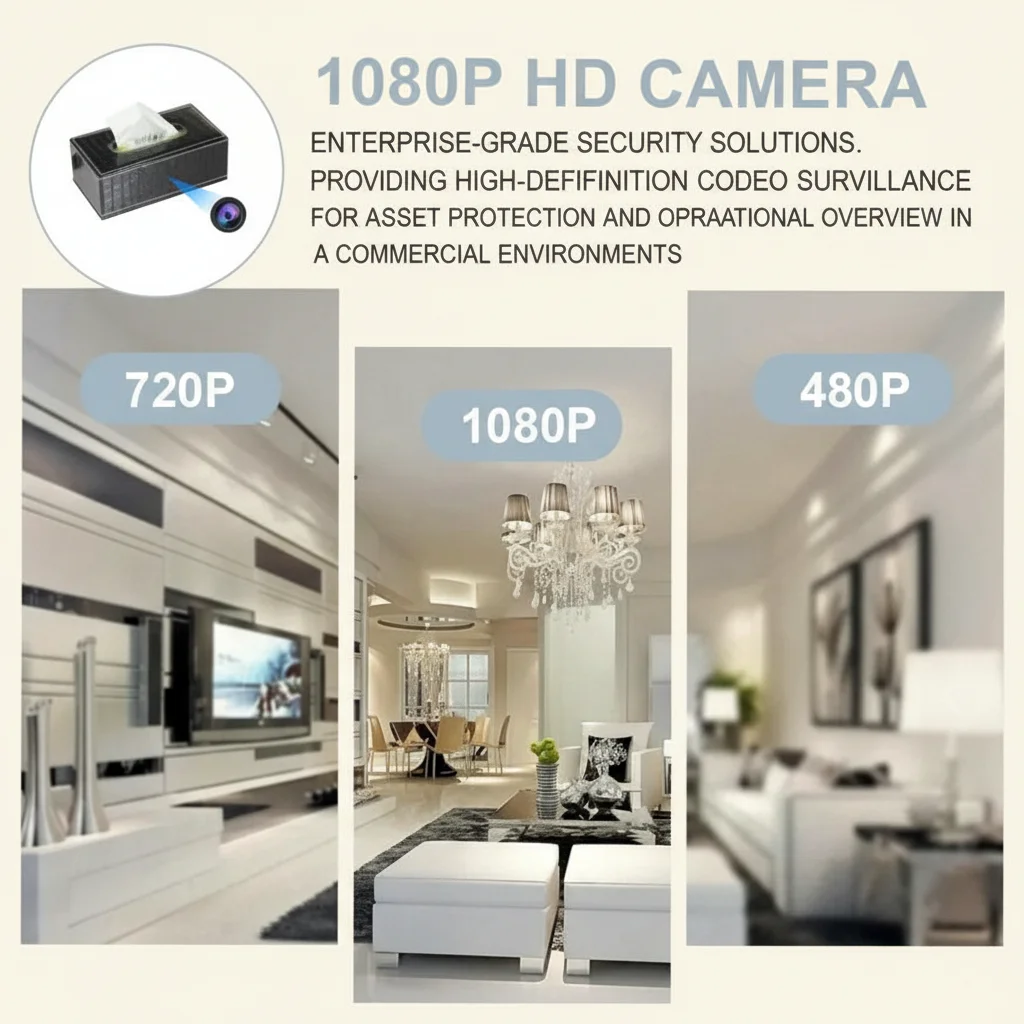
Key Takeaway: Most hidden cameras are housed in everyday objects positioned to view the bed or bathroom. A systematic five-minute scan of sightlines from private areas catches most of them.
| Common Hiding Spot | What to Check | Red Flag |
|---|---|---|
| Smoke detector | Lens visible through casing; unusual weight | Dark dot on face; device feels unusually heavy |
| USB charger / power adapter | Small lens on face; warmth when unplugged | Positioned to view bed rather than near socket |
| Alarm clock / bedside item | Lens or pinhole opening | Item positioned at unusual angle to bed |
| Air purifier / decorative item | Viewing angle toward private areas | Object placement that doesn’t match room layout |
| Wall hook / picture frame | Small opening at eye level | Positioned directly opposite bed or bathroom |
How does the flashlight method work for finding camera lenses?
The flashlight method is old-school but reliable. Camera lenses reflect light in a distinctive way because of the glass element and the sensor behind it. When you shine a bright light at the right angle, the lens reflects a pinpoint of light back at you.
The technique: wait until the room is completely dark. Use a bright flashlight (your phone’s torch function works). Shine the light slowly across surfaces and fittings, watching carefully for a reflection that looks like a small, bright pinpoint of light. Lens reflections have a characteristic appearance — they’re sharp and bright, not diffuse like a reflective sticker or glossy surface.
What to scan: smoke detector casings, the face of USB chargers, alarm clock displays, air purifier grilles, wall décor, and anything else at roughly bed height or positioned to view the room.
The limitation is that not all cameras have glass lenses that reflect strongly. And some surfaces — polished metal, glossy plastics — can produce false positives. The trick is to look for the consistency: a camera lens reflection stays bright as you move the light; a false positive often fades or changes colour.
This method works best in combination with the others. If the flashlight reveals a suspect reflection, use your phone’s camera to check for infrared emissions, and then decide whether the object’s position and appearance warrant further action.
What apps and tools give the best protection?
If you travel frequently or want a more thorough setup, a few dedicated tools are worth knowing about.
Fing (iOS/Android, free basic version) remains the most accessible network scanner. It shows every device on the Wi-Fi network, flags unknown manufacturers, and highlights devices with open ports. The premium version adds a “Hidden Camera Detection” feature that cross-references known camera fingerprints.
RF (radio frequency) detectors are handheld devices that pick up the electromagnetic signals emitted by wireless cameras. They cost between £30 and £100 depending on sensitivity. The drawback: they produce false positives from mobile phones, Wi-Fi routers, and Bluetooth devices. But for a non-network camera that transmits to a local receiver, an RF detector is the best way to find it.
Lens detector tools use a ring of LED lights around a viewfinder; when you look through the viewfinder and scan the room, camera lenses show up as bright dots. These are more reliable than the flashlight method and cost around £20–£50.
The mirror test for two-way glass is worth mentioning. Press your fingernail against the mirror. If there’s a gap between your nail and its reflection, it’s a normal mirror. If there’s no gap — your nail appears to touch its reflection — it may be two-way glass with a camera behind it. It’s not a perfect test, but it takes two seconds.
For most travellers, the Fing app plus a careful physical inspection is sufficient. The dedicated tools are for people who travel frequently to higher-risk locations or who want the reassurance of a more thorough sweep.
Key Takeaway: The Fing app (free) catches most Wi-Fi cameras. For non-network devices, an RF detector or lens detector tool (£30–£100) adds a useful layer of protection.
| Tool | Catches | Cost | Best For |
|---|---|---|---|
| Fing app (network scan) | Wi-Fi-connected cameras | Free / £5/month premium | Most travellers — quick and convenient |
| RF detector | Wireless transmitting cameras | £30–£100 | Non-network cameras; frequent travellers |
| Lens detector (LED ring) | Camera lenses with glass elements | £20–£50 | Thorough sweeps; false-positive reduction |
| Flashlight (manual) | Reflective lenses | Free | Backup method; anyone can do it |
| Mirror fingernail test | Two-way glass | Free | Checking bathroom mirrors |
What should you do if you find a hidden camera?
Finding a camera is unsettling. What you do next matters — both for your safety and for preserving evidence.
Don’t touch it. Moving or covering the camera may alert the person who installed it, and it can also destroy evidence. Leave it exactly where it is.
Document everything. Take clear photographs of the device, its position, and what it appears to be viewing. Note the date, time, and the specific location within the property. If there are serial numbers or manufacturer details visible, photograph those too.
Report it to the platform immediately. Use the Airbnb or Vrbo messaging system — not just a phone call — so there’s a written record. Be specific: “I have found a device that appears to be a camera positioned to view the bed, located in [specific location].” Attach your photographs.
Contact the local authorities. In most jurisdictions, recording someone without their consent in a private space is a criminal offence. The police can seize the device and investigate. Even if you decide not to pursue it, a police report creates a record.
Leave a factual review. Once the immediate situation is handled, a factual, evidence-based review helps other travellers. Stick to what you found and what actions you took. Don’t speculate about the host’s motives — that can expose you to defamation claims.
Here’s the thing: you may feel uncomfortable making a report or involving the police, particularly if the host seems nice or the situation feels ambiguous. But the principle matters. Undisclosed cameras in private spaces are a violation of privacy, and reporting them protects the next guest.
For wholesalers and distributors supplying the European market, incidents like these drive demand for legitimate, disclosed security equipment. At QZT Security, we supply devices with proper certification and clear documentation so that buyers can deploy them transparently and lawfully.
Key Takeaway: Don’t touch the device. Photograph it, report it to the platform in writing, and contact local authorities. Your report protects other travellers.
| Step | Action | Why It Matters |
|---|---|---|
| 1 | Don’t touch or move the device | Preserves evidence; avoids alerting installer |
| 2 | Photograph device and position | Evidence for platform and police |
| 3 | Report via platform messaging | Creates written record |
| 4 | Contact local police | Criminal offence in most jurisdictions |
| 5 | Leave factual review | Protects other travellers |
How do hidden camera laws vary across Europe and the UK?
The legal framework for hidden cameras in rentals varies by country, but there are common principles.
In the UK, the Data Protection Act 2018 and UK GDPR apply to any host who records guests. Recording without consent in private spaces (bedrooms, bathrooms) is almost certainly unlawful. Guests have a right to request footage and to report violations to the ICO.
In Germany, the right to privacy is particularly strongly protected. Article 2 of the German Basic Law and various civil code provisions make undisclosed recording in private spaces unambiguously unlawful. German courts have awarded damages to guests who were recorded without consent.
In France, Article 9 of the Civil Code protects private life, and the CNIL (Commission Nationale de l’Informatique et des Libertés) enforces rules on data protection. Hidden cameras in rentals are illegal unless disclosed and justified — and “because I want to” isn’t a justification for private spaces.
In Italy, the privacy code (Codice in materia di protezione dei dati personali) requires consent for any recording of identifiable individuals. Hidden cameras in holiday rentals have been the subject of enforcement action by the Garante per la protezione dei dati personali.
The practical reality for travellers: know the basics of the law in the country you’re visiting. If you find a camera and the host claims it’s “legal,” you’ll be able to answer with something more informed than a blank stare.
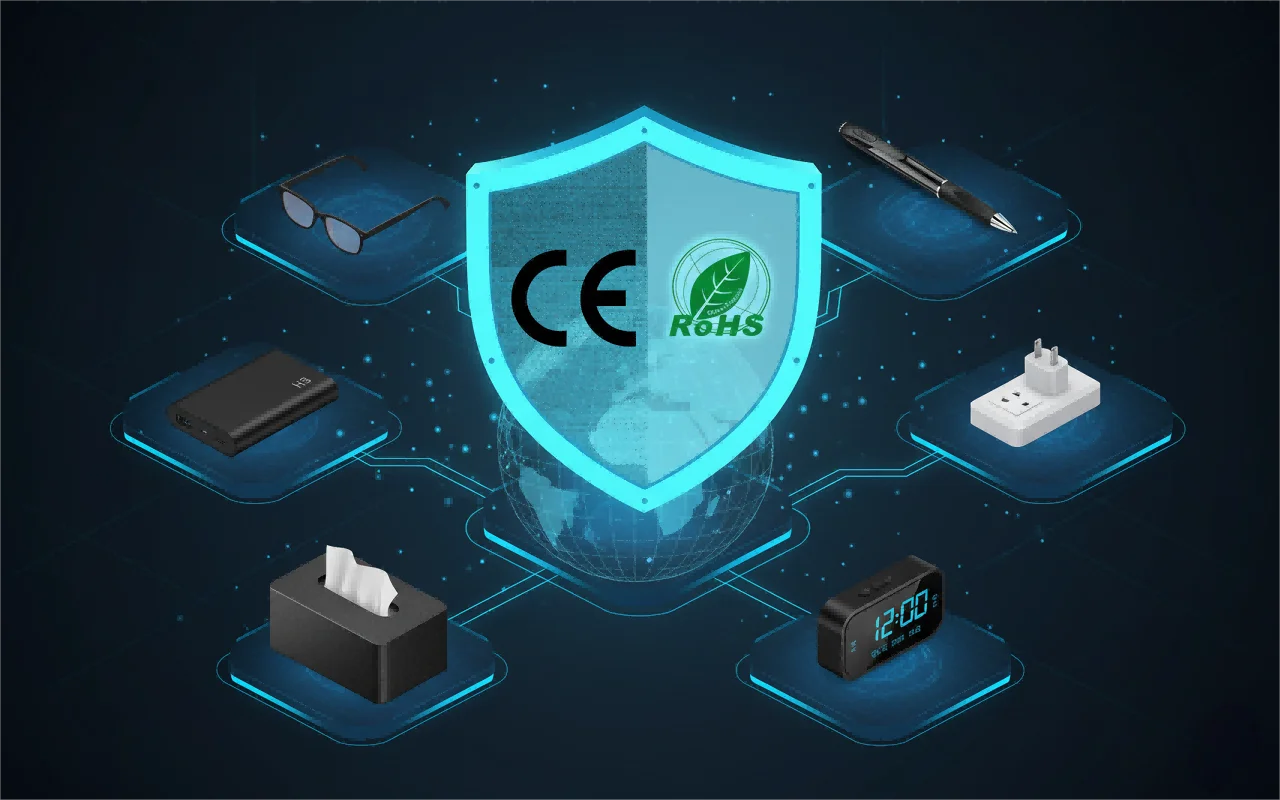
For wholesalers supplying these markets, the legal landscape drives product requirements. CE certification, RoHS compliance, and GDPR-transparent deployment aren’t optional — they’re the baseline for selling surveillance equipment lawfully in Europe.
Key Takeaway: Most European countries and the UK treat undisclosed recording in private spaces as unambiguously unlawful. GDPR and national privacy laws give guests rights — and give you grounds to report violations.
| Country | Key Law | Guest Right |
|---|---|---|
| UK | Data Protection Act 2018, UK GDPR | Request footage; report to ICO |
| Germany | Basic Law Art 2, Civil Code | Strong privacy protection; damages possible |
| France | Civil Code Art 9, CNIL regulations | Private life protection; CNIL enforcement |
| Italy | Privacy Code (Codice) | Consent required; Garante enforcement |
| Spain | Organic Law 3/2018 (LOPDGDD) | AEPD enforcement; consent required |
What are the best portable security tools for frequent travellers?
If you travel frequently for work or leisure, a small kit of detection tools is lightweight and genuinely useful.
A compact RF detector that fits in a washbag. Models the size of a fat pen are available for around £30–£50. They won’t catch everything, but they’re better than relying on a smartphone alone.
A network scanning app (Fing, as discussed) on your phone. No extra hardware needed, and the scan takes under a minute.
A portable travel lock for the door. While this doesn’t detect cameras, it prevents unauthorised entry while you’re sleeping — a more common risk than many travellers realise.
A sticker or cover for laptop webcams. Not for the rental property’s cameras, but for your own device security when using unfamiliar Wi-Fi networks.
A small LED flashlight with a focused beam. The one on your phone works, but a dedicated torch is brighter and makes the lens-reflection method easier.
Business travellers and journalists working in sensitive contexts sometimes carry more sophisticated equipment, but for most people, the combination above is proportionate and effective.
If your business involves supplying travellers, security-conscious consumers, or corporate clients with portable security tools, contact QZT Security to discuss wholesale options. The demand for personal security and privacy tools is growing as travellers become more aware of the risks.
Key Takeaway: A compact RF detector, the Fing app, and a bright flashlight form a lightweight travel security kit that fits in your washbag.
| Item | Weight | Cost | Detections |
|---|---|---|---|
| Pen-sized RF detector | ~50g | £30–£50 | Wireless transmitting cameras |
| Fing app (smartphone) | 0g (app) | Free | Wi-Fi-connected cameras |
| LED flashlight (focused beam) | ~80g | £10–£20 | Lens reflections |
| Portable door lock / wedge | ~100g | £15–£30 | Unauthorised entry (not cameras) |
| Webcam cover stickers | ~5g | £5 for pack | Laptop privacy (not detection) |
FAQ
Can I scan for hidden cameras without downloading any apps?
Yes. The flashlight method (dark room, bright light, look for lens reflections) and the physical inspection method (check smoke detectors, USB chargers, alarm clocks) require no apps or special equipment. They’re less thorough than a network scan but genuinely effective for most common hiding spots.
Is it legal to use an RF detector in a hotel or Airbnb?
In the UK and most of Europe, possession of an RF detector is legal for personal use. What’s illegal is installing a camera without consent in a private space. Using detection tools to protect your own privacy is lawful — you’re not intercepting communications, you’re identifying devices.
What should I do if the host confronts me about checking for cameras?
You’re within your rights to check the space you’re paying for. If a host becomes aggressive or demands that you stop, leave the property (if safe to do so) and contact the platform and local police. No legitimate host should object to a guest verifying their privacy.
Do hidden camera detectors actually work, or are they a scam?
Basic RF detectors and lens detectors work for the devices they’re designed to catch — wireless transmitters and cameras with glass lenses. They’re not magic: they produce false positives and they miss some devices. But as part of a combined approach (network scan + physical inspection + detector), they add genuine value.
How common are hidden cameras in Airbnb listings?
Reliable statistics are hard to come by because many incidents go unreported. High-profile cases appear in the media every few months. The risk is low in absolute terms but not zero — and given that a basic check takes ten minutes, most travellers judge it worth doing.
If you’re a wholesaler or distributor looking for reliable, certified surveillance and personal security equipment, contact QZT Security today. We supply the European and UK markets with devices that meet certification standards and come with the documentation your customers need.

 English
  Italiano
  Deutsch
  Français
  Español
  Polski