
How to Detect Hidden Cameras in Your Airbnb or Hotel
There you are, bags barely on the floor, scanning the room — not for a good view, but for something you hope isn’t there. You’ve read the horror stories: a smoke detector angled a little too deliberately at the bed, a wall clock sitting where no one checks the time. And the unsettling part? The people running these properties know exactly where your eyes don’t go.
Hidden cameras in short-term rentals are a real concern. A 2019 survey by security firm IPX1031 found that one in three Airbnb guests reported discovering a camera or monitoring device during their stay. A more recent analysis by Aqua Security (2024) found over 1 million IoT camera devices exposed to unauthenticated access globally — and vacation rentals are among the most common deployment sites. That number should make you pause every time you walk into an unfamiliar room.
But here’s the thing — detecting hidden cameras is not as technical as it sounds. Once you know what to look for and how these devices are built, the whole process takes about five minutes.
What Makes a Hidden Camera Different from a Spy Camera?
Most people conflate “hidden camera” and “spy camera” as the same thing, but the distinction matters when you’re doing a sweep. A standard hidden camera is installed to capture footage discreetly — it might be a landlord monitoring a hallway or a host checking the front door. These are technically legal in many jurisdictions when disclosed, positioned in common areas, and not pointed at private spaces like bedrooms or bathrooms.
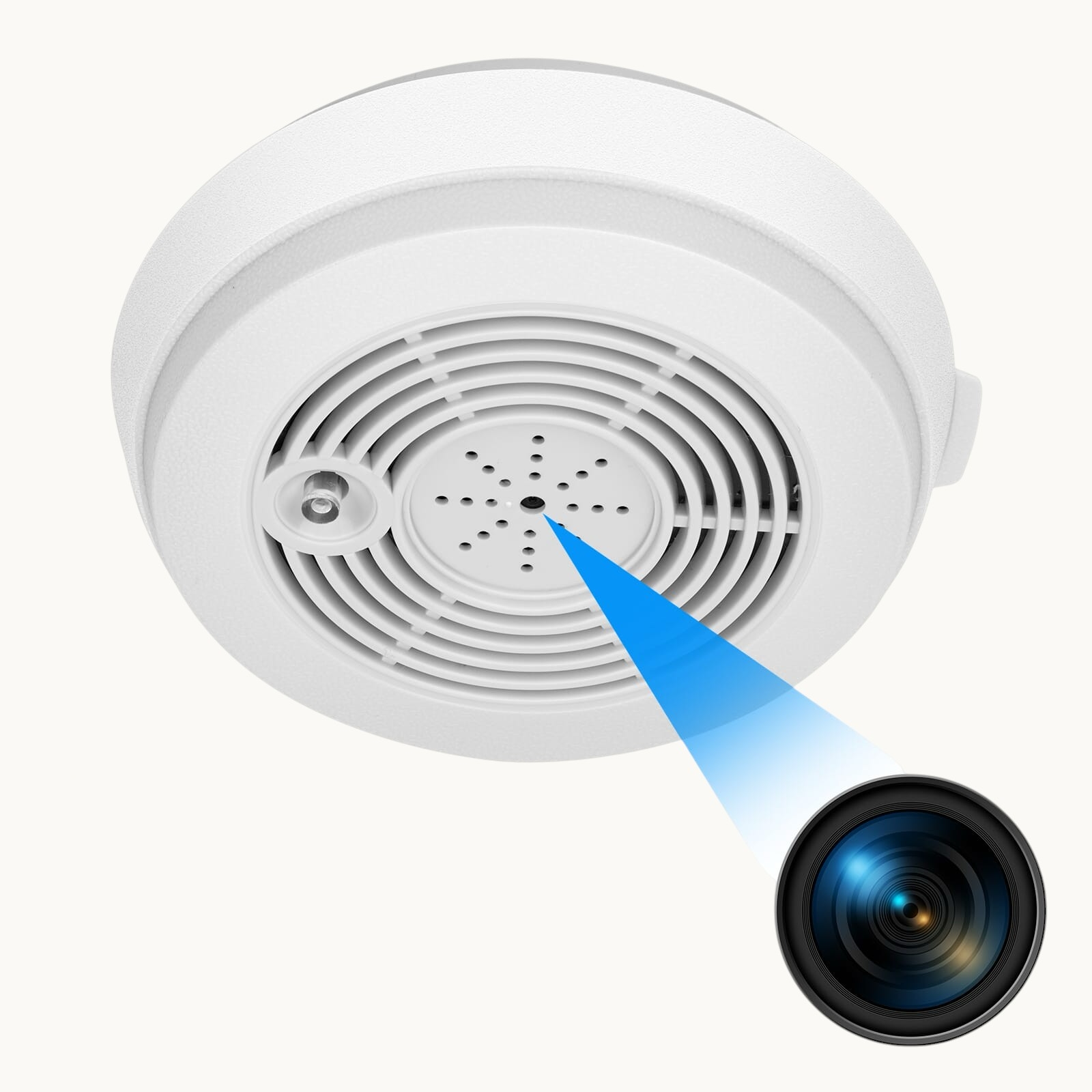
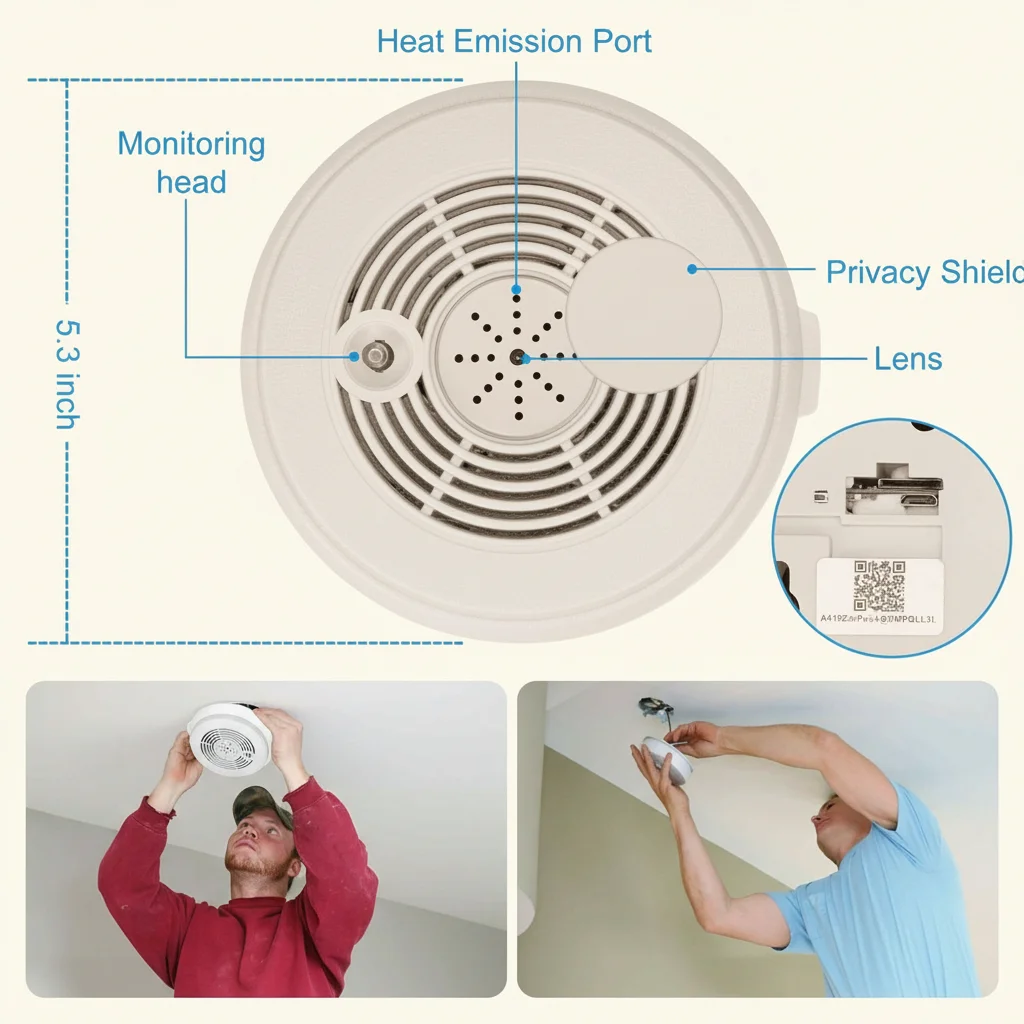
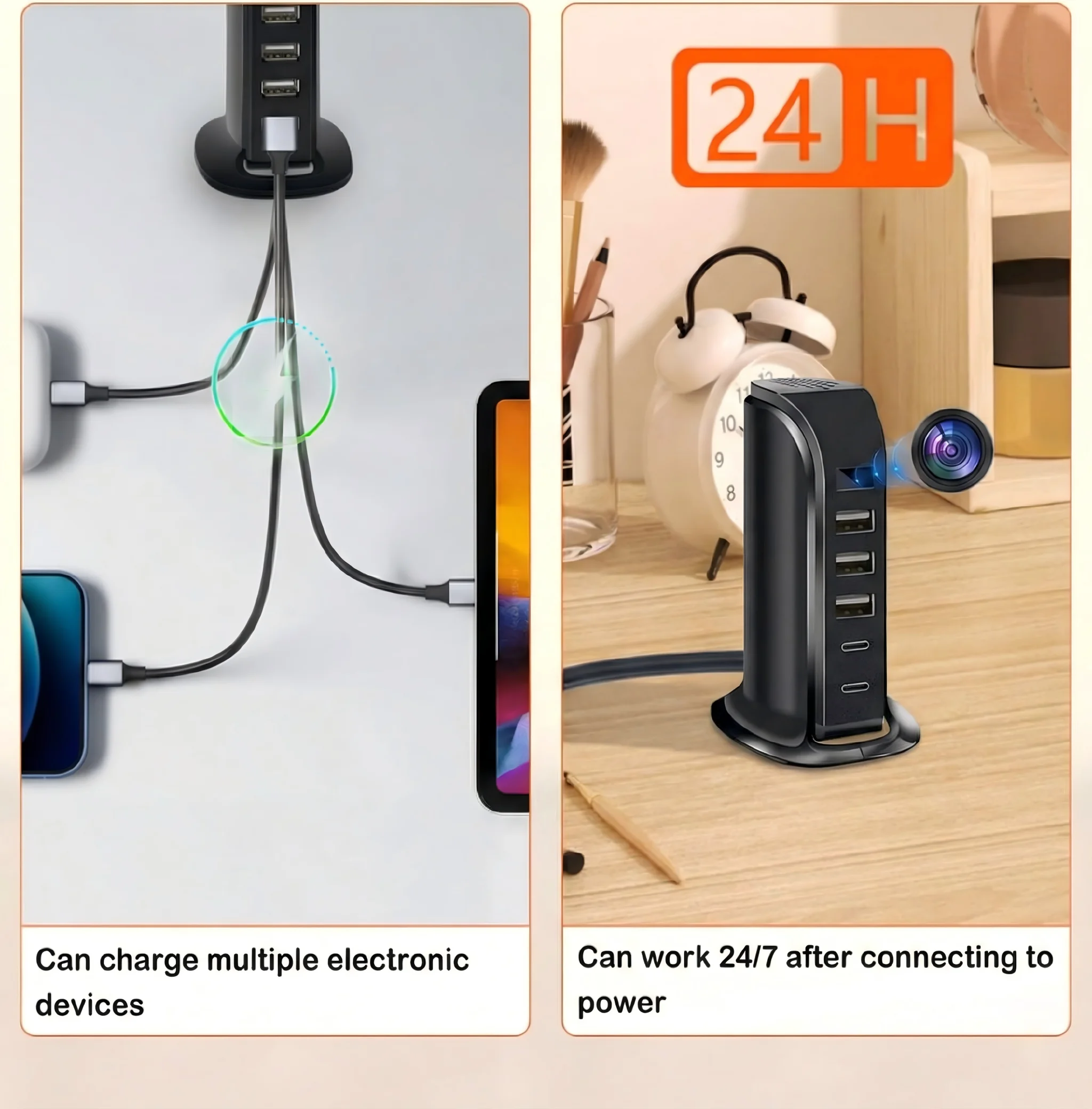
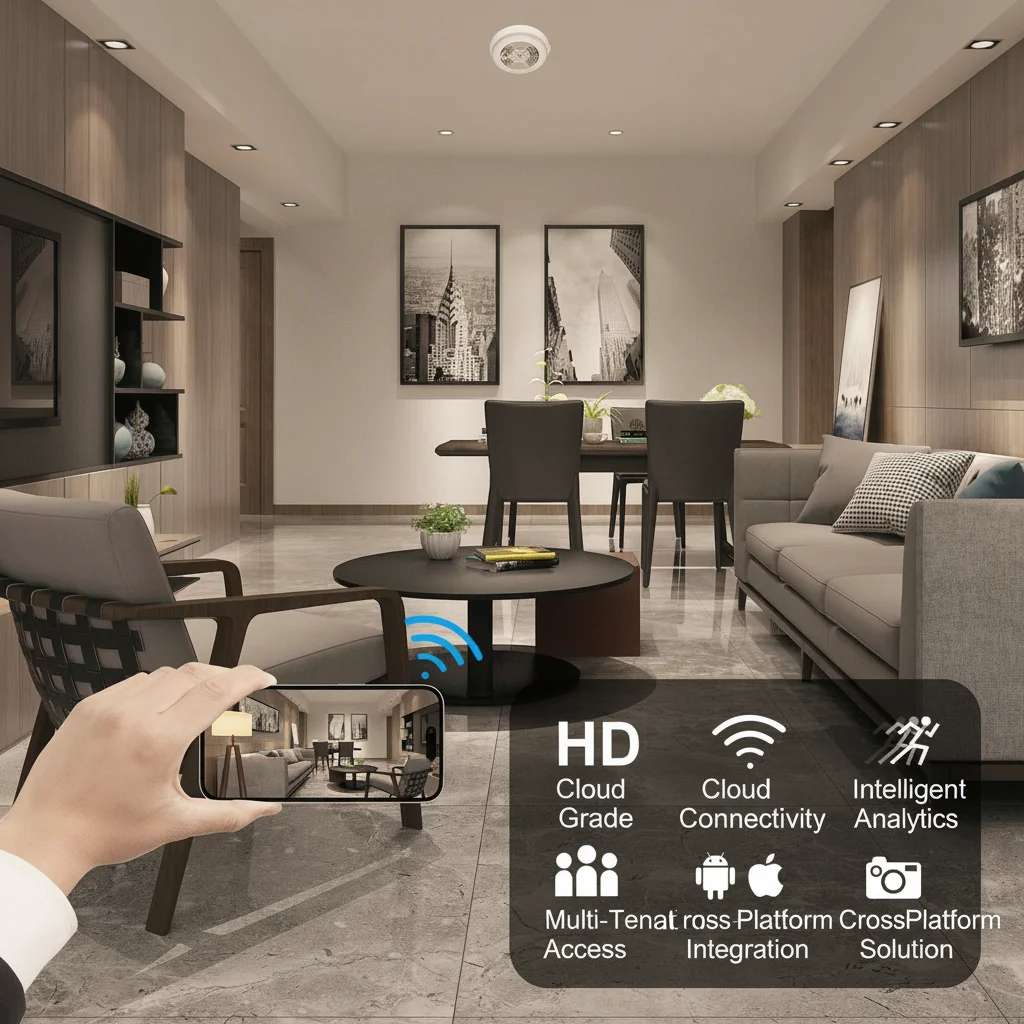
A smoke detector camera is perhaps the most sophisticated version: it integrates a live 1080P WiFi lens into a fully functional smoke detector housing, making it physically indistinguishable from a real fire safety device at a glance. Covert cameras disguised as wall socket chargers, alarm clocks, and decorative items like vases operate on the same principle — the disguise is the product, not an afterthought.
From a consumer perspective, the concern isn’t the technology. It’s the deployment: cameras placed without disclosure in sleeping areas, bathrooms, or private spaces where a reasonable person would expect privacy. That is illegal everywhere in Europe under the GDPR framework and the local penal code of each EU member state, including Italy’s Article 615-bis of the Penal Code and the UK’s Voyeurism Act 2019.
Why Are Smoke Detectors and Clock Cameras So Common in This Context?
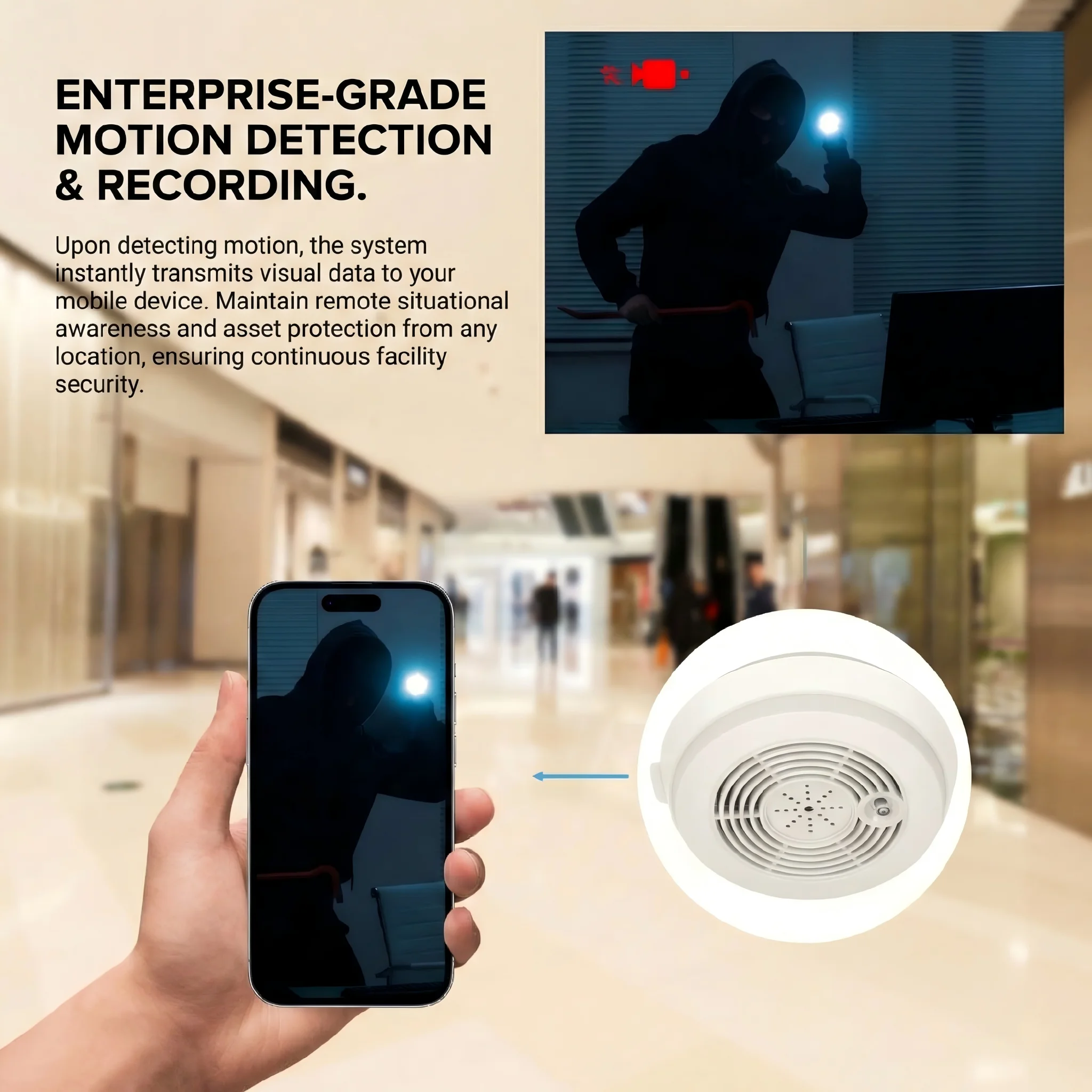
You might be wondering why these particular disguises are so prevalent. The answer comes down to placement logic: smoke detectors are mounted on ceilings, which gives a bird’s-eye field of view of an entire room. They’re expected to be there — no guest questions a smoke detector. Clock cameras sit on nightstands or shelves at eye level, angled toward beds, and benefit from the same assumption: nobody looks twice at a clock.
Both device types often incorporate:
– Wide-angle lenses (110°–160° field of view) hidden behind a nearly invisible 2–3mm pinhole
– Night vision / infrared LEDs that operate on wavelengths invisible to the human eye but visible to a phone camera sensor
– WiFi connectivity for live remote streaming (eliminating the need for an SD card retrieval)
– Motion detection + push alerts that activate recording only when someone enters the room
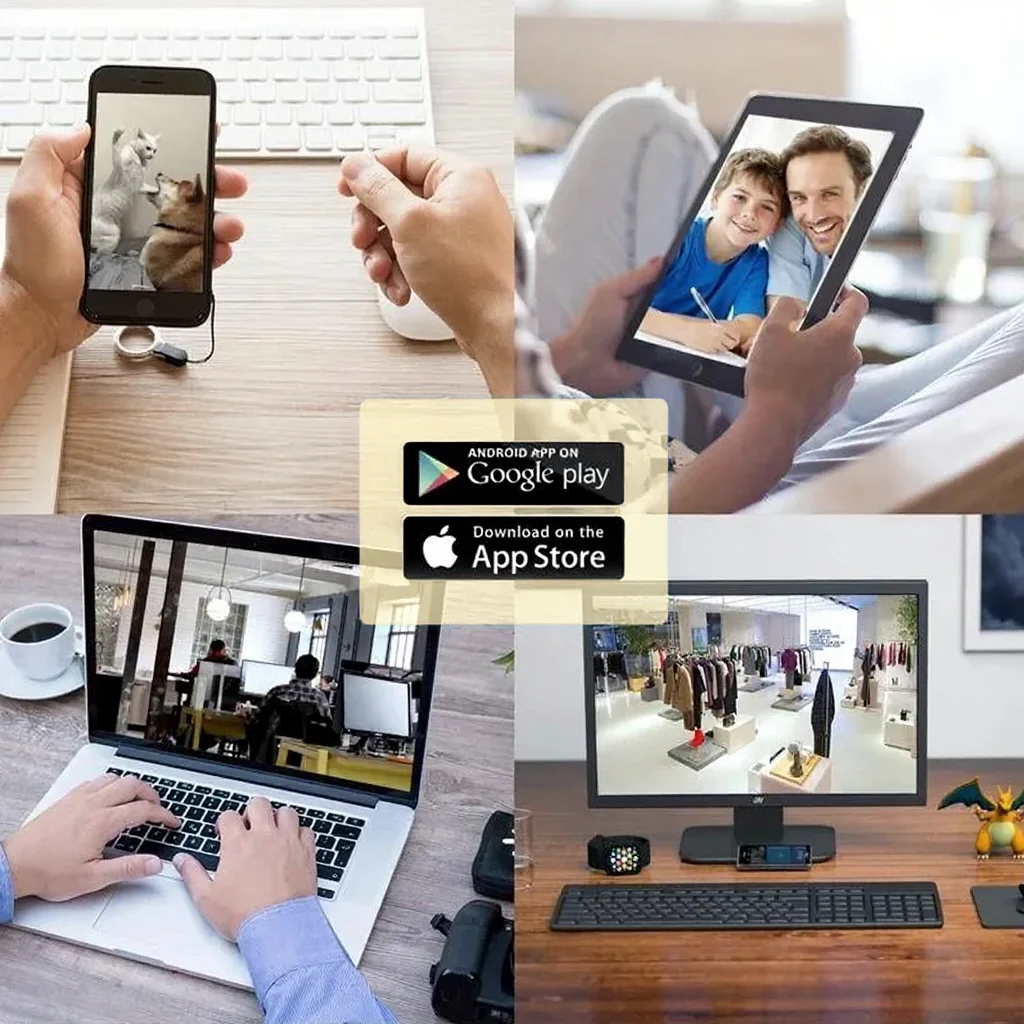
The WiFi Smoke Detector Hidden Camera 1080P sold by QZT, for example, connects to the Tuya Smart app, streams live 1080P footage over any 2.4GHz WiFi network, and uses a motion-activated mode that only records when someone is present — making it entirely silent and nearly impossible to detect through behavior alone.
This is why passive visual inspection is not enough. You need to check for the signature of a hidden lens, not the device itself.
How to Detect Hidden Cameras with Your Smartphone
Your phone camera is your first line of defense — and a surprisingly effective one. Modern smartphone sensors, especially on Android devices, are sensitive to near-infrared (NIR) light in the 700–1000nm range. Most hidden cameras use IR LEDs for night vision that operate in exactly that range.
Step 1: Turn off all lights in the room. Complete darkness is critical. Pull curtains, block any light under doors.
Step 2: Open your front-facing camera (not the rear camera — most rear sensors have better IR-cut filters). On Android, the front camera is often more sensitive to IR. On iPhone, try the rear camera with the flash on (the lens reflections are visible despite the IR filter).
Step 3: Scan the room slowly. Any IR emitter will appear as a white or purple glow on your screen. Look at: smoke detectors, clock radios, USB charger plugs, decorative items on shelves, picture frames, and any object with a small dark hole facing the room.
Step 4: Use your phone’s flashlight during the day. Shine it directly at any suspicious object from different angles. A hidden lens — even a 2mm pinhole — will produce a tiny blue or green reflection called a “cat’s eye” effect, which is visible when light hits the lens coating at the right angle.
A proper RF (radio frequency) detector can supplement this process. Devices like the JMDHKK RF Bug Detector scan for wireless transmissions in the 1MHz–8000MHz range, which covers the 2.4GHz band used by most WiFi cameras. If a camera is actively streaming, it will trigger a signal alert within 1–2 meters.

What to Look For: A Room-by-Room Inspection Checklist
Don’t just look at the obvious places. Train your eye to find things that are slightly wrong — an object that is angled toward the bed, a USB charger that has a second hole in addition to the port, a clock whose face has a dark dot in an odd position.
| Location | High-Risk Items | What to Check |
|---|---|---|
| Bedroom | Clock radios, tissue boxes, smoke detectors, charging cubes | Angle (facing bed?), extra holes, unusual weight |
| Bathroom | Showerhead fixtures, toiletry holders, air fresheners | Lens reflections, unusual mounting orientation |
| Living area | Bookshelves, power strips, decorative objects | Small dark holes, wires leading to nothing |
| Entry | Peepholes (reversed), doorbells, coat hooks | Lenses in unusual housings |
Sound familiar? Yes — many of these objects are legitimate products. The difference is context: a charging cube with a perfectly round hole on its face that does not correspond to any button or LED is not a charger.
What you might not know is that the lens is rarely the giveaway — the LED indicator is. Many hidden cameras have a small status LED that can be disabled in software, but some remain active. In low light, run your phone camera across every object at eye level: a single blinking red or blue dot that doesn’t correspond to a known device is a red flag.

How to Scan the WiFi Network for Connected Camera Devices
If a property has a public or shareable WiFi network (as most Airbnb rentals do), you can scan it for connected devices. This is one of the most effective methods for detecting WiFi cameras because every device connected to the network has a MAC address that identifies its manufacturer.
Use a free app like Fing (iOS/Android) or Network Analyzer Pro. Connect to the property’s WiFi, run a device scan, and look at the list of connected devices. Cameras made by Tuya, Hikvision, Dahua, Reolink, or generic IoT manufacturers will appear with their brand names or MAC prefixes.
Key steps:
1. Connect to the property WiFi and open Fing
2. Run “Discover Devices” — this lists every device on the local network
3. Look for device names or manufacturer IDs you don’t recognize
4. If you see entries like “Espressif Inc.” (common in ESP32-based cameras), “HiSilicon,” or “Tuya Smart Life,” that device is almost certainly a camera or smart sensor
This method does not catch cameras that are on a separate network — some hosts use a secondary LAN for their surveillance devices, keeping them invisible to guests. In that case, the RF detector method is your backup.
Tips for Checking Clock Cameras and Charger Cameras
Clock cameras are among the most difficult to detect visually because they are perfectly functional timepieces — the camera is genuinely secondary to the product. A clock camera uses a 2mm pinhole lens hidden in the clock face, typically integrated into a decorative segment that does not obviously correspond to any display element.
Here’s what most people get wrong: they look for a hole on the front face. But the lens may be embedded at an angle within the hour markings, behind a ventilation slot, or hidden inside a painted segment of the face. The best approach:
– Hold the clock at arm’s length and use your phone camera flashlight from various angles
– Look specifically at 9 o’clock and 3 o’clock positions — common lens placements due to the visual symmetry of clock faces
– Check the USB charging cable: if a bedside clock has a USB port on the back, that’s normal, but if it also has a cable running to a power outlet and a separate USB hub nearby, that’s worth questioning
For USB charger cameras, the same logic applies. A standard USB charger has one or two USB-A ports and possibly a Type-C port. If the unit has an additional dark circle or slot that does not correspond to any port, socket, or LED indicator, treat it as suspicious.
Why You Should Know How These Cameras Work
And that’s where most people give up — they don’t find anything obvious and assume the room is clean. But understanding how these devices function tells you something more useful than a visual inspection alone: it tells you what conditions activate them.
WiFi hidden cameras typically operate in one of two modes:
– Continuous recording — stores to SD card non-stop, usually drains battery quickly
– Motion-activated recording — only activates when someone enters the frame
The second mode is far more common in covertly deployed cameras because it conserves battery and storage. Practically, this means: if you walk into a room and stand still, the camera may not capture you in the first 5–10 seconds while the motion detection algorithm confirms your presence. This is not a detection opportunity, but it explains why sweeping the room immediately when you enter is the most effective timing.
For devices using cloud storage and live streaming, the camera is continuously active the moment it connects to WiFi. This is why the network scan method catches more devices than the IR method — even a camera with its IR LEDs disabled will still appear on the local network if it’s connected.
What to Do If You Find a Hidden Camera
First: document without destroying. Use your phone to photograph and video the device in place, from multiple angles. Do not touch or move it — this preserves evidence integrity. Note the room number, address, and time.
Second: report to the platform. Both Airbnb and Booking.com have specific protocols for hidden camera reports. Airbnb’s Trust & Safety team can be reached directly at airbnb.com/help/contact-us. They are required to investigate and remove listings with substantiated reports within 24 hours under their 2019 non-disclosure camera policy.
Third: contact local authorities. In Italy, covert filming of people in private spaces is a criminal offense under Article 615-bis of the Penal Code (“Illecita interferenza nella vita privata”), punishable by 6 months to 4 years imprisonment. In the UK, the Voyeurism (Offences) Act 2019 specifically criminalises upskirting and covert bedroom/bathroom filming. In Germany, §201 StGB covers illegal audio recording and wiretapping, while §201a covers image capture in private spaces.
Do not attempt to confront the host yourself. Collect the evidence and let the legal process move forward.
Conclusion: Five Minutes That Can Protect Your Privacy
Here’s the kicker — the entire detection process takes under five minutes when you know the methodology. Turn off the lights, run the phone camera in IR mode, scan the WiFi network, check the objects that don’t quite belong. You are not looking for a needle in a haystack; you are looking for a lens that reflects light in a specific way, a device on a network, or an object slightly out of place.
The growth of devices like the WiFi smoke detector camera in the legitimate home security market is a double-edged story. These are powerful tools for parents monitoring babysitters, business owners protecting their premises, and homeowners tracking package deliveries. But the same technology in the wrong hands and wrong locations becomes a privacy violation. Knowing how these cameras are built — their lens sizes, their connectivity, their form factors — is the single best defense against their misuse.
Travel safer. Five minutes before you unpack your bags.
FAQ
Q: Can a standard metal detector find hidden cameras?
A: No. Metal detectors cannot distinguish camera components from any other metallic object. A dedicated RF (radio frequency) detector or lens detector (which uses IR/LED illumination to create lens reflection) is far more effective.
Q: Do hidden cameras always need WiFi to work?
A: No. Some cameras record locally to a micro SD card with no network connectivity. These are invisible to WiFi scanning. However, they require physical access to retrieve footage, which limits their use in most rental scenarios.
Q: Are hidden cameras in Airbnb rentals common?
A: More common than most guests realise. Airbnb’s own 2023 policy update acknowledged that “undisclosed indoor cameras” are among the top reasons for host removal from the platform. Independent research suggests 1–3% of short-term rental properties contain at least one covert recording device.
Q: Is it legal to scan someone else’s WiFi for devices?
A: Passive network discovery (viewing devices connected to a shared network you have credentials for) is generally legal in the EU and UK, as you are a legitimate user of that network. Active port scanning without permission may cross into computer misuse territory. Stick to passive device enumeration.
Q: What should I do if Airbnb does not respond to my report?
A: File a report with your local police (denúncia in Italy, denuncia with the Polizia Postale for cyber-related privacy violations). You can also escalate via the national data protection authority — the Garante per la Protezione dei Dati Personali in Italy, or the ICO in the UK.

 English
  Italiano
  Deutsch
  Français
  Español
  Polski