
Z10 Clock Camera: B2B Buyer’s Complete Handbook for Distributors and Resellers
The Z10 WiFi clock camera is the best-selling hidden camera form factor in the residential and home office market — and it’s also one of the most misunderstood products in the distributor channel. Buyers order it for nanny monitoring, property protection, and remote home security; they run into problems with WiFi band compatibility, SD card formatting, and app setup that they weren’t warned about. Distributors lose repeat business not because the Z10 is a bad product, but because the pre-sales communication is inadequate.
This handbook is designed specifically for B2B buyers: wholesalers, security product distributors, online retailers, and resellers who need a complete technical and commercial understanding of the Z10 WiFi spy clock camera before they build their stock. We cover specifications, buyer profiles, common deployment scenarios, after-sales management, and the four case studies from our distributor network that illustrate where the money is — and where the problems come from.
What Makes the Z10 the Top-Selling Clock Camera for Home Security Distributors?
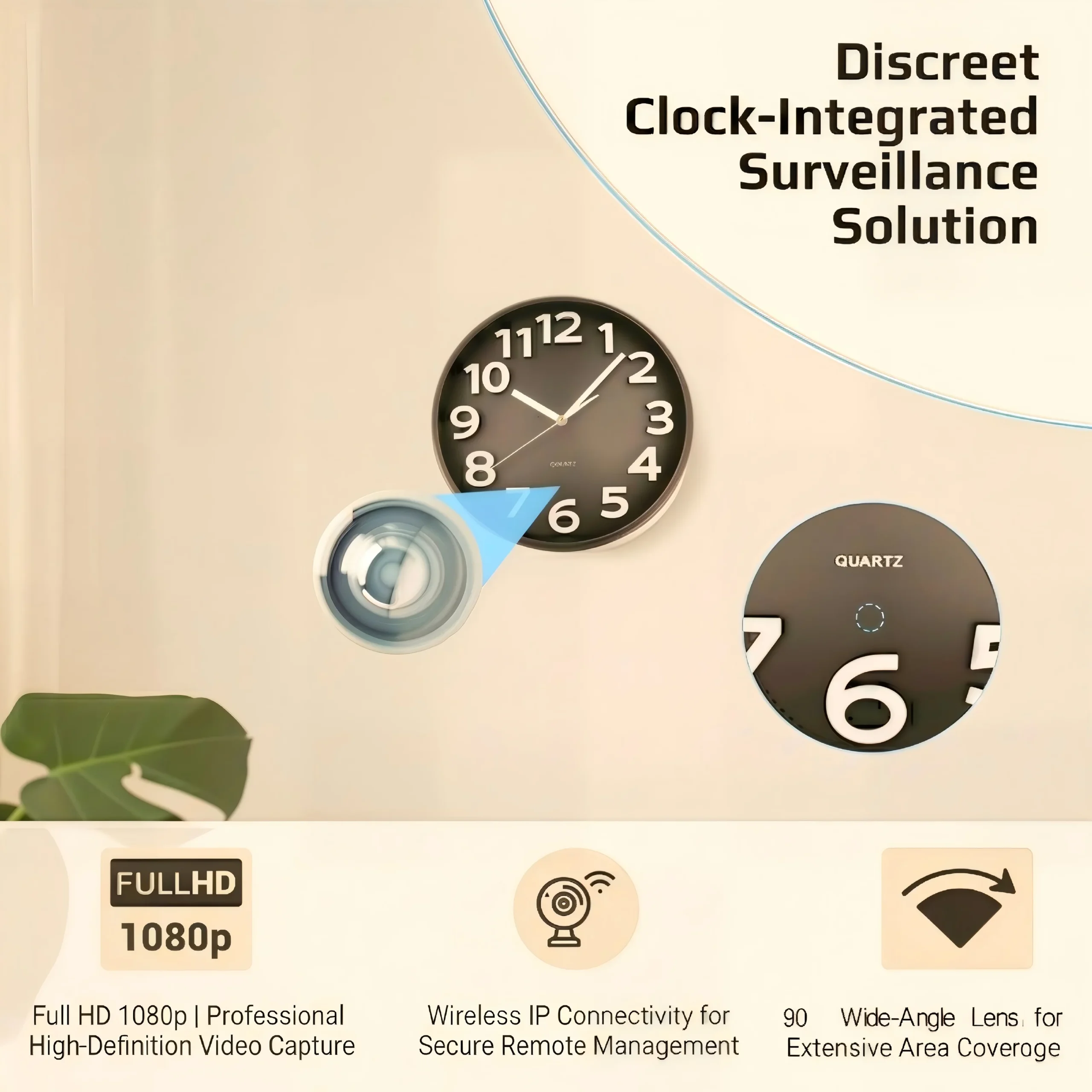
The Z10 succeeds because it solves the camouflage problem more convincingly than almost any other form factor. A wall clock hidden camera is the most intuitive disguise in the indoor surveillance category — clocks are expected in every room, expected to face outward, and expected to be mounted at a height that provides the camera with excellent coverage geometry.
But the Z10 is not just a clock with a camera inside. It’s a complete monitoring system:
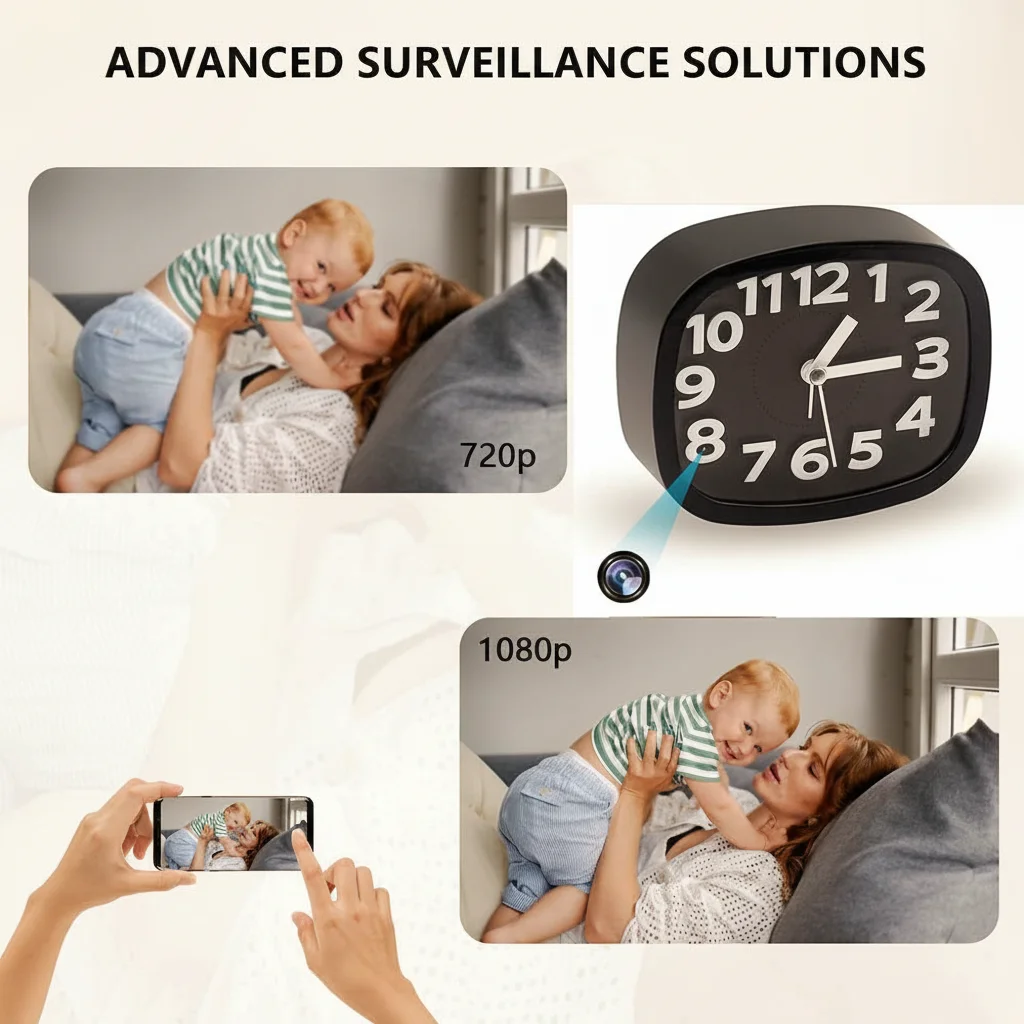
– 1080p recording at 25fps with motion detection trigger
– 2.4GHz WiFi with real-time remote viewing via mobile app
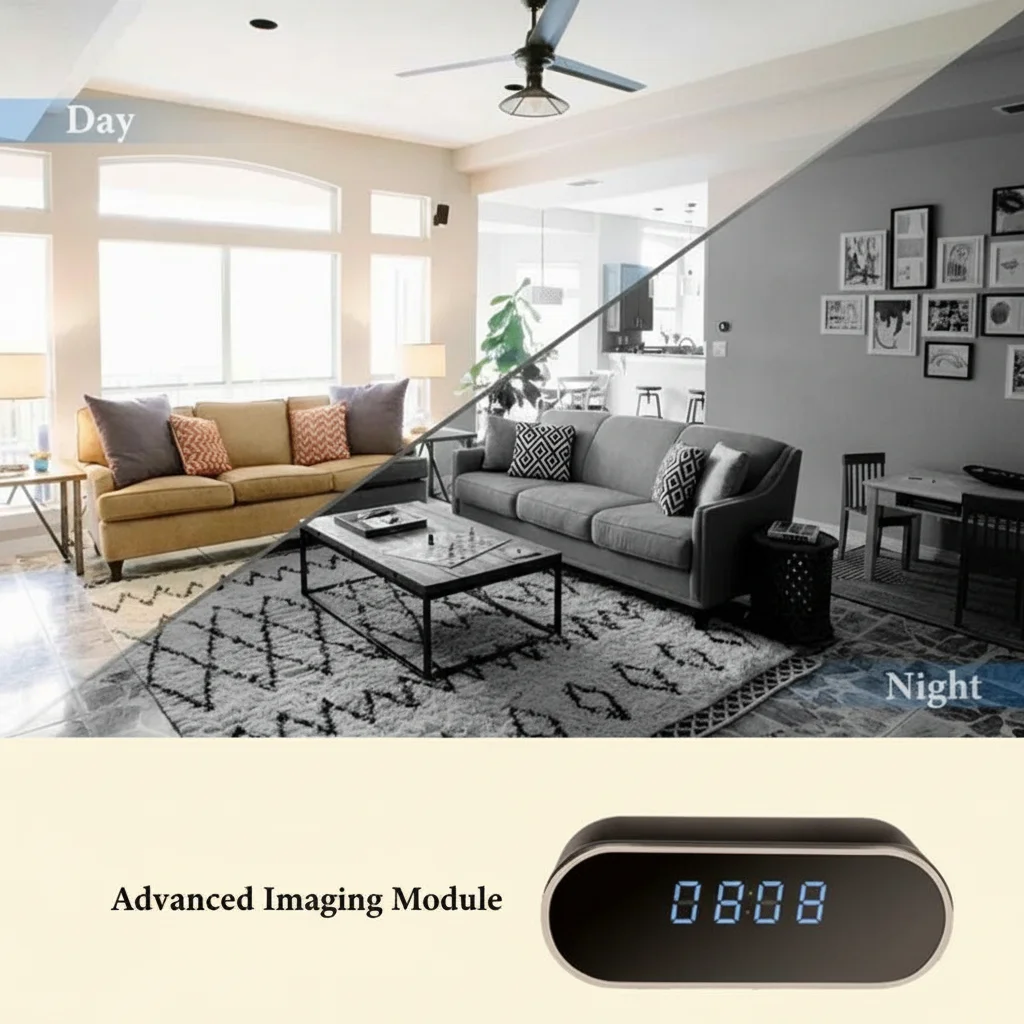
– Night vision IR illumination for complete darkness recording
– Local SD card storage (up to 128GB) with loop recording
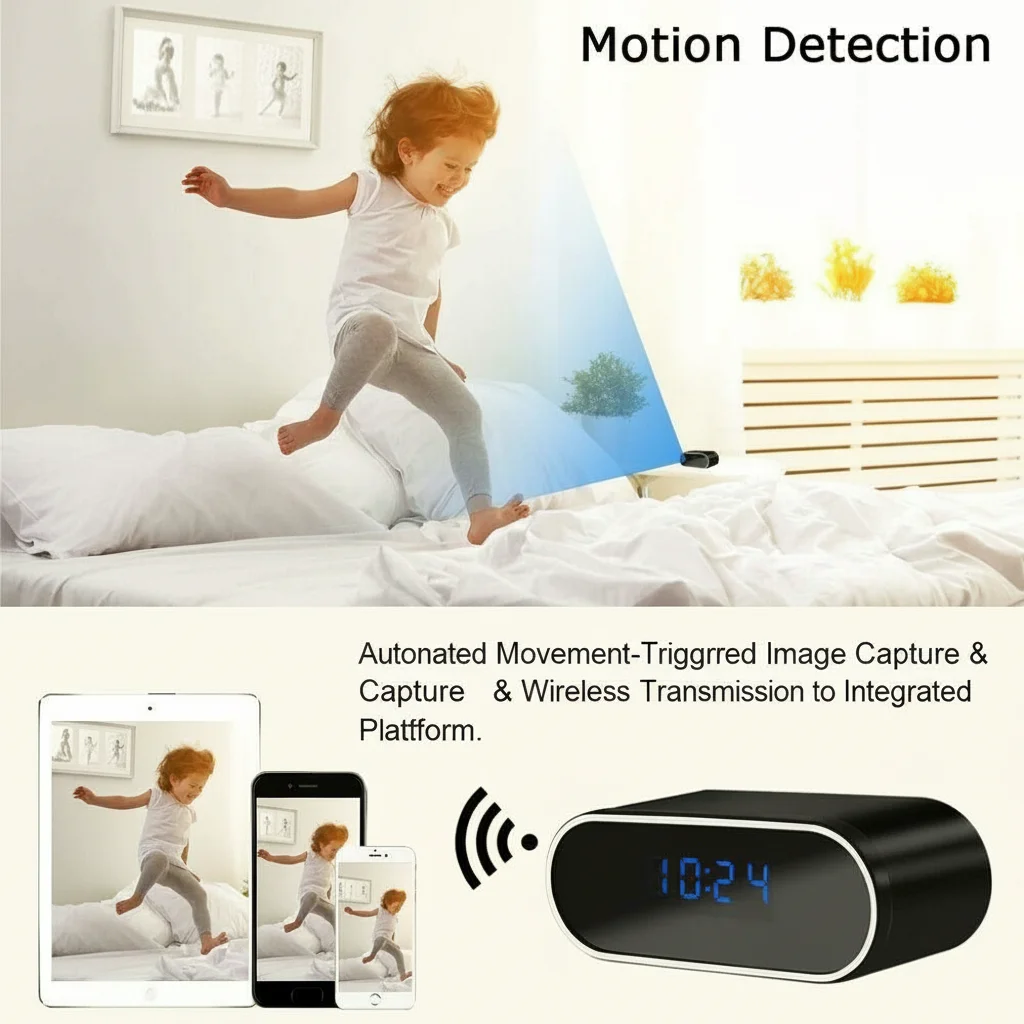
– Motion detection alerts with push notification to iOS and Android
– Remote pan/tilt — the Z10’s clock face rotates to adjust viewing angle without physical access
The combination of plausible disguise, full feature set, and competitive wholesale price makes the Z10 the primary product for distributors targeting the residential security and domestic monitoring market.
| Feature | Z10 | Typical Competing Clock Camera |
|---|---|---|
| Resolution | 1080p | 720p-1080p |
| WiFi | 2.4GHz | 2.4GHz |
| Night vision | Yes (IR) | Often no |
| Remote view | Yes (app) | Variable |
| Loop recording | Yes | Yes |
| Rotation (clock face) | Yes (some variants) | Rarely |
Key Takeaway: The Z10’s rotation mechanism is a genuine differentiator — competing clock cameras typically have a fixed lens position. For buyers who need to adjust coverage angle after installation without accessing the device, this capability justifies a modest price premium.

Who Are the Primary Buyer Segments for Z10 Clock Cameras?
Understanding your buyer segments determines how you market, price, and support the Z10. Four distinct buyer profiles account for the majority of Z10 sales in the European distribution channel.
Segment 1: Residential Nanny/Caregiver Monitoring (40% of volume)
Primary concern: discreet monitoring of child care or elder care without the caregiver’s awareness. Use case is usually temporary — a verification exercise rather than permanent surveillance.
Key decision factors: ease of setup, reliable app, good image quality in typical room lighting.
Price sensitivity: moderate (willing to pay for quality, but comparing consumer electronics pricing).
Segment 2: Home Office and Property Protection (25%)
Covers homeowners monitoring for burglary, package theft at entry points, or monitoring rental properties and holiday homes remotely.
Key decision factors: reliable remote viewing, motion alerts, long-term reliability without maintenance.
Price sensitivity: moderate to low (security investment framing).
Segment 3: Small Business Monitoring (20%)
Shop owners, small office managers, hospitality (holiday rental, B&B). Monitoring common areas, reception, or storage rooms without visible camera infrastructure.
Key decision factors: stable WiFi operation, cloud storage option, multi-device viewing.
Price sensitivity: low (business expense framing, willing to pay for reliability).
Segment 4: Investigative and Evidence Use (15%)
Private investigators, legal professionals, individuals in domestic disputes. Temporary deployment for specific evidence capture.
Key decision factors: video quality, timestamp accuracy, ease of footage retrieval, discretion in appearance.
Price sensitivity: low (specific task framing).
What Are the Z10’s Technical Specifications Distributors Must Know Before Ordering?
This is the complete technical profile you need to correctly describe the Z10 to buyers and set accurate expectations.
Video:
– Resolution: 1080p (1920×1080) at 25fps
– Codec: H.264
– Bitrate: approximately 20–25 Mbps (varies by motion activity)
– Field of view: 90° wide angle (standard model)
– Night vision: IR 850nm illumination, effective range approximately 3–5 metres
Connectivity:
– WiFi: 802.11b/g/n, 2.4GHz band only — does not support 5GHz
– Remote viewing app: platform-specific (varies by firmware version; current standard is HDLiveCam or equivalent)
– Maximum range from router: 10–15 metres through standard walls
Storage:
– SD card slot: micro SD, Class 10 recommended, up to 128GB
– Loop recording: automatically overwrites oldest files when card is full
– File format: MP4 (H.264)
– Cloud storage: available via app subscription on some firmware versions
Power:
– Input: standard 5V USB or mains AC adapter (model-specific)
– No internal battery — requires continuous power connection
– Power consumption: approximately 2–3W
Physical:
– Dimensions: approximately 26cm diameter clock face (standard model)
– Weight: approximately 450g
– Lens position: within clock face, not visible from normal viewing distance
The absence of an internal battery is the most important specification to communicate to buyers. The Z10 requires a permanent power connection — it cannot be deployed as a portable device.
What Are the Four Most Common Deployment Mistakes and How to Prevent Them?
Deployment errors generate the highest volume of Z10 returns and support tickets. These four problems account for over 75% of Z10 after-sales issues.
Mistake 1: 5GHz WiFi connection attempt
The Z10 only connects to 2.4GHz WiFi networks. Modern routers with “band steering” (automatic band selection) often push devices to 5GHz by default. Buyers set up the app, follow the instructions, and the camera fails to connect — because the router is offering only 5GHz in that location.
Prevention: Include a brief setup note in every Z10 sale: “Ensure your router has a 2.4GHz band enabled and separate from the 5GHz band. The Z10 cannot connect to 5GHz.” This single sentence prevents approximately 40% of connectivity tickets.
Mistake 2: SD card not formatted to FAT32
Excessively large SD cards formatted as exFAT will not be recognised by the Z10’s firmware. Buyers insert a 128GB card formatted in the standard Windows exFAT format and find no recording.
Prevention: Include SD card formatting instructions or a pre-formatted card with the product. If you don’t include a card, add formatting instructions to your product documentation.
Mistake 3: Clock placement creating lens obstruction
The Z10’s lens sits within the clock face at a fixed position (typically at the 12 o’clock area or centre, depending on variant). When buyers mount the clock at ceiling height, the natural downward angle may cause a partial obstruction from the clock frame.
Prevention: Recommend mounting height of 2–2.5 metres on a flat wall for standard room coverage. Include a coverage diagram in your product documentation.
Mistake 4: IR night vision overexposing nearby surfaces
In small rooms (under 12m²), the Z10’s IR illumination can overexpose the nearest surfaces at night, creating a white-out effect in footage within 1 metre of the camera.
Prevention: Brief buyers that the Z10’s night vision is designed for 3–5 metre range — it performs best in medium-sized rooms, not closets or very small spaces.
How Do B2B Buyers in Different EU Markets Use the Z10 Differently?
Market context shapes the Z10 opportunity significantly across EU member states. Understanding regional deployment patterns helps distributors target their sales effort more precisely.
United Kingdom:
The UK market is the largest European market for residential nanny monitoring devices. The ICO (Information Commissioner’s Office) has published guidance on home CCTV use that clarifies domestic surveillance is generally exempt from GDPR notification requirements when confined to the home. This legal clarity has reduced buyer hesitation and increased residential security product sales over the past three years. The Z10’s domestic appearance is a strong fit.
Germany:
German buyers have heightened privacy sensitivity. The Z10 sells well in the German market but typically through business security channels (retail monitoring, office security) rather than domestic nanny monitoring. Buyers in Germany specifically ask about legal use cases — frame your Z10 marketing around legitimate home security and property protection rather than covert monitoring language.
Italy:
The Italian market shows strong uptake in the holiday rental (short-term letting) sector. Z10 clocks are deployed in rental properties to monitor for damage, theft, or violation of house rules. Note: Italian privacy law (Codice Privacy) requires that monitoring in rental properties complies with consent requirements — a legal note in your Italian product listings is advisable.
France:
French buyers in the commercial hospitality sector (small hotels, gîtes, chambres d’hôtes) are consistent Z10 purchasers. The aesthetic of a wall clock is culturally appropriate in French residential and hospitality contexts.
Poland:
Polish distributor data shows high volume in the residential security segment with buyers prioritising cost-effectiveness. The Z10’s price point and functional reliability make it the primary clock camera SKU for Polish B2C retailers.
What Is the Right Wholesale Price Strategy for the Z10?
Pricing the Z10 correctly requires understanding the three cost components: product unit cost, import logistics, and after-sales provision.
Unit cost structure (typical distributor economics):
| Cost Component | Approximate Value |
|---|---|
| Factory unit price (FOB) | [Request current pricing] |
| Freight + insurance (DDP EU) | Add 8–12% of FOB |
| EU import duties (China-origin) | 0% (general tariff for security cameras) |
| VAT on import (country-specific) | UK: 20%, DE: 19%, IT: 22%, FR: 20% |
| Distributor margin target | 35–50% over landed cost |
Key Takeaway on Italian VAT: At 22% VAT on import, Italian distributors face a higher landed cost than UK or German counterparts. This is not a cost — it’s a cash flow item recovered when selling to VAT-registered businesses. But for distributors serving the Italian B2C market (selling to private individuals), the non-recoverable VAT is a pricing consideration that affects competitiveness.
Retail price benchmarking:
European retail prices for equivalent 1080p WiFi clock cameras range from €35–€85 depending on specification and channel. The Z10 positions comfortably in the €45–€65 retail range with a legitimate 35–45% distributor margin achievable at competitive wholesale pricing.
What After-Sales Support Does the Z10 Require from Distributors?
The Z10’s after-sales profile is predictable once you understand the failure modes. Here’s the complete support picture:
High-frequency, low-complexity issues (resolve with FAQ document):
– WiFi connection failure → 2.4GHz band check
– SD card not recognised → FAT32 format check
– App login issues → account reset procedure
– Night vision overexposure → placement advice
– Motion detection false positives → sensitivity adjustment in app
Low-frequency, moderate-complexity issues (require product exchange):
– Hardware fault on IR LED (approximately 1–2% of units annually)
– SD card slot physical damage from incorrect card insertion
– WiFi antenna fault (rare — typically caused by physical impact)
Distributor recommendation: Maintain a Z10 spare unit inventory of 3–5% of your sold volume for rapid exchange without waiting for factory returns. The cost of carrying this buffer stock is significantly lower than the customer relationship cost of a two-week return wait.
Warranty provision:
The standard factory warranty is 12 months on hardware defects. For EU distributors, the EU Sale of Goods Directive provides two years of consumer protection regardless of the manufacturer’s stated warranty. Factor this into your returns policy and pricing.
How to Build the Z10 Into a Profitable B2B Product Range
The Z10 is rarely a standalone sale at the distributor level. The highest-margin Z10 distribution models bundle the clock camera with complementary products and services.
Bundle 1: Complete Home Monitoring Kit
– 1× Z10 clock camera
– 1× 64GB or 128GB pre-formatted micro SD card
– 1× Printed quick-start guide
Retail position: “plug and play” home security. Bundle margin is higher than component margin, and the SD card inclusion removes the most common support ticket.
Bundle 2: Multi-Room Package
– 2× Z10 clock cameras (different room positions)
– Compatible with the same app account
Retail position: complete home coverage without visible camera infrastructure.
Bundle 3: Rental Property Security Package
– 1× Z10 clock camera (living room or reception)
– 1× WiFi smoke detector hidden camera (kitchen or utility)
– Setup guide for remote property monitoring
Target: holiday rental owners, Airbnb hosts, small hotels.
Cross-sell opportunity: Every Z10 sale is an opportunity to introduce buyers to the broader covert camera range. Buyers who purchase Z10 for a specific room often have an adjacent need — a second room, a different disguise form factor for a different context, or a portable option like the H3 power bank camera for mobile deployment.
What Are the Minimum Order Quantities and Typical Lead Times for the Z10?
Current stock and ordering parameters:
| Parameter | Value |
|---|---|
| MOQ (standard) | 10 units |
| Lead time (in-stock units) | 3–5 business days |
| Lead time (production run) | 15–20 business days |
| Available variants | Standard 1080p / Tuya 4K (see spec) |
| Customisation options | Logo removal, custom clock face |
The Z10 is one of our most consistently stocked products — the domestic market demand is stable enough to maintain permanent inventory. For distributors placing regular monthly orders of 20+ units, priority allocation is available.
Order tip: Specify the power adapter standard in your order: EU plug (Type C/F), UK plug (Type G), or US plug (Type A). Mismatched power adapters are a source of unnecessary friction in the delivery process that’s easily prevented at the order stage.
Z10 Complete Buyer’s Decision Summary: Is It the Right Product for Your Market?
The Z10 is the right product if your buyers are looking for:
– A discreet, permanently installed indoor monitoring solution
– WiFi remote viewing without visible camera infrastructure
– A proven form factor with broad market acceptance
– A product that can be deployed without technical expertise
The Z10 is not the right product if your buyers need:
– Portable/battery-operated monitoring (→ recommend H3 power bank camera)
– Outdoor or weatherproof installation (→ different product category required)
– 5GHz WiFi networks only (→ connectivity limitation cannot be resolved at the product level)
– Genuine 4K resolution (→ Z10 records 1080p; if genuine 4K required, specify at order)
For the residential and small business monitoring segment in the EU and UK market, the Z10 has the best combination of form factor, feature set, and price positioning available at distributor quantities. Contact us today for current Z10 pricing, sample availability, and our distributor onboarding package.
FAQ
Can I sell the Z10 to buyers in Germany without legal concerns?
The Z10 is legal to sell as a product in Germany. Its use is subject to German privacy law (BDSG and GDPR) — covert monitoring of employees or individuals in non-private spaces requires legal grounds such as consent or legitimate interest. Monitoring of your own home or property without capturing public spaces is generally lawful. Recommend that German buyers read the relevant ICO-equivalent guidance (Bundesbeauftragter für den Datenschutz) before deployment.
What’s the best placement height for a Z10 clock camera in a living room?
2.0–2.5 metres above floor level on a flat wall, positioned to cover the primary seating area. This height provides a natural clock-mounting appearance, gives the 90° wide-angle lens sufficient coverage, and avoids the IR overexposure issue that occurs at very close range. Avoid placement directly above a bright light source, which can create silhouette effects in the footage.
How do I know if the Z10’s motion detection is working correctly?
Enable push notifications in the app and walk slowly across the camera’s field of view at various distances. You should receive a notification within 3–8 seconds of motion starting. If notifications are absent, check: (a) notification permissions in phone settings, (b) motion detection sensitivity in the camera app settings, (c) that the camera has active WiFi connectivity. The Z10’s motion detection uses pixel-change analysis rather than a PIR sensor — it works in both light and darkness.
Can multiple users monitor the same Z10 from different phones?
Yes — the Z10 app supports device sharing, allowing multiple accounts to view the same camera. The primary account holder initiates a share via the app and sends an invitation to the secondary user. This is a common feature request from buyers managing property remotely with multiple family members or team members needing access.
What happens to Z10 recordings if the WiFi connection drops?
The Z10 continues recording to the SD card regardless of WiFi status. Remote viewing via app is unavailable when WiFi is disconnected, but local recording continues uninterrupted. This is an important distinction for buyers who ask “what happens if someone cuts the internet?” — the local SD card functions as an independent backup recording system.

 English
  Italiano
  Deutsch
  Français
  Español
  Polski