
Un localizzatore GPS cablato non deve essere installato seguendo uno schema generico “filo rosso / filo nero” copiato da un altro modello.
Prima di un'installazione autorizzata sul veicolo, confermare:
1. il localizzatore GPS e il cablaggio esatti;
2. la tensione del veicolo e l'ingresso di alimentazione consentito;
3. quale filo/funzione il manuale fornito assegna ad alimentazione, massa, ACC e accessori opzionali;
4. la SIM e le bande di rete mobile;
5. la configurazione della piattaforma/account;
6. la posizione di montaggio;
7. il test di accettazione che eseguirete prima che il veicolo torni in servizio.
Per gli esempi QZT attuali, le pagine N70 e N80 riportano entrambe Ingresso DC 9–90V e installazione fissa sul veicolo. Il cablaggio esatto fornito, il firmware, il servizio SIM e i componenti opzionali relè/SOS/audio devono comunque corrispondere all'ordine.
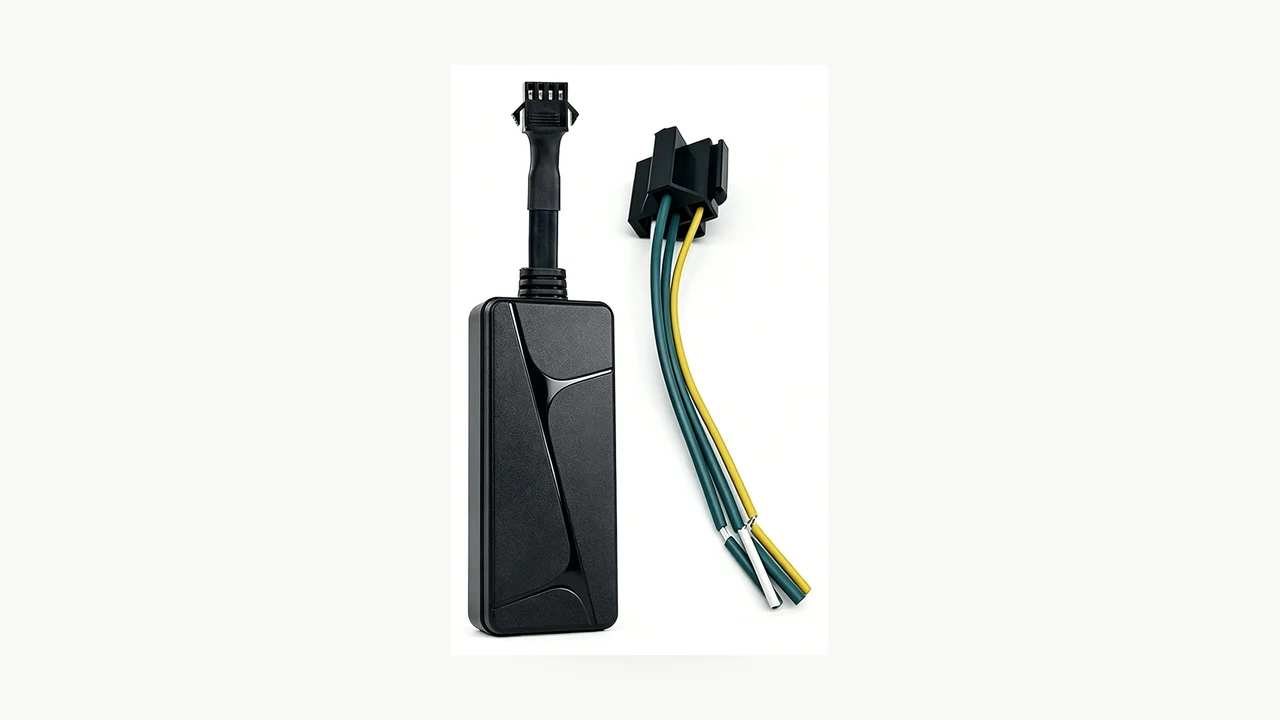
Fotografia reale del prodotto QZT N70. Utilizza il cablaggio e la documentazione di cablaggio forniti per la versione esatta anziché un diagramma generico di localizzatore GPS per veicoli.
Verificare prima l'ingresso di alimentazione e il cablaggio esatto
“Cablaggio fisso” indica solo che il localizzatore GPS si collega all'alimentazione del veicolo. Non indica quale connettore, assegnazione dei fili o set di accessori sia presente nella confezione.
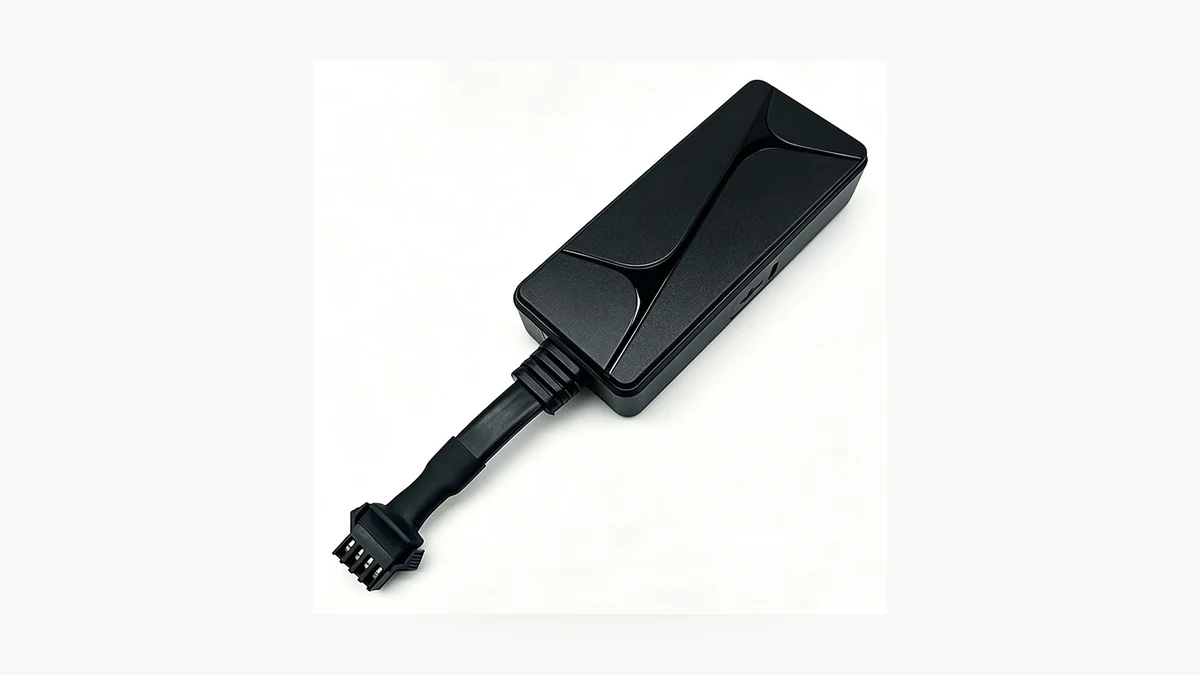
Dettaglio reale del connettore QZT N70. L'attuale pagina pubblica elenca DC 9–90V e un cablaggio a quattro pin con collegamento fisso; le assegnazioni effettive dei fili devono provenire dalla documentazione del manuale/cablaggio in dotazione.
L'attuale Pagina N70 lists:
– tipo di prodotto: localizzatore GPS veicolare cablato 4G;
– power input: DC 9–90V;
– connessione: cablaggio cablato a quattro pin;
– posizionamento GPS / LBS / AGPS;
– stato ACC;
– supporto relè opzionale;
– app SecumorePlus e piattaforma gps16888.com.
L'attuale Pagina N80 riporta inoltre DC 9–90V ma aggiunge un microfono esterno e un ingresso SOS, con controllo relè opzionale.
Ciò significa che due prodotti nella stessa ampia categoria possono avere requisiti di interfaccia diversi.
Prima che l'installatore intervenga sul veicolo:
| Verifica | Registra |
|---|---|
| Modello esatto del localizzatore GPS / revisione hardware | |
| Intervallo di tensione di ingresso dal manuale/pagina attuale | |
| Parte del cablaggio in dotazione / connettore | |
| Assegnazioni alimentazione / massa / ACC | Solo dal manuale esatto |
| Relè opzionale fornito? | Sì / No |
| Pulsante SOS in dotazione? | Sì / No / N/D |
| Microfono esterno fornito? | Sì / No / N/D |
| Requisito di fusibile / protezione del circuito | Dalla documentazione di installazione veicolo + localizzatore |
| Approvazione dell'installatore | Idoneo / autorizzato per questo veicolo |
Non dedurre il colore di un filo da un altro modello QZT, da un altro produttore o da uno schema di un marketplace.
Confermare l'ambiente elettrico e di installazione del veicolo
Un ampio intervallo di tensione di ingresso non elimina la necessità di una corretta installazione sul veicolo.
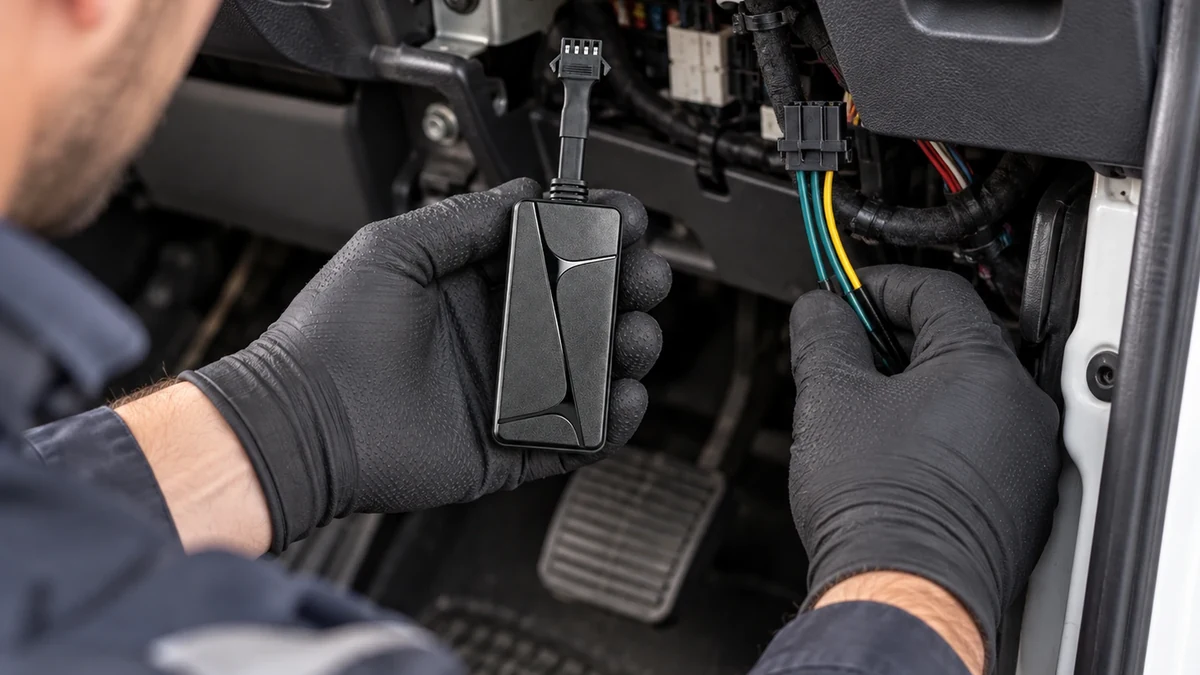
Scena reale di installazione del QZT N70. Mantenere il dispositivo asciutto, fissato e lontano da comandi mobili, airbag e aree di accesso per la manutenzione.
La pagina N70 indica agli acquirenti di utilizzare un installatore qualificato per il cablaggio di alimentazione, ACC e relè opzionale. Questo è il confine corretto per un'implementazione B2B.
Prima dell'installazione, confermare:
– il veicolo è di proprietà o si è autorizzati a installarvi apparecchiature di localizzazione;
– il punto di alimentazione previsto è compatibile con il range di ingresso documentato del localizzatore;
– il metodo di cablaggio è conforme alle informazioni di servizio del produttore del veicolo e alle pratiche elettriche locali;
– il localizzatore e il cablaggio non interferiranno con pedali, sterzo, airbag, meccanismi dei sedili o finiture mobili;
– l'unità rimane asciutta e protetta da calore o abrasione;
– i tecnici dell'assistenza possono identificare successivamente l'apparecchiatura aggiunta;
– qualsiasi funzione opzionale di relè/controllo sia approvata dalla policy della flotta e installata da un professionista qualificato.
Un localizzatore GPS con cablaggio fisso viene normalmente scelto anche perché può utilizzare l'alimentazione del veicolo in modo continuo. Ciò non giustifica un collegamento improvvisato.
Verifica la SIM e le bande mobili prima di rimontare il cruscotto
Un'installazione elettrica perfetta è comunque inutile se il localizzatore GPS scelto non riesce a registrarsi sulla rete cellulare locale.
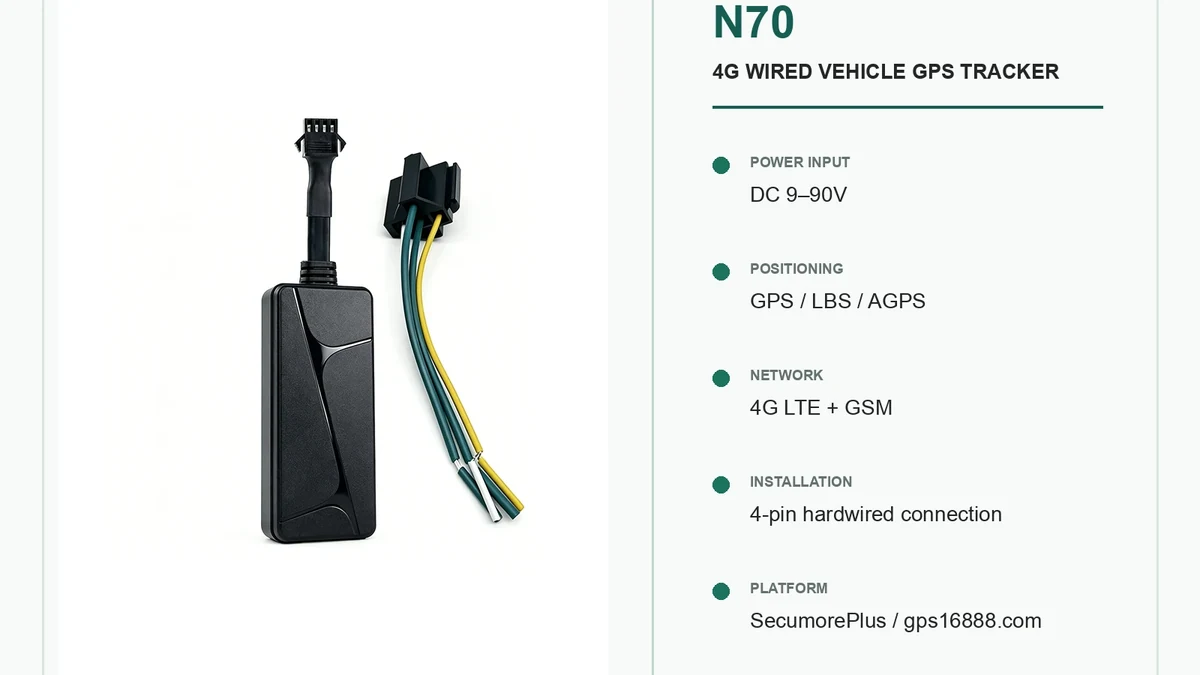
Immagine reale delle specifiche QZT N70. La compatibilità con la rete di destinazione e il servizio SIM devono essere confermati prima dell'implementazione sulla flotta.
L'attuale pagina N70 elenca:
– FDD-LTE B1 / B2 / B3 / B4 / B5 / B7 / B8 / B20 / B28;
– TDD-LTE B38 / B40 / B41;
– GSM 850 / 900 / 1800 / 1900MHz.
L'attuale pagina N80 elenca lo stesso set di bande di corrente sulla sua pagina prodotto pubblica.
Considerala una specifica di partenza, poi verifica il lotto esatto fornito e l'operatore di destinazione prima dell'installazione.
Registra:
– operatore SIM;
– SIM fisica / servizio fornito;
– APN o metodo di attivazione fornito per il localizzatore GPS;
– paese di destinazione;
– bande LTE richieste;
– se l'SMS viene utilizzato per qualsiasi percorso di configurazione/comando;
– se i dati mobili sono attivi;
– account della piattaforma e identificativo del dispositivo;
– qualsiasi termine di servizio/rinnovo.
IL Guida QZT ai localizzatori GPS senza canone mensile separa i costi di hardware, SIM/dati e piattaforma/server. Utilizza questa struttura di costi prima di promettere a un cliente un modello a canone ricorrente.
Configura la piattaforma prima dell'installazione finale
Non nascondere il localizzatore dietro le finiture e scoprire solo dopo che l'account, la SIM o il login al server sono errati.
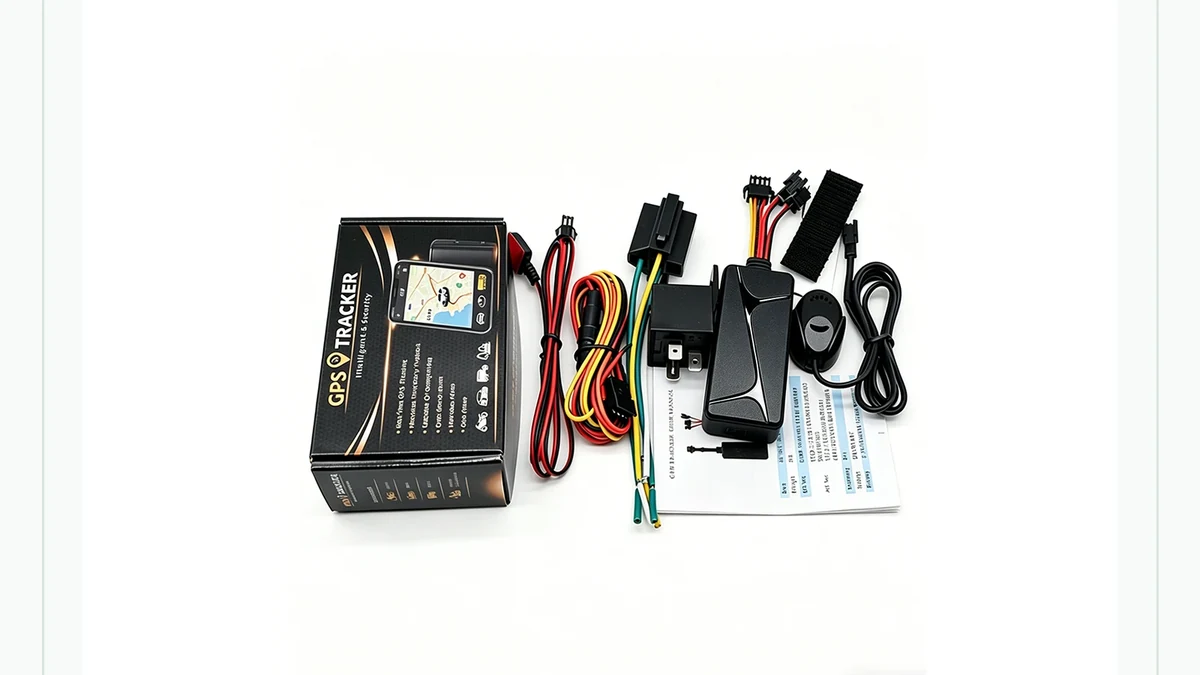
Immagine reale della confezione QZT N80. Confermare la configurazione di piattaforma, SIM e accessori al banco prima dell'installazione finale sul veicolo.
Le attuali pagine N70 e N80 riportano:
– app SecumorePlus;
– gps16888.com;
– cronologia delle posizioni e avvisi;
– funzioni dipendenti da SIM/piattaforma.
Prima del montaggio definitivo:
1. alimenta il localizzatore GPS su un banco di prova controllato o su un veicolo autorizzato;
2. attivare la SIM come richiesto;
3. confermare che il localizzatore GPS si registri alla rete;
4. confermare che l'account della piattaforma visualizzi il dispositivo corretto;
5. confermare un aggiornamento di posizione;
6. confermare il timestamp/fuso orario;
7. confermare qualsiasi funzione di geofencing o avviso richiesta;
8. documentare la proprietà del dispositivo/account per il cliente.
Se la piattaforma non rileva l'unità corretta, risolvi il problema prima di instradare e fissare definitivamente il cablaggio.
Non pubblicare APN predefiniti, indirizzi server, password o comandi SMS se non sono documentati per il firmware esatto fornito.
Decidere i requisiti ACC, relè, SOS e audio prima del cablaggio
Le funzioni opzionali possono modificare il cablaggio e il processo di approvazione.
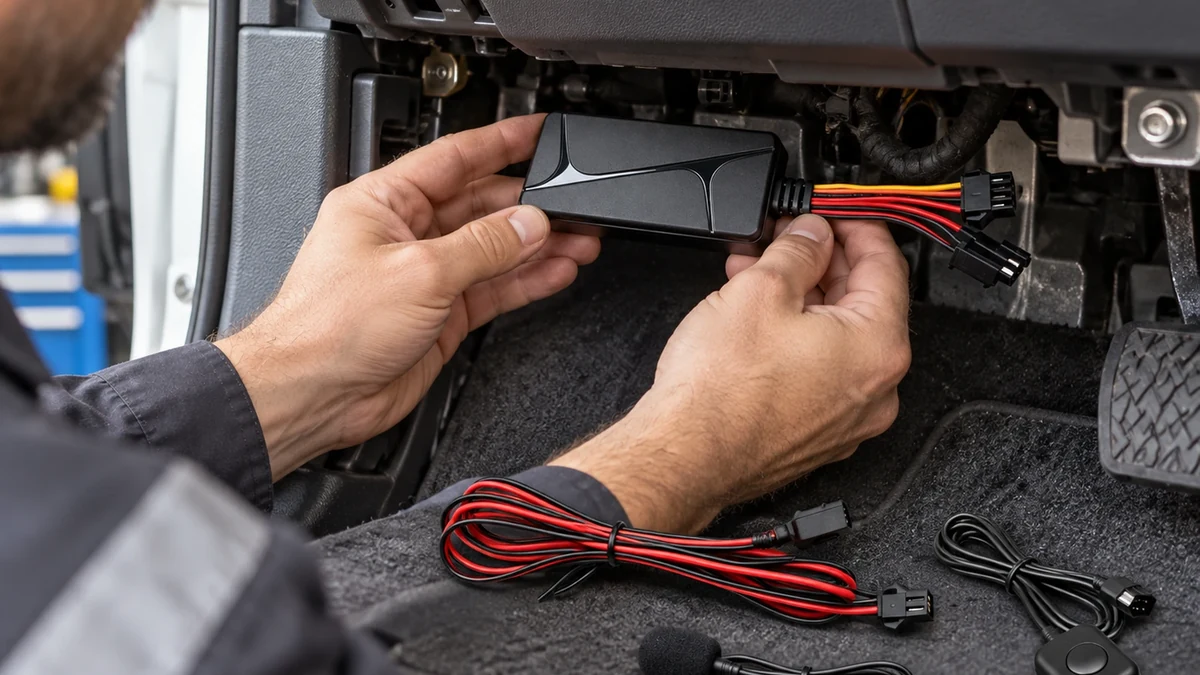
Immagine reale del prodotto/accessorio QZT N80. N80 aggiunge funzioni SOS/audio; N70 e N80 non devono essere considerati lo stesso pacchetto cablaggio.
Per N70, la pagina prodotto attuale elenca lo stato ACC e un relè opzionale compatibile. Per N80, la pagina attuale elenca inoltre un microfono esterno e un pulsante SOS.
Inserisci questi requisiti nell'ordine di acquisto prima dell'installazione:
| Funzione | Decisione del progetto |
|---|---|
| Localizzazione di base | Obbligatorio / Non obbligatorio |
| Ingresso ACC / stato di accensione | Obbligatorio / Non obbligatorio |
| Avviso di scollegamento dell'alimentazione | Obbligatorio / Non obbligatorio |
| Pulsante SOS | Richiesto / N/D |
| Audio remoto | Obbligatorio / N/D; necessaria verifica privacy/consenso |
| Relè/controllo opzionale | Richiesto / Non richiesto; solo installatore qualificato |
| Cronologia percorso / geofence | Obbligatorio / Non obbligatorio |
| Ritrasmissione dei dati offline | Deve essere testato su campione |
Per qualsiasi funzione di controllo remoto del circuito, utilizzare la documentazione fornita e un installatore qualificato. Questa guida non fornisce intenzionalmente uno schema di cablaggio generico per immobilizzatore, taglio olio o taglio accensione.
Per l'audio di N80, la pagina attuale afferma esplicitamente che l'accesso dipende da firmware, servizio SIM e configurazione della piattaforma e che si applicano le normative locali su consenso e privacy.
Scegliere una posizione di montaggio che consenta comunque al localizzatore di funzionare
Una posizione di montaggio nascosta può proteggere il dispositivo da interferenze accidentali, ma i moduli radio GPS e cellulare necessitano comunque di un ambiente funzionante.
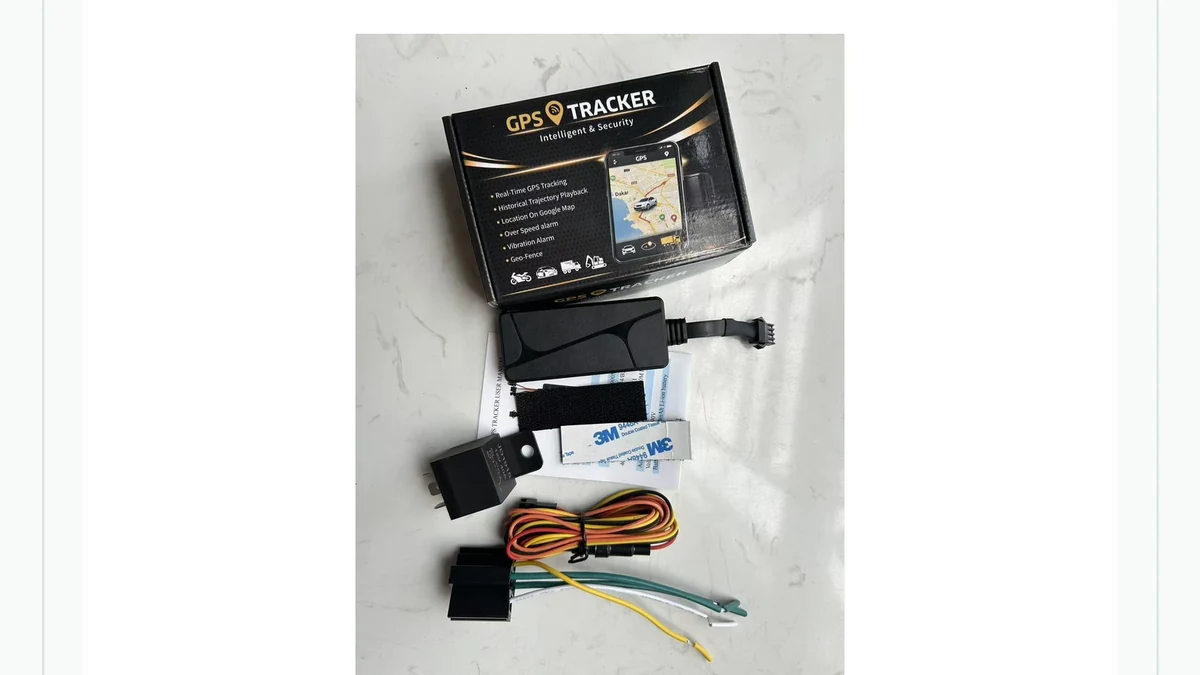
Immagine reale della confezione del QZT N70. La posizione esatta deve essere verificata per segnale, calore, umidità, tensione dei cavi e facilità di manutenzione.
Evita di considerare “nascosto più in profondità” automaticamente “migliore”.
Il campione deve verificare:
– fix GPS dalla posizione di montaggio prevista;
– registrazione cellulare e trasferimento dati;
– cablaggio non schiacciato né in tensione;
– nessun ostacolo agli airbag o ai meccanismi in movimento;
– nessuna esposizione eccessiva al calore o all'acqua;
– il localizzatore GPS è fissato in modo che le vibrazioni non danneggino il connettore;
– l'unità può essere identificata e sottoposta a manutenzione da tecnici autorizzati.
Gli involucri metallici e alcune posizioni sul cruscotto possono indebolire la ricezione satellitare o cellulare. Testare la posizione esatta prima di fissare tutto in modo permanente.
Eseguire un test di accettazione prima dell'implementazione sulla flotta
Un'installazione cablata non è completa quando il LED si accende.
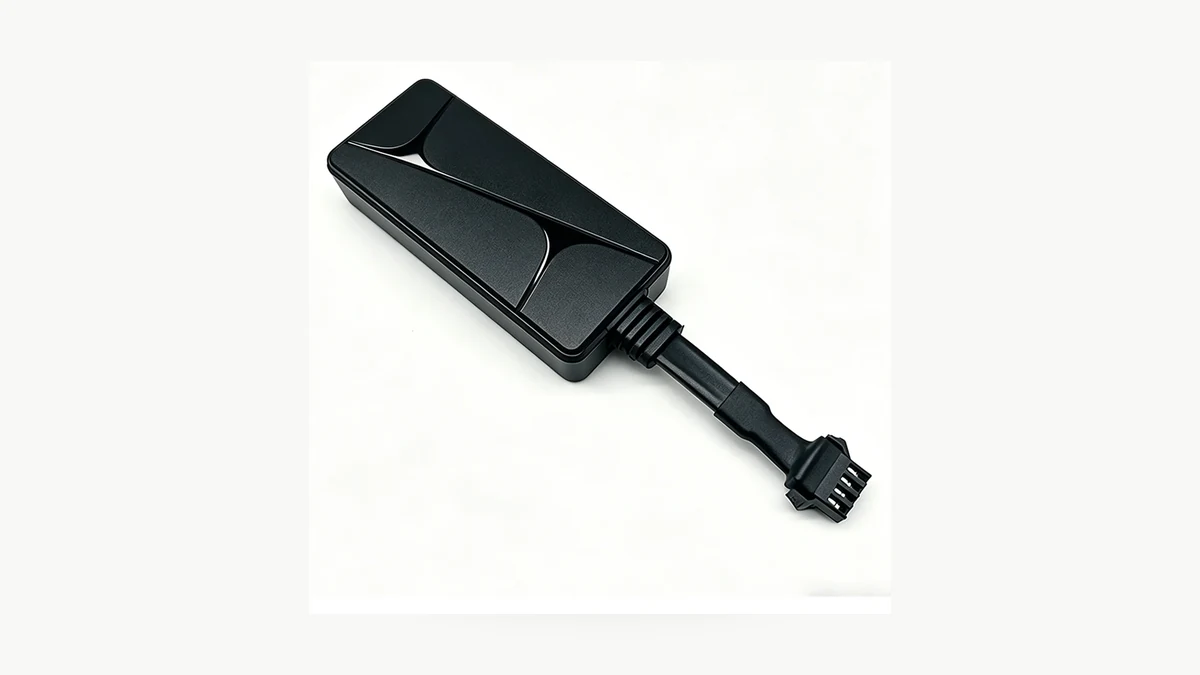
Fotografia reale del prodotto QZT N70. Utilizzare un veicolo campione di proprietà o autorizzato e registrare il risultato effettivo prima di ripetere l'installazione.
Esegui un test breve e documentato su un veicolo autorizzato:
| Verifica di accettazione | Risultato |
|---|---|
| Modello / hardware / firmware corretti | |
| Il cablaggio corrisponde all'ordine | Superato / Non superato |
| Accensione stabile | Superato / Non superato |
| Lo stato ACC cambia correttamente | Superato / Non superato / N/D |
| La SIM si registra | Superato / Non superato |
| Accesso alla piattaforma/associazione del dispositivo | Superato / Non superato |
| Fix GPS nella posizione installata | Superato / Non superato |
| Aggiornamento del percorso mentre il veicolo si muove | Superato / Non superato |
| Perdita di copertura + ripristino | Superato / Non superato / Non testato |
| I punti offline vengono ritrasmessi dopo il ripristino della copertura | Superato / Non superato / Non testato |
| Avvisi di geofencing / vibrazione / eccesso di velocità | Superato / Non superato / N/D |
| Avviso di scollegamento dell'alimentazione esterna | Superato / Non superato / N/D |
| SOS / audio | Superato / Non superato / N/D |
| Relè/controllo opzionale | Solo test qualificato / N/D |
| Riavvio/riconnessione | Superato / Non superato |
| Prove | Screenshot / log / registro di installazione |
Per N70, la pagina attuale indica che i dati offline possono essere memorizzati e ritrasmessi quando la copertura ritorna. Considerala una capacità dichiarata e verificala sul campione approvato prima di un'implementazione su larga scala.
Domande frequenti
Posso installare da solo un localizzatore GPS cablato?
Un localizzatore semplice può sembrare di facile installazione, ma le attuali indicazioni QZT N70 raccomandano esplicitamente un installatore qualificato per l'alimentazione, l'ACC e il cablaggio opzionale del relè. Gli impianti elettrici dei veicoli, gli airbag e le finiture variano, quindi utilizzare il manuale esatto del localizzatore e le informazioni di servizio del veicolo.
Il 9–90V è compatibile con ogni auto o camion?
Dal solo intervallo di ingresso del localizzatore GPS non si può trarre una conclusione universale sulla compatibilità con il veicolo. Confermare il punto di alimentazione effettivo e l'impianto elettrico del veicolo con l'installatore. L'intervallo indicato è una specifica del localizzatore GPS, non un'autorizzazione a collegarsi a qualsiasi filo.
Tutti i localizzatori GPS cablati utilizzano gli stessi quattro fili?
No. N70 attualmente elenca un cablaggio cablato a quattro pin, mentre un altro localizzatore può utilizzare un cablaggio diverso o aggiungere SOS, audio, relè o altre interfacce. Seguire l'esatta documentazione del modello.
Un localizzatore GPS cablato ha comunque bisogno di una SIM?
Per il tracciamento 4G in tempo reale degli attuali QZT N70/N80, le pagine pubbliche indicano agli acquirenti di testare la SIM, la rete e l'account della piattaforma. Una connessione di alimentazione cablata non sostituisce il percorso dati cellulare.
Devo collegare il relè se mi serve solo il tracciamento della posizione?
Nessun motivo per aggiungere hardware di controllo opzionale a meno che il progetto non lo richieda e lo autorizzi. Mantenere l'installazione il più semplice possibile in base alla funzione richiesta e utilizzare un installatore qualificato per qualsiasi funzione di relè/controllo.
Dove va montato un localizzatore GPS cablato?
Utilizzare una posizione asciutta e sicura, lontana da comandi mobili e airbag, che consenta comunque al localizzatore GPS di ottenere il servizio GPS/cellulare. Verificare la posizione scelta su un veicolo campione autorizzato prima di implementarla sull'intera flotta.
La regola pratica è: confermare alimentazione, cablaggio, rete, piattaforma e funzioni opzionali prima che l'installatore chiuda il cruscotto. Il localizzatore corretto è l'esatta configurazione documentata che supera il test sul veicolo campione.

 English
  Italiano
  Deutsch
  Français
  Español
  Polski