
Come scegliere la telecamera nascosta giusta per il tuo sistema di sicurezza domestica
You have probably spent weeks comparing doorbell cameras and outdoor security systems. But the camera that catches what is happening inside your home — in your living room, your home office, your teenager’s bedroom when you are travelling — requires an entirely different set of criteria. This is where hidden cameras do what standard security cameras cannot: they monitor without alerting anyone to their presence.
Choosing the right hidden camera is not just about resolution and night vision. It is about matching the right form factor to the right room, understanding the difference between WiFi-enabled and local-only recording, and knowing which features actually matter versus those that look impressive on a spec sheet but underperform in real conditions.
This guide walks you through every decision you need to make — from form factor selection and resolution requirements to power options and UK/EU legal considerations — so you can build a home security system that actually works when you need it.
Why a Hidden Camera Fills Gaps That Standard Security Cameras Cannot
Standard CCTV cameras have a fundamental limitation: everyone knows they are there. That visibility serves a deterrence purpose, but it also means that anyone who wants to behave badly in your home will adjust their behaviour the moment they see the camera pointed at them.
A hidden camera operates differently. Whether you are a parent monitoring a new childcare provider, a homeowner concerned about unusual activity while you are away, or a small business owner securing your commercial premises, the covert nature of the device means you capture what actually happens — not a performance.
Hidden cameras serve specific scenarios that conventional security cameras handle poorly. They disguise themselves as everyday objects — a wall clock in your living room, a USB charger in your home office, a tissue box on a shelf — so they blend into the environment. Some models record locally to an SD card with no network connection at all, making them invisible to network scanners and resistant to remote hacking.
But not all hidden cameras are equal. Here is how to separate the genuinely useful from the merely theatrical.
Understanding Hidden Camera Form Factors: What Goes Where
The single most important decision you will make is which form factor to buy. A camera placed in the wrong object — or in the right object placed in the wrong location — will produce useless footage regardless of how good its specifications are.
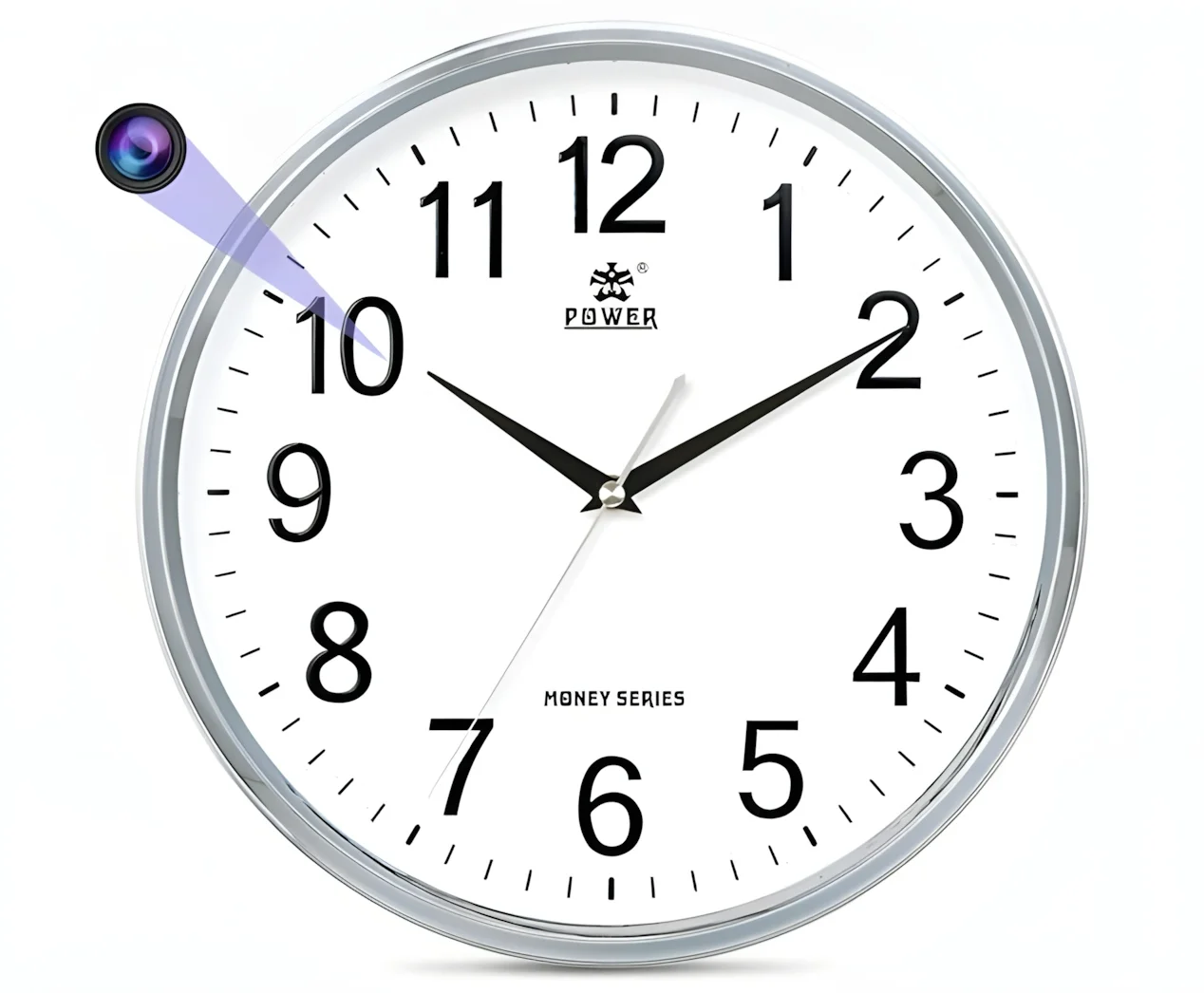
Wall Clock Cameras: Living Rooms and Bedrooms
Clock cameras are among the most popular form factors for indoor home security, and for good reason. A wall clock is one of the few household objects that naturally occupies a high, central position in any room — giving the camera a commanding view of the entire space.
A QZT Z10 clock camera, for instance, looks identical to an ordinary digital alarm clock but houses a 1080p WiFi-enabled camera with night vision, motion detection, and app-controlled live viewing. Placed above a sofa or on a bedroom wall, it covers the room’s main activity area without drawing any attention.
When choosing a clock camera, check the viewing angle — narrower lenses of 60–70° will miss the edges of larger rooms, while wide-angle options of 90° or more are better suited to open-plan spaces.
USB Charger Cameras: Home Offices and Kitchens
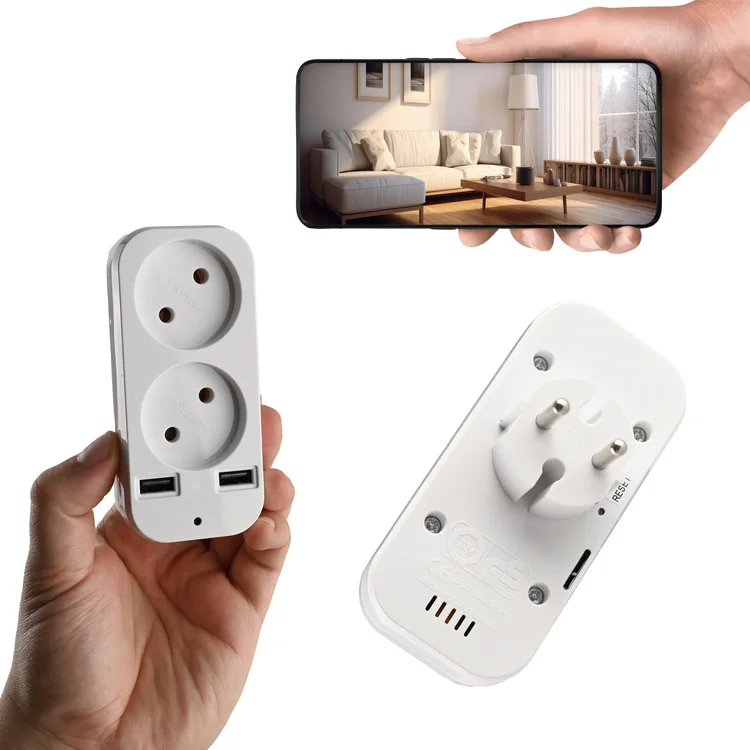
A USB charger camera that sits permanently in a wall socket is one of the most practical hidden camera choices for a home office. It draws continuous power from the mains, so there are no battery concerns. It blends completely into the environment — no one questions a USB charging block on a desk.
IL QZT S3 socket camera is a UK and EU-compatible wall plug with a built-in full HD camera. Because it is always powered, it can run 24/7 loop recording to a microSD card or stream live via WiFi to your phone. Placed on a desk at face height, it captures anyone entering the room with enough detail to identify faces clearly.
The key limitation of USB charger cameras is placement. They need a socket in the right position — ideally on a desk or counter surface with a clear view of the door. Sockets behind furniture or at floor level are useless for face capture.
Power Bank Cameras: Flexible, Portable Coverage
When you need coverage in multiple rooms or locations without installing anything permanently, a power bank camera is the most versatile option. The QZT H3 power bank camera functions as a normal 10,000mAh power bank while simultaneously recording video — making it useful both as a portable camera and as an emergency power source for your phone.
This form factor is particularly valuable for monitoring rooms where permanent installations are impractical — a teenager’s bedroom during a school holiday, a rented property while you are assessing tenants, or a shared living space. Because the device is portable, you can reposition it without anyone knowing.
The tradeoff is battery life. Active recording drains the battery faster than passive standby. Most power bank cameras will run 6–12 hours of continuous recording before requiring a recharge — enough for a full working day, but not suitable for long-term unattended surveillance without a charging schedule.
Smoke Detector Cameras: Wide-Area Ceiling Coverage
A smoke detector camera mounted at ceiling height offers the widest possible coverage of any room. Because it sits at the highest point in a space, it captures the most complete view with the least obstruction. This makes it ideal for large living rooms, open-plan kitchen-diners, and nurseries where you want to monitor a wide area from a single device.
Ceiling-mounted cameras are harder to install and require either a mains power connection or a ceiling void for battery storage. They are also among the most conspicuous form factors — a smoke detector in a room without other detectors, or in an unusual position, may attract attention.
Button and Glasses Cameras: Personal Evidence Capture
For personal use rather than home security — capturing evidence of mistreatment, documenting a confrontation, or recording a meeting — wearable form factors like QZT G3000 spy glasses o un W8 spy pen camera serve a different purpose entirely. These are not for monitoring a space remotely; they are for capturing first-person video and audio evidence in real time.
Understanding this distinction is critical. If you want to monitor your home remotely while you are at work, a WiFi-enabled clock or charger camera is the right choice. If you need to document something you are physically present for, a wearable form factor is more appropriate.
Resolution and Video Quality: What You Actually Need
Resolution is the most marketed — and most misunderstood — specification in the hidden camera market. Here is what the numbers mean in practice.
720p: Entry-Level, Limited Use
720p (1280×720) cameras can capture a face at a distance of approximately 3–4 metres in good lighting. In a small room, this is sufficient to identify a person. However, 720p footage struggles in low light and cannot capture fine detail — number plates, small objects, handwritten text — with any reliability.
720p hidden cameras are typically the cheapest option and may suit basic monitoring needs where facial identification is not critical.
1080p (Full HD): The Recommended Standard
1080p (1920×1080) is the minimum resolution you should accept for any camera where identifying faces or reading text matters. At 1080p, a standard lens can capture a recognisable face at 5–8 metres in good indoor lighting. With wide dynamic range (WDR) technology, 1080p cameras handle the challenging lighting conditions found in most homes — bright windows against a dark room — far better than 720p alternatives.
Most QZT hidden cameras, including the Telecamera orologio Z10 E S3 socket camera, record at 1080p as standard.
2K and 4K: When Detail Matters Most
Higher resolution captures more detail at greater distances, which matters if the camera is positioned high up or at the far end of a large room. A 2K camera can capture legible text on a document or screen from across a typical living room. 4K is typically overkill for indoor home use unless you need forensic-quality evidence.
The tradeoff is storage and bandwidth. 4K footage consumes approximately four times the storage of 1080p and requires significantly more WiFi bandwidth for live streaming. Unless you have a specific reason to need 4K, the file size and network load are not worth it.
Night Vision: Why It Matters More Than Daytime Resolution
Most incidents that homeowners want to capture on camera — unusual activity while they are away, overnight events, a care worker attending to an elderly relative — happen in low light or darkness. This makes night vision capability one of the most important specifications you can evaluate.
Infrared (IR) Night Vision: Black and White, Reliable
IR night vision works by illuminating the scene with infrared light that is invisible to the human eye. The camera captures the reflected IR light, producing a black-and-white image. Most hidden cameras with night vision use IR LEDs and can see in complete darkness at ranges of 5–10 metres.
The quality of IR night vision depends primarily on the number and quality of the IR LEDs and the sensitivity of the image sensor. CMOS sensors with larger pixel sizes (measured in microns, or µm) capture more light and produce better night-time images. Look for cameras with sensors of 2.0µm or larger for reliable night vision.
Starlight and Low-Light Colour: The Premium Option
Some cameras use enhanced low-light sensors — sometimes marketed as “starlight” sensors — that can produce colour images in very low ambient light. This is useful if you want to distinguish colours in a scene at night — the colour of clothing, a vehicle, or packaging — without triggering IR illumination that might give away the camera’s position.
Starlight sensors are more expensive than standard IR cameras and typically found in premium hidden camera models. For most home security purposes, a quality IR camera is sufficient.
What to Avoid: Cameras With Visible Red Glow
Some cheaper hidden cameras have IR LEDs that produce a faint but visible red glow in dark rooms. This defeats the purpose of a covert device. Before purchasing, check reviews for reports of visible IR emission.
WiFi vs. Non-WiFi: The Privacy and Convenience Tradeoff
This is a decision that most buyers do not think carefully enough about, but it has significant practical implications.
WiFi-Enabled Cameras: Remote Viewing, Remote Risk
A WiFi camera connects to your home network and streams footage to a cloud server or directly to your phone via an app. This means you can check live footage from anywhere in the world — a powerful capability when you are travelling and want to check on your home.
IL QZT C10 WiFi module camera is an example of a compact WiFi-enabled device that supports remote viewing via the Tuya Smart app, motion detection alerts, and push notifications to your phone.
However, WiFi connectivity introduces two significant concerns. First, the camera appears on your network — and can potentially be detected by a network scanner app such as Fing. Anyone who knows how to scan a WiFi network will see the camera. Second, WiFi cameras are potentially hackable, particularly those with weak default passwords or outdated firmware. The National Cyber Security Centre (NCSC) advises changing default credentials on all IoT devices and keeping firmware updated.
Non-WiFi Cameras: Maximum Covertness, No Remote Access
A camera that records only to an internal SD card — with no network connectivity — is invisible on any WiFi network and cannot be hacked remotely. This makes it the most genuinely covert option. You retrieve the SD card periodically and review footage locally on a computer.
The tradeoff is obvious: you cannot see what the camera is recording in real time. You set it up, leave it, and come back to review what happened. This makes non-WiFi cameras most suitable for stationary monitoring — a home office, a nursery, a living room — rather than situations where you need to check in remotely.
The Hybrid Option: WiFi With Privacy Controls
Some cameras allow you to toggle WiFi on and off. The practical approach is to enable WiFi only when you need to check in, then disable it for routine monitoring. This gives you the best of both worlds: remote access when you want it, and genuine offline covert recording when you do not.
Motion Detection: Getting Alerts Without Filling Your Storage
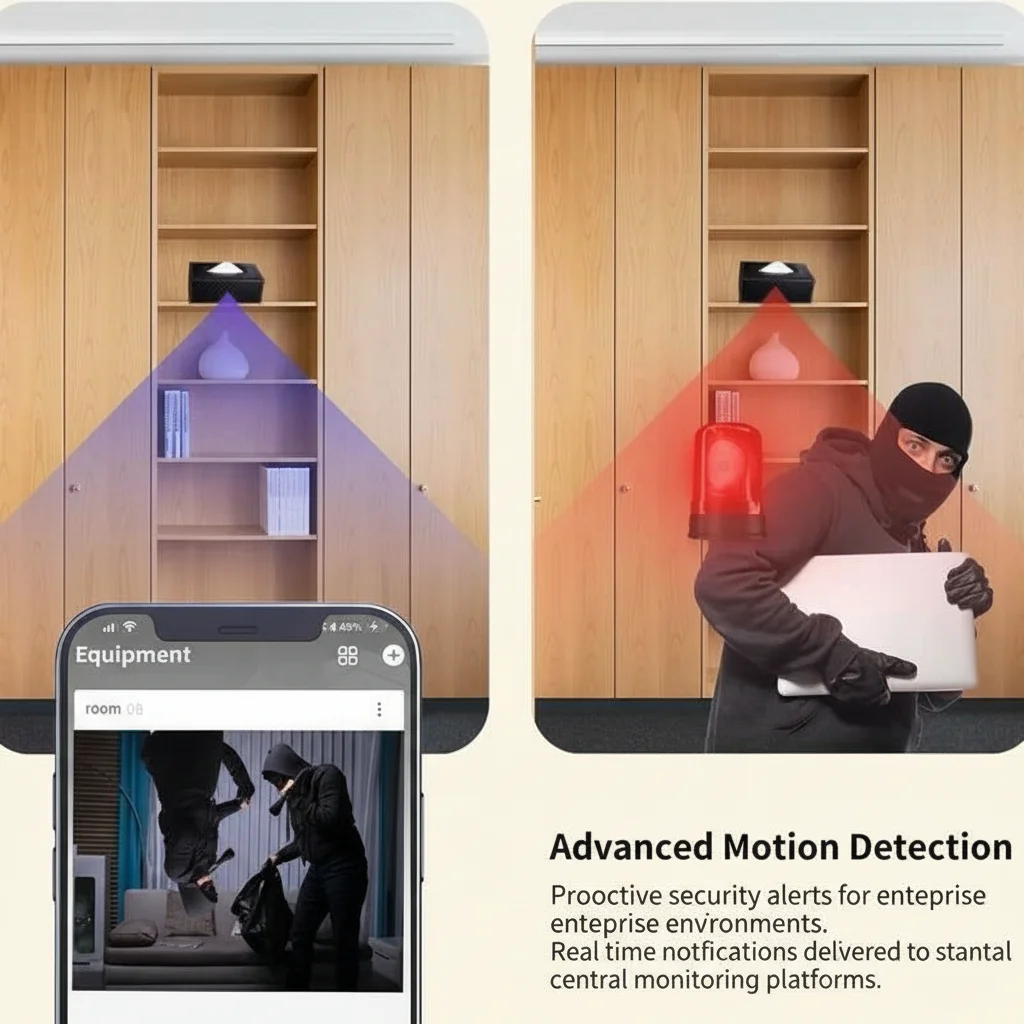
Continuous recording is the most reliable approach but generates enormous amounts of footage — a 128GB SD card in a 1080p camera fills in approximately 3–5 days of continuous recording. Motion-triggered recording is more efficient, but the quality of motion detection varies enormously between models.
PIR (Passive Infrared) Motion Detection
PIR sensors detect heat signatures from people and animals by measuring infrared radiation. They are far more accurate at distinguishing a person walking through a room from a curtain moving in a draught or a spider crawling across the lens. Cameras with PIR sensors generate far fewer false alerts than those relying purely on pixel-change detection.
Look for cameras with adjustable PIR sensitivity if you have pets. Lower sensitivity will ignore small animals and reduce false alerts.
Pixel-Change Detection: Cheaper, Less Accurate
Many budget cameras detect motion simply by comparing consecutive video frames and flagging changes in pixels. This catches everything — shadows moving across the floor, headlights through a window, sunlight shifting — and generates far more false alerts than PIR.
If you choose a camera without PIR detection, set the sensitivity to “medium” and test it for a few days before relying on it for genuine alerts.
Buffered Pre-Motion Recording
The best motion detection systems do not just start recording when movement is detected — they buffer the preceding 3–10 seconds so that you capture the moment something started, not just what happened after the camera noticed. This matters enormously for evidence purposes. Without pre-motion buffering, you may miss the critical moment when someone enters a room.
Storage: SD Card, Cloud, or Both
Your storage strategy determines both the security of your footage and the cost of running the camera.
Local SD Card Storage
An SD card in the camera itself is the most private option — footage never leaves the device. Most hidden cameras support cards from 16GB to 128GB. At 1080p, a 64GB card typically holds 4–7 days of continuous footage, or 2–4 weeks of motion-triggered recording depending on activity levels.
SD cards are the right choice for purely covert monitoring and for users who prioritise data privacy. The risk is that if someone steals or destroys the camera, the footage is gone with it.
Format the SD card periodically (every 4–6 weeks during active use) and check that recordings are being saved correctly. A surprising number of users discover weeks later that their camera was not recording due to a card error.
Archiviazione Cloud
Cloud storage saves footage to a remote server, meaning it survives the loss or destruction of the camera. It also enables remote viewing and typically includes features like alert clip sharing and longer retention periods.
The tradeoff is a monthly subscription fee — typically £3–10 per camera per month — and the fact that footage passes through a third-party server, raising data privacy considerations. For UK and EU users, check that the cloud provider complies with UK GDPR if footage of identifiable individuals is involved.
Dual Storage: The Most Robust Option
Cameras that support simultaneous SD card and cloud recording offer the highest reliability. If the cloud connection fails, the SD card continues recording. If the SD card is removed or full, the cloud has a backup. This is the configuration recommended for any situation where capturing footage is genuinely important — childcare monitoring, elderly care oversight, or evidence of suspected misconduct.
Matching Camera Types to Specific Rooms
Different rooms require different approaches based on their function, lighting, and the behaviour you are trying to monitor.
| Stanza | Recommended Form Factor | Caratteristiche principali |
|---|---|---|
| Soggiorno | Orologio da parete fotocamera | Wide angle, WiFi, night vision |
| Ufficio domestico | USB charger or picture frame | Alimentazione sempre attiva, 1080p, SD locale |
| Nursery / camera da letto del bambino | Telecamera rilevatore di fumo o orologio | Ampia copertura, visione notturna, avvisi di movimento |
| Cucina | Caricatore USB o oggetto quotidiano | Posizionamento su bancone, buona gestione dell'illuminazione |
| Corridoio / ingresso | Orologio da parete o telecamera con sensore PIR | Angolo stretto, buono per la copertura delle porte |
| Garage / esterno | Modulo resistente alle intemperie o telecamera body | Resistenza alle intemperie, visione notturna IR |
Considerazioni legali per telecamere nascoste nelle case del Regno Unito e dell'UE
L'uso di una telecamera nascosta all'interno della propria abitazione è legale nel Regno Unito, soggetto agli obblighi di protezione dei dati. Le regole principali sono coperte nel nostro guida dedicata alle leggi sulle telecamere per babysitter nel Regno Unito, ma la versione breve per gli acquirenti è:
– Devi avere uno scopo legittimo (sicurezza dei bambini, sicurezza domestica, assistenza agli anziani)
– Devi informare le parti interessate — in particolare dipendenti o appaltatori — per iscritto riguardo alle telecamere
– Non puoi posizionare telecamere in bagni, spogliatoi o camere da letto private
– La registrazione audio comporta un rischio legale aggiuntivo secondo le leggi britanniche sull'intercettazione — disattivala a meno che tu non abbia ricevuto consulenza legale
– Le riprese contenenti individui identificabili sono dati personali ai sensi del GDPR del Regno Unito
Per gli acquirenti UE, l'articolo 6 del GDPR stabilisce le basi giuridiche per il trattamento, con l'interesse legittimo (articolo 6, paragrafo 1, lettera f) che è il più comunemente applicabile per la sorveglianza domestica. Tuttavia, la proporzionalità è fondamentale — la sorveglianza non deve essere eccessiva rispetto allo scopo.
Se stai acquistando telecamere per locali commerciali — un negozio, ufficio o magazzino — il quadro legale è considerevolmente più complesso e dovresti consultare un professionista della protezione dei dati.
Errori comuni quando si acquistano telecamere nascoste
Ecco cosa va storto più spesso in base alle recensioni degli acquirenti e alle richieste di supporto:
Acquistare basandosi solo sulla risoluzione. Una telecamera 4K con un obiettivo scadente e senza WDR produrrà filmati peggiori di una telecamera 1080p con un sensore di qualità e un'ampia gamma dinamica. Valuta il pacchetto completo, non solo il numero di megapixel.
Ignorare l'angolo di visione. Un obiettivo stretto da 60° in una grande stanza open space perderà la maggior parte dello spazio. Controlla il campo visivo orizzontale e adattalo alle dimensioni della stanza.
Sovrastimare l'autonomia della batteria. I produttori pubblicizzano l'autonomia massima della batteria in condizioni ideali. Le prestazioni reali della batteria in una telecamera nascosta sono tipicamente del 30–50% inferiori rispetto a quanto pubblicizzato. Pianifica ricariche regolari o scegli modelli alimentati a rete.
Non testare il rilevamento di movimento prima di affidarsi ad esso. Configura la telecamera, cammina per la stanza a diverse velocità e in diversi momenti della giornata, e controlla se ricevi avvisi affidabili. Regola la sensibilità di conseguenza.
Non verificare la rete. Se stai utilizzando una telecamera WiFi, esegui una scansione di rete con un'app come Fing per confermare che la telecamera non stia trasmettendo un nome dispositivo ovvio o esponendo porte aperte. Cambia immediatamente le password predefinite.
Costruire il tuo sistema: da dove iniziare
Se sei nuovo alle telecamere nascoste, inizia con un singolo dispositivo alimentato a rete nella stanza più critica — tipicamente il soggiorno o l'ufficio domestico. Scegli un modello abilitato al WiFi in 1080p con archiviazione su scheda SD, rilevamento di movimento PIR e visione notturna IR. Testalo per due settimane prima di aggiungere altre telecamere.
Man mano che la tua fiducia cresce, espandi per coprire altre aree. Una telecamera con orologio in soggiorno, una Telecamera con presa USB nell'ufficio domestico, e una Telecamera power bank per un uso flessibile offre alla maggior parte delle famiglie una copertura completa senza complicare eccessivamente il sistema.
Se hai bisogno di indicazioni su quale modello specifico soddisfa le tue esigenze, Contattaci oggi — il nostro team può suggerire configurazioni per tipi di stanza specifici e casi d'uso.
Domande frequenti
Qual è la migliore risoluzione per una telecamera nascosta per la sicurezza domestica?
1080p (Full HD) è la risoluzione minima consigliata per telecamere nascoste domestiche. Cattura facce riconoscibili a 5–8 metri in condizioni di buona illuminazione interna e gestisce affidabilmente la maggior parte delle attività di identificazione. 720p è accettabile per piccole stanze dove è necessario solo un monitoraggio di attività basilare. 2K e 4K sono da considerare solo se necessiti di dettagli di qualità forense o se catturi una stanza molto grande da una distanza.
Quanto può registrare una telecamera nascosta su una scheda SD da 64GB?
Con registrazione a 1080p, una SD card di 64GB tipicamente contiene 4–7 giorni di registrazione continua. Con registrazione attivata dal movimento, questa si estende a 2–4 settimane dipendendo da quanto movimento la telecamera rileva. Se la registrazione continua è importante, usa una card più grande (128GB o 256GB) o scegli una telecamera che supporta lo storage cloud come backup.
Una telecamera nascosta può funzionare senza WiFi?
Sì. Le telecamere che registrano solo su una SD card interna operano completamente offline senza connessione WiFi. Queste sono le opzioni più genuinamente nascoste perché non appariscono su nessuna rete e non possono essere individuate da applicazioni scanner WiFi. Tuttavia, non puoi vedere le immagini in diretta da remoto — devi recuperare la SD card per revisionare le registrazioni.
Le telecamere nascoste registrano al buio?
Le telecamere nascoste di alta qualità includono generalmente la visione notturna a infrarossi (IR) che cattura immagini in bianco e nero in condizioni di totale oscurità a distanze di 5–10 metri. Alcuni modelli premium utilizzano sensori a luce stellare che producono immagini a colori in condizioni di scarsa luminosità. Verifica che i LED IR non siano visibili (producendo una luce rossa) — questo compromette l'obiettivo di un dispositivo nascosto.
Dove non dovrei posizionare una telecamera nascosta?
Non dovresti mai posizionare una telecamera nascosta in un bagno, in una stanza per cambiarsi o in una camera privata di un'altra persona (come quella di una babysitter o au pair residente). Nel Regno Unito e nell'UE, questa pratica non è solo scorretta — è una potenziale violazione della protezione dei dati e della privacy che può comportare responsabilità legale e rendere le registrazioni inadatte in procedimenti legali. Posiziona sempre le telecamere solo in spazi comuni.
Come faccio a sapere se la mia telecamera nascosta WiFi è stata hackerata?
Segni di una telecamera compromessa includono la rotazione o il movimento del sensore senza il tuo comando, strani clic o voci provenienti dall'altoparlante della telecamera, traffico di rete insolito verso l'esterno durante la notte e la telecamera che si surriscalda quando dovrebbe essere inattiva. Se noti uno di questi segni, disconnetti immediatamente la telecamera dalla rete, cambia la password del WiFi, aggiorna il firmware e controlla eventuali attività insolite nella tua rete.

 English
  Italiano
  Deutsch
  Français
  Español
  Polski