
La bolletta mensile di una telecamera cellulare non è solo un abbonamento al cloud storage. Parti dal servizio di dati mobili, poi verifica eventuali costi di piattaforma e archiviazione. Come semplice riferimento, un flusso a 2 Mbps guardato per 10 minuti al giorno consuma 4.5 GB over 30 days prima di altro traffico. Si tratta di un calcolo, non di un risultato misurato della telecamera.
Se stai ancora scegliendo tra WiFi, 4G e registrazione locale, inizia da Le telecamere solari hanno bisogno del WiFi? 4G o registrazione locale. Questa guida parte un passo più avanti: quando l'accesso cellulare è necessario, cosa devi preventivare e verificare?
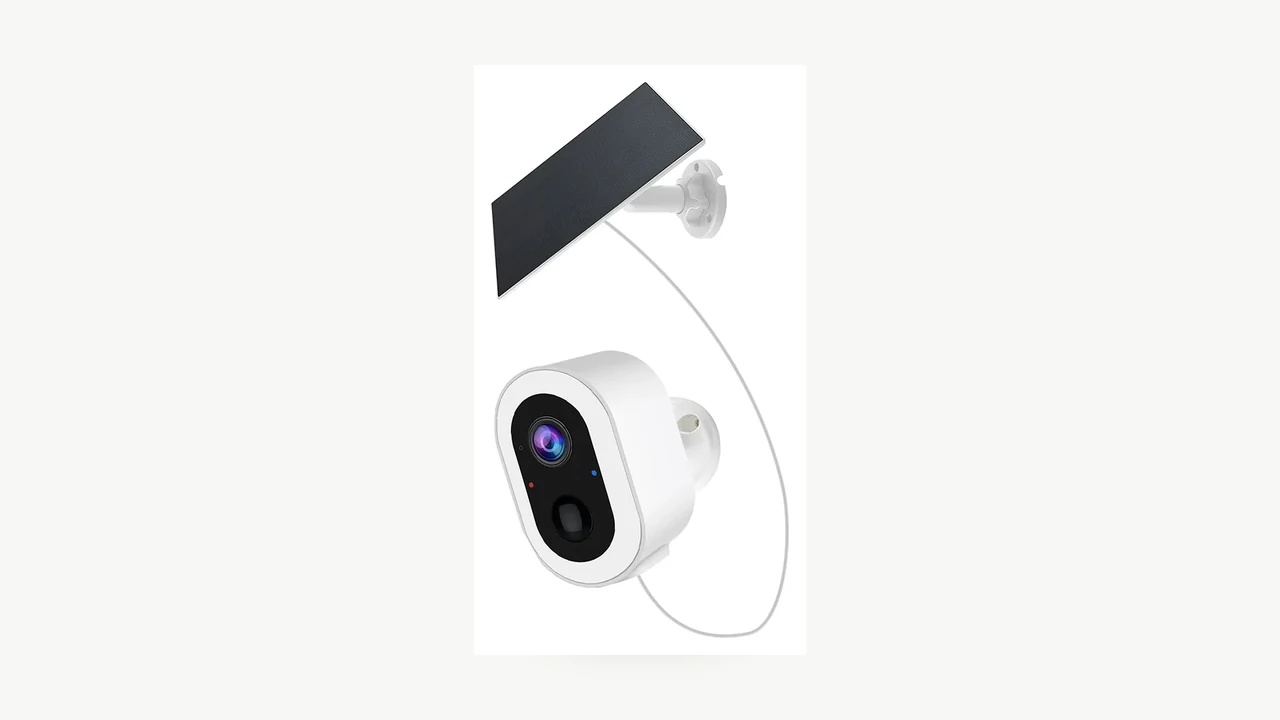
Immagine reale del prodotto QZT S7L-SP-4G3. La foto del prodotto non prova la compatibilità con l'operatore né il consumo mensile di dati.
Parti dai costi, non dal "nessun abbonamento"
La domanda utile non è “Qual è la SIM più economica?” Ma “Quale servizio supportato copre il modo in cui questa telecamera verrà effettivamente utilizzata?”
Foto Pexels che mostra il lato fisico della SIM/scheda del servizio cellulare; le tariffe dipendono comunque dal provider e dal piano scelti.
Chiedi un preventivo dettagliato. Il prezzo della telecamera, una SIM inclusa nella confezione e una prova di archiviazione cloud non sono tre modi per dire che il servizio è pagato in modo permanente.
| Ricarica | Cosa stabilire prima di ordinare |
|---|---|
| Telecamera e installazione | La versione esatta dell'hardware, il pannello o alimentatore incluso, la scheda di memoria e il lavoro di installazione |
| Servizio cellulare | L'allowance inclusa, il periodo di validità, il paese supportato e le regole dopo l'esaurimento dell'allowance |
| Accesso alla piattaforma | Se la visualizzazione remota o altre funzioni richieste comportano un costo separato, o sono incluse nel servizio |
| Archiviazione cloud | Se è opzionale per le funzioni di cui hai bisogno, quali registrazioni conserva e per quanto tempo le mantiene |
Non aggiungere due volte lo stesso servizio incluso. Allo stesso modo, non rimuovere un costo solo perché l'annuncio dice "nessun abbonamento cloud". Metti ogni funzione richiesta accanto al servizio che la abilita.
Anche l'unità di fatturazione è importante. Un operatore SIM può vendere un pacchetto in gigabyte. Un servizio per telecamere può invece descrivere avvisi, download, cronologia archiviata e minuti di streaming. Ad esempio, la pagina dei piani US di VOSKER elenca un'opzione mensile Basic a 10 $, con 500 avvisi, 10 download di foto/video e sette giorni di cronologia; il tipo di download disponibile dipende dalla telecamera. Questi sono limiti del servizio, non un pacchetto SIM generico da 10 GB. Vedi la pagina dei piani di sicurezza VOSKER, rechecked September 18, 2026.
Quell'esempio spiega un modello di prezzo. Non è una raccomandazione di servizio per una telecamera QZT e non stabilisce la compatibilità tra i due marchi.
Verifica la versione esatta della SIM e della telecamera
Un prezzo basso è irrilevante quando il servizio previsto non è supportato dall'hardware fornito. Ottieni la risposta a livello di modello e regione, non solo a livello di marca.
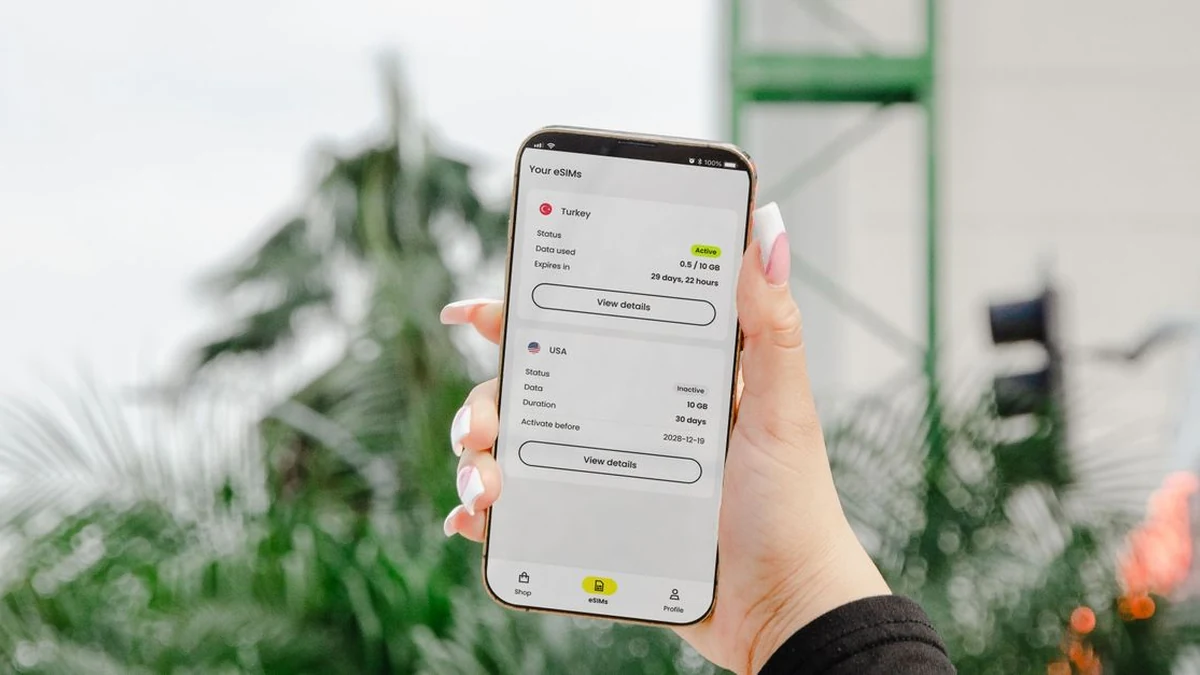
Foto Pexels di un'interfaccia eSIM/piano dati. Un piano elencato deve comunque corrispondere alla telecamera esatta e alla rete di destinazione.
La guida SIM di Reolink, ad esempio, indirizza gli acquirenti verso gli operatori consigliati per il paese di destinazione e suggerisce di testare la telecamera con la SIM prevista. Segnala anche le restrizioni legate ad alcuni servizi SIM. Vedi La guida SIM di Reolink. Usalo come abitudine di verifica, non come prova che le apparecchiature QZT supportino le stesse reti.
Per una richiesta a QZT, identifica il modello e la versione di rete richiesta. Il S7L-SP-4G3 è un esempio 4G attuale. Il nome del modello non prova comunque che una specifica SIM statunitense, britannica o europea funzionerà.
Richiedi una risposta scritta che copra il paese di destinazione, la revisione hardware fornita, le bande LTE supportate, il servizio SIM consentito e qualsiasi procedura di attivazione o APN richiesta. Poi testa un campione nella posizione di montaggio effettiva. Tieni gli identificatori del dispositivo fuori dalle fotografie pubbliche e invia qualsiasi identificatore richiesto per le verifiche di compatibilità tramite il canale di supporto privato del fornitore.
Se la telecamera richiede una specifica SIM o un servizio fornito, confronta i piani all'interno di quella soluzione supportata. Non acquistare un piano telefonico "illimitato" non correlato e dare per scontato che la telecamera possa utilizzarlo.
Calcola il traffico che esce effettivamente dalla telecamera
Conta i dati trasmessi, non ogni minuto salvato su una scheda. Reolink’s data-usage guidance distingue la registrazione locale su scheda SD dalle attività di rete come visualizzazione live, riproduzione remota e caricamenti sul cloud. Il confine utile per il budget è la connessione cellulare della telecamera: cosa attraversa quella connessione e con quale frequenza?
Foto Pexels sulla connettività dello smartphone. Illustra le impostazioni di rete, non il consumo dati misurato della telecamera.
Per un flusso in uscita, la stima di base è:
GB video = bitrate in Mbps × minuti trasmessi al giorno × 60 × giorni ÷ 8.000
Il risultato utilizza gigabyte decimali: 1 GB = 1.000 MB. Il calcolo presuppone che il bitrate medio inserito rimanga costante nel periodo. Usa il bitrate trasmesso combinato quando è incluso l'audio; non aggiungere di nuovo lo stesso audio.
A un valore ipotetico di 2 Mbps, un minuto di video in uscita è pari a 15 MB. Su 30 giorni, questo dà:
| Camera-side transmitted video each day | Traffico video su 30 giorni |
|---|---|
| 2 minuti | 0,90 GB |
| 5 minuti | 2,25 GB |
| 10 minuti | 4,50 GB |
| 30 minuti | 13.50 GB |
| 60 minuti | 27.00 GB |
| 24 ore, ipoteticamente | 648,00 GB |
Queste sono conversioni di unità, non bollette dell'operatore. Escludono il traffico in background non inserito e qualsiasi differenza tra il bitrate ipotizzato e quello effettivo. L'ultima riga non significa che una telecamera a batteria supporta lo streaming continuo o ha la potenza per sostenerlo.
Aggiungi separatamente la visualizzazione live, la riproduzione sulla telecamera e i caricamenti
Considera una configurazione ipotetica di 30 giorni a 2 Mbps. Dieci minuti di visualizzazione in diretta al giorno producono 4,50 GB di payload video. Trenta clip di eventi caricate al giorno, ciascuna di 20 secondi, producono altri 4,50 GB. Cinque minuti di riproduzione giornaliera recuperati direttamente dalla telecamera producono altri 2,25 GB.
Insieme, questi trasferimenti distinti totalizzano 11,25 GB prima di traffico aggiuntivo. Un piano da 5 GB non coprirebbe nemmeno questo volume video stimato.
Non conteggiare automaticamente ogni riproduzione come un altro upload dalla telecamera. Se guardi una copia già scaricata sul tuo telefono, non viene modellato alcun nuovo trasferimento dalla telecamera. Se un servizio trasmette in streaming una copia archiviata nel cloud, conferma da dove viene servita quella riproduzione. Conteggia un flusso in uscita aggiuntivo solo quando esce effettivamente di nuovo dalla telecamera.
La stessa cautela vale per più spettatori. "Due persone che guardano" non è, di per sé, prova di due uplink cellulari separati. Verifica l'implementazione o il contatore di utilizzo invece di moltiplicare per il numero di account dell'app.
Usa il modello come budget, non come misurazione
Mantieni la visualizzazione in diretta, la riproduzione lato telecamera, i caricamenti di eventi, i caricamenti continui e altri dati in righe separate. Parti dal periodo di fatturazione effettivo del servizio, poi inserisci l'uso previsto. Per più telecamere, calcola ciascuna telecamera separatamente a meno che il fornitore non abbia confermato che la quota è un pool condiviso.
Lasciare il traffico in background a zero significa che è stato escluso, non che la telecamera non ne produca. Qualsiasi riserva aggiunta è il tuo margine di pianificazione; non è una percentuale misurata di overhead del protocollo. Quando saranno disponibili i dati di utilizzo effettivi, sostituisci le ipotesi con tali osservazioni.
Confronta i piani utilizzando lo stesso periodo di fatturazione
Una prova breve, un'allowance di 30 giorni e un pacchetto a validità lunga non possono essere confrontati usando solo il numero accanto al simbolo del dollaro.
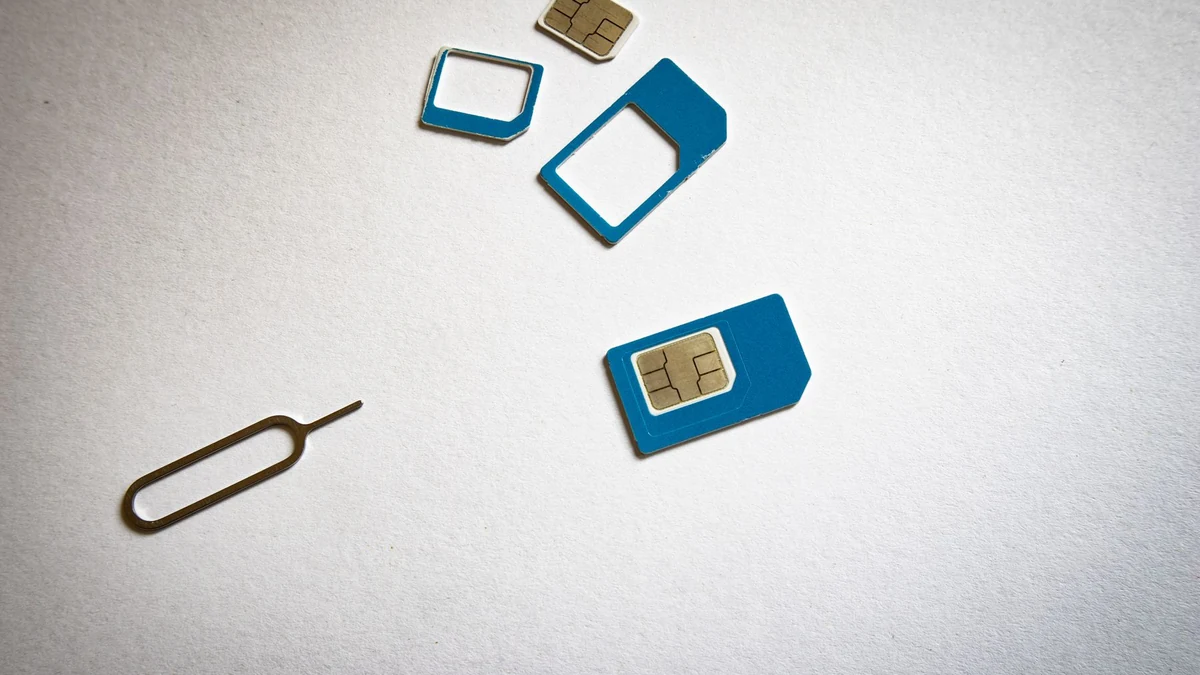
Foto Pexels di una scheda SIM. Confronta insieme quota, validità, tipo di SIM e prezzo finale.
Sulla pagina US di EIOTCLUB ricontrollata il 18 settembre 2026, il La variante con SIM fisica da 2 GB / 30 giorni costava $15 sul Pagina prodotto EIOTCLUB. Questo è un esempio di pagina pubblica, non un preventivo QZT né la prova che la SIM sia adatta alla tua telecamera. La stessa pagina espone diversi gruppi di piani, tipi di dispositivo e promozioni, quindi confronta la variante selezionata—non un prezzo "a partire da" di facciata.
Per le opzioni a validità più lunga, questa verifica ha anche rilevato prezzi a lungo termine diversi in elementi diversi della stessa pagina. Invece di pubblicare uno di quei valori come se fosse definitivo, considera la variante finale selezionata e le condizioni di checkout come fonte di verità. La lezione più ampia è più utile di un numero obsoleto: validità, traffico incluso, tipo di SIM/eSIM e prezzo finale devono essere verificati insieme.
Verifica anche se il limite è per telecamera o condiviso. Il pagina dei piani VOSKER afferma che ogni telecamera necessita del proprio piano. Un altro servizio può avere condizioni diverse; un totale di quattro telecamere inferiore a 20 GB non dimostra che quattro allocazioni SIM separate da 5 GB siano adeguate quando una telecamera utilizza 8 GB.
Prima di pagare, annota il piano scelto, il paese, la valuta, la quota, la validità, il metodo di rinnovo, il trattamento fiscale e il comportamento in caso di superamento del limite. "Illimitato" dovrebbe portare a un'altra domanda: quali limiti di velocità di upload, restrizioni sui dispositivi o altre condizioni si applicano comunque? Non dedurre prestazioni video continue solo da questa parola.
Misura un campione prima di impegnarti
Utilizza un campione su un sito di test autorizzato. Non interrompere un'installazione di sicurezza attiva per raccogliere un esempio di budget.
Scena con smart camera e telefono di Pexels utilizzata per illustrare la verifica del campione prima di aumentare un ordine.
Per prima cosa, annota il firmware, l'impostazione dello streaming, i servizi attivi, il piano e il contatore di utilizzo iniziale. Separa qualsiasi traffico di configurazione o aggiornamento dal successivo periodo di osservazione. Poi utilizza la telecamera come previsto: includi la visualizzazione ordinaria, il modello di avvisi previsto e il metodo di riproduzione che utilizzerai nella pratica.
Tieni un piccolo registro invece di affidarti alla memoria:
| Registra | Perché rientra nel confronto |
|---|---|
| Orari di inizio e fine; contatore di utilizzo del provider | Stabilisce l'intervallo misurato e il consumo dichiarato dal provider |
| Visualizzazione in diretta e riproduzione sulla telecamera | Separa l'attività dell'operatore dal trasferimento automatico |
| Eventi caricati e durata delle clip | Rende una giornata intensa comparabile con una tranquilla |
| Impostazione dello streaming e servizi abilitati | Spiega quale configurazione rappresenta l'osservazione |
| Ritardo nella segnalazione del contatore, aggiornamenti e attività anomale | Helps avoid treating an incomplete or atypical reading as a normal daily result |
Per la pianificazione, dividi l'incremento osservato per il numero di giorni misurati e moltiplica per il periodo di fatturazione proposto. Etichetta quel risultato come estrapolazione. Un campione breve e tranquillo non può stabilire quanto consumerà un mese più intenso.
Se il consumo è superiore al previsto, esamina le categorie di trasferimento prima di acquistare un piano più grande. documentazione di Reolink individua bitrate, scelta dello stream e funzioni che utilizzano la rete come rilevanti per il consumo. Modifica solo le impostazioni supportate dalla tua telecamera e verifica che le registrazioni risultanti rimangano adatte all'uso previsto.
Per un preventivo, invia una richiesta che il fornitore possa verificare:
> Abbiamo bisogno di accesso cellulare per un sito autorizzato in [country], utilizzando [carrier or supplied service]. Ti preghiamo di identificare la telecamera e la versione di rete supportate, i costi richiesti per SIM e piattaforma, il limite di dati e le condizioni di rinnovo, e qualsiasi servizio cloud opzionale. Il nostro uso previsto è di [minutes] di visualizzazione in diretta e [events] clip caricate al giorno. Ti preghiamo di confermare il comportamento di registrazione e recupero se il servizio non è disponibile.
Questa richiesta è più utile che chiedere “una telecamera solare senza costi mensili”. Separa il prodotto, la connessione e i servizi ricorrenti senza pretendere che il sito sia già stato testato.
Domande frequenti
1 GB è sufficiente per una telecamera di sicurezza cellulare?
Non esiste una risposta indipendente dal modello. A un bitrate presunto di 2 Mbps, 1 GB copre circa 66,7 minuti di un flusso in uscita prima di altro traffico. Verifica il bitrate effettivo, il periodo di fatturazione e i trasferimenti aggiuntivi. Questo calcolo non è una garanzia che un particolare piano da 1 GB sarà sufficiente.
La registrazione su scheda microSD utilizza i dati mobili?
Scrivere le riprese sulla scheda è diverso dal trasmetterle. La telecamera può comunque utilizzare i dati mobili per altri servizi abilitati. Anche il recupero remoto può generare traffico. Reolink documenta questa distinzione per le sue apparecchiature; verifica i servizi e il percorso di recupero utilizzati dal tuo modello.
Posso evitare tutti i costi ricorrenti disattivando l'archiviazione cloud?
Non quando è richiesto un servizio cellulare o di piattaforma a pagamento separato per le funzioni remote di cui hai bisogno. Richiedi quei costi separatamente. Disattivare un servizio di archiviazione opzionale non dimostra che il servizio SIM diventi gratuito, e una prova inclusa non è un'allowance permanente.
Lo stesso piano dati funzionerà con più telecamere?
Solo se il provider supporta questa soluzione. Piani SIM separati e un pool di dati condiviso sono prodotti diversi. Confronta i requisiti di ogni telecamera quando le soglie sono separate; utilizza il traffico aggregato solo quando la condivisione è effettivamente consentita. Un calcolatore non può stabilire tali condizioni di servizio.
Acquistare più dati fa sì che una telecamera solare registri continuamente?
No. Acquistare dati non aggiunge una modalità di registrazione né amplia il sistema di alimentazione. Stabilisci il supporto alla registrazione e i requisiti di alimentazione separatamente dal limite di dati cellulare. L'esempio di 648 GB sopra descrive solo un flusso ipotetico di 2 Mbps trasmesso continuamente per 30 giorni.
Scegli in questo ordine: hardware e servizio supportati, funzioni richieste, traffico modellato, poi termini del piano verificati. Quando confronti il Gamma di telecamere esterne QZT, includi il paese di destinazione e l'uso previsto nella richiesta. È così che trasformi il prezzo di una telecamera in un budget operativo utilizzabile.

 English
  Italiano
  Deutsch
  Français
  Español
  Polski