
How to Use Hidden Cameras to Stop Theft at Your Retail Checkout
A retail business with ten checkout points loses an average of £18,000 per year to till-area theft according to the British Retail Consortium’s annual crime survey. That is not shoplifting from the floor — that is theft at the point of transaction, where the cash register opens, where cash changes hands, and where the pressure of serving customers creates an opportunity that some staff and some customers exploit routinely.
Visible CCTV domes above the checkout tell potential thieves there is a camera present. They do not tell you what actually happened. A checkout operator who skims the till knows exactly where the visible camera is pointed and positions their body accordingly. A hidden camera placed where no one expects it captures the interaction from an angle that cannot be blocked.
This guide is written for retail business owners, loss prevention managers, and security-conscious operators who need to understand what camera placement, configuration, and legal framework actually delivers results at the checkout.
Why Is the Checkout Area the Highest-Risk Zone in a Retail Store?
The checkout concentrates three risk factors that no other part of a store shares simultaneously.
Cash handling. Every cash transaction at a checkout involves the drawer opening and closing. At a busy checkout, this happens dozens of times per hour. Skimming — the act of pocketing small amounts from each transaction, typically £1–£5 per transaction — generates significant cumulative losses that are difficult to detect through till auditing alone because each individual discrepancy is within the margin of normal variance.
Customer distraction. The checkout is where both the operator and the customer are focused on completing a transaction rather than observing their surroundings. This creates a window for customer-side theft (swapping items, using counterfeit notes, distraction-based till access) that is harder to catch than floor shoplifting because it occurs at the exact moment when everyone’s attention is divided.
Speed pressure. Queue management pressure incentivises operators to process transactions quickly, which means less careful verification of notes, less attention to transaction completion, and less awareness of what is happening outside the immediate transaction. Shortcuts that create theft opportunities are often rationalised as efficiency measures.
A traditional overhead CCTV dome provides a floor view looking down. It shows a customer approaching the checkout and a transaction occurring. It does not reliably capture what happens inside the till drawer, what denomination of note was handled, or whether the change given matched what was owed. For loss prevention purposes, this is the most important footage to capture — and it requires a camera positioned at till level rather than ceiling level.
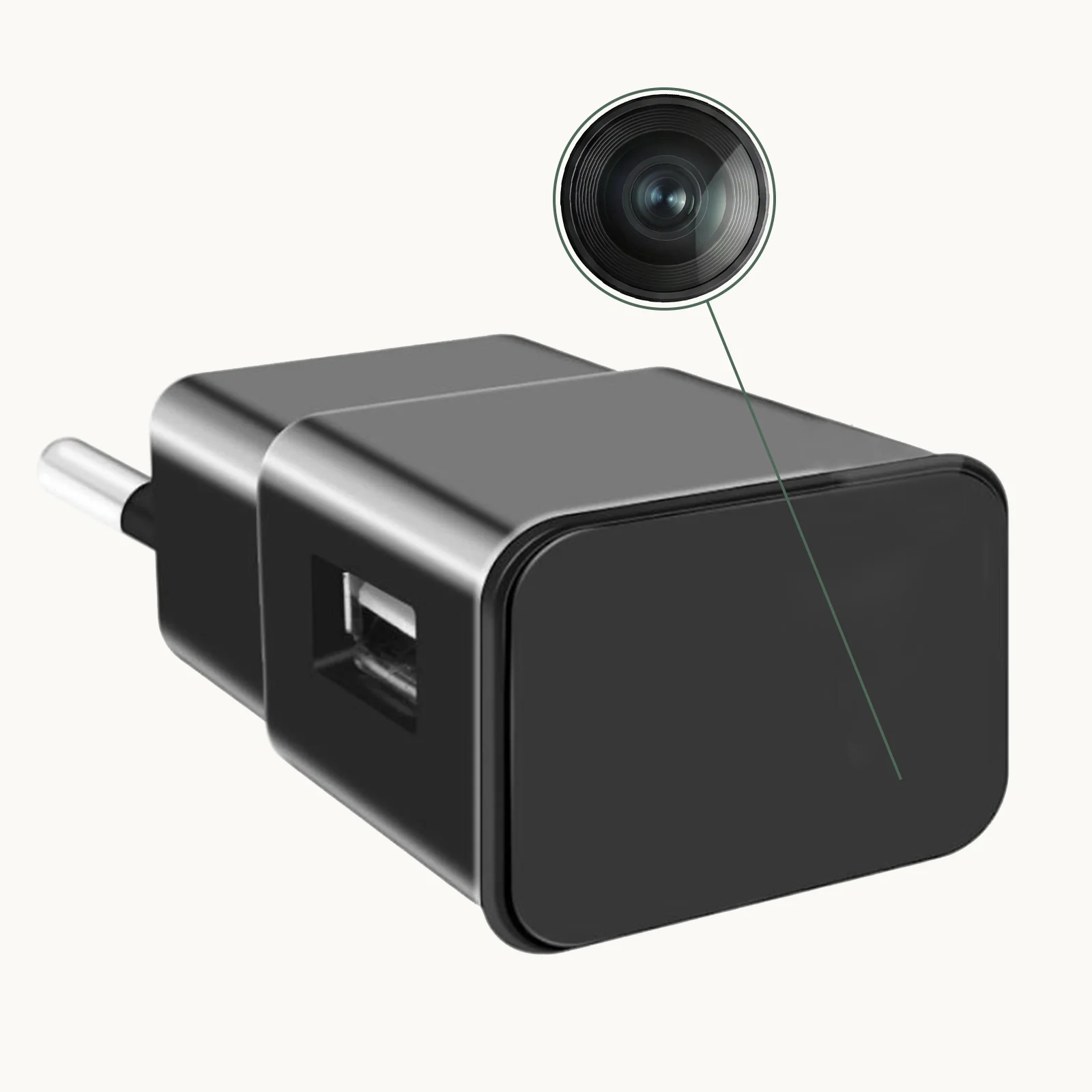
Key Takeaway: Checkout theft occurs at till level and exploits the transaction window. Ceiling-mounted CCTV shows the event but misses the critical detail. A till-level camera captures what actually happens in the drawer.
What Does UK Law Say About Covert Cameras in a Retail Business?
Employers in the UK can legally install covert surveillance cameras on business premises for legitimate purposes including theft prevention, loss investigation, and security monitoring. The relevant framework combines RIPA 2000, the DPA 2018, and ICO guidance for workplace surveillance.
The key requirements for lawful retail surveillance:
The surveillance must have a specific, documented purpose. “Preventing checkout theft” is a specific purpose. “Watching employees in general” is not specific enough and creates legal exposure. Document why the camera is being installed, where it is located, and what it is intended to detect.
Employees should be informed that surveillance may be in operation on the premises, even if the location and type of camera are not disclosed. Most retailers address this through their employment contract, staff handbook, or a policy document that employees sign on joining. The policy does not need to say “there is a hidden camera above till 3” — it needs to say “covert surveillance equipment may be in use on the premises for security purposes.”
Footage must be handled as personal data under UK GDPR. This means: access restricted to authorised personnel; retention period documented and not excessive (30 days is typical for routine retail surveillance); and a data subject access request procedure in place for employees who ask to see footage of themselves.
What covert surveillance cannot do: Recording in staff-only areas where employees have a reasonable expectation of privacy (changing rooms, toilets, private break rooms) is unlawful regardless of purpose. All surveillance must be proportionate to the specific risk being addressed.
For EU retailers (Germany, France, Italy, Spain), the legal framework differs by country. German works councils (Betriebsrat) have codetermination rights over workplace surveillance and must agree to covert camera installation before it is lawful. French data protection law (CNIL guidance) requires prior notification to the CNIL and employee representatives. Italian employers have more flexibility under the Workers’ Statute exception for investigative purposes where specific misconduct is suspected.
| Country | Notification Required | Works Council Approval | Retention Limit |
|---|---|---|---|
| UK | Staff policy/contract | Not required | 30 days (recommended) |
| Germany | BDSG + Betriebsrat | Yes — mandatory | 72 hours unless investigation active |
| France | CNIL notification + employee reps | Via employee representative bodies | 1 month |
| Italy | Garante + employee reps | Via specific union agreement | 24–72 hours |
| Spain | AEPD notification | Via employee reps | 30 days |

Key Takeaway: UK retailers need a staff surveillance policy in employment documents. EU retailers need country-specific legal review, particularly in Germany and France where works council approval may be mandatory. Document everything before installation.
Where Exactly Should You Place a Camera at the Checkout?
Effective checkout camera placement achieves two things: capturing the till drawer contents during transactions, and providing an unobstructed view of the operator’s hands. These requirements drive specific placement decisions.
Till-level positioning. A camera placed at counter height, angled toward the till drawer, captures exactly what enters and leaves the drawer during each transaction. A clock camera on the counter or a USB charger camera plugged into a socket behind the counter achieves this from a natural object that a checkout operator sees every day and stops noticing. Familiarity is your advantage — the presence of a clock or a charger on a checkout counter is completely unremarkable.
The operator’s hand view. The most evidential angle for till theft is the operator’s hands during drawer-open periods. A camera positioned 30–60cm from the till, at drawer height, angled slightly upward, captures note denominations, the number of notes handled, and whether all notes went into the drawer or some went elsewhere. This angle is impossible to capture from ceiling-mounted CCTV without a PTZ camera actively tracking each transaction.
The customer side. A second camera positioned to capture the customer’s side of the transaction — showing what the customer placed on the belt, what was paid, and what change was given — provides the counterpart view to the operator-side camera. Together, both cameras reconstruct the complete transaction for dispute resolution.
Counter-level socket placement. Many checkout areas have a mains socket at counter level that is used for phone chargers, small heaters, or card readers. A WiFi Spy Camera USB Charger 1080p plugged into this socket passes as a legitimate charging device and positions the camera lens exactly where it is needed — at till level, pointing toward the transaction area.
Ceiling backup. A conventional overhead CCTV dome provides the room-level view that shows general activity and customer flow. The till-level hidden camera provides the transaction-detail view that dome cameras miss. The two work together — the dome identifies who was at the till at a given time; the till-level camera shows what happened during the transaction.
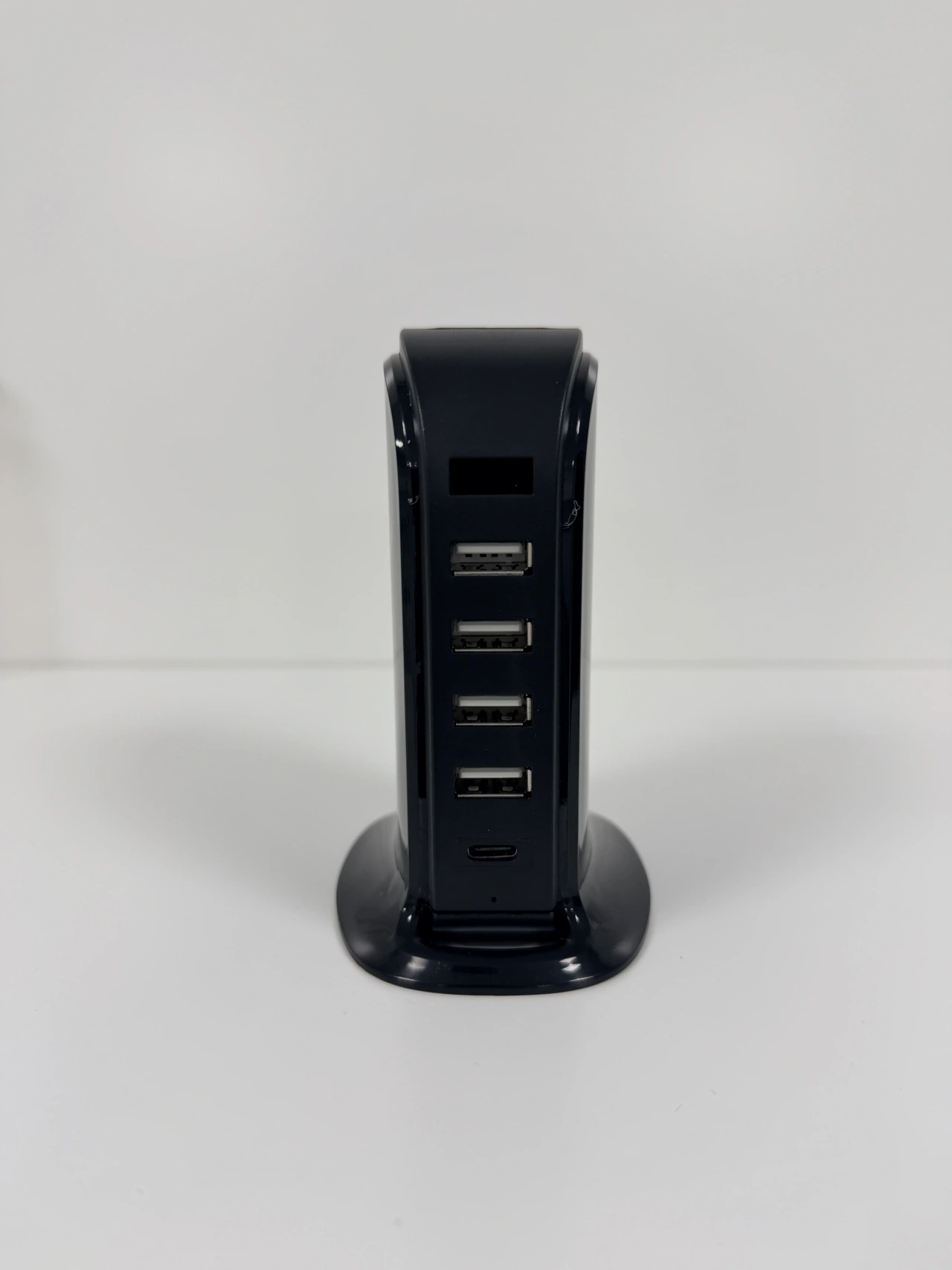
Key Takeaway: Place one camera at till level to capture drawer contents; one at customer-side for transaction reconstruction; maintain an overhead CCTV dome for room-level coverage. Socket cameras and clock cameras are the natural forms for till-level placement.
How Do You Configure a Checkout Camera for Maximum Effectiveness?
Camera placement without correct configuration wastes the installation. These settings make the difference between footage that is useful and footage that fails at the moment you need it.
Resolution: 1080p minimum. At 1080p, banknote denominations are readable at 30–60cm. At 720p, distinguishing a £20 from a £10 in natural lighting requires enhancement software. 4K is preferable for capturing printed details on notes or reading the till display screen.
Motion detection zone. Configuring the motion detection zone to cover only the till area — not the broader counter — reduces false alerts and ensures you receive a notification specifically when the drawer is being accessed. Most WiFi cameras with app control allow you to draw a custom detection zone within the camera’s field of view.
Continuous recording. For active retail hours, continuous recording is preferable to motion-only for checkout monitoring. A drawer opening that is too slow to trigger the motion threshold may be missed; a low-speed skim technique specifically designed to avoid triggering motion detection will not appear in the recorded footage. Loop recording to a 128GB SD card covers approximately 72 hours of continuous 1080p footage before overwriting — sufficient to cover a full week of operating hours with a regular weekly review.
Timestamp accuracy. A WiFi-connected camera that syncs its clock to an NTP server provides timestamps that are automatically accurate. For legal proceedings, an accurate timestamp ties footage to a specific shift, a specific operator, and a specific transaction time. Manually set clocks drift and create timestamp discrepancies that undermine evidence credibility.
Remote access for management. A WiFi camera with Tuya Smart app integration allows loss prevention managers to view live footage remotely — useful for monitoring high-risk periods (peak hours, new staff periods, end-of-day cash-up) without being physically present on the floor. Motion alerts sent directly to a loss prevention manager’s phone mean anomalous till activity is flagged in real time.
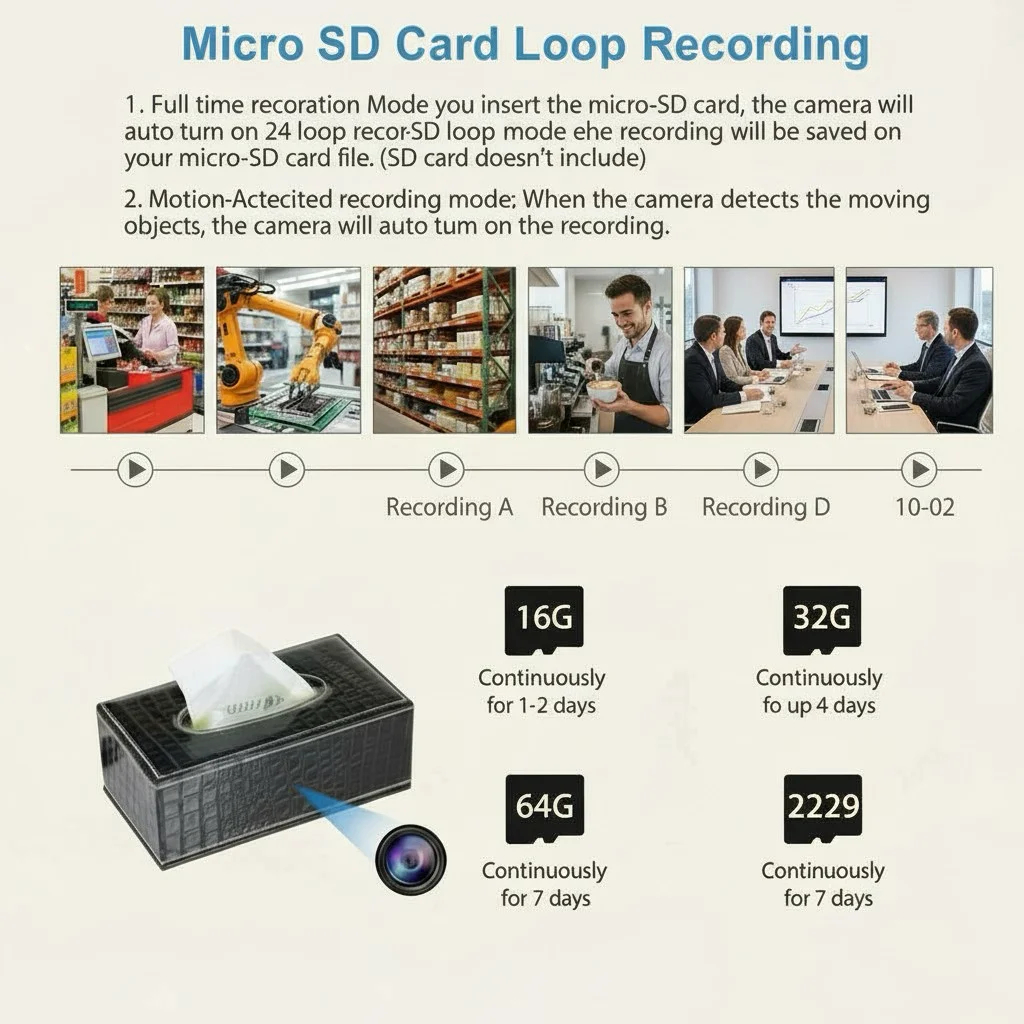
Key Takeaway: 1080p, continuous recording, custom motion zone, NTP-synced timestamp, remote app access. These five configuration settings turn a standard camera into an effective checkout surveillance tool.
How Do You Use Footage to Investigate and Act on Suspected Theft?
Footage by itself does not solve a theft problem. What you do with the footage — how you use it to investigate, confront, and document — determines the outcome.
Step 1: Till discrepancy triggers review. A till audit showing an unexplained shortfall of £30–£80 on a specific shift is the typical trigger. Pull the footage for that shift, specifically the continuous recording during the 30 minutes before and after the recorded shortfall.
Step 2: Transaction-level review. Review each transaction during the period of interest. In most till-theft cases, the specific transaction where the shortfall occurred is identifiable within 20–30 minutes of review — a drawer open period that is longer than normal, a moment when the operator’s hands are not visible entering the drawer, or a transaction where change given does not match what the customer paid.
Step 3: Document before confronting. Create a written incident log before any confrontation: date, time, shift, operator ID, till number, and a description of what the footage shows. Make a copy of the footage on a separate device before discussing it with the employee.
Step 4: Disciplinary procedure. UK employment law requires a fair investigatory process before dismissal. Show the employee the footage, give them an opportunity to respond, and follow your documented disciplinary procedure. An employment solicitor should review the process if the value of theft is significant or if dismissal is likely.
Step 5: Police referral. For amounts over approximately £200–£500, a police referral is warranted. Provide original footage, your chain of custody documentation, the transaction audit trail, and your incident log. Police digital forensics will assess the footage independently.
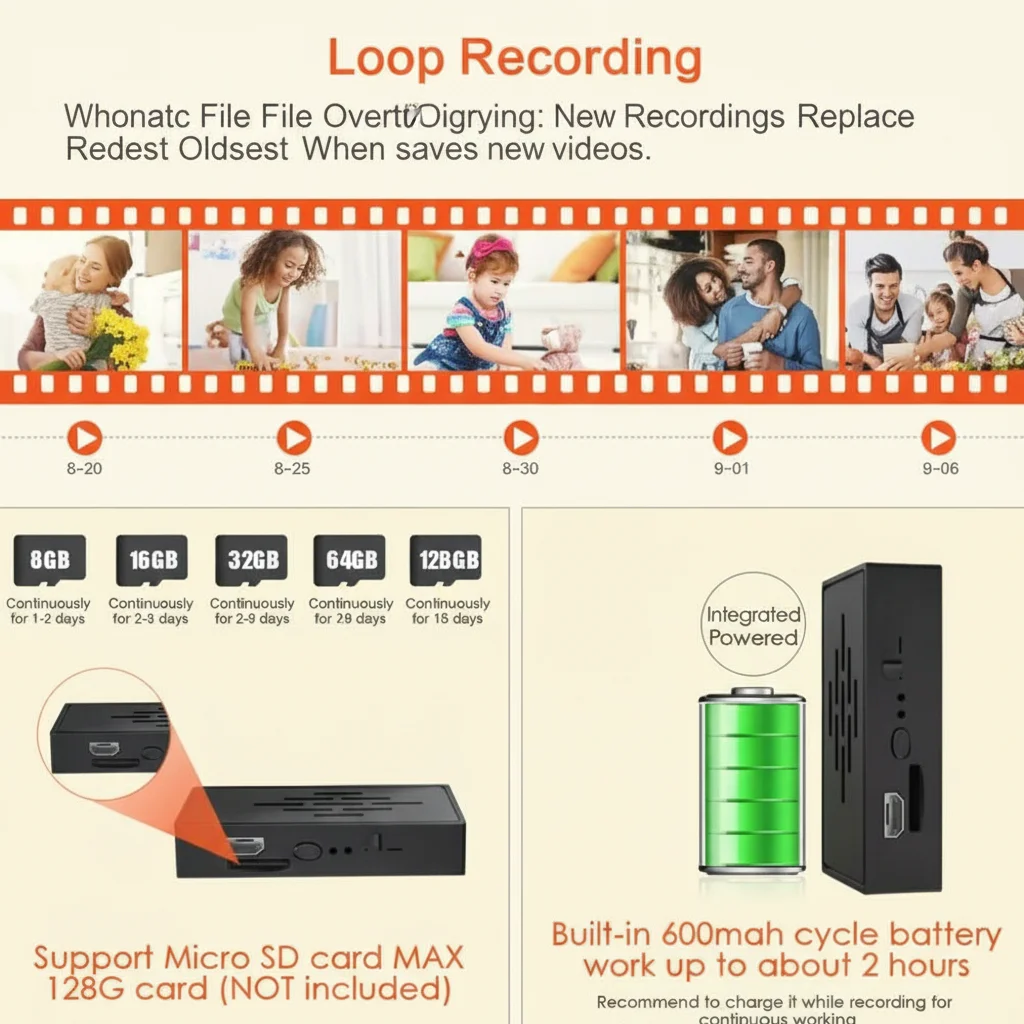
Key Takeaway: Till discrepancy → footage review → transaction identification → written documentation → disciplinary procedure. This sequence protects you legally and produces the evidence trail needed for disciplinary and police processes.
What About Customer-Side Theft at the Checkout?
Employee theft gets most of the attention in loss prevention planning, but customer-side theft at the checkout is a distinct and significant problem with different characteristics.
Distraction theft. A customer engages the operator in conversation while an accomplice reaches over or around the checkout area. A till-level camera facing toward the customer captures this from the most useful angle — the operator-facing ceiling camera typically shows only the top of the accomplice’s head.
Note fraud. Passing counterfeit notes or switching denominations (“I gave you a £50, not a £20”) is one of the most common customer-side scams at checkouts. A 1080p camera positioned to capture the denominations of notes being handed over and the contents of the till drawer when the note goes in provides definitive evidence of which denomination was actually tendered.
Self-checkout manipulation. Where self-checkout terminals are present, a camera positioned at the scanning platform level catches weight plate manipulation, items not scanned, and intentional mis-scanning.
Chargeback fraud. For businesses that process card payments, some customers claim non-delivery or disputed transactions after the fact. Footage showing the transaction completion — product handed over, receipt provided, customer departing with goods — provides definitive evidence to dispute chargebacks.

Key Takeaway: Customer-side checkout theft requires the same till-level camera position as employee theft monitoring. Note denomination capture is the most valuable footage for customer fraud disputes.
What Is the Return on Investment for Checkout Camera Systems?
The investment calculation for hidden checkout cameras is straightforward when you have reliable loss data.
Typical costs. A single till-level hidden camera (1080p WiFi, motion detection, 128GB SD) costs £40–£80 at wholesale prices for professional-grade equipment. A ten-checkout installation with one camera per till plus a ceiling backup dome runs £600–£1,200 in equipment costs. Installation is minimal — socket cameras plug into existing outlets; clock cameras sit on the counter.
Typical losses. The British Retail Consortium estimates that UK retailers lose an average of 0.7% of revenue to total crime and internal theft combined. For a retailer turning over £1m per year, that is £7,000 in annual losses attributable to theft. For businesses with high-transaction checkouts, till-area theft typically represents 30–50% of total internal theft losses.
The deterrent effect. Knowledge of active surveillance reduces till manipulation even when operators are not caught and prosecuted. The awareness that each transaction may be under review changes behaviour. Retailers who have deployed covert checkout cameras consistently report measurable reductions in till discrepancies within the first three months.
Payback period. For a retailer with documented annual checkout losses of £5,000 and a £1,000 camera installation cost, the payback period is under three months based on loss reduction alone, before any recovered assets from prosecuted thefts.
For wholesale buyers sourcing for retail clients: the checkout monitoring use case is one of the highest-ROI applications of covert camera technology and represents a repeatable B2B conversation with retail operators who have clear, quantifiable loss problems. A WiFi Spy Camera USB Charger at £40–£80 wholesale, sold into a retailer at £150–£200 for installation, delivers a ROI story that sells itself.

Key Takeaway: Equipment cost per checkout is £40–£80. Payback from loss reduction typically occurs within three months. The deterrent effect alone delivers measurable ROI before any single theft is caught and prosecuted.
Frequently Asked Questions
Can I install a hidden camera at my retail checkout without telling employees?
In the UK, yes — provided your employment contracts or staff handbook include a surveillance policy advising that covert cameras may be in use for security purposes. You do not need to disclose the specific location or type of camera. In Germany and France, this must be approved through employee representative bodies before installation.
What’s the best hidden camera for monitoring a retail checkout till?
A socket-level USB charger camera or a small clock camera placed on the counter. The USB charger camera plugs into any existing outlet behind or beside the till, operates from continuous mains power, and positions the lens at exactly the height needed to capture till drawer contents. The WiFi Spy Camera USB Charger 1080p is the most practical option for most retail checkout configurations.
How do I know if an employee is skimming the till?
Regular till auditing (comparing recorded transactions against actual cash in the drawer) is the primary detection method. Consistent small discrepancies on a specific operator’s shifts that are within normal variance individually but significant cumulatively are the typical pattern. Footage review of the shifts showing the highest discrepancies will usually identify the specific transactions where skimming occurred.
How long should I retain checkout footage?
ICO guidance recommends retaining CCTV footage for no longer than necessary for the purpose — typically 30 days for routine retail surveillance. If an incident is under investigation, retain the relevant footage until the investigation and any subsequent proceedings are complete. Loop recording on a 128GB SD card automatically overwrites after approximately 72 hours of continuous 1080p recording.
Can I use checkout camera footage to dismiss an employee?
Yes, UK employment tribunals accept covert footage as evidence in misconduct and theft cases, provided the surveillance was proportionate to a specific concern and the employer followed a fair disciplinary procedure before dismissal. The footage is strong evidence of what happened; the procedure determines whether the dismissal is fair. Get both right.
Protect Every Transaction From Today
Every shift where till theft occurs and is undetected is a confirmed loss. A correctly positioned checkout camera changes the risk calculation for everyone working at the till — not by creating a hostile environment, but by making the risk of detection real rather than theoretical.
At QZT Security, we supply professional-grade hidden cameras to retailers, loss prevention managers, and security distributors across the UK and Europe. Our socket cameras, clock cameras, and WiFi-connected surveillance devices are designed for exactly this use case. Contact us to discuss your specific checkout configuration and the most effective camera placement for your layout.

 English
  Italiano
  Deutsch
  Français
  Español
  Polski