
Small Video Camera: Which Type Should You Choose?
A small video camera can be a pocket camera for travel, a wearable recorder, a WiFi camera for a room, or a bare camera module fitted inside another product. They may all be small, but they are built for different jobs.
If you want polished travel clips or talking-to-camera video, look for stabilisation, a screen, usable microphones, and reliable autofocus. If you need hands-free recording, phone viewing, long battery life, or a lens that fits inside a custom housing, a compact security camera is the better match.
What does “small video camera” mean for the way you plan to record?
Start with the footage you need, not the smallest body you can find. A camera that slips into a pocket may still be the wrong choice if it cannot stay powered long enough, point in the right direction, or transfer files in the way you expect.
The tiny video camera guide from Micro Four Nerds concentrates on compact photography cameras such as the Sony RX100 V, Lumix GX80 and Canon PowerShot V1. Those cameras suit holidays, family clips and creator work. QZT’s smaller cameras cover a different set of uses: local recording, hands-free documentation, phone viewing and custom indoor installation.
| Camera type | A sensible choice for | Main point to check | QZT option |
|---|---|---|---|
| Compact photography camera | Travel, family video, vlogging and handheld clips | Stabilisation, autofocus, microphone input and recording limits | QZT does not sell this camera type |
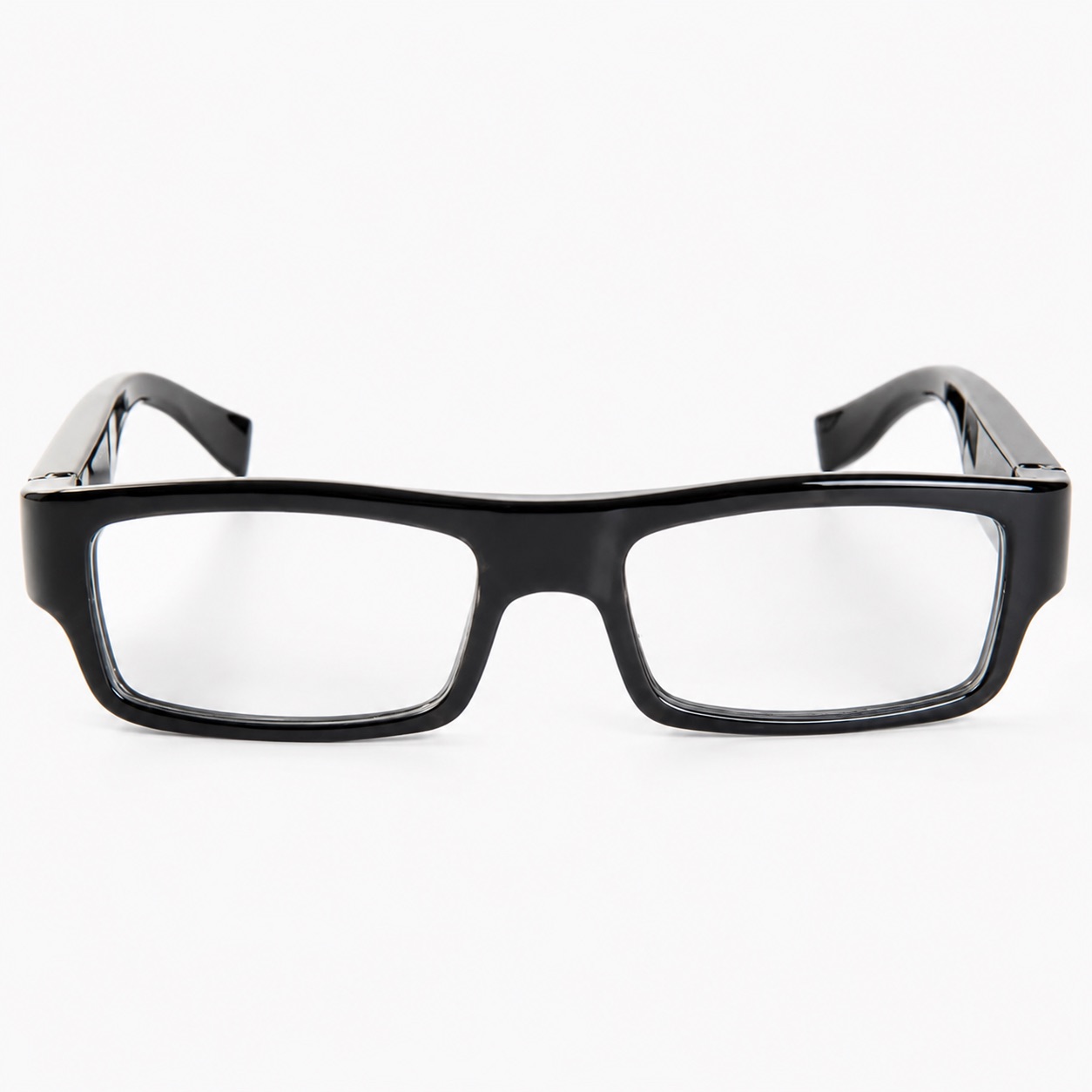
| Wearable camera | Walkthroughs, inspections and short hands-free recordings | Viewing angle, frame comfort and battery time | Okulary z kamerą G3000 |
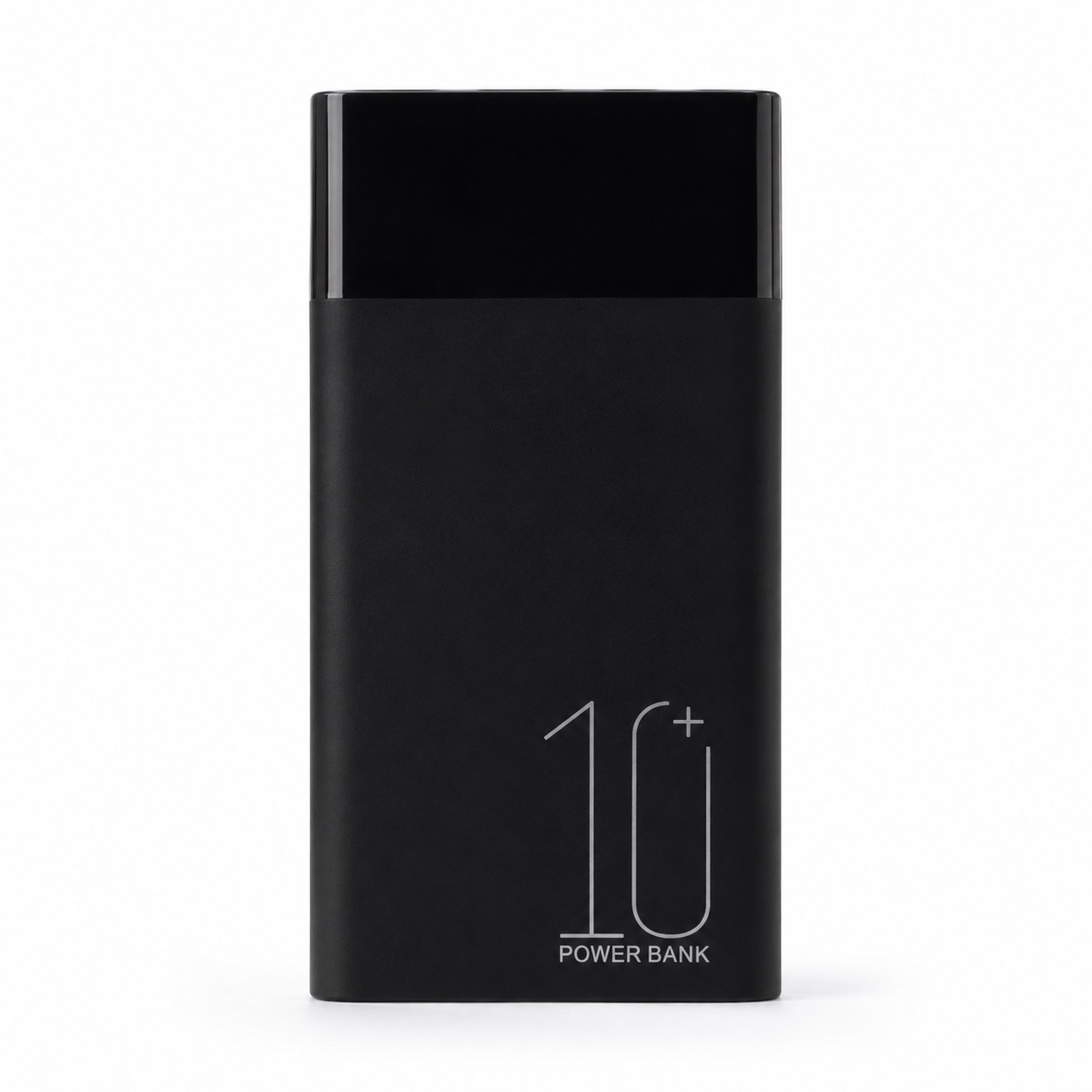
| WiFi power bank camera | Indoor live view and longer placement on a desk or shelf | App version, WiFi coverage, storage and local recording rules | Kamera H20 WiFi Power Bank |
| Kamera w długopisie | Meetings, desk recording and files stored on MicroSD | Pen direction, working time and file transfer | W10 1080P pen camera |
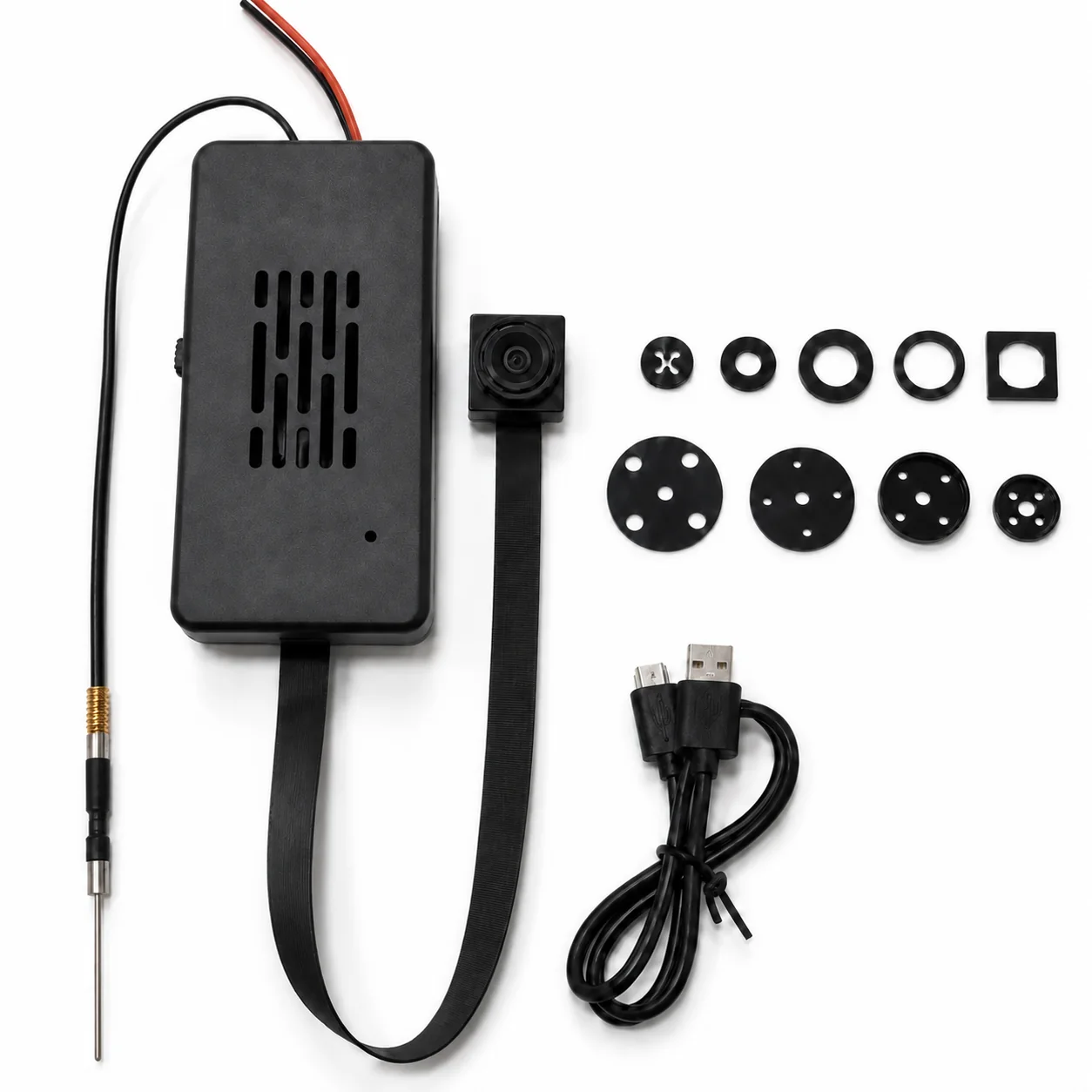
| DIY camera module | Prototypes, custom housings and small indoor fixtures | Board space, lens cable, heat, power and WiFi setup | C10-Tuya DIY camera kit |
Do you need to hold the camera, wear it, or leave it in one place?
For handheld travel video, a proper compact camera is easier to frame and usually handles movement better. You can see what you are recording, change the composition and use stabilisation. A security-style mini camera usually has no rear screen and is not intended to replace a Sony, Canon, Panasonic or action camera.
The Okulary z kamerą G3000 suit short hands-free recordings from the wearer’s eye level. They record 1080P or 720P AVI video at up to 30 fps, take 12MP JPG photos and store files on a MicroSD card up to 64GB. A full charge provides about 80 minutes of continuous video.
For a camera that stays on a desk, counter or shelf, the Kamera power bank H20 has a 10000mAh battery, 2.4GHz WiFi phone viewing, night vision and TF card storage up to 128GB. It is larger than a wearable camera, but the larger battery is the reason it can stay in place longer.
How small can a camera get before battery life becomes a problem?
Very small bodies leave little room for a battery. That is why pen cameras and camera glasses usually record for around one to two hours, while a power bank body can carry a much larger cell. Size and working time pull in opposite directions.
The G3000 glasses provide about 80 minutes of video. The W10 pen camera records for about 90 to 100 minutes from its 180mAh battery and can continue recording while connected to power. The C10-Tuya module uses a 2800mAh battery and lists about seven hours of recording. H20 uses a 10000mAh battery and lists about 25 hours of standby time.
Standby time is not the same as continuous recording time. WiFi live view, night vision, motion events, signal strength and local recording can change power use. For a planned recording session, test the exact settings you will use rather than treating the battery capacity as a guaranteed number of filming hours.
Do you need WiFi, or would local recording be simpler?
WiFi is useful when you need to view the camera from a phone, check the angle during setup or receive motion alerts. It also adds pairing steps. Most small WiFi cameras use 2.4GHz networks because they need the longer range and broad router compatibility.
H20 can be supplied with the 365 app or Tuya app, depending on the version ordered. C10-Tuya uses the Tuya Smart app on 2.4GHz WiFi. For either model, test initial pairing, live view, motion alerts, MicroSD playback and reconnection after the router restarts.
Local-only recording is easier when nobody needs remote viewing. G3000 writes video and photos to MicroSD and transfers files over USB. W10 also records to MicroSD, supports OTG access on compatible phones or tablets and accepts cards up to 128GB. Neither model needs a router to make a recording.
When is a DIY camera module the right choice?
A DIY module is useful when the lens must fit through a small opening but the main board can sit elsewhere inside the housing. This is a practical way to build a prototype, an indoor fixture or an OEM product without forcing the full camera body into the visible area.
The C10-Tuya kit offers 1080p and 4K versions, 90-degree and 120-degree lens options, a 2800mAh battery or direct USB power, Tuya Smart viewing and MicroSD support up to 256GB. An infrared night-vision version is also available.
Before ordering a sample, measure the board space and lens cable route. Leave room for the battery, USB connection, MicroSD slot and heat to escape. A tight cable bend or inaccessible reset button can turn a workable module into an awkward finished product.
Does 4K make a small video camera better?
Not by itself. Resolution matters, but lens position, available light, viewing angle and a stable camera matter just as much. A badly aimed 4K module can produce less useful footage than a correctly placed 1080P camera.
Choose 4K when you genuinely need more detail and have enough storage. Choose 1080P when you want smaller files, simpler playback and a lower sample cost. For a wearable camera, check movement and framing. For a fixed camera, record both daylight and low-light samples from the actual mounting position.
QZT product pages list the output available for each model, but a sample file is still the quickest way to judge whether faces, labels or room details are clear at the distance you plan to use.
Which small video camera is easier to use every day?
The easiest model is the one that matches the recording routine.
– Choose G3000 when both hands need to stay free and an 80-minute recording window is enough.
– Choose W10 when a pen shape suits a desk, notebook or meeting table and local files are preferred.
– Choose H20 when phone viewing, a 10000mAh battery and placement on a desk or shelf matter more than having the smallest body.
– Choose C10-Tuya when the camera will be installed inside a custom indoor housing and the lens needs to sit away from the main board.
For travel films, walking video or vlogging, buy a compact creator camera or action camera with stabilisation. QZT’s small cameras are made for documentation, indoor viewing and integrated recording jobs, not cinematic handheld work.
How much do QZT small video cameras cost?
The prices below are current reference wholesale prices in US dollars, EXW Italy. The final quotation depends on quantity, memory-card supply, app version, package, logo, manual language and current stock.
| Model | 1-4 sztuki | 5-19 sztuk | 20-49 sztuk | 50+ sztuk |
|---|---|---|---|---|
| C10-Tuya DIY camera kit | $41 | $34 | $32 | $28 |
| Okulary z kamerą G3000 | $40 | $34 | $31 | $27 |
| Kamera H20 WiFi Power Bank | $54 | $45 | $42 | $36 |
| W10 1080P pen camera | $26 | $22 | $20 | $18 |
A sample order is the sensible first step when the camera will be resold or built into another product. Check video files, charging, controls, app language, accessories and packaging before approving a larger quantity.
What should you test when the sample arrives?
Charge the camera fully, use a known MicroSD card and record in the same type of room where it will be used. Do not judge the camera from a ten-second clip under bright office lights.
1. Record a longer file and confirm that it plays on the customer’s phone or computer.
2. Check whether the lens angle includes the area you expected without pointing the body unnaturally.
3. Test daylight, normal indoor lighting and low light.
4. For WiFi models, restart the router and confirm that the camera reconnects.
5. Let the camera run long enough to check battery time and heat.
6. Confirm the MicroSD card limit, loop recording behaviour and file timestamps.
7. Check the manual, charging cable, card reader or OTG adapter included with the selected package.
Use any small video camera only where recording is lawful and where the required notice or permission has been given. Audio recording can have stricter rules than video, so confirm the law in the country where the camera will be used.
Which QZT model should you start with?
Start with the H20 if you want a ready-made WiFi camera with a large battery. Choose the G3000 for hands-free local recording, or the W10 for a pocketable pen recorder. The C10-Tuya is the better starting point for a custom housing.
You can also compare the full QZT camera range before asking for a sample or quotation. Include the intended use, target country, quantity, app preference, memory-card requirement and any OEM packaging request so the quotation matches the version you actually need.
Często zadawane pytania
What is the best small video camera for indoor monitoring?
The best small video camera for indoor monitoring needs stable power, the right viewing angle and a recording method you can manage. QZT H20 suits phone viewing and longer placement with a 10000mAh battery, while C10-Tuya suits custom indoor housings with 2.4GHz WiFi and MicroSD support up to 256GB.
Can a small video camera record without WiFi?
A small video camera can record without WiFi when the model supports local MicroSD storage. QZT G3000 camera glasses and W10 pen camera save files locally and do not need a router during recording. H20 and C10-Tuya also support local storage, although their WiFi connection adds phone viewing and app controls.
How long can a small video camera record on one charge?
Small video camera working time depends on the body and settings. QZT G3000 records for about 80 minutes, W10 for about 90-100 minutes, and C10-Tuya lists about seven hours. H20 has a 10000mAh battery and about 25 hours standby, but standby is not continuous recording time.
Is a 4K small video camera always better than 1080P?
A 4K small video camera can retain more detail, but 1080P may give smaller files and easier playback. C10-Tuya is available in 1080p and 4K versions. Test the selected lens, room lighting, mounting position and MicroSD card before deciding, because resolution cannot correct poor placement or an obstructed view.
Can QZT supply small video cameras with OEM packaging?
QZT can discuss logos, labels, retail boxes, local-language manuals, memory-card bundles and firmware options for eligible small video camera orders. C10-Tuya, G3000, H20 and W10 product pages list 12-month warranty support. Confirm the exact model, quantity, destination and document needs before the pro-forma invoice is prepared.

 English
  Italiano
  Deutsch
  Français
  Español
  Polski