
Wenn Ihr eigenständiges SD-Karten-Spionkamera – eine Stiftkamera, ein Schlüsselanhänger-DVR oder ein Powerbank-Rekorder – plötzlich nicht mehr aufzeichnet, beschädigte Videodateien erzeugt oder den falschen Zeitstempel bei jedem Clip anzeigt, liegt die Ursache fast nie an der Kamera selbst. In der überwiegenden Mehrheit der Feldfälle liegt der Fehler im Dateisystem der SD-Karte, in der NAND-Flash-Ausdauerkategorie der Karte oder in einer vernachlässigten RTC (Echtzeituhr), die ihre Referenzzeit verlor, als die Batterie leer war. Dieser Leitfaden gibt Ihnen die genaue Diagnose und Reparaturprozedur für jeden Fehlermodus und erklärt, was Ihre B2B-Beschaffungsspezifikation zur Speichermedienauswahl sagen muss, um diese Probleme in großem Maßstab zu verhindern.
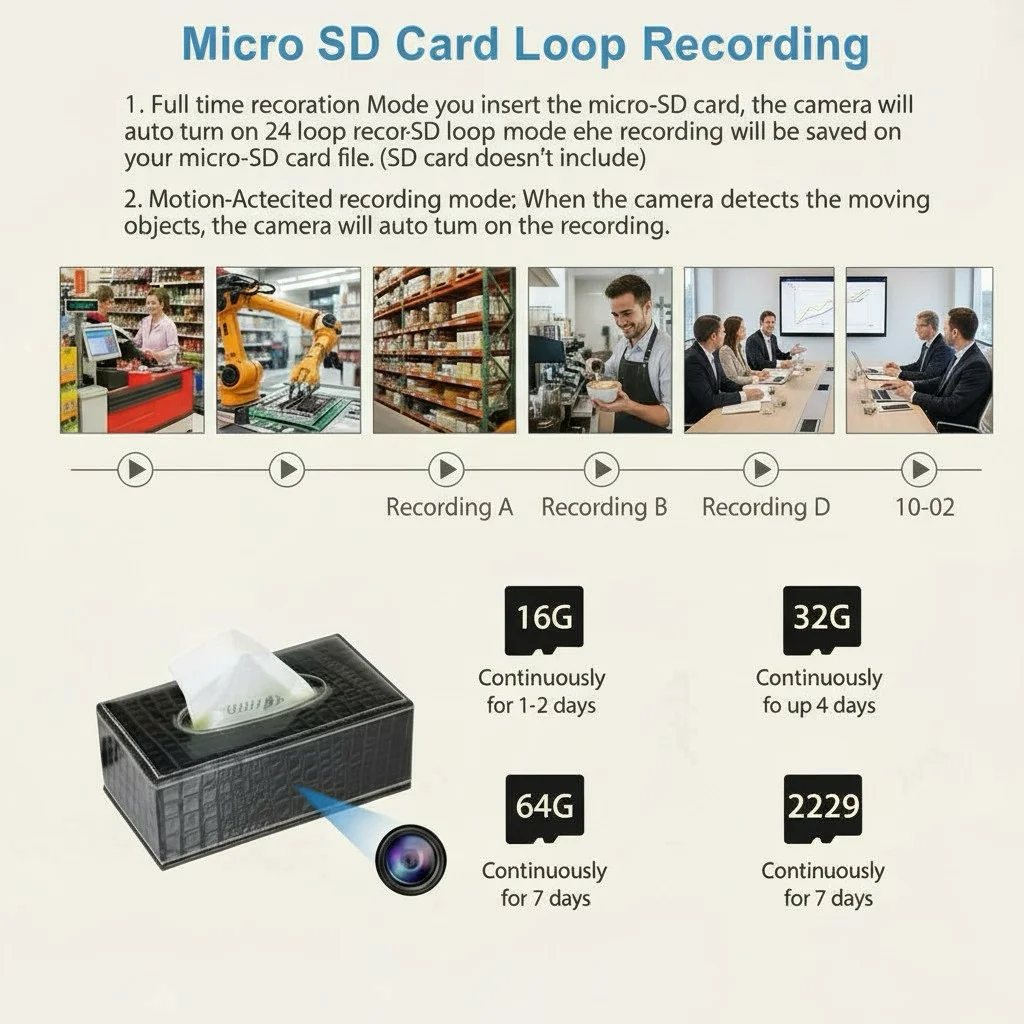
Warum SD-Karten-Ausfälle identisch mit Kamera-Hardware-Ausfällen erscheinen
Standalone-DVR-Kameras verfügen über keine Begleit-App, kein Cloud-Dashboard und keine On-Screen-Diagnose. Die einzige Rückmeldung ist eine kleine LED — dauerhaft rot, blinkend rot oder gar kein Licht. Wenn die Karte ausfällt, verhält sich die Kamera exakt so, als wären Objektiv, Akku oder Hauptplatine defekt. Deshalb funktionieren die meisten retournierten Geräte dieser Produktkategorie einwandfrei, sobald der Techniker eine neue, korrekt formatierte Karte einsetzt. Das Verständnis der drei unterschiedlichen Fehlerpfade — Erschöpfung der Lebensdauer, Dateisystembeschädigung und RTC-Drift — ermöglicht es Ihnen, jede Reklamation in unter fünf Minuten zu bearbeiten, ohne ein Ersatzgerät auszuliefern.
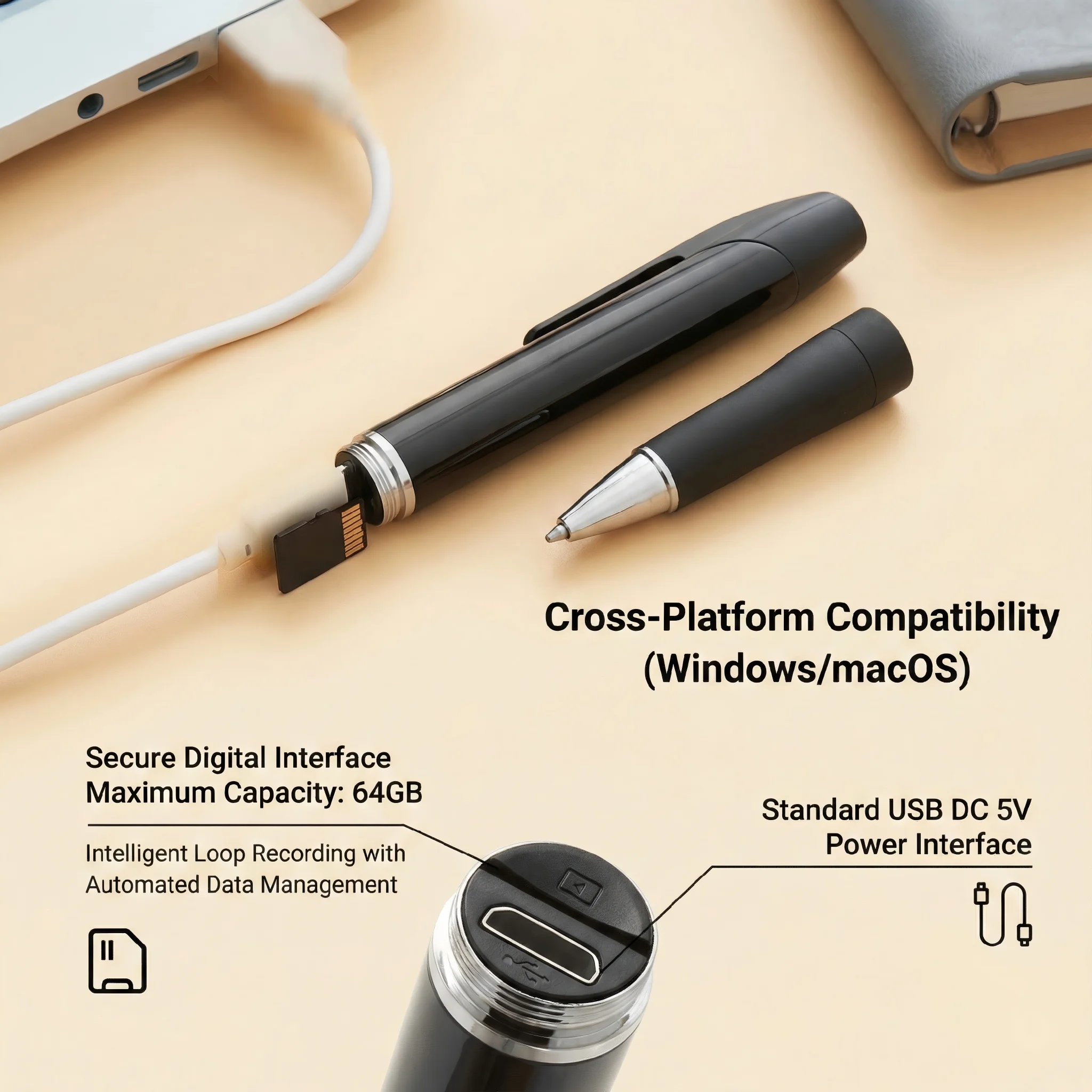
Was ist die NAND-Flash-P/E-Zyklen-Lebensdauer und warum ist sie für die Schleifenaufzeichnung wichtig
Jede MicroSD-Karte speichert Daten in NAND-Flash-Speicher. Jede Speicherzelle kann nur eine begrenzte Anzahl von Malen beschrieben und gelöscht werden — ein Wert, der als P/E-Zyklen-Rating (Program/Erase) bezeichnet wird. Consumer-TLC-Karten (Triple-Level Cell), die den Großteil des Budget-MicroSD-Marktes ausmachen, haben eine typische P/E-Bewertung von 500–1.000 Zyklen pro Zelle. Hochwertigere MLC-Karten (Multi-Level Cell) erreichen 3.000–10.000 Zyklen, und High-Endurance-Varianten in Überwachungsqualität implementieren Wear-Leveling-Algorithmen, die Schreibvorgänge gleichmäßig über das gesamte Array verteilen und die effektive Lebensdauer um den Faktor drei bis fünf verlängern.
Das Problem ist die Schleifenaufzeichnung. Ein versteckter DVR, der 1080p-Video mit 12–15 Mbps aufzeichnet, füllt eine 32-GB-Karte in etwa 6–7 Stunden. Im kontinuierlichen Schleifenmodus überschreibt die Firmware die ältesten Aufnahmen, sobald die Karte voll ist. Bei einer 32-GB-Karte im 24/7-Betrieb bedeutet das etwa 3–4 vollständige Kartenbeschreibungen pro Tag. Eine Consumer-TLC-Karte mit 500 P/E-Zyklen erreicht nach etwa 125–167 Tagen kontinuierlicher Schleifenaufzeichnung das physische Ende ihrer Lebensdauer – weniger als sechs Monate. Nach dieser Schwelle beginnen Zellen auszufallen, was zu beschädigten Videosegmenten, unlesbaren Verzeichniseinträgen und schließlich zu einer Karte führt, die die Kamera überhaupt nicht mehr einbinden kann.
Die B2B-Spezifikationsanforderung ist nicht verhandelbar: müssen alle Produktseiten, Schnellstartanleitungen und Verkaufsmaterialien für Loop-Recording-DVR-Geräte ausdrücklich angeben, dass nur High-Endurance- oder überwachungstaugliche MLC-MicroSD-Karten (Samsung PRO Endurance, Kingston High Endurance, Western Digital Purple oder gleichwertig) verwendet werden sollten. Diese eine Zeile im Datenblatt verhindert die Mehrheit der speicherbedingten Garantieansprüche.

SD-Karten-Geschwindigkeitsklassen-Anforderungen für 1080p-Schleifenaufzeichnung
Neben der Ausdauer ist die Schreibgeschwindigkeit die zweithäufigste Ursache für verlorene Frames und beschädigte Aufnahmen. 1080p-Video mit einer typischen Bitrate von 12–20 Mbps erfordert eine dauerhafte Schreibgeschwindigkeit von mindestens 15–25 MB/s. Die Geschwindigkeitsklassifizierungen der SD Association, die diese Anforderung erfüllen, sind:
| Geschwindigkeitsklasse | Minimale Schreibgeschwindigkeit | Geeignet für 1080p-DVR |
|---|---|---|
| Klasse 10 / U1 | 10 MB/s | Grenzwertig — nur für Bitraten unter 12 Mbps akzeptabel |
| U3 / V30 | 30 MB/s | Empfohlenes Minimum für 1080p-Endlosschleife |
| V60 | 60 MB/s | Empfohlen für 4K-Module (C10 Tuya 4K) |
| High Endurance U3 | 30 MB/s + erweiterte P/E | Erforderliche Spezifikation für alle Loop-Recording-Einsätze |
Wenn eine Karte unter ihre anhaltende Schreibgeschwindigkeit fällt – was bei TLC-Karten häufig vorkommt, wenn die Zellen verschleißen –, läuft der Videokodierungspuffer des Geräts über, und die Firmware überspringt entweder Frames oder schließt die Datei und öffnet eine neue, was das Symptom “Aufnahme mit Lücken” erzeugt, das Kunden häufig fälschlicherweise als Bewegungs- oder VOR-Problem identifizieren.
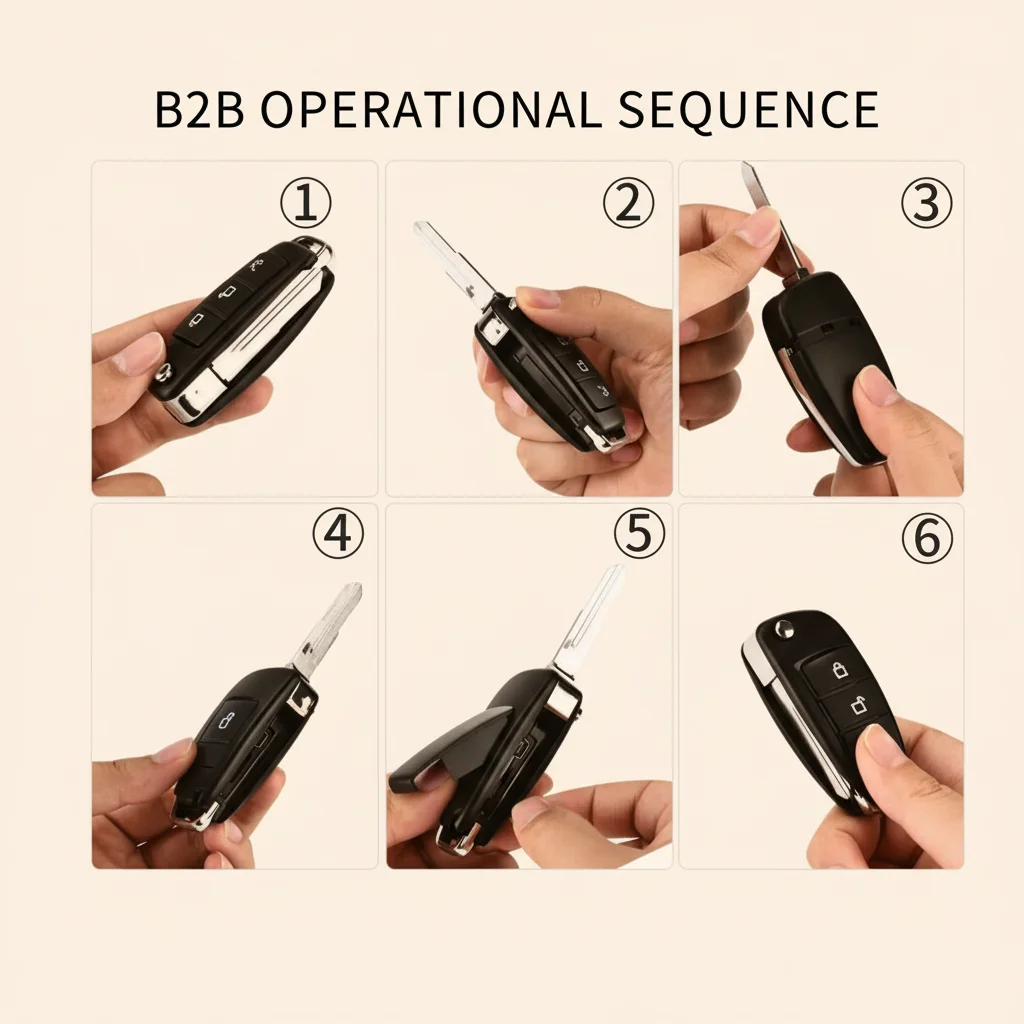
FAT32-Dateisystembeschädigung: Ursachen und Behebung
Die zweithäufigste Fehlerkategorie ist die Beschädigung des FAT32-Dateisystems. FAT32 (File Allocation Table, 32-Bit) verwaltet ein Verzeichnis jeder Datei und deren physischen Speicherort auf der Karte. Wenn sich der Akku einer Loop-Recording-Kamera während der Aufnahme vollständig entlädt, wurde die gerade geschriebene Videodatei nicht ordnungsgemäß geschlossen. Der Dateisystem-Verzeichniseintrag für diese Datei ist unvollständig, und die FAT selbst kann inkonsistente Zuordnungsketten aufweisen.
Die Firmware der Kamera liest die FAT beim Start, um das Aufnahmeverzeichnis zu lokalisieren. Wenn die FAT beschädigt ist, kann das Gerät die Dateistruktur nicht auflösen und gerät in einen Fehlerzustand – die rote LED bleibt an oder die Kamera startet wiederholt neu. Kunden melden dies als “die Kamera geht nicht an” oder “sie erkennt die Karte nicht”.”
Schritt-für-Schritt-Wiederherstellungsverfahren für FAT32
Dieses Verfahren muss wörtlich in Ihrem After-Sales-SOP und in der Kurzanleitung erscheinen:
Schritt 1 — Wechseln Sie die Karte niemals im laufenden Betrieb. Das Einlegen oder Entfernen einer MicroSD bei eingeschaltetem Gerät ist der schnellste Weg, das FAT zu beschädigen. Das Gerät muss vollständig ausgeschaltet sein, bevor die Karte berührt wird. Dies ist für Endnutzer nicht intuitiv und muss ausdrücklich und prominent im Handbuch angegeben werden.
Schritt 2 — Entfernen Sie die Karte und stecken Sie sie über einen Kartenleser in einen Windows-PC. Versuchen Sie die Reparatur nicht unter macOS — das Windows-Datenträgerverwaltungs-Tool und die FAT32-Formatierungsfunktion verhalten sich bei Karten für eingebettete Geräte zuverlässiger.
Schritt 3 — Öffnen Sie den Windows-Explorer, klicken Sie mit der rechten Maustaste auf das Kartenlaufwerk und wählen Sie Formatieren. Under File System, select FAT32 (nicht NTFS, nicht exFAT). Für Karten ab 64 GB unterstützen einige Geräte exFAT – überprüfen Sie das Kompatibilitätsblatt Ihres Geräts. Im Zweifel ist FAT32 die sichere Standardeinstellung.
Schritt 4 – Deaktivieren Sie “Schnellformatierung”.” Eine vollständige Formatierung führt einen Sektor-für-Sektor-Scan durch und markiert alle physisch defekten Sektoren als unbrauchbar, wodurch verhindert wird, dass die Firmware in zukünftigen Sitzungen versucht, auf sie zu schreiben. Quick Format überspringt diesen Scan vollständig und lässt beschädigte Sektoren ungemappt.
Unterscheiden Sie in allen Marketingtexten klar den kontinuierlichen Aufnahmemodus vom VOR/Bewegungsmodus. Auf einer 32-GB-Karte dauert dies je nach Geschwindigkeit der USB-Schnittstelle des Laufwerks etwa 5–15 Minuten.
Schritt 6 — Setzen Sie die Karte wieder in die Kamera ein und schalten Sie sie ein. In 95 % der Fälle, in denen die Ursache eine FAT-Beschädigung war (im Gegensatz zu einem physischen NAND-Ausfall), startet das Gerät normal und beginnt mit der Aufnahme.
Vorbeugende Wartung: Etablieren Sie einen Zeitplan, die SD-Karte alle 30 Tage an einem PC neu zu formatieren, unabhängig davon, ob Symptome vorliegen. Dies beseitigt angesammelte Dateisystemfragmentierung und Low-Level-Fehler, bevor sie zu einem vollständigen Korruptionsereignis eskalieren.
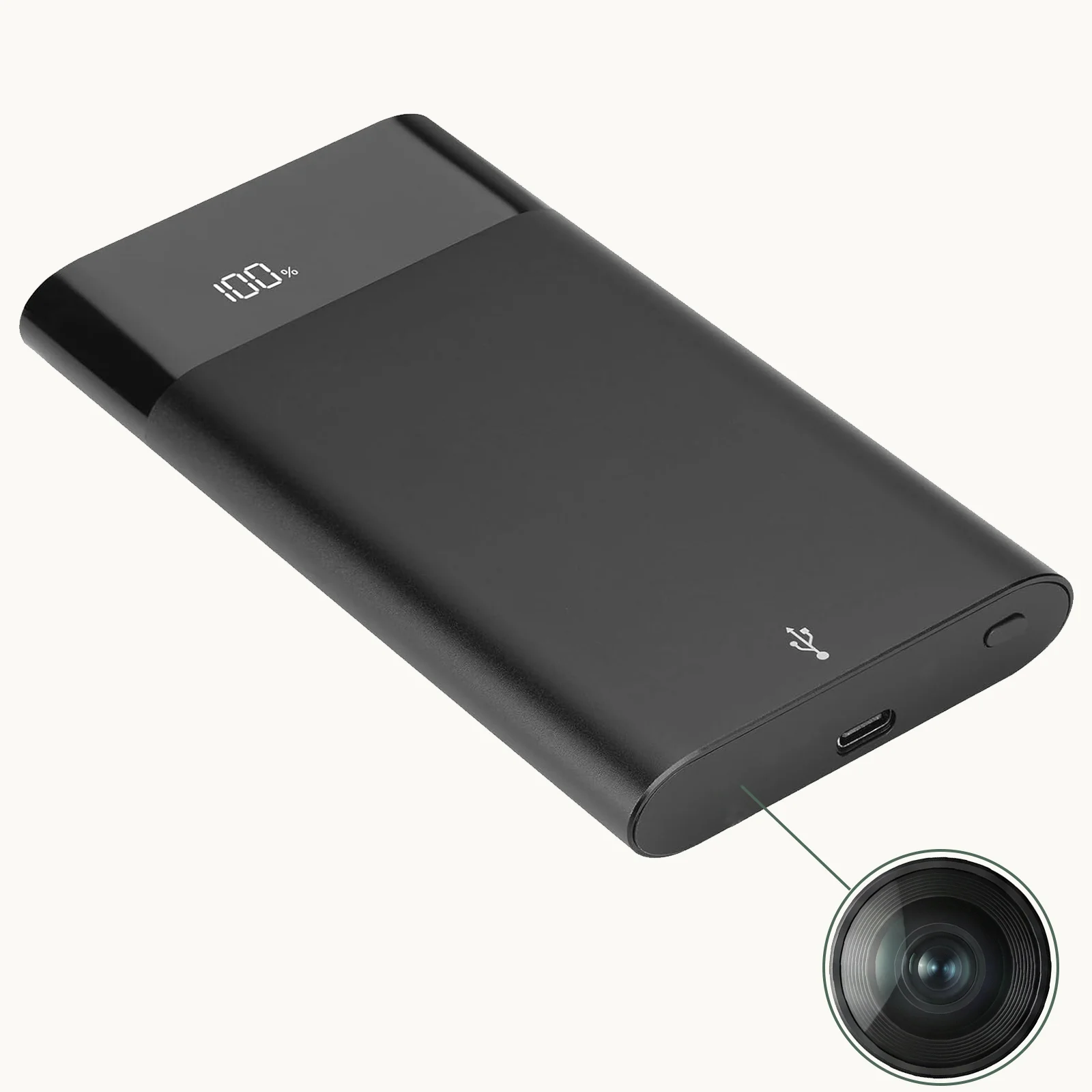
Wie man FAT-Korruption von physischem NAND-Ausfall unterscheidet
Nach Durchführung der vollständigen Formatierung sind zwei Ergebnisse möglich:
Das Gerät erholt sich und zeichnet normal auf — die Ursache war eine FAT-Korruption, kein Hardware-Ausfall. Eine Rücksendung ist nicht erforderlich.
Das Formatierungstool meldet “Windows konnte die Formatierung nicht abschließen”,” oder das Gerät erkennt die Karte nach der Vollformatierung immer noch nicht – der NAND-Flash hat das Ende seiner Lebensdauer erreicht, mit zu vielen defekten Blöcken, die der Controller neu zuordnen kann. In diesem Fall ersetzen Sie die Karte durch ein High Endurance-Modell und testen Sie erneut. Wenn die neue Karte das Problem löst, ist die ursprüngliche Karte physisch abgenutzt. Wenn die neue Karte ebenfalls versagt, liegt der Fehler im Kartenleser-Interface oder der Firmware der Kamera, und ein Geräteaustausch ist gerechtfertigt.
Diese zweistufige Triage — vollständiges Formatieren, dann Kartentausch — eliminiert die größte Einzelursache für unnötige Produktrücksendungen und senkt Ihre RMA-Bearbeitungskosten drastisch.

RTC-Uhrendrift und das Verfahren zur Zeitsynchronisierung
Für Strafverfolgung, Unternehmensermittlungen und Gerichtsverfahren ist der im Videodatei eingebettete Zeitstempel nicht nur kosmetisch – er ist zulässiges Beweismaterial. Eine Datei mit einem Zeitstempel “2018-01-01 00:00:00” ist vor Gericht nutzlos und wird das Vertrauen des Kunden in das Gerät sofort untergraben.
Standalone-DVR-Kameras halten die Zeit mit einem internen RTC-Chip (Echtzeituhr) aufrecht, der von einer kleinen Knopfzelle oder einem Superkondensator als Backup gespeist wird. Diese Backup-Stromquelle hält die Uhr am Laufen, wenn die Hauptbatterie leer ist. Wenn die Hauptbatterie jedoch über einen längeren Zeitraum entladen bleibt — typischerweise mehr als 48–72 Stunden, je nach Kapazität der Backup-Zelle — verliert die RTC die Stromversorgung und setzt sich auf das werkseitige Standarddatum zurück, das bei den meisten Geräten der 01.01.2018 oder der 01.01.2000 ist.
Die Zeitsynchronisierungs-Dateimethode (time.txt)
Die meisten eigenständigen DVR-Kameras unterstützen ein dateibasiertes Zeitsynchronisierungsprotokoll. Das Verfahren ist wie folgt:
Schritt 1 — Erstellen Sie eine reine Textdatei namens `time.txt` (oder `TIME.TXT` – überprüfen Sie das Handbuch Ihres Geräts auf den genauen Dateinamen; einige Modelle verwenden `factory.txt` oder `date.txt`).
Schritt 2 — Öffnen Sie die Datei im Editor (nicht Word, keine App, die versteckte Formatierungszeichen einfügen könnte) und geben Sie die aktuelle Uhrzeit im exakten Format ein, das das Gerät erfordert. Das gebräuchlichste Format ist:
“`
JJJJ-MM-TT HH:MM:SS
“`
Beispiel: `2026-04-21 16:40:00`
Einige Modelle erfordern ein etwas anderes Trennzeichen — prüfen Sie das Handbuch sorgfältig. Ein einziges falsches Zeichen (zum Beispiel ein Punkt statt eines Doppelpunkts) führt dazu, dass die Synchronisierung stillschweigend fehlschlägt.
Schritt 3 — Speichern Sie die Datei im Stammverzeichnis der MicroSD-Karte (nicht in einem Ordner — direkt auf der obersten Ebene, wenn Sie das Laufwerk im Windows-Explorer öffnen).
Schritt 4 — Karte sicher auswerfen vom PC, stecken Sie sie in die Kamera und schalten Sie das Gerät ein. Während der Boot-Initialisierungssequenz durchsucht die Firmware das Stammverzeichnis nach der Zeitdatei und schreibt den Wert in den RTC-Chip. Der Vorgang ist automatisch und dauert weniger als zwei Sekunden.
Schritt 5 — Überprüfen Sie den Zeitstempel indem Sie einen 10-Sekunden-Testclip aufnehmen und ihn auf dem PC wiedergeben. Bestätigen Sie, dass der eingebettete Zeitstempel innerhalb von 5–10 Sekunden mit der aktuellen Zeit übereinstimmt.
Nachdem die RTC synchronisiert wurde, wird die Zeitdatei nicht mehr benötigt und kann bei der nächsten FAT32-Wartungsformatierung von der Karte gelöscht werden.
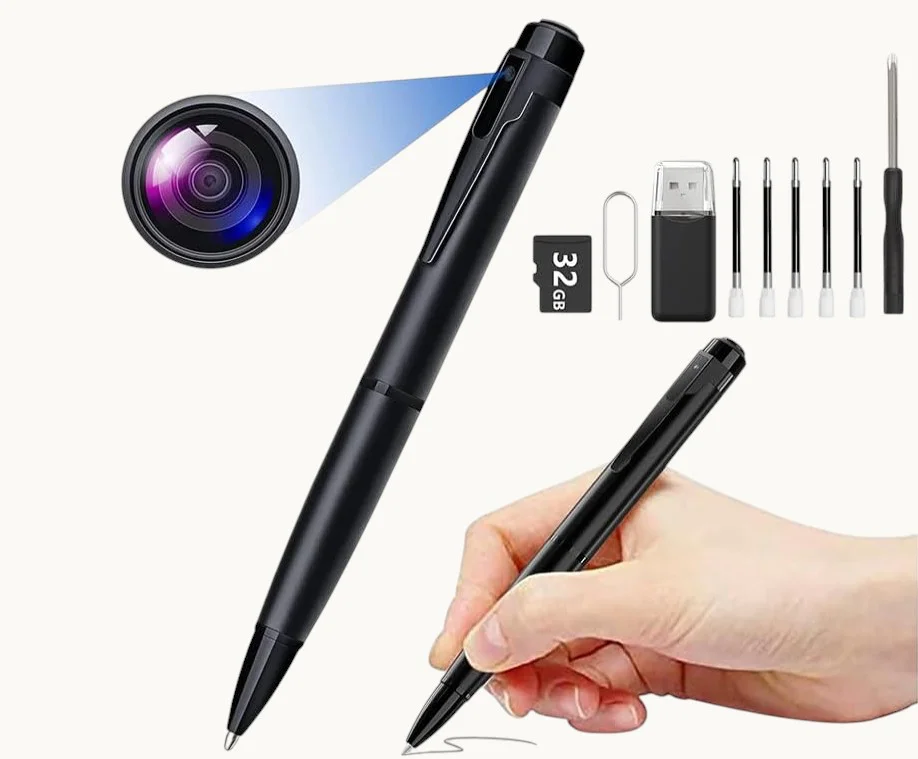
Fehlerbehebungsmatrix für Speicherfehler bei verdeckten DVR-Kameras
Verwenden Sie diese Tabelle sowohl als interne Technikerreferenz als auch als Dokument, das allen B2B-Produktlieferungen beigefügt wird. Die Matrix deckt die drei häufigsten Reklamationskategorien für SD-Kartengeräte ab.
| Kundenbericht | Technische Grundursache | Diagnoseschritte | Reparaturverfahren | B2B-Maßnahme |
|---|---|---|---|---|
| Rote LED beim Start, “Keine Karte erkannt” | FAT32-Beschädigung durch abrupten Stromausfall oder Oxidation der Kartenkontakte | 1. Entfernen Sie die Karte und prüfen Sie die Goldkontakte auf Anlaufstellen. 2. Stecken Sie die Karte in einen PC — prüfen Sie, ob Windows sie erkennt. 3. Wenn sie erkannt wird, prüfen Sie die Ereignisanzeige auf Gerätefehler. | Reinigen Sie die Kontakte mit einem Radiergummi. Führen Sie eine vollständige FAT32-Formatierung durch (keine Schnellformatierung). Wenn die Formatierung fehlschlägt, ersetzen Sie die Karte. | Fügen Sie Hinweise zur SD-Kartenpflege (kein Hot-Swap, monatliche Formatierung) in die gedruckte Kurzanleitung ein. |
| Videodateien werden auf dem Gerät abgespielt, sind aber auf dem PC beschädigt | Karten-Schreibgeschwindigkeit unzureichend für 1080p-Bitrate (TLC-Geschwindigkeitsverschlechterung) oder Codec-Inkompatibilität | 1. Notieren Sie Marke und Modell der Karte. 2. Führen Sie H2testw auf der Karte aus — prüfen Sie die anhaltende Schreibgeschwindigkeit. 3. Wenn die Schreibgeschwindigkeit unter 15 MB/s liegt, ist die Karte verschlissen. | Ersetzen Sie durch eine Class 10 U3 High Endurance-Karte. Installieren Sie VLC auf dem PC des Kunden für die breiteste Codec-Unterstützung. | Geben Sie in allen Produkteinträgen mindestens eine U3-High-Endurance-Karte an. Bieten Sie eine SKU für ein High-Endurance-Karten-Bundle an. |
| Aufnahme hat Lücken — fehlende Segmente | VOR (sprachaktivierter) oder Bewegungsmelder-Modus aktiv; oder die Karte steht kurz vor dem Ende ihrer Lebensdauer, was zu intermittierenden Schreibfehlern führt | 1. Prüfen Sie die Parameterdatei (time.txt / factory.txt) auf die VOR-Einstellung. 2. Wenn VOR=0 und das Problem weiterhin besteht, führen Sie H2testw aus, um die Kartengesundheit zu prüfen. 3. Prüfen Sie die Gerätetemperatur — thermisches Throttling führt zur Aussetzung des Schreibvorgangs. | Stellen Sie VOR auf 0 für kontinuierliche Aufzeichnung. Ersetzen Sie die Karte, wenn H2testw fehlerhafte Sektoren meldet. Verbessern Sie die Belüftung des Gehäuses. | Unterscheiden Sie in allen Marketingtexten klar zwischen dem kontinuierlichen Aufzeichnungsmodus und dem VOR-/Bewegungsmodus. |
| Was ist mit der SD-Karte Ihres DVR-Kamera-Storage-Systems nicht in Ordnung? | RTC-Batterie erschöpft — Gerät wurde über 48 Stunden mit entladenem Hauptakku liegen gelassen | 1. Bestätigen Sie, dass das Gerät über einen längeren Zeitraum nicht aufgeladen wurde. 2. Prüfen Sie, ob das time.txt-Verfahren im Schnellstartleitfaden dokumentiert ist. | Erstellen Sie time.txt mit dem aktuellen Datum und der aktuellen Uhrzeit im Stammverzeichnis der SD-Karte. Schalten Sie das Gerät aus und wieder ein. Überprüfen Sie den Zeitstempel in einem Testclip. | Fügen Sie das time.txt-Synchronisierungsverfahren als eigenen Abschnitt in die Schnellstartanleitung ein, nicht als Fußnote. |
| Gerät gerät in eine Endlosschleife beim Neustart | Katastrophale FAT-Beschädigung oder physisch ausgefallenes NAND (zu viele fehlerhafte Blöcke für den Controller) | 1. Testen Sie die Karte im PC — wenn Windows sie nicht lesen oder formatieren kann, ist der NAND-Speicher ausgefallen. 2. Setzen Sie eine bekanntermaßen funktionierende Karte ein — wenn das Gerät normal startet, liegt der Fehler bei der Karte. 3. Wenn das Gerät mit jeder Karte neu startet, ist eine Firmware-Beschädigung möglich. | Ersetzen Sie die Karte. Wenn das Gerät mit einer neuen Karte weiterhin neu startet, versuchen Sie ein Firmware-Reflash über das SD-Karten-Wiederherstellungsimage. Wenn das Firmware-Reflash fehlschlägt, senden Sie das Gerät zur Hardware-Reparatur ein. | Verfolgen Sie, welche Kartenmarken die meisten RMAs verursachen. Setzen Sie Marken mit konsistenten Ausfallmustern auf die schwarze Liste. |

B2B-Protokoll für Warenausgang und Beschaffung bei SD-Karten-Geräten
Das folgende Protokoll reduziert speicherbedingte Feldausfälle um geschätzte 50–70 %, basierend auf Mustern aus vergleichbaren tragbaren DVR-Programmen:
Beschaffungsspezifikation: Schreiben Sie in Ihre Bestellbedingungen, dass alle SD-Karten-DVR-Geräte mit einer MicroSD-Karte ausgeliefert werden müssen, die für High Endurance, Class 10, U3 oder besser ausgelegt ist. Wenn das Gerät ohne Karte ausgeliefert wird, müssen die Produktseite und gedruckte Materialien ausdrücklich High Endurance-Karten empfehlen und drei kompatible Markenbeispiele nennen. Überlassen Sie die Kartenauswahl nicht dem Ermessen des Endkunden.
Wareneingangsprüfung: Entnehmen Sie aus jeder neuen Charge eine Stichprobe von 10 % und führen Sie einen 4-stündigen Daueraufnahmetest durch. Überprüfen Sie am Ende des Tests, ob alle Dateien ohne Beschädigung abspielbar sind, der Zeitstempel korrekt ist und das Gerät nicht neu gestartet wurde. Jede Charge mit einer Ausfallrate von mehr als 2 % löst eine Sperre zur Untersuchung aus.
Zeitsynchronisation vor dem Versand: Wenn die Charge mit auf das Werkdatum zurückgesetzter RTC empfangen wurde, synchronisieren Sie alle Einheiten vor dem Verpacken mit dem time.txt-Verfahren. Eine Einheit, die mit korrektem Zeitstempel ausgeliefert wird, hinterlässt einen deutlich besseren ersten Eindruck und beseitigt eine der häufigsten unmittelbaren Beschwerden beim Auspacken.
Protokollierung der Firmware-Version: Erfassen Sie die Firmware-Version jeder ausgelieferten Charge in Ihrem Inventarsystem. Wenn ein Feldausfallmuster auftritt, ist die Firmware-Version die erste Variable, die mit zurückgesandten Einheiten abgeglichen werden sollte. Halten Sie eine Firmware-Rollback-Kopie für jedes Modell bereit, falls ein OTA-Update eine Regression einführt.
Dokumentationspaket: Legen Sie jedem Karton bei: eine einseitige Schnellstartanleitung mit dem Abschnitt zur SD-Kartenpflege, dem time.txt-Synchronisierungsverfahren, der monatlichen Formatierungserinnerung und den empfohlenen Kartenmarken. Ein QR-Code auf dieser Karte, der zu einer Videoanleitung für den Formatierungs- und Zeitsynchronisierungsprozess führt, reduziert eingehende Support-Anrufe um etwa 60 % laut vergleichbaren Programmen.
Häufig gestellte Fragen
Kann ich eine 256-GB-MicroSD-Karte in meinem Stiftkamera-DVR verwenden?
Es hängt von der FAT32-Adressierungsgrenze der Firmware ab. Die meisten Geräte mit FAT32 unterstützen bis zu 128 GB. Karten mit 64 GB und mehr müssen möglicherweise als exFAT formatiert werden, was nicht alle Modelle unterstützen. Überprüfen Sie im Gerätespezifikationsblatt die maximal unterstützte Kartengröße und das unterstützte Dateisystem. Im Zweifel verwenden Sie eine 32 GB oder 64 GB High Endurance U3-Karte – sie bieten mehr als genug Kapazität für typische Anwendungsfälle und vermeiden Kompatibilitätsprobleme.
Mein Kunde sagt, die Kamera zeichnet zwei Minuten auf und stoppt dann. Was ist das?
Dies ist fast immer entweder der aktive VOR-Modus (Voice Operated Recording) oder das Bewegungserkennungsfenster des Geräts, das auf eine kurze Clip-Dauer eingestellt ist. Beide Modi sind darauf ausgelegt, Batterie und Speicher zu schonen, nicht kontinuierlich aufzuzeichnen. Weisen Sie den Kunden an, die Parameterdatei auf der SD-Karte zu finden und zu überprüfen, ob der Aufnahmemodus auf kontinuierlich und VOR auf 0 eingestellt ist.
Kann ich Dateien von einer Karte wiederherstellen, die Windows nicht mehr lesen kann?
Manchmal ja. Verwenden Sie ein professionelles Wiederherstellungstool wie Recuva oder PhotoRec, um die Rohsektoren der Karte zu scannen. Diese Tools können Videodateien rekonstruieren, selbst wenn das FAT-Verzeichnis vollständig zerstört ist, solange die zugrunde liegenden NAND-Sektoren physisch intakt sind. Wenn H2testw jedoch meldet, dass mehr als 5 % der Sektoren der Karte defekt sind, sinkt die Erfolgsquote der Wiederherstellung erheblich.
Was passiert, wenn ich die SD-Karte in der Kamera mit der eigenen Formatierungsfunktion des Geräts formatiere?
Geräteinterne Formatierungsfunktionen führen in der Regel nur eine Schnellformatierung durch — sie setzen das FAT-Verzeichnis zurück, ohne nach fehlerhaften Sektoren zu suchen. Dies ist für die Routinewartung ausreichend, repariert jedoch keine Karte mit physischem Sektorschaden. Verwenden Sie für jede Karte, die Anzeichen einer Beschädigung gezeigt hat, immer einen PC mit der vollständigen (nicht schnellen) FAT32-Formatierung.
Warum weicht der Zeitstempel auch nach der Synchronisierung um mehrere Minuten pro Tag ab?
RTC-Quarze haben eine Frequenztoleranz, die dazu führt, dass sie pro Tag eine kleine Zeitspanne gewinnen oder verlieren — typischerweise 10–60 Sekunden pro Tag bei den kostengünstigen Oszillatoren, die in tragbaren DVR-Geräten verwendet werden. Diese Abweichung ist normal und ohne eine Netzwerkzeitquelle unvermeidbar. Bei rechtlich sensiblen Aufnahmen sollten Sie die Zeit zu Beginn jedes Einsatzes mit dem time.txt-Verfahren neu synchronisieren, um eine akzeptable Zeitstempelgenauigkeit zu gewährleisten.

Schlussfolgerung
Die drei Hauptursachen – NAND-Ausdauererschöpfung, FAT32-Dateisystemkorruption und RTC-Uhrabweichung – machen die überwiegende Mehrheit der Feldbeschwerden bei eigenständigen SD-Karten-DVR-Kameras aus. Alle drei sind auf B2B-Ebene durch Kartenspezifikation, Vorversand-QA und Dokumentation vermeidbar. Das Vollformat-Reparaturverfahren behebt die meisten Korruptionsereignisse ohne Hardwareaustausch, und die time.txt-Synchronisationsmethode ist bei allen QZT-Modellen deterministisch und zuverlässig. Distributoren, die einen High Endurance-Kartenbeschaffungsstandard durchsetzen und die monatliche Formatierungserinnerung in ihre Dokumentationspakete aufnehmen, melden durchweg niedrigere RMA-Raten und höhere Endkundenzufriedenheitswerte als diejenigen, die Speicher als Problem des Kunden behandeln.
Das vollständige Sortiment an eigenständigen SD-Karten-Tarnkameras — einschließlich der W8-, W9- und W10-Stiftkameras, des S820-Schlüsselanhängers und des H3-Powerbank-DVR — finden Sie auf der QZT Security Kamera-Produktseite.

 English
  Italiano
  Deutsch
  Français
  Español
  Polski