
Einige Tuya-Kameras können über ONVIF eine Verbindung zu einem NVR herstellen. Aber die Nutzung von Tuya Smart oder Smart Life beweist nicht, dass die konkrete Kamera ONVIF bereitstellt, und ein ONVIF-Eintrag beweist nicht, dass jede NVR-Funktion getestet wurde.
Für ein reales Projekt prüfen Sie drei Ebenen getrennt:
1. die genaue Kamera-SKU und Firmware ONVIF auflisten oder bereitstellen;
2. der NVR den erforderlichen Stream erkennen und empfangen kann;
3. Aufzeichnung, Wiedergabe, Audio, PTZ, Ereignisse und Wiederverbindungsverhalten bei der genauen Kamera/NVR-Kombination funktionieren.
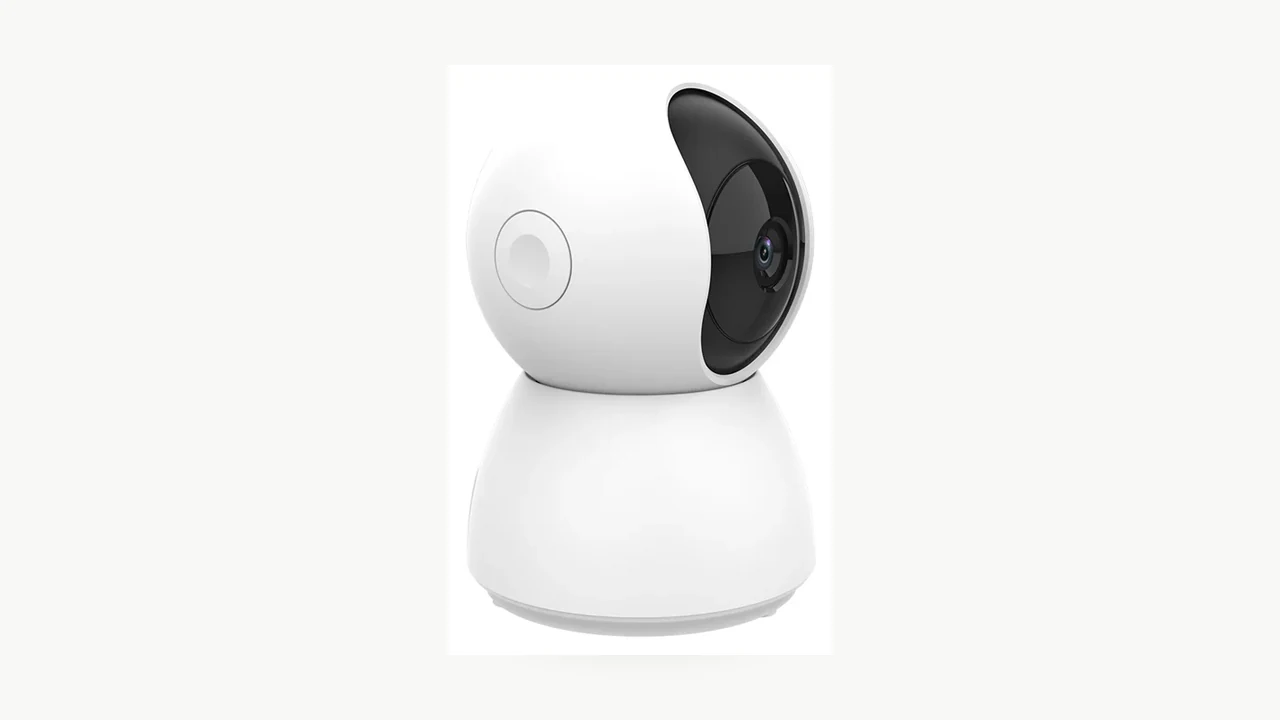
Echtes Produktfoto des QZT C23B. Die aktuelle Produktseite listet Tuya Smart und ONVIF auf; das Foto selbst ist kein NVR-Kompatibilitätstest.
Tuya ist ein Ökosystem, keine ONVIF-Garantie
Eine Kamera kann Tuya Smart oder Smart Life verwenden und dennoch über keine ONVIF-Schnittstelle verfügen. Das App-Ökosystem und das lokale Videoprotokoll sind separate Fähigkeiten.
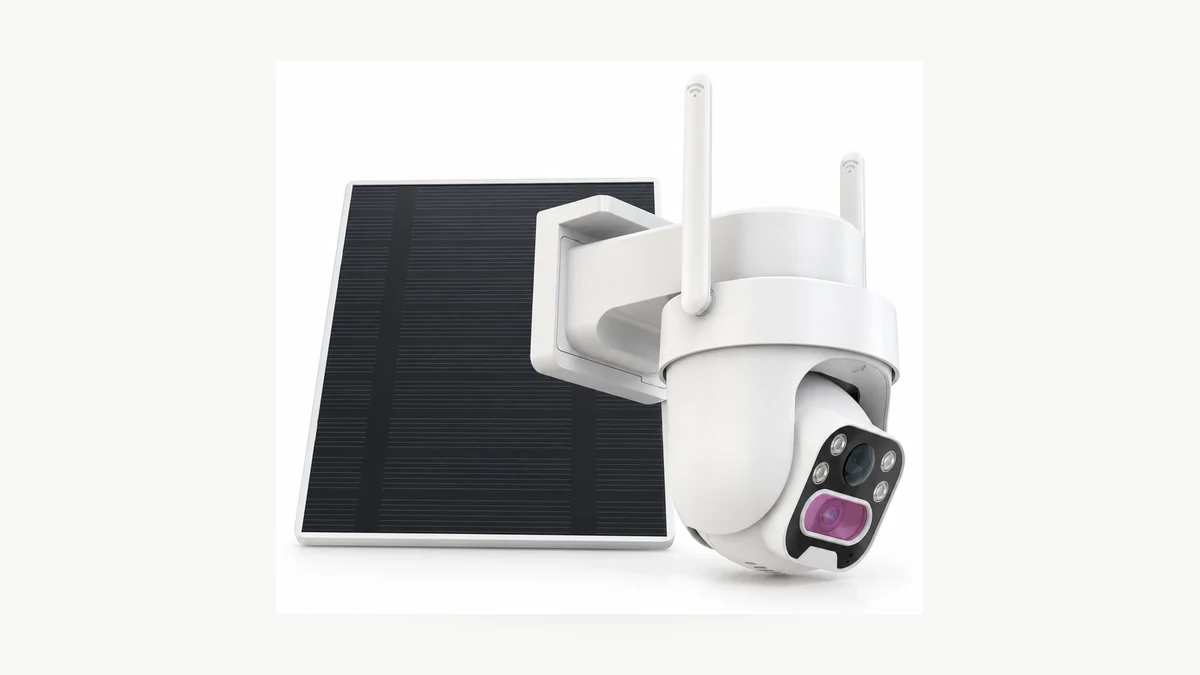
Echtes Produktfoto der QZT C45L. Die aktuelle Produktseite listet Tuya Smart / Smart Life auf und gibt ausdrücklich an, dass kein ONVIF unterstützt wird. Damit ist sie ein nützliches Gegenbeispiel zu der Annahme, dass jede Tuya-Kamera ONVIF unterstützt.
QZT hat bereits ein klares aktuelles Beispiel. Die C45L Produktseite lists Tuya Smart und Smart Life, während sein Plattformabschnitt besagt kein ONVIF.
Das ist das sicherste Denkmodell:
> Tuya sagt Ihnen, welches Smart-Device-Ökosystem die Kamera verwendet. Es sagt Ihnen jedoch nicht von sich aus, welche lokalen NVR-Protokolle aktiviert sind.
Auch die umgekehrte Abkürzung ist riskant. Wenn eine Produktseite ONVIF aufführt, ist das eine Spezifikationsaussage. Sie sagt Ihnen dennoch nicht, ob Ihr Recorder dieselbe Authentifizierung, denselben Stream, Codec, PTZ- oder Ereignisverhalten unterstützt.
Was aktuelle QZT-Produktseiten tatsächlich aussagen
Mehrere aktuelle QZT-Standard-IP-Kamera-Seiten listen sowohl eine App aus der Tuya-Familie als auch ONVIF auf. Diese sind nützliche Ausgangspunkte für einen NVR-Mustertest, keine abgeschlossenen Interoperabilitätszertifizierungen.
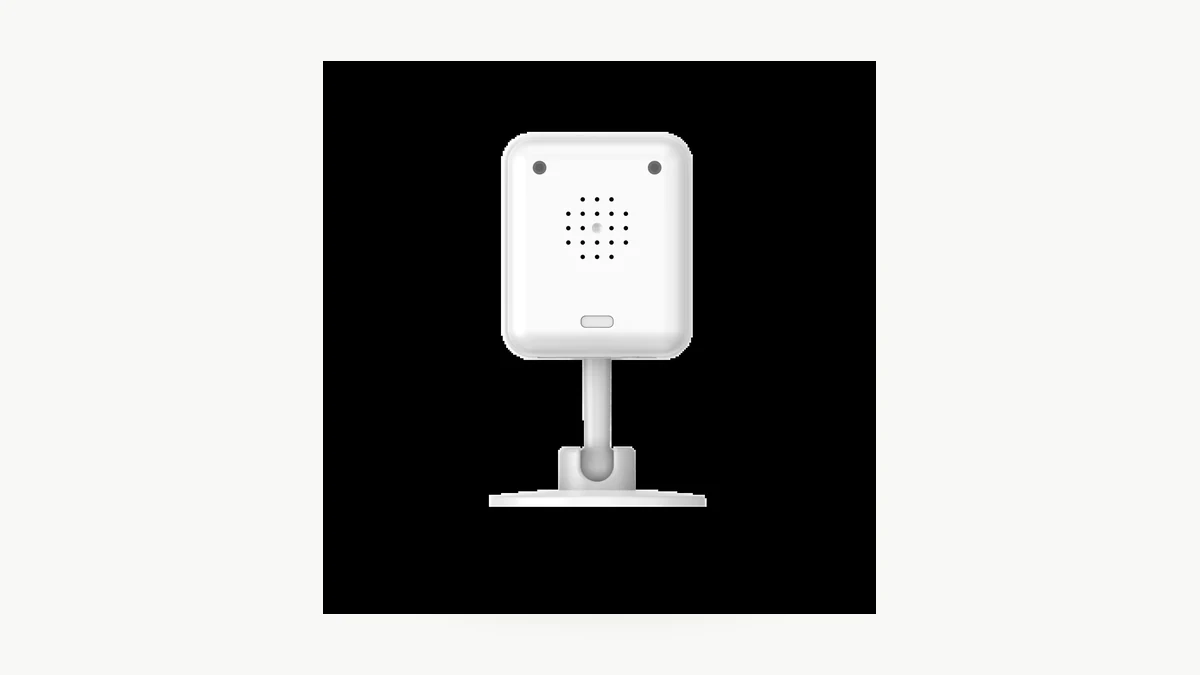
Echtes Produktfoto der QZT C12. Die folgende Tabelle gibt die aktuelle öffentliche Spezifikationsformulierung wieder, nicht einen abgeschlossenen NVR-Test.
| QZT SKU | App listed on current page | ONVIF auf aktueller Seite | Aufgeführte Video-Codierung | Teststatus der NVR-Funktionen |
|---|---|---|---|---|
| C12 | Tuya Smart / Smart Life | Aufgeführt | H.264 | Nicht getestet |
| C23B | Tuya Smart | Aufgeführt | H.264 | Nicht getestet |
| C26 | Tuya Smart / Smart Life | Aufgeführt | H.264 | Nicht getestet |
| C40 | Tuya Smart / Smart Life | Aufgeführt | H.264 | Nicht getestet |
| C45L | Tuya Smart / Smart Life | No ONVIF listed explicitly | Genaue Ausführung prüfen | Nicht zutreffend für ONVIF, sofern kein anders dokumentierter Build bereitgestellt wird |
Die wichtige Formulierung ist Aufgeführt, nicht mit jedem NVR verifiziert.
Die C12-Seite empfiehlt Käufern, die Rekorder-Kompatibilität am Muster zu prüfen, falls ONVIF relevant ist. Die C23B-Seite geht weiter und empfiehlt Käufern, Live-Ansicht, Aufzeichnung und alle erforderlichen Steuerungen am tatsächlichen NVR und am freigegebenen Muster zu testen. C26 und C40 empfehlen ebenfalls, das Verhalten des Rekorders während der Installation oder beim Mustertest zu überprüfen.
Das ist auch für diesen Artikel die richtige Grenze. Die öffentliche Spezifikation ist ein Beleg dafür, dass ONVIF für die aufgeführten Builds vorgesehen ist. Sie ist kein Beleg dafür, dass jede Zelle einer Integrationsmatrix bestanden wurde.
Was Tuya's ONVIF-Implementierung erfordert
Tuya’s own TuyaOS ONVIF-Dokumentation beschreibt die IPC-Kamera als ONVIF-Server und den NVR als Client im selben LAN.
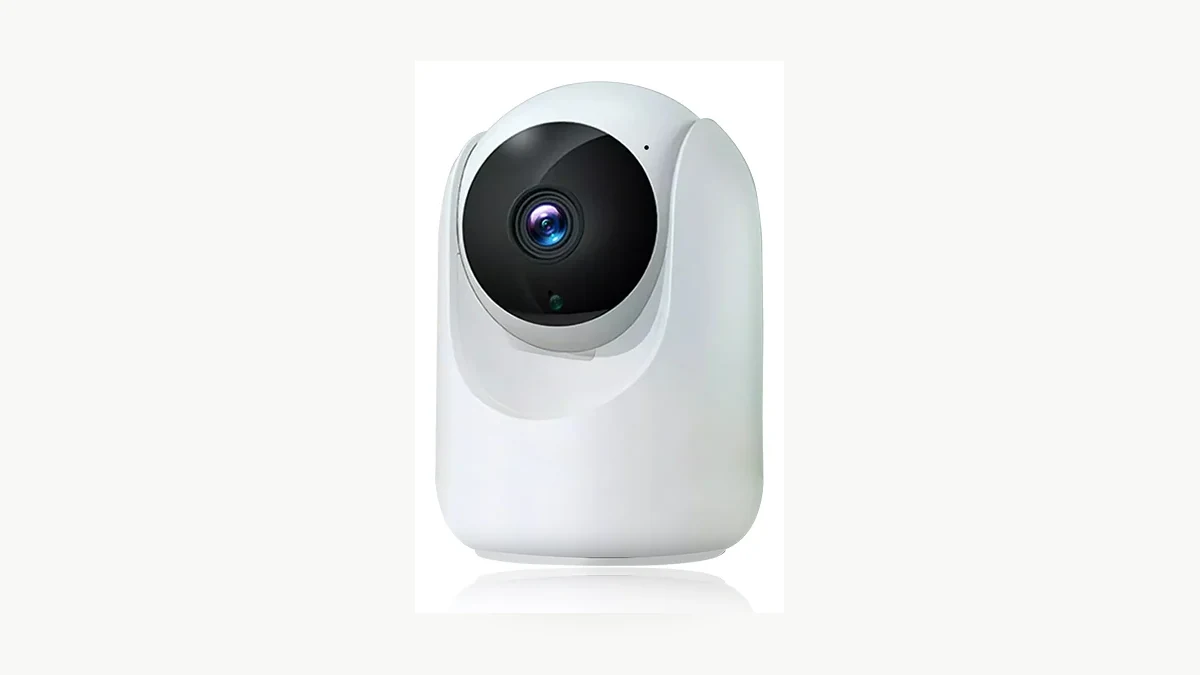
Echtes Produktfoto der QZT C26. Die Plattformdokumentation von Tuya erklärt die Protokollanforderungen; dieses Bild beweist kein bestimmtes NVR-Ergebnis.
Das TuyaOS-Thema macht zudem mehrere Implementierungsdetails explizit:
– ONVIF muss in der Kamera-Lösung aktiviert sein;
– das IPC SDK muss RTSP unterstützen, damit der Client den Videostream empfangen kann;
– der ONVIF-Server verwendet aus Sicherheitsgründen die HTTP-Digest-Authentifizierung;
– Unterschiede bei der Client-Authentifizierung können Verbindungs- oder Streaming-Fehler verursachen;
– ONVIF- und RTSP-Verbindungslimits können erreicht werden;
– die dokumentierte Implementierung umfasst ONVIF-Geräte-, Medien- und PTZ-Funktionen;
– die Ereignisbildaufnahme ist in diesem TuyaOS-Thema als derzeit nicht unterstützt gekennzeichnet.
Diese Punkte erklären, warum zwei Produkte beide „ONVIF“ angeben können und sich dennoch mit demselben NVR unterschiedlich verhalten.
Kopieren Sie keinen Port, RTSP-Pfad, Benutzernamen oder kein Passwort von einem anderen Produkt der Marke Tuya. Verwenden Sie die Einstellungen, die für die exakte Kamera-Build dokumentiert sind oder die durch deren autorisierten Konfigurationsablauf generiert werden.
Ein aktuelles Beispiel eines Drittanbieters zeigt, wie eine unterstützte Implementierung aussehen kann. Nivian-Supportartikel vom 20. Juli 2026 weist Benutzer an, ONVIF in einer Tuya Smart-Kamera zu aktivieren, ein Passwort festzulegen und die Kamera dann zum NVR hinzuzufügen. Das ist als Implementierungsbeispiel nützlich, aber es ist nicht eine Menü-, Anmelde- oder Portvorlage für QZT-Hardware.
ONVIF-Unterstützung ist nicht dasselbe wie offizielle ONVIF-Konformität
Es gibt einen wichtigen Unterschied zwischen der Aussage, dass ein Produkt eine ONVIF-Schnittstelle bereitstellt, und der Behauptung, dass es offiziell ONVIF-konform.

Pexels-Fotografie eines Überwachungsleitstands. Die formale ONVIF-Konformität wird durch den ONVIF-Prozess und die ONVIF-Datenbank festgestellt, nicht durch das Erscheinungsbild einer NVR-Einrichtung.
ONVIF gibt an, dass seine Datenbank konformer Produkte die maßgebliche Quelle für offizielle Konformität ist. Außerdem wird darauf hingewiesen, dass die Konformität an die für dieses Produkt aufgeführte spezifische Firmware-/Softwareversion gebunden ist.
Its Konformitätsprozess erfordert die Unterstützung des zutreffenden Profils, Testwerkzeuge und eingereichte Konformitätsdokumente, bevor ein Produkt offizielle Konformität beanspruchen kann.
Halten Sie daher zwei Felder getrennt:
| Frage | Nachweise |
|---|---|
| Listet oder bietet diese QZT-Version ONVIF für ein Projekt auf? | Aktuelle Modelldokumentation + Muster-/Integrationstest |
| Ist das Produkt offiziell ONVIF-konform? | Passender Produkt- und Firmware-/Software-Eintrag in der ONVIF Conformant Products-Datenbank |
Dieser Artikel beansprucht für kein QZT-Modell die offizielle ONVIF-Konformität. Wenn eine Projektspezifikation formale Konformität verlangt, überprüfen Sie die exakt gelieferte Version in der ONVIF-Datenbank, bevor Sie sie so anbieten.
Testen Sie die Integration als versionierte Matrix
Die Kamera im NVR zu finden, ist nur der erste Test. Eine aussagekräftige Kompatibilitätsdokumentation trennt jede Funktion, von der das Projekt abhängt.
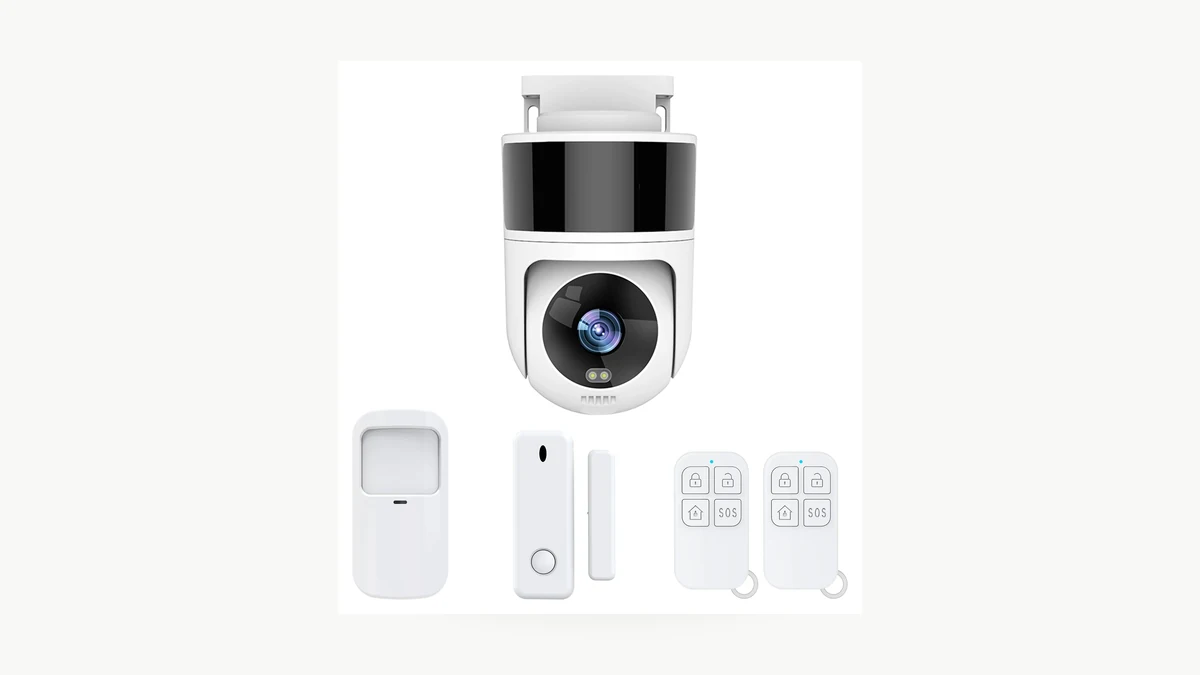
Echtes Produktfoto der QZT C40. Die aktuelle Produktseite führt ONVIF auf; das tatsächliche Verhalten mit NVR bleibt ein Punkt, der anhand eines Musters getestet werden muss.
Beginnen Sie mit einem Muster in einem autorisierten lokalen Netzwerk und dokumentieren Sie:
| Field | Ergebnis |
|---|---|
| QZT SKU | Exakt bestellte SKU |
| Hardware-Revision | Aufzeichnung anhand eines Musters |
| Firmware-Version | Exakte Version dokumentieren |
| App-/Projektversion | Aufzeichnen, falls relevant |
| ONVIF-Option sichtbar | Ja / Nein / Nicht getestet |
| RTSP-Stream | Ja / Nein / Nicht getestet |
| Authentifizierungsmethode | Nur dokumentierte Methode |
| Video preview | Bestanden / Nicht bestanden / Nicht getestet |
| Empfangener Codec / empfangene Auflösung | Beobachteten Wert erfassen |
| Audio | Bestanden / Nicht bestanden / Nicht getestet |
| NVR-Aufzeichnung | Bestanden / Nicht bestanden / Nicht getestet |
| NVR-Wiedergabe | Bestanden / Nicht bestanden / Nicht getestet |
| PTZ | Bestanden / Nicht bestanden / N/A / Nicht getestet |
| Bewegungs-/Ereignis-Metadaten | Bestanden / Nicht bestanden / Nicht getestet |
| Erneute Verbindung nach Neustart der Kamera | Bestanden / Nicht bestanden / Nicht getestet |
| Erneute Verbindung nach Router- / DHCP-Änderung | Bestanden / Nicht bestanden / Nicht getestet |
| NVR-Modell + Firmware | Genaue Version |
| Testdatum | JJJJ-MM-TT |
| Nachweise | Screenshot / Protokoll / Aufnahme-ID |
Füllen Sie eine ungetestete Zelle nicht mit „Ja“ aus, nur weil die Erkennung oder das Live-Video funktioniert hat.
Dieselbe Regel gilt nach einer Firmware-Änderung. Ein für ein Kamera-/NVR-Versionspaar dokumentiertes Ergebnis sollte nicht stillschweigend zu einem dauerhaften Kompatibilitätsversprechen für jede zukünftige Version werden.
Was Sie einem Lieferanten vor Ihrer Bestellung senden sollten
Eine reproduzierbare Anforderung ist nützlicher als die Frage: „Unterstützt diese Tuya-Kamera ONVIF?“
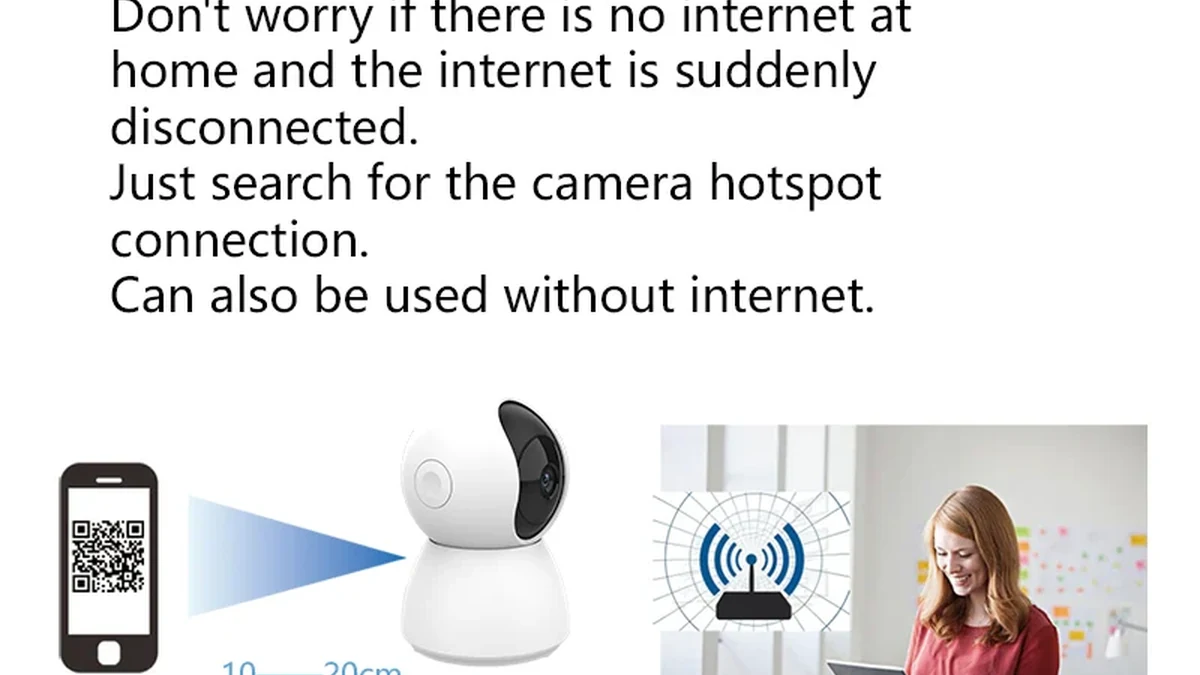
Echtes Verpackungsbild des QZT C23B. Bestätigen Sie die exakt gelieferte Hardware und Firmware für das Muster, bevor Sie ein Kompatibilitätsergebnis für eine größere Bestellung verwenden.
Senden Sie dem Lieferanten diese Informationen, bevor das Muster freigegeben wird:
> Wir benötigen die genaue Kamera-SKU für die Verwendung in einem autorisierten lokalen Netzwerk mit [NVR-Modell und Firmware]. Bitte bestätigen Sie die Hardware- und Firmware-Version, ob diese Version ONVIF und/oder RTSP bereitstellt, die dokumentierte Authentifizierungsmethode, den unterstützten Stream-Codec/die Auflösung sowie ob Video, Audio, NVR-Aufzeichnung/Wiedergabe, PTZ und Bewegungs-/Ereignis-Metadaten getestet wurden. Bitte benennen Sie alle Funktionen, die nicht unterstützt werden.
Für ein QZT-Projekt geben Sie außerdem an:
– Zielmarkt;
– exakt benötigte Auflösung/Version;
– ob Tuya Smart / Smart Life weiter funktionieren muss, während der NVR aufzeichnet;
– ob Audio über den NVR-Pfad erforderlich ist;
– ob PTZ-Steuerung vom NVR aus erforderlich ist;
– ob Bewegungs-/Ereignis-Metadaten erforderlich sind oder nur kontinuierliches Video;
– was nach einem Neustart von Kamera, Router oder NVR passieren sollte.
Das gibt der Technik ein klares Testziel statt eines vagen Versprechens „Tuya + NVR“.
Häufig gestellte Fragen
Unterstützen alle Tuya-Kameras ONVIF?
Nein. Die aktuelle C45L-Seite von QZT ist ein direktes Beispiel: Sie listet Tuya Smart / Smart Life auf und gibt ausdrücklich an, dass kein ONVIF unterstützt wird. Auch die eigene Entwicklerdokumentation von Tuya behandelt ONVIF als eine Funktion, die in der IPC-Lösung aktiviert werden muss.
Welche aktuellen QZT-Tuya-Kameras führen ONVIF auf?
Stand 18. September 2026 listen die aktuellen QZT-Produktseiten für C12, C23B, C26 und C40 eine App aus der Tuya-Familie und ONVIF auf. Betrachten Sie dies als öffentliche Spezifikationsangabe. NVR-Live-Ansicht, Aufzeichnung, Wiedergabe, Audio, PTZ, Ereignisse und Wiederherstellung erfordern weiterhin den exakten Kamera-/NVR-Test.
Ist die Integration abgeschlossen, wenn ein NVR die Kamera findet?
Nein. Die Erkennung bestätigt nur einen Teil der Verbindung. Testen Sie den Stream, Codec/Auflösung, Aufzeichnung, Wiedergabe, Audio, PTZ falls erforderlich, Ereignisse falls erforderlich und die Wiederherstellung nach einem Neustart.
Ist „unterstützt ONVIF“ dasselbe wie „ONVIF-konform“?
Nein. Die offizielle Konformität muss mit dem Produkt und der Firmware-/Softwareversion in der ONVIF-Datenbank für konforme Produkte übereinstimmen.
Sollte ich eine Standard-RTSP-URL oder ein Passwort verwenden, das ich online finde?
Nein. Verwenden Sie nur die Einstellungen, die für die genaue Kamera und Firmware dokumentiert sind oder durch deren autorisierten Konfigurationsprozess generiert wurden. Verschiedene Tuya-basierte Produkte können unterschiedliche Implementierungen verwenden.
Können die Tuya-App und der NVR gleichzeitig betrieben werden?
Sie können dies möglicherweise, doch Verbindungsgrenzen und Implementierungsdetails können eine Rolle spielen. In der Tuya-Dokumentation wird darauf hingewiesen, dass die maximale Anzahl von ONVIF/RTSP-Verbindungen erreicht werden kann. Testen Sie die exakte Kombination aus App-Ansicht und NVR-Aufzeichnung, die das Projekt erfordert.
Die praktische Regel ist einfach: Verwenden Sie die aktuelle Spezifikation, um ein Muster auszuwählen, und nutzen Sie dann die exakte Kamera, Firmware und NVR, um die Kompatibilitätsaussage zu erstellen. “Tuya” is an ecosystem label. “ONVIF listed” is a specification. A completed compatibility matrix is evidence.

 English
  Italiano
  Deutsch
  Français
  Español
  Polski