
Z10 Caméra Horloge WiFi : Guide d'Achat Complet pour les Distributeurs en 2026
Un client à la Barbade a déballé sa caméra-horloge Z10, l'a branchée et a constaté qu'elle ne se chargeait pas. Il a essayé plusieurs câbles USB. Il a essayé différents adaptateurs secteur. Rien. Il a demandé à la retourner et à convertir le remboursement en crédit pour des caméras-stylos W8. Le fournisseur a accepté — mais le coût de la confiance était plus élevé que le coût de la transaction.
Un client en Roumanie possédait un Z10 qui fonctionnait parfaitement pendant des mois. Puis son téléphone Android a reçu une mise à jour du système d'exploitation, et l'application compagnon a cessé de se lancer. L'application n'avait pas été mise à jour pour prendre en charge la nouvelle version d'Android. Il se retrouvait désormais avec un appareil photo parfaitement fonctionnel qu'il ne pouvait ni configurer ni utiliser.
Un client aux États-Unis a dit à un fournisseur que la Z10 était plus chère que les horloges-caméras concurrentes sur Amazon — et le fournisseur a dû expliquer, sans recourir à « on en a pour son argent », pourquoi la différence de prix était justifiée.
La Z10 WiFi Clock Camera est la caméra cachée alimentée sur secteur la plus populaire du catalogue QZT. C'est également le produit qui génère les questions après-vente les plus nuancées, car une caméra-horloge n'est pas un achat unique — elle est installée en permanence, fonctionne 24 heures sur 24 et dépend d'une application qui doit rester compatible avec deux systèmes d'exploitation mobiles qui se mettent à jour automatiquement.
Qu'est-ce que la Z10 WiFi Clock Camera exactement ?
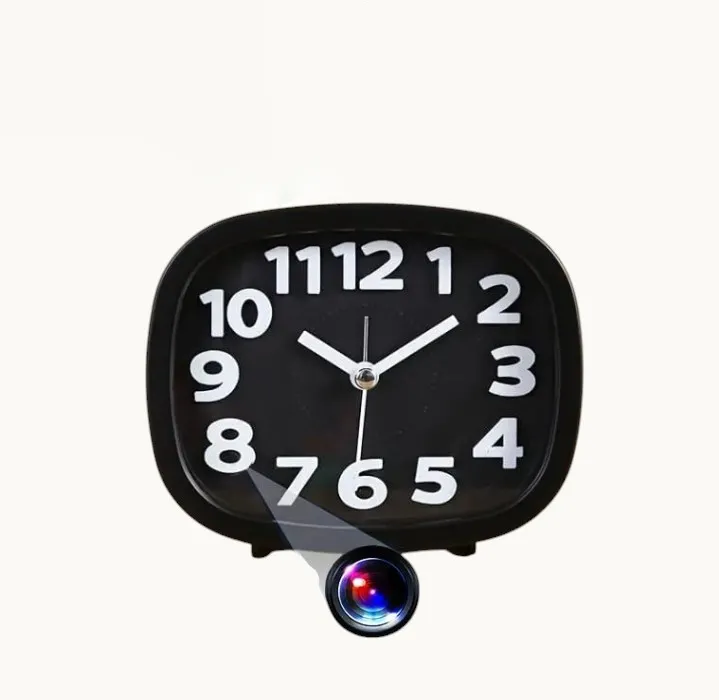
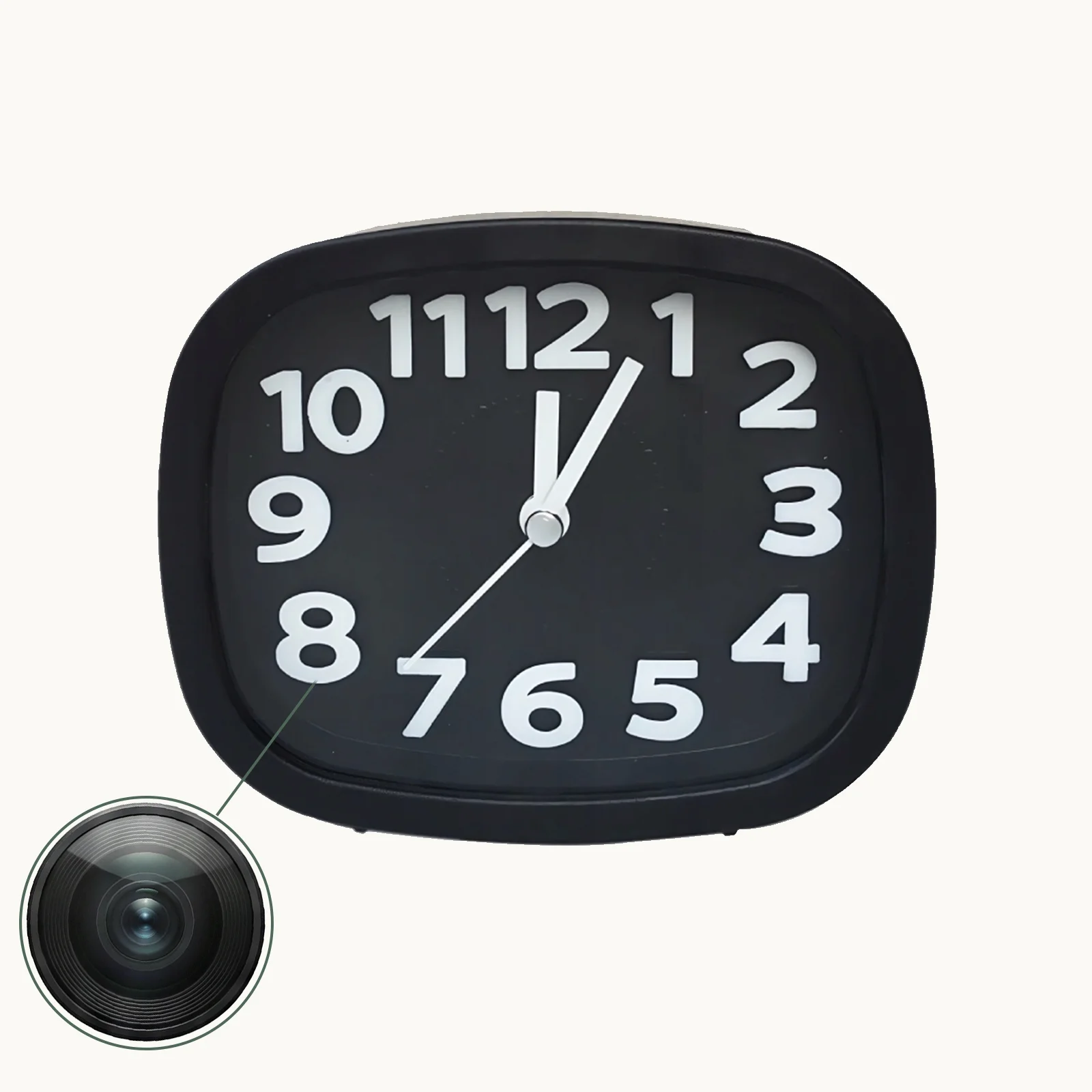
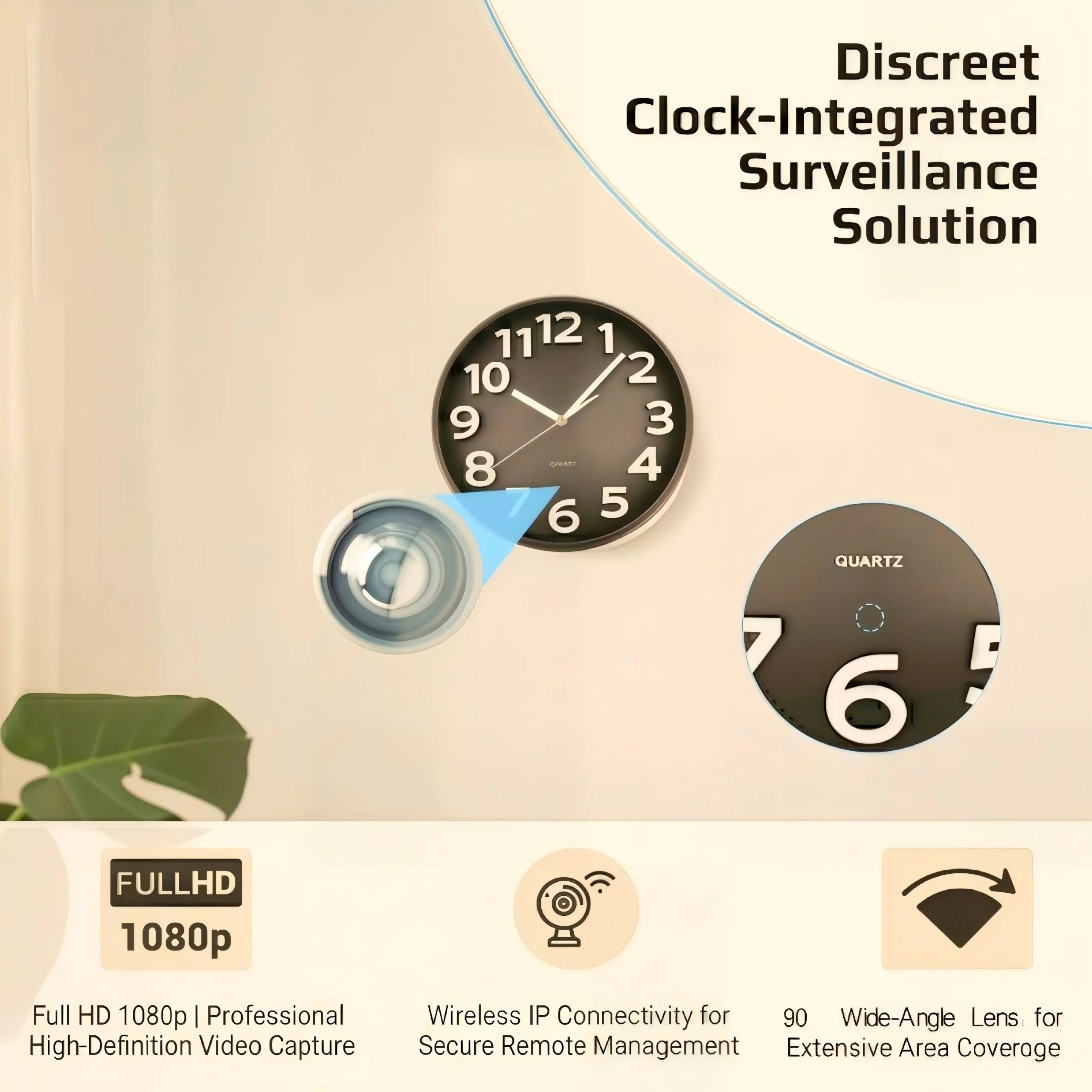
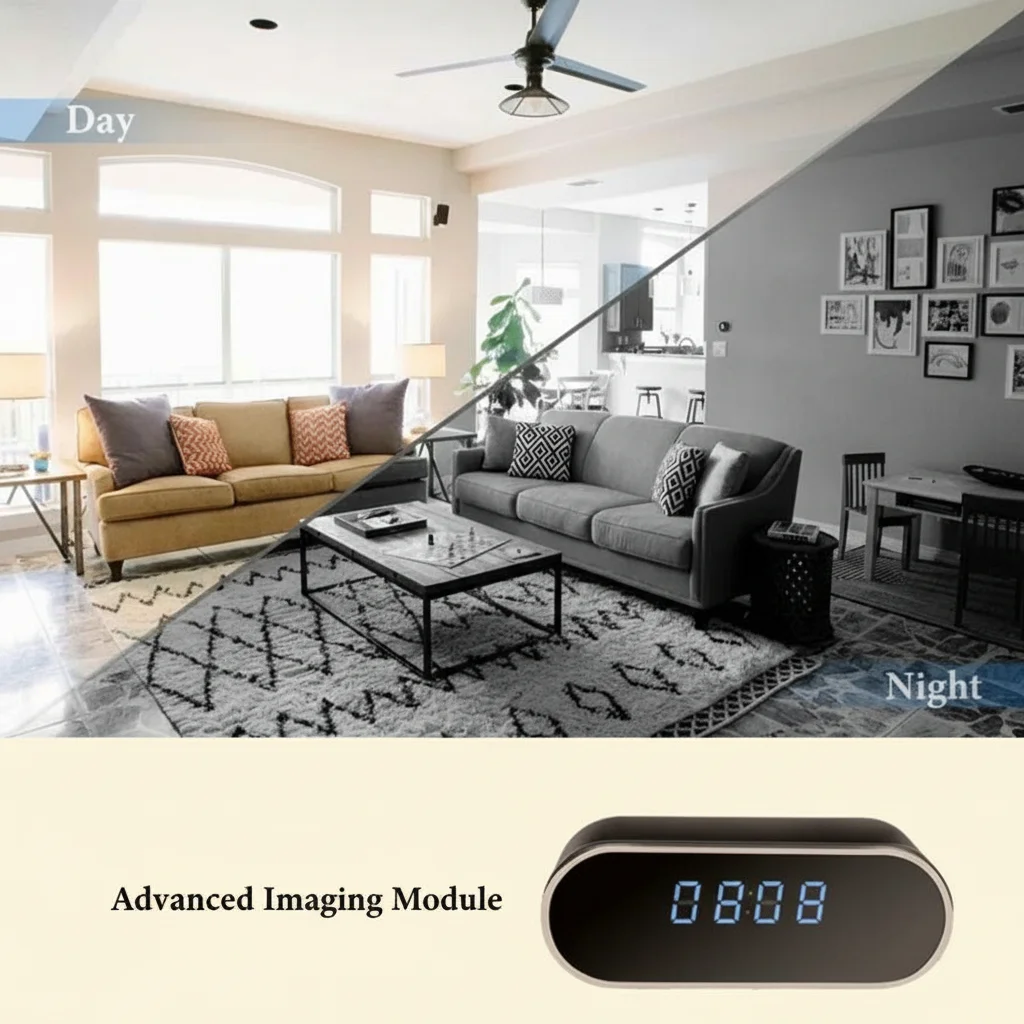
Le Z10 est un réveil numérique LED entièrement fonctionnel qui contient une caméra WiFi 1080p derrière son panneau d'affichage avant. Le cadran de l'horloge est une surface à finition miroir — lorsque les chiffres LED sont allumés, l'objectif de la caméra est invisible pour toute personne se trouvant à plus de 30 centimètres. La caméra capture des vidéos en 1080p à 30 images par seconde, prend en charge la détection de mouvement avec notifications push, et enregistre en continu tant qu'elle est branchée sur un adaptateur secteur USB standard.
Il est conçu comme un installation permanente Appareil : placez-le sur une table de chevet, une étagère du salon ou un bureau, branchez-le, associez-le à l'application compagnon via WiFi 2,4 GHz, et il surveille la pièce indéfiniment. Son format est indiscernable des réveils ordinaires vendus dans les magasins d'électronique à travers l'Europe.
Spécifications clés pour les distributeurs :
– Vidéo: 1080p à 30 ips, encodage H.264
– Audio: Oui, microphone intégré
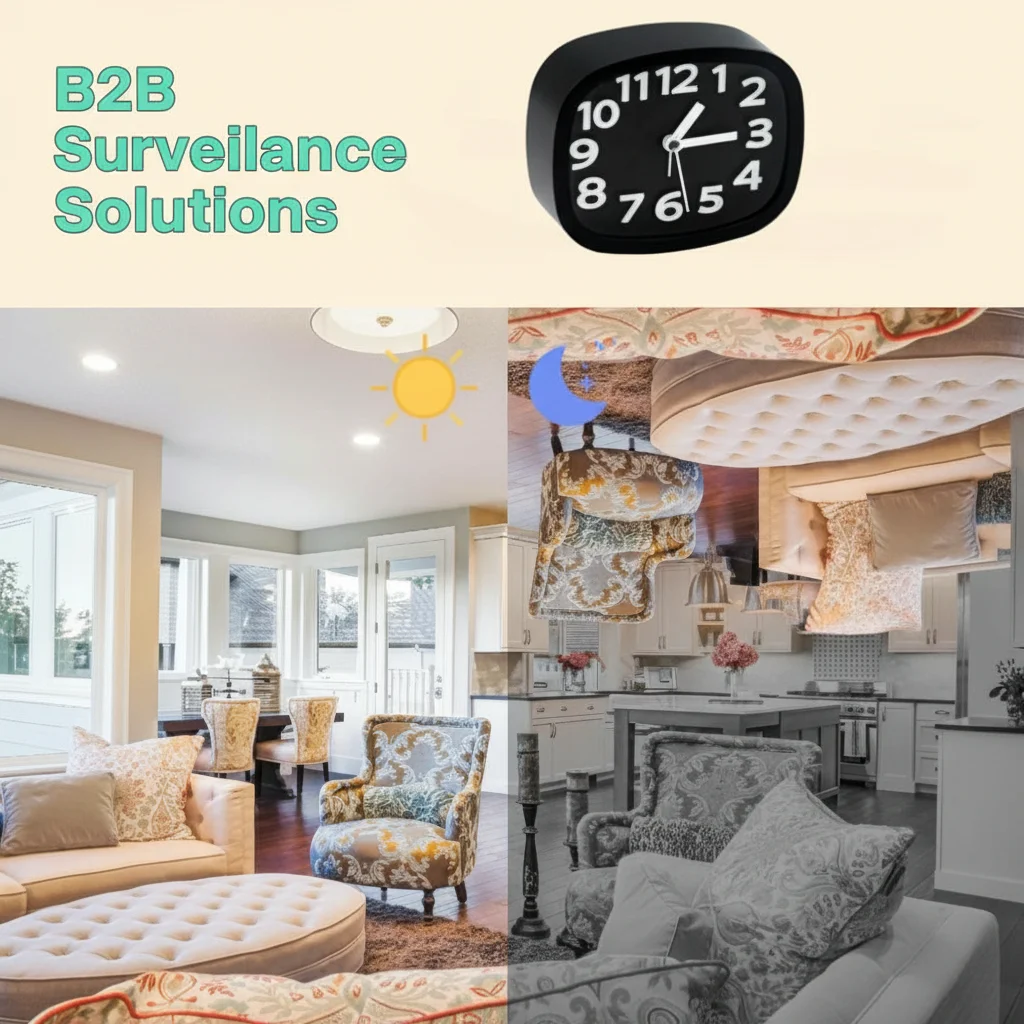
– Vision nocturne: LEDs infrarouges, commutation automatique en faible luminosité
– Stockage: carte microSD jusqu'à 128 Go (enregistrement en boucle activé par défaut)
– Pouvoir: Alimenté par USB (adaptateur secteur inclus), pas de batterie interne
– ApplicationTuya Smart / Smart Life (modèles actuels), auparavant une application propriétaire sur les anciens appareils
– Wi-Fi2.4GHz uniquement (le 5GHz n'est pas pris en charge — c'est une question courante avant l'achat)
Le problème de compatibilité de l'application Android et comment il a été résolu
Le Z10 est sur le marché depuis assez longtemps pour avoir subi une migration d'application. Les anciennes unités Z10 utilisaient une application propriétaire QZT. Les nouvelles unités Z10 sont livrées avec la plateforme Tuya Smart.
Cette migration a créé un véritable problème pour les revendeurs qui avaient vendu des Z10 de stock plus ancien. Lorsqu'Android a publié une mise à jour de version qui a rompu la compatibilité avec l'application propriétaire, les clients qui utilisaient le Z10 sans problème ont soudainement eu des difficultés à accéder à leurs caméras. La réponse de QZT — fournir la version de l'application Tuya en remplacement et expédier de nouvelles unités Z10 compatibles Tuya aux clients concernés — était la bonne solution à long terme, mais l'expérience à court terme pour ces clients a été négative.
La leçon pratique pour les distributeurs : vérifiez toujours la version de la plateforme applicative de tout stock Z10 avant expédition, particulièrement si les unités sont en stock depuis plus de six mois. Le Z10 actuellement en production utilise la plateforme Tuya, ce qui élimine le risque de compatibilité Android car Tuya maintient l'application de manière indépendante et la met à jour pour chaque version majeure du système d'exploitation.
Si vous recevez une réclamation d'un client concernant une application Android ne fonctionnant pas sur un Z10, la première question de diagnostic est : « Quelle version de l'appareil photo utilise-t-elle — Tuya ou propriétaire ? » Si la réponse est propriétaire, l'unité doit être remplacée par un modèle compatible Tuya.
Problèmes de charge : causes et prévention
Le Z10 se charge via un port micro-USB ou USB-C standard (selon le lot de production). Le problème de charge signalé par de nombreux clients — l'appareil photo ne s'allume pas, la LED ne s'illumine pas, aucune réponse à aucune source d'alimentation — a deux causes principales au niveau matériel :
Joints de soudure du port USB desserrés. Le port USB du Z10 est monté en surface sur la carte PCB. Les unités qui subissent des manipulations brutales lors de l'expédition — en particulier le fret international où les cartons sont empilés, tombent et vibrent pendant des jours — peuvent développer des microfissures dans les joints de soudure connectant le port USB à la carte. Le port semble intact de l'extérieur mais n'établit pas un contact électrique fiable.
2. Incompatibilité de l'adaptateur secteur. Le Z10 nécessite un adaptateur secteur USB 5V/1A ou 5V/2A. Certains adaptateurs de charge rapide (Qualcomm Quick Charge, USB-PD) tentent de négocier des tensions plus élevées avec l'appareil connecté. Le Z10 ne prend pas en charge les protocoles de négociation de charge rapide et peut refuser de s'allumer lorsqu'il est connecté à ces adaptateurs, donnant l'impression d'être défectueux alors qu'il est simplement incompatible avec le chargeur.
Le contrôle qualité au niveau du distributeur avant expédition : connecter chaque unité Z10 à un adaptateur USB standard 5V/1A (pas un chargeur rapide), vérifier que l'affichage de l'horloge s'allume dans les 15 secondes, et la laisser sous tension pendant 10 minutes pour confirmer un fonctionnement stable. Cela permet de détecter la grande majorité des défauts liés à la charge avant que l'unité n'arrive chez le client final.
Objections de prix : ce que facturent les concurrents et pourquoi le Z10 coûte plus cher
Le Z10 est systématiquement plus cher que les caméras horloges génériques répertoriées sur Amazon, AliExpress et Temu. Un acheteur américain a explicitement questionné la prime de prix. Un acheteur nigérian a hésité face au devis pour la variante Z10 « Emperor Clock ».
La différence de prix est réelle — et défendable — pour trois raisons :
L'intégration de la plateforme Tuya. Les caméras horloges génériques utilisent des applications propriétaires avec un support linguistique limité, aucune infrastructure cloud et aucune mise à jour automatique du firmware. La version Tuya du Z10 se connecte à une plateforme IoT maintenue par une société cotée en bourse avec une présence permanente dans les magasins d'applications et des centres de données européens conformes au RGPD. Cette infrastructure a un coût, et cela se reflète dans le prix unitaire.
2. L'affichage à finition miroir et la dissimulation de l'objectif. De nombreux appareils photo d'horloge à petit budget ont des ouvertures d'objectif visibles – un petit cercle sombre sur le cadran – qui peuvent être repérées par une personne se tenant près de l'appareil. L'écran à finition miroir du Z10 utilise un revêtement réfléchissant unidirectionnel qui coûte plus cher à fabriquer mais rend l'objectif essentiellement invisible à plus de 30 centimètres.
3. Essais en usine et certification CE. Le Z10 est livré avec une documentation de certification CE préparée à l'avance. Les concurrents bon marché manquent souvent de marquage CE ou utilisent des certificats falsifiés — un risque que les distributeurs de l'UE ne peuvent pas se permettre de prendre.
Pour les distributeurs qui mènent la conversation sur les prix avec des acheteurs sensibles au coût, le cadrage le plus efficace n’est pas « notre qualité est meilleure » — tous les fournisseurs disent cela — mais « notre dossier de conformité est complet, notre application fonctionnera encore après la prochaine mise à jour Android, et l’objectif est réellement invisible. Voici une photo d’une caméra d’horloge bon marché avec l’objectif visible. Voici la Z10. »
Point clé : Le Z10 est un produit à installation permanente — vendez-le comme tel.
Le Z10 n'est pas un gadget espion portable. Il est conçu pour rester à un seul endroit, branché, pendant des mois ou des années sans intervention. Les clients les plus satisfaits sont ceux qui le déploient comme un dispositif de sécurité permanent — caméra cachée, moniteur de salon, dispositif de sécurité de bureau — et qui considèrent l'application comme un moyen d'accès secondaire plutôt que comme le mode d'interaction principal avec la caméra au quotidien.
Les clients qui rencontrent des problèmes sont ceux qui le traitent comme un gadget grand public — le débrancher fréquemment, essayer de l'utiliser sur batterie (il n'en a pas), s'attendre à ce qu'il se connecte au WiFi 5 GHz (il ne le peut pas), ou se reposer sur l'application comme unique interface d'utilisation quotidienne (l'application fonctionne de manière fiable pour des vérifications et configurations ponctuelles, pas pour un streaming en direct continu en remplacement d'un moniteur).
Pour les distributeurs, la recommandation à transmettre aux clients finaux est simple et éprouvée :
1. Placez le Z10 là où il restera en permanence — le déplacer risque la fatigue de la soudure du port USB.
2. Utilisez l'adaptateur 5V inclus, pas un chargeur rapide tiers.
3. Vérifiez que la plateforme de l'application est Tuya avant de vendre — cela élimine le problème d'incompatibilité Android.
4. Configurez la caméra pour enregistrer sur détection de mouvement sur la carte SD. Utilisez l'application pour des vérifications périodiques, pas comme un moniteur vidéo 24/7.
5. Formatez la carte SD dans l'appareil photo une fois après la configuration initiale. Ne la formatez pas sur un ordinateur et ne la réinsérez pas.
Ces cinq points de guidance préviendraient environ 80% des problèmes après-vente qui atteignent les bureaux de support des distributeurs.
Questions fréquemment posées
Le Z10 dispose-t-il d'une batterie de secours ?
Non. Le Z10 nécessite une alimentation secteur continue via son adaptateur USB. Si l'alimentation est coupée, la caméra cesse d'enregistrer et l'affichage de l'horloge s'éteint. Pour les déploiements où la continuité de l'alimentation est critique, envisagez de connecter le Z10 à un petit onduleur (alimentation sans interruption).
Puis-je connecter le Z10 à un réseau WiFi 5 GHz ?
Non. Le Z10 ne prend en charge que le WiFi 2,4 GHz (802.11 b/g/n). C'est standard pour les caméras IoT — le 2,4 GHz offre une meilleure portée à travers les murs — mais cela signifie que le Z10 ne peut pas se connecter aux réseaux WiFi qui diffusent uniquement sur la bande 5 GHz.
L'affichage de l'horloge est-il visible dans une pièce sombre ?
Oui. Les chiffres LED sont réglables en luminosité et peuvent être atténués à un niveau très bas, visible de près mais pas assez lumineux pour perturber le sommeil. Les LED infrarouges de vision nocturne sont séparées de l'affichage de l'horloge et s'activent automatiquement lorsque la lumière ambiante descend en dessous d'un seuil.
La caméra du Z10 peut-elle être détectée par les détecteurs de caméras espionnes ?
Comme toute caméra avec un objectif, l'objectif du Z10 réfléchit la lumière et peut être détecté par les détecteurs de caméra laser. L'affichage miroir rend la détection visuelle beaucoup plus difficile — la réflexion de l'objectif se trouve derrière le revêtement miroir unidirectionnel — mais il n'est pas totalement immunisé contre la détection par un équipement dédié.
Combien de temps dure l'enregistrement sur la carte microSD avant que l'enregistrement en boucle ne l'écrase ?
En 1080p/30 ips, une carte de 32 Go contient environ 6–8 heures ; une carte de 64 Go contient 12–16 heures ; une carte de 128 Go contient 24–32 heures. En mode détection de mouvement, ces durées sont approximativement triplées à quintuplées selon la fréquence de détection de mouvement. Pour un déploiement en tant que caméra de surveillance dans une pièce modérément active, une carte de 64 Go fournit généralement 3–5 jours de séquences détectées par mouvement avant que l'enregistrement en boucle ne commence à écraser.
Quelle est la portée WiFi réelle du Z10 ?
Dans un espace intérieur ouvert avec un routeur standard 2,4 GHz, le Z10 maintient une connexion fiable jusqu'à 20–25 mètres. À travers deux murs intérieurs, la portée diminue généralement à 10–15 mètres. L'antenne WiFi de la caméra est intégrée à la carte PCB et est optimisée pour la stabilité plutôt que pour une portée extrême.
Pour les tarifs de gros sur la Caméra Horloge WiFi Z10 et la documentation technique pour votre canal de distribution, contacter QZT Sécurité. Des échantillons sont disponibles pour les distributeurs qui doivent vérifier la compatibilité de l'application et l'intégration de la plateforme Tuya avant de commander.

 English
  Italiano
  Deutsch
  Français
  Español
  Polski