
How to Maintain Your Hidden Camera for Long-Term Performance
Une caméra cachée qui fonctionne parfaitement dès la sortie de la boîte peut se dégrader progressivement sans entretien approprié.
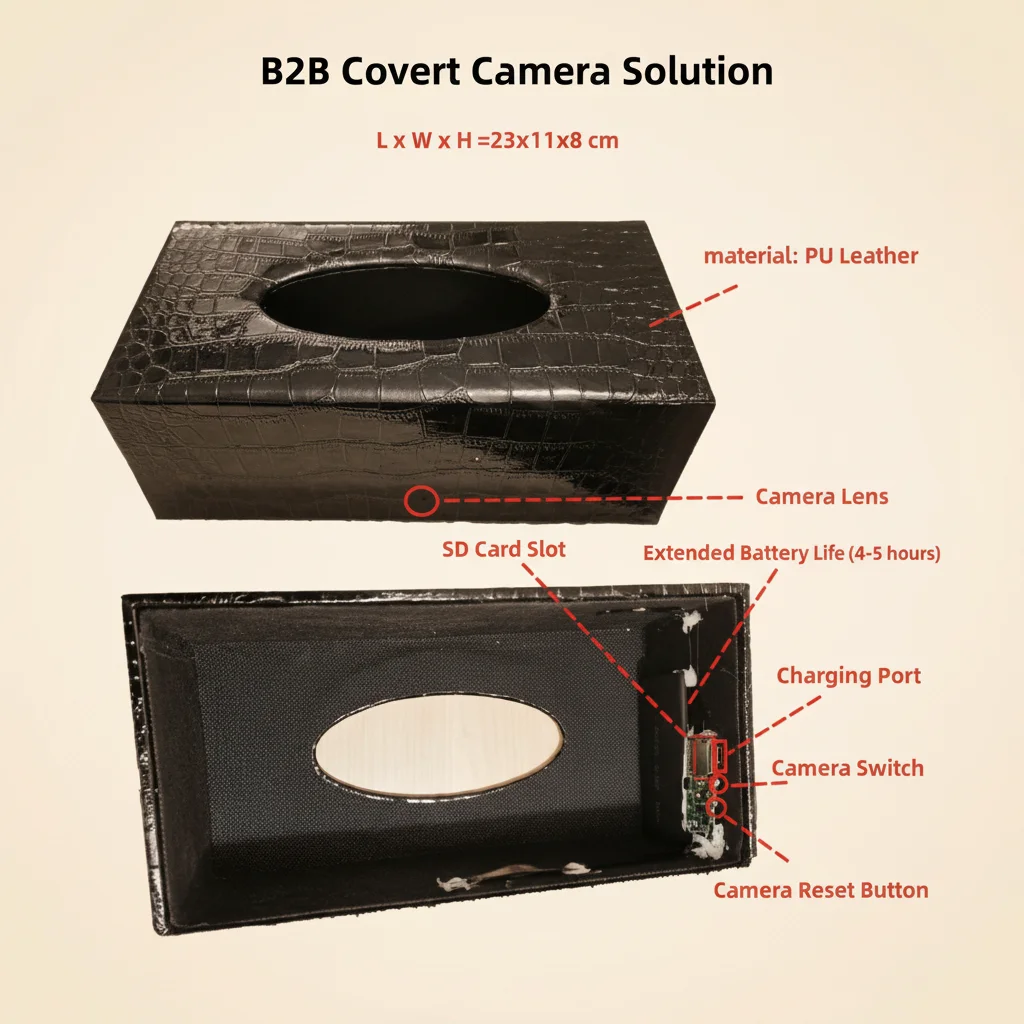
La corruption de carte SD, la dégradation de la batterie, les rayures sur l'objectif et les problèmes de connectivité WiFi sont tous évitables grâce à un entretien de base. Ce guide couvre tout ce que les distributeurs et les utilisateurs finaux doivent savoir pour que leurs caméras espionnes—caméras stylo, caméras horloge, caméras détecteur de fumée, caméras power bank et caméras lunettes—fonctionnent de manière fiable pendant des années.
Pourquoi l’entretien régulier est important
Les caméras cachées sont généralement installées et oubliées : fixées derrière une horloge murale, dissimulées dans un détecteur de fumée ou transportées dans un sac. Contrairement aux smartphones, elles reçoivent rarement l'attention qui permettrait de détecter les problèmes à temps. Une caméra qui enregistre pendant 12 mois sans inspection peut avoir une carte SD dégradée, une batterie gonflée par une charge constante ou un objectif obscurci par la poussière. Au moment où l'utilisateur remarque le problème, des images cruciales peuvent déjà être perdues.
Pour les distributeurs, un guide d'entretien simple inclus avec chaque commande—ou référencé dans votre service après-vente—réduit les taux de retour et renforce la confiance des clients dans le produit.
Checklist mensuelle de maintenance
Vérifier l'état de l'enregistrement
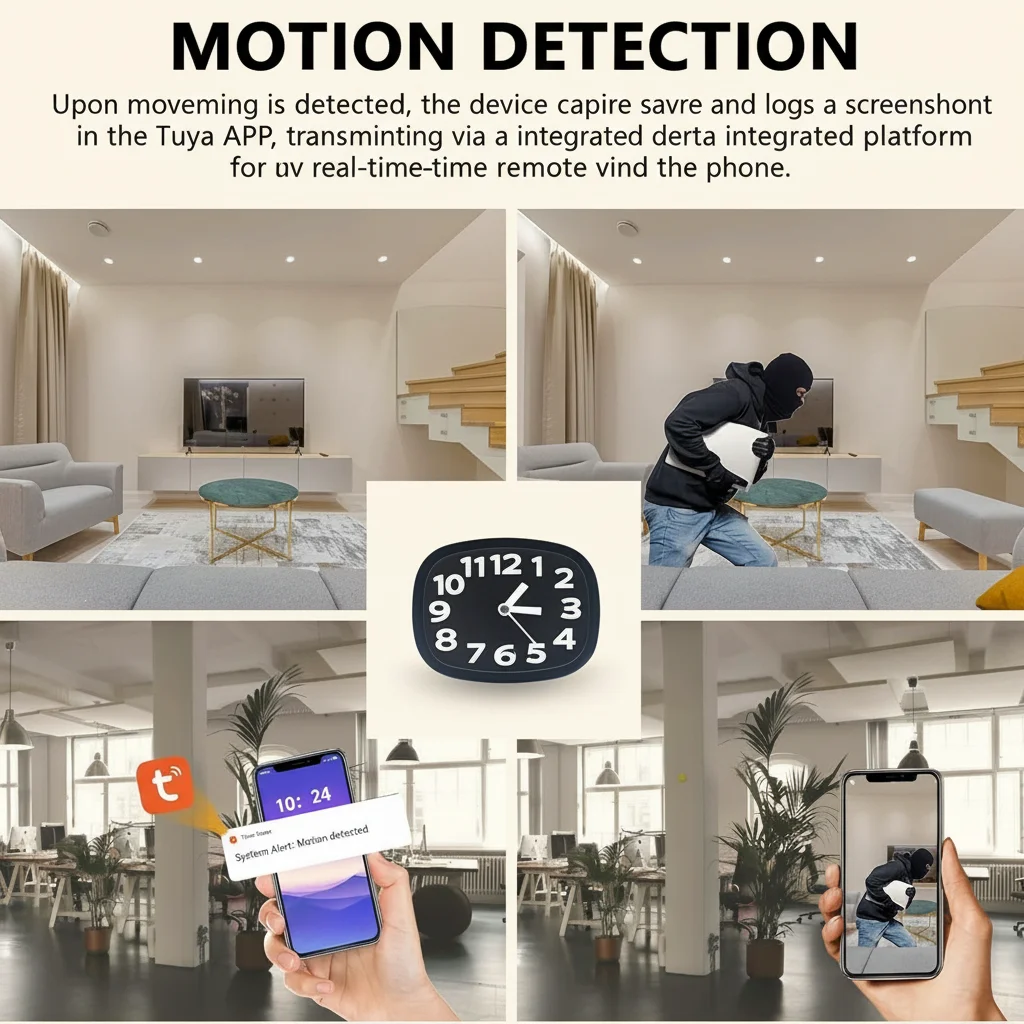
Ouvrez l'application et vérifiez que la caméra enregistre activement. Confirmez que le timestamp de la dernière séquence vidéo est récent. Pour les caméras horloge et les caméras détecteur de fumée fonctionnant en enregistrement en boucle, vérifiez que la carte ne s'est pas remplie ou corrompue. Si le dernier enregistrement date de plus de quelques heures, enquêtez immédiatement.
Vérifier l'état de la carte SD
Lisez un échantillon de séquences récentes. Si la vidéo est saccadée, se fige en cours de lecture ou affiche des artefacts (pixellisation, écrans verts), la carte SD est peut-être défaillante. Sauvegardez immédiatement toute séquence critique et reformatez la carte via le menu de l’appareil photo. Remplacez la carte si les problèmes persistent après le formatage.
Inspecter le périphérique physique
Retirez la caméra de son emplacement et inspectez l'extérieur. Vérifiez :
– Fissures ou déformations du boîtier, en particulier près des ports de charge.
– Décoloration ou gonflement autour de la zone de la batterie (pour les caméras power bank et les caméras stylo)
– Poussière ou traces sur l'objectif, qui réduisent la clarté de l'image
– Pièces ou vis desserrées, ce qui peut indiquer que l'appareil a été trafiqué ou est tombé.
Tester la connectivité WiFi
Vérifiez que la caméra se connecte de manière fiable à l’application. Si l’appairage prend plus de temps que d’habitude ou si l’aperçu en direct affiche une latence accrue, cela peut indiquer un problème émergent avec le module WiFi. Une réinitialisation rapide suivie d’un nouvel appairage résout souvent une dérive de connectivité naissante.
Vérifiez l'alimentation et la charge
Pour les caméras alimentées par batterie (caméras stylo, caméras clé de voiture, caméras power bank), testez la batterie en faisant fonctionner la caméra sur batterie et en chronométrant sa durée de fonctionnement par rapport à celle de l'appareil neuf. La capacité de la batterie se dégrade naturellement avec le temps, mais une chute soudaine de l'autonomie peut indiquer un problème de circuit de charge.
Entretien saisonnier approfondi
Tous les 3–4 mois, effectuez une session de maintenance plus approfondie :
Reformatage complet de la carte SD
Retirez la carte SD et reformatez-la via le menu de l’appareil photo. Cela réinitialise complètement le système de fichiers et empêche la fragmentation progressive du stockage qui provoque des interruptions d’enregistrement. Pour les appareils photo utilisés dans des environnements à forte affluence — magasins de détail, bureaux très fréquentés — faites-le une fois par mois.
Vérification du firmware
Vérifiez l'application pour les mises à jour du firmware. qztsecurity.com publie des mises à jour qui améliorent la stabilité, corrigent des bugs connus et ajoutent occasionnellement de nouvelles fonctionnalités. Avant de mettre à jour, sauvegardez les séquences critiques—le processus de mise à jour ne devrait pas supprimer de données, mais il est de bonne pratique d'être prudent.
Nettoyer l'objectif
Utilisez un chiffon en microfibre pour nettoyer doucement l'objectif. Pour les caméras d'horloge et les caméras de détecteur de fumée montées dans des environnements très poussiéreux, utilisez une bombe d'air comprimé pour souffler la poussière du boîtier de l'objectif avant d'essuyer. Évitez les nettoyants chimiques — de l'eau ou une petite quantité de solution de nettoyage d'objectif suffit.
Inspecter les câbles et les ports
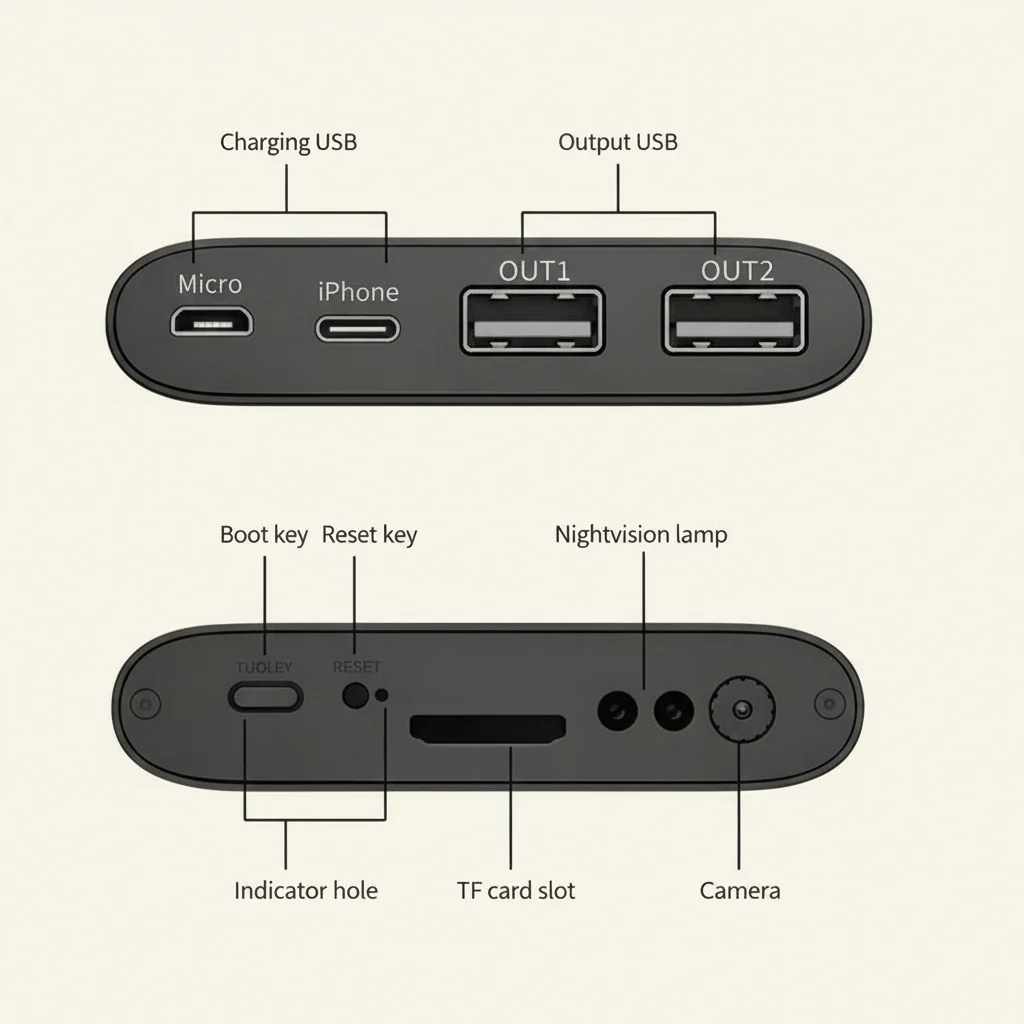
Vérifiez le câble de charge pour détecter des effilochures, surtout près des connecteurs. Remplacez les câbles qui présentent des signes d'usure. Inspectez les ports USB de l'appareil photo pour une accumulation de peluches ou de la corrosion. Utilisez un coton-tige sec pour nettoyer délicatement les débris des ports.
Test des sources d'alimentation de secours
Si votre caméra dispose d'une batterie de secours interne (courante dans les caméras horloge et les caméras de détecteur de fumée), testez si elle conserve une charge en débranchant l'appareil pendant une heure et en vérifiant qu'il continue d'enregistrer.
Bonnes pratiques de stockage et de manutention
Lorsqu'il n'est pas utilisé
Si un appareil photo doit être stocké pendant plus d'un mois, retirez la carte SD et conservez-la séparément. Chargez complètement la batterie avant le stockage—laisser une batterie au lithium complètement déchargée pendant des mois accélère sa dégradation. Rangez l'appareil dans un endroit frais et sec, à l'abri de la lumière directe du soleil.
Pour les lunettes caméras

Manipulez les lunettes-caméra avec précaution. Le verre de la monture est un verre de précision qui se raye facilement. Rangez-les dans l'étui rigide fourni lorsqu'elles ne sont pas utilisées. Nettoyez le verre uniquement avec le chiffon en microfibre inclus — les essuie-tout et les vêtements peuvent rayer le revêtement.
Pour caméras stylo
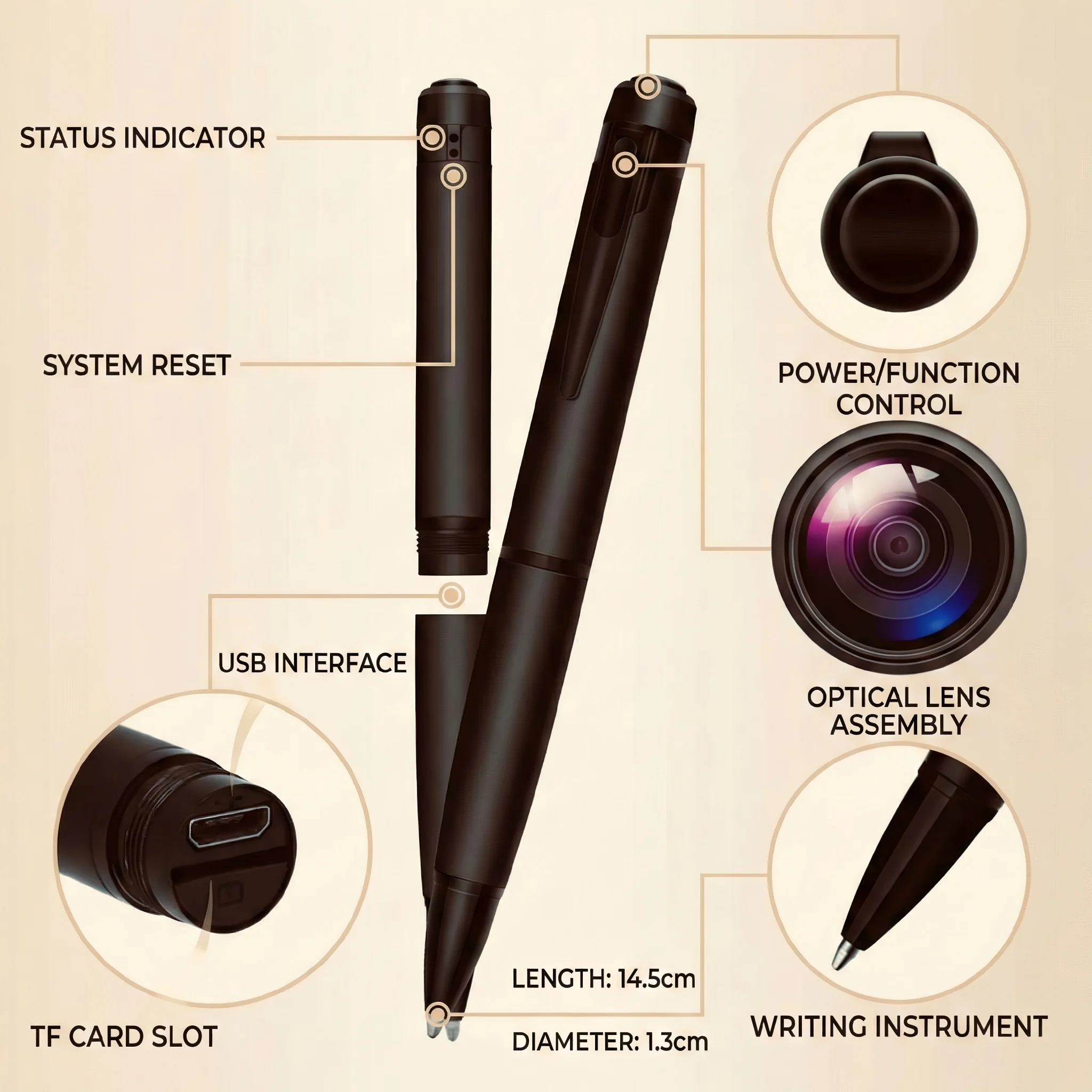
Évitez de garder une caméra-stylo dans une poche avec des clés ou des objets métalliques. L'objectif et les composants internes du stylo peuvent être endommagés par un choc. Transportez-le dans une poche dédiée ou dans la pochette fournie.
Guide de maintenance du distributeur : ce qu'il faut partager avec vos clients
Lors de la vente de ces caméras, incluez une checklist d'entretien d'une page dans l'emballage ou orientez les clients vers ce guide. Les causes les plus courantes de panne de caméra — problèmes de carte SD, dégradation de la batterie, erreurs de configuration WiFi — sont toutes évitables avec des soins de base.
Conservez un historique de maintenance pour chaque caméra que vous déployez pour vos clients. Cela est particulièrement utile pour les installateurs de sécurité qui gèrent plusieurs sites clients. Un simple tableur indiquant le modèle, la date d'installation, la date de la dernière maintenance et la date de remplacement de la carte SD permet d'éviter les surprises.
FAQ
À quelle fréquence dois-je remplacer la carte SD ?
Pour les caméras en enregistrement en boucle continue, remplacez la carte SD tous les 12 à 18 mois. Pour les caméras utilisées occasionnellement avec détection de mouvement, une carte peut durer 2 à 3 ans. Remplacez-la immédiatement si le reformatage ne résout pas les échecs d'enregistrement.
Puis-je utiliser l'appareil photo pendant qu'il se charge ?
Oui, la plupart des caméras-stylos et des caméras-batteries externes prennent en charge la charge en transit—utiliser l'appareil pendant qu'il se charge. Cependant, cela génère une chaleur supplémentaire, ce qui accélère l'usure de la batterie avec le temps. Pour la santé à long terme de la batterie, chargez complètement l'appareil avant des sessions d'utilisation prolongées.
Mon objectif d'appareil photo a de la condensation à l'intérieur. Que dois-je faire ?
Cela indique qu’un joint a été compromis. La condensation à l’intérieur du boîtier de l’objectif peut endommager les composants électroniques. Cessez immédiatement d’utiliser l’appareil et contactez qztsecurity.com pour une demande de garantie si l’appareil est encore sous garantie. Pour les appareils hors garantie, cela nécessite généralement une réparation en usine.
Est-il normal que le boîtier de l'appareil photo chauffe pendant la charge ?
Une légère chaleur est normale. Si l'appareil devient chaud au toucher, débranchez-le immédiatement de l'alimentation et cessez de l'utiliser — cela indique une anomalie de la batterie ou du circuit de charge qui présente un risque de sécurité.
Comment savoir si la batterie doit être remplacée ?
Si la caméra fonctionne nettement moins longtemps sur une charge complète que lorsqu'elle était neuve, la batterie se dégrade. Pour les batteries non remplaçables (la plupart des caméras cachées ont des batteries internes scellées), le remplacement de la batterie nécessite un service en usine. Contactez qztsecurity.com pour les options de réparation.

 English
  Italiano
  Deutsch
  Français
  Español
  Polski