
Wie man eine Spionagekamera baut: Vollständiger DIY-Bauleitfaden
Sie können eine funktionsfähige Spionagekamera für $20–$60 mit handelsüblichen Modulen bauen — Löterfahrung ist nicht erforderlich, wenn Sie die richtigen Komponenten wählen. Kommerzielle Spionagekameras in dieser Preisklasse verwenden oft identische Hardware unter proprietären Gehäusen. Dieser Leitfaden behandelt jeden praktikablen DIY-Ansatz, von anfängerfreundlichen USB-Webcam-Modifikationen bis hin zu fortgeschrittenen ESP32-CAM-Projekten mit Live-Streaming. B2B-Leser, die für kundenspezifische Gehäuse oder institutionelle Einsätze beschaffen, werden die Modulvergleichstabellen besonders nützlich finden.
> Möchten Sie den Aufbau überspringen? Browse QZT Security’s vorgefertigte verdeckte Kameraserie — alle montiert, CE-zertifiziert und einsatzbereit.
Welche Teile benötigen Sie, um eine Spionagekamera zu bauen?
Es gibt drei Ansätze, jeder mit unterschiedlichen Kosten, erforderlichem Kenntnisstand und Ergebnisqualität. Die falsche Wahl bedeutet verschwendetes Geld und eine nicht funktionierende Kamera.
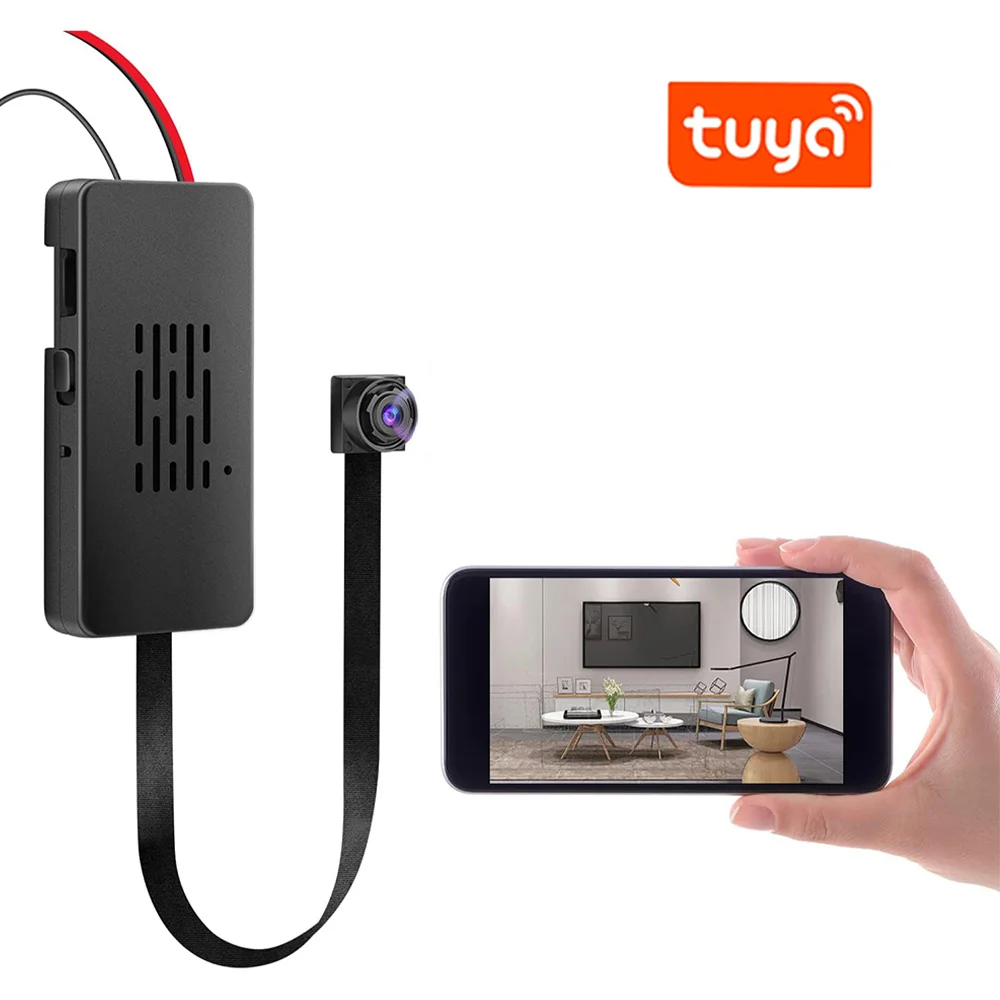
Die modifizierte USB-Webcam ist mit 8–15 $ der günstigste Einstiegspunkt. Sie entfernen das Standardgehäuse, verlegen das Linsenmodul und verdrahten es mit einer externen Stromquelle. Die Hardware liefert 720p–1080p-Video, erfordert jedoch eine manuelle DVR-Integration und bietet standardmäßig kein WLAN. Das ESP32-CAM-Modul kostet 6–12 $ und ist die leistungsfähigste DIY-Plattform — es streamt über WLAN, führt Bewegungs erkennung lokal aus und verursacht nahezu keine Stromkosten. Der Kompromiss ist ein 2–4 mm Weitwinkelobjektiv, das die Platzierungsflexibilität einschränkt, und die Einrichtung erfordert das Laden einer benutzerdefinierten Firmware.
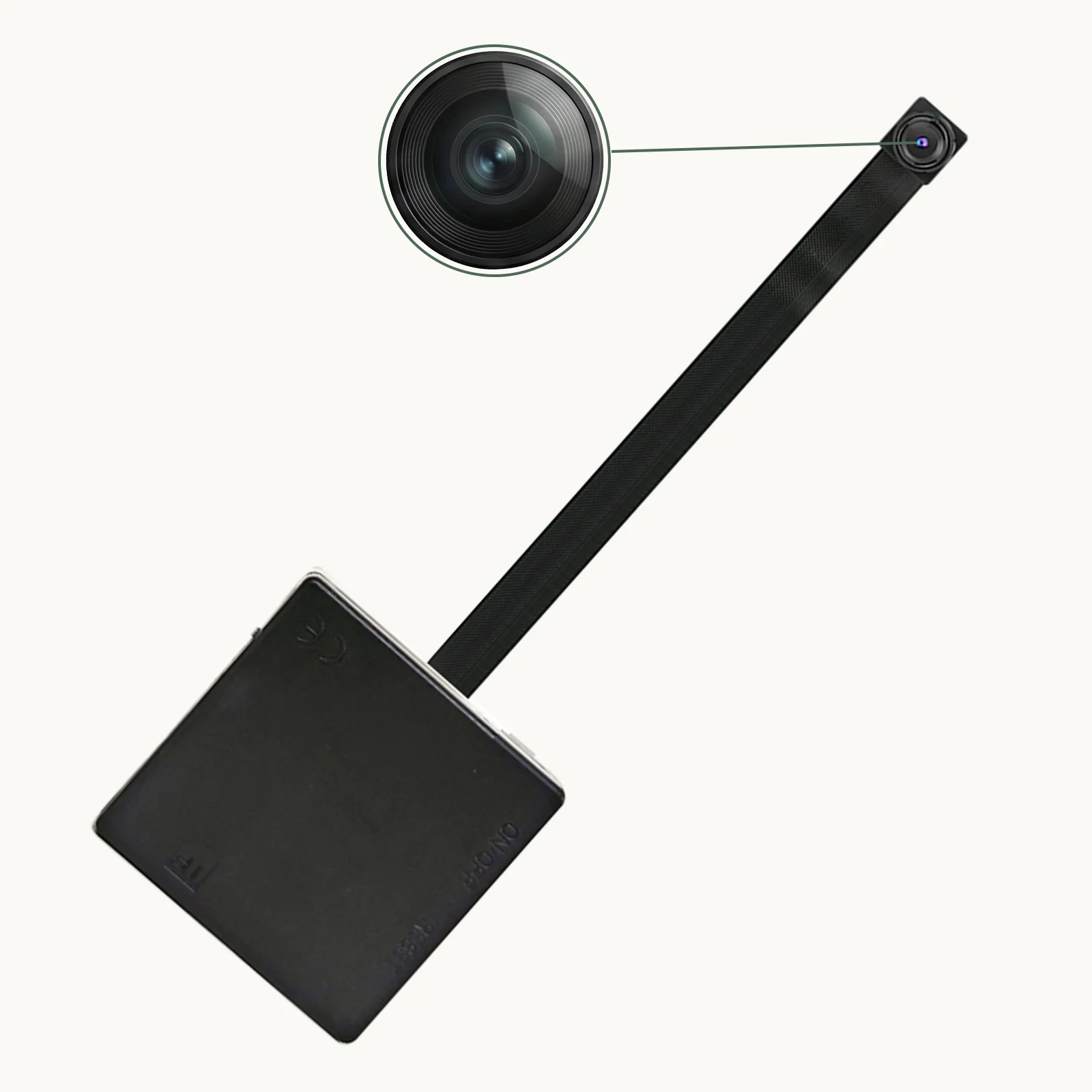
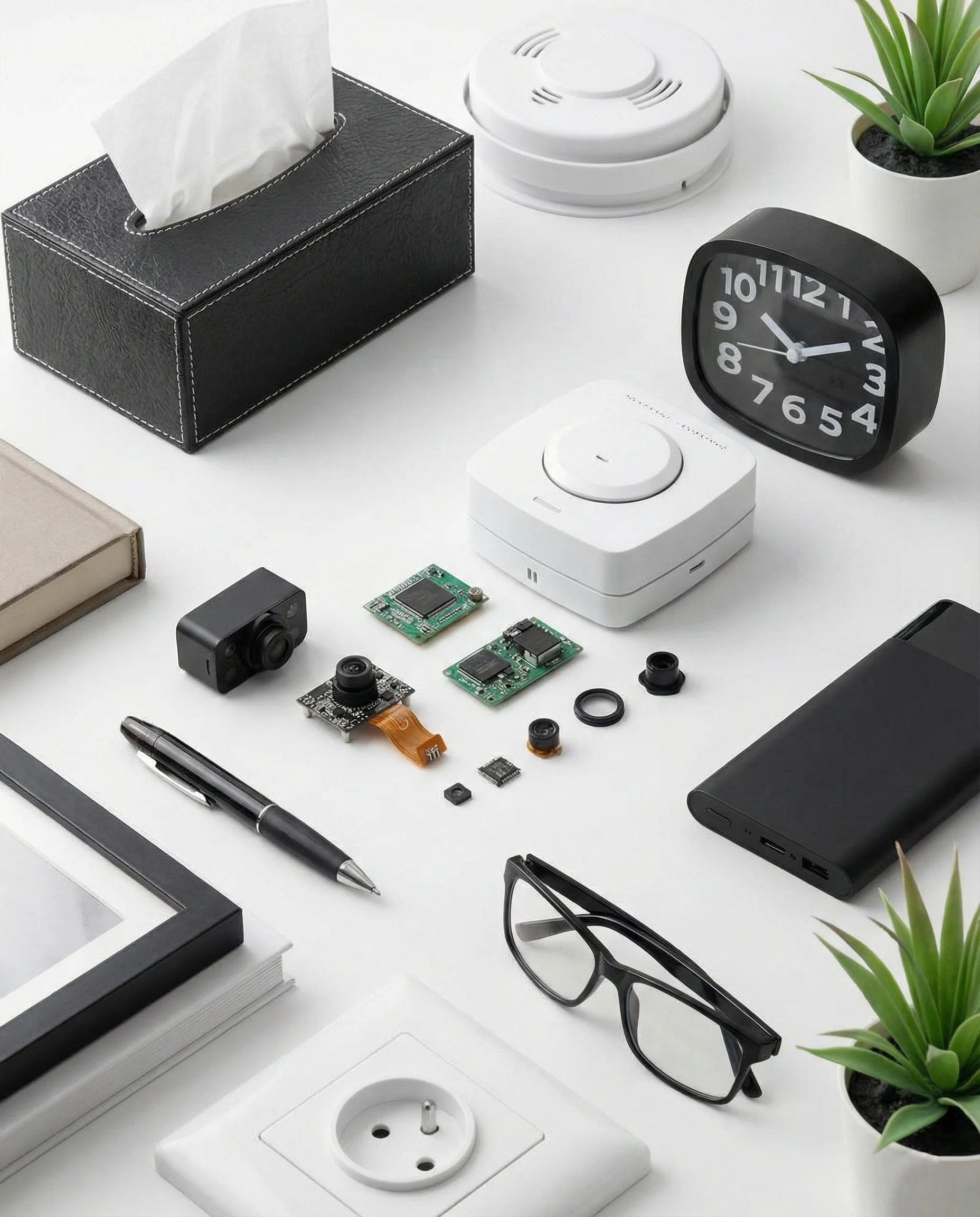
Das Mini-Kameramodul mit dediziertem Board ist der Ansatz, den kommerzielle Spionagekameras verwenden. Es kostet 15–40 $ für das nackte Modul. Anbieter wie QZT liefern genau diese Module — Sony IMX307 BSI-Sensoren auf einem 38×38 mm Board — in fertigen Produkten. Sie erhalten professionelle Bildqualität und eine unkomplizierte Verkabelung an eine 5V-Stromversorgung, aber das Board allein enthält ohne zusätzliche Hardware keine WiFi- oder App-Unterstützung.
| Ansatz | Kosten | Erfahrungsstufe | Videoqualität | WLAN integriert | Am besten geeignet für |
|---|---|---|---|---|---|
| Modifizierte USB-Webcam | $8–15 | Anfänger | 720p–1080p | Nein (USB-WLAN-Adapter hinzufügen) | Einfache lokale Aufnahme |
| ESP32-CAM | $6–12 | Fortgeschritten | 720p–1080p | Ja (nativ) | Remote-Live-Streaming |
| dedizierte Mini-Modulplatine | $15–40 | Fortgeschritten | 1080p–2K | Nein (ESP01S WiFi-Modul hinzufügen) | OEM-/kundenspezifische Gehäusebauten |
| Kommerziell vorgefertigt | $40–120 | Keiner | 1080p–4K | Ja | Einsatzbereite B2B-Beschaffung |
Für die meisten DIY-Zwecke liefert das dedizierte Mini-Modulplatine das beste Verhältnis von Qualität zu Aufwand — besonders, wenn Sie Komponenten für ein kundenspezifisches Gehäuseprojekt beschaffen.
Wie bauen Sie eine Spionkamera mit einem Mini-Modulboard?
Dies ist der gängigste kommerzielle Ansatz. Die Hardware ist identisch mit der in massenproduzierten Spionagekameras — und der Prozess ist einfacher, als die meisten annehmen.
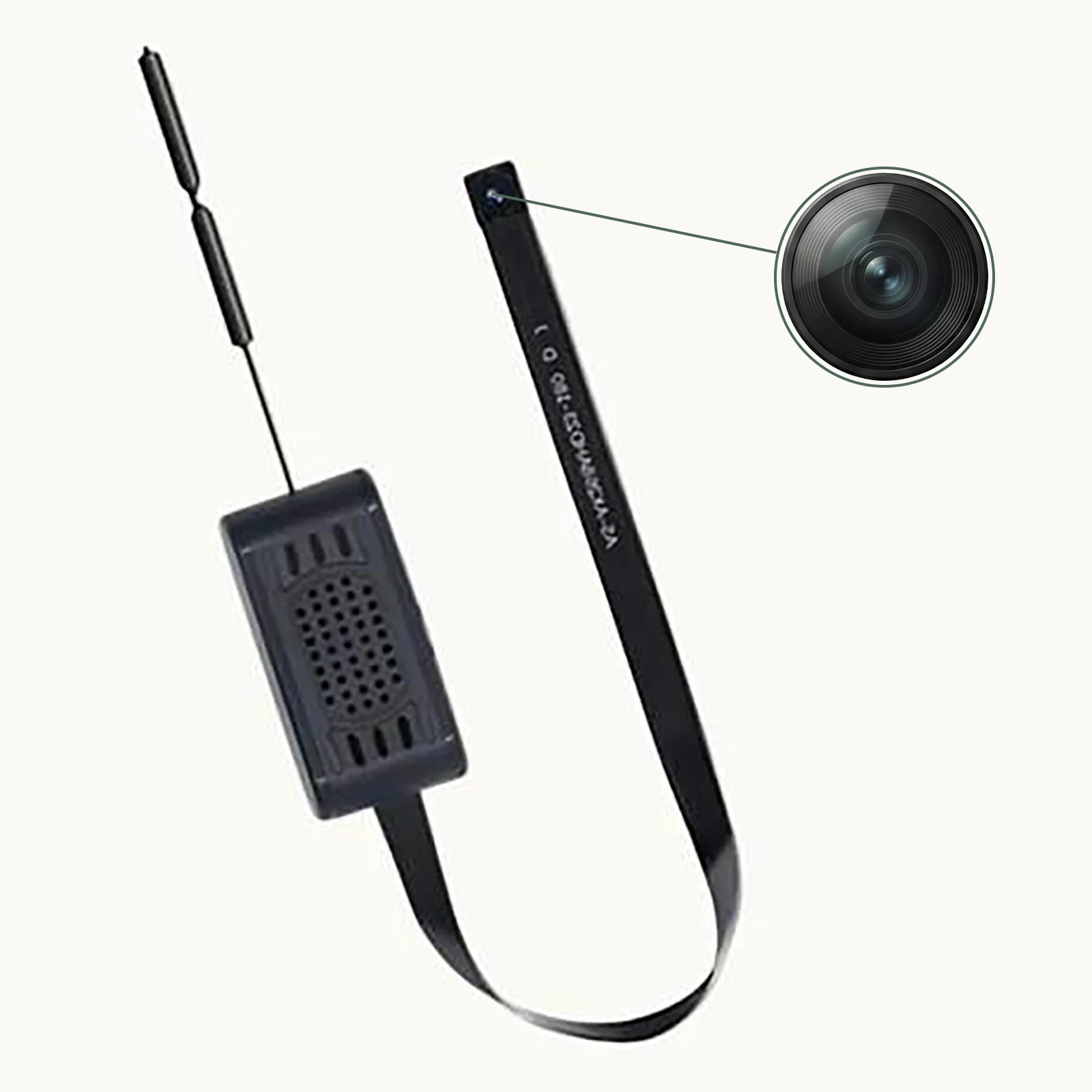
Schritt 1 — Den richtigen Sensor auswählen. Der Sony IMX307 (2MP, 1920×1080, BSI) dominiert aus gutem Grund den Mittelklasse-Markt: Er bewältigt Schwachlichtbedingungen gut und verwendet standardmäßige MIPI-CSI-Pinbelegungen, die die meisten Trägerplatinen akzeptieren. Weitere gängige Optionen sind der GC2063 (Budget, 2MP) und der IMX335 (5MP, bessere Details bei gutem Licht).
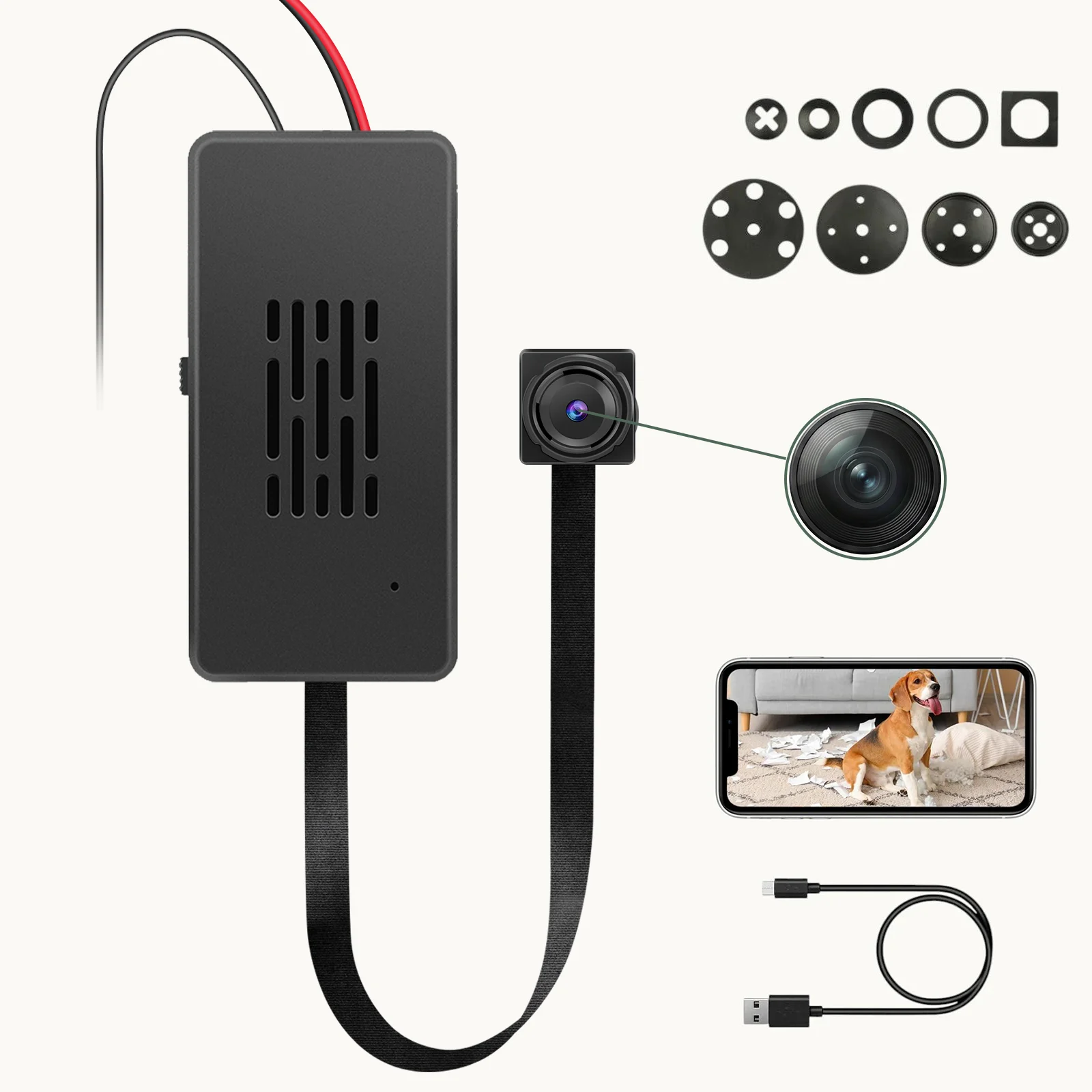
Schritt 2 — Wählen Sie ein Trägerboard. Die Platine empfängt das MIPI-Signal des Moduls und gibt USB, AV oder Netzwerk aus. USB-Platinen sind am vielseitigsten — schließen Sie ein USB-Kabel an, und sie funktioniert wie eine Webcam an jedem Computer. Netzwerkplatinen fügen Ethernet oder WLAN hinzu, erfordern jedoch eine Konfiguration.
Schritt 3 — Schließen Sie die Stromversorgung an. Mini-Kameramodule arbeiten mit 5V DC. Die meisten Platinen akzeptieren 5V über USB-C oder einen 2-Pin-Header. Die Stromaufnahme erreicht während der Aufnahme Spitzenwerte von 300–500mA — ein Standard-Handy-Ladegerät mit 5V/2A ist mehr als ausreichend.
Schritt 4 — Verbindung mit der Aufzeichnungshardware herstellen. Options include:
– USB-Capture-Karte → Computer (kostenlose Software, kontinuierliche Aufnahme)
– Analoger AV-Eingang → DVR (keine Latenz, Hardware-Abhängigkeit)
– WiFi-Board → Smartphone-App (Echtzeitansicht, Fernzugriff)
– ESP01S-Modul → benutzerdefinierte MQTT-Integration (für technische Anwender)
Schritt 5 — Wählen und modifizieren Sie das Gehäuse. Das Gehäuse bestimmt, wie verdeckt die Kamera ist. Gängige Ansätze: Bohren Sie ein 2–3 mm großes Loch in ein beliebiges Objekt (Zifferblatt, Rauchmelder, Bilderrahmen) und montieren Sie das Objektiv bündig am Loch. Das Objektiv muss präzise positioniert werden — selbst 1 mm Versatz erzeugt sichtbare Vignettierung.
> Kritischer Tipp aus der Praxis: Die Objektivbrennweite verändert das effektive Sichtfeld dramatisch. Ein 3,6-mm-Objektiv auf einem 1/2,9″-Sensor ergibt etwa 75° horizontales Sichtfeld – gut für eine Zimmerecke. Ein 1,7-mm-Weitwinkelobjektiv deckt 120° ab, führt aber an den Rändern zu tonnenförmiger Verzerrung. Passen Sie das Objektiv an den Anwendungsfall an, nicht an den Preis.
Wie funktioniert der ESP32-CAM-Ansatz?
Die ESP32-CAM verdient besondere Aufmerksamkeit, da sie die einzige DIY-Option mit integriertem WLAN, Onboard-Speicherunterstützung (microSD) und aktiver Community-Firmware ist – bei etwa $7 pro Board.
Hardware-Einrichtung:
– ESP32-CAM-Board (das AI-Thinker-Modell ist am häufigsten)
– FTDI USB-zu-Seriell-Programmiergerät (3,3V-Logik, ~$3)
– 5V-Stromversorgung (USB oder 5V-Regler)
– Optional: OV2640-Kameramodul (2 MP, bei den meisten Boards enthalten) oder durch eine kleinere Lochkamera-Linse für zusätzliche Tarnung ersetzen
Firmware-Optionen nach Funktionsumfang geordnet:
1. ESP32-CAM-Video-Recorder (GitHub) – am besten für bewegungsausgelöste Aufnahmen auf SD, einfache Weboberfläche
2. ESP32-CAM-MJPEG – streamt MJPEG über HTTP, kompatibel mit den meisten NVR-Softwarelösungen
3. HomeAssistant ESPHome — native Home Assistant-Integration, kein benutzerdefinierter Code erforderlich
4. Benutzerdefiniertes Arduino-Sketch — volle Kontrolle über das Verhalten, erfordert C++-Kenntnisse
Praktische Einschränkungen des ESP32-CAM:
– Das Onboard-WLAN ist nur 2,4 GHz und die Reichweite ist auf ~20 m im Freien begrenzt
– Der OV2640-Sensor kämpft unter 10 Lux – erwarten Sie keine brauchbare Nachtsicht ohne IR-Beleuchtung
– Gleichzeitige Aufnahme auf SD-Karte und Streaming führt nach 2–3 Stunden zu thermischer Drosselung
Für B2B-Einsätze, die 24/7-Betrieb erfordern, ist der ESP32-CAM eine Proof-of-Concept-Plattform, keine Produktionslösung. QZTs kommerzielle Module mit dedizierten SoC-Prozessoren laufen kühler und liefern konsistentere Bildraten.
Wie modifiziert man eine USB-Webcam für verdeckten Einsatz?
Der modifizierte Webcam-Ansatz ist die ursprüngliche DIY-Spionagekamera-Methode. Er bleibt für Budgetprojekte relevant, bei denen 720p-Qualität ausreicht.
Benötigte Werkzeuge:
– USB-Webcam (Basismodell, $8–12, Autofokus vermeiden – er ist laut und unzuverlässig)
– Kleiner Kreuzschlitzschraubendreher
– Heißluftpistole oder Haartrockner
– 502 Sekundenkleber oder Heißkleber
– Lötkolben (optional, aber empfohlen)
Prozess:
1. Zerlegen Sie die Webcam und trennen Sie das Linsengehäuse vom Originalgehäuse
2. Bestimmen Sie die Brennweite des vorhandenen Objektivs (typisch 3,6 mm für Standard, 2,8 mm für Weitwinkel)
3. Bohren Sie ein Loch in Ihr Zielgehäuse, das dem Durchmesser des Linsenzylinders entspricht
4. Führen Sie die Linse durch und kleben Sie sie in Position – die Linse muss senkrecht zur Oberfläche stehen
5. USB-Kabel durch einen kleinen Kanal führen und mit Strom verbinden
6. Testen Sie das Sichtfeld vor der endgültigen Gehäusemontage
Häufiger Fehler: Zentrierung. Die Linse muss exakt über dem Loch zentriert sein. Selbst eine Abweichung von 1 mm führt dazu, dass das Bild teilweise von der Gehäusewand verdeckt wird.
Welche Firmware-Optionen gibt es für DIY-Spionagekameras?
Neben der Hardware bestimmt die Firmware, was Ihre Kamera tatsächlich tut. Hier ist ein praktischer Vergleich.
| Firmware | Plattform | Bewegungserkennung | Fernzugriff | Lokaler Speicher | Schwierigkeitsgrad |
|---|---|---|---|---|---|
| MotionEyeOS | Raspberry Pi | Ja (Frame-Differencing) | Ja (Web-UI) | USB/SD | Einfach |
| ESP32-CAM-Videorecorder | ESP32 | Ja (auf dem Gerät) | Über Webserver | microSD | Mittel |
| ZoneMinder | Linux-PC | Ja (viele Modi) | Ja | NAS/Festplatte | Schwierig |
| Blue Iris | Windows-PC | Ja | Ja | Lokal | Mittel |
| Shinobi | Beliebig (Docker) | Ja | Ja | Cloud/NAS | Mittel |
Für DIY-Projekte liefert MotionEyeOS auf einem Raspberry Pi Zero 2 W die beste Balance: echte Bewegungsmeldung, Fernansicht, NAS-Speicherung und Aufnahmepläne in Profiqualität. Die Gesamtkosten inklusive Pi Zero 2W, Kameramodul und Gehäuse betragen 35–45 $.
Was sind die rechtlichen Grenzen für DIY-Spionagekamera-Projekte?
Bevor Sie eine selbstgebaute Spionagekamera bauen und einsetzen, sollten Sie den rechtlichen Rahmen verstehen — dieser variiert stark je nach Gerichtsbarkeit und Verwendungszweck.
Im Vereinigten Königreichgilt der Surveillance Camera Code of Practice (SCCP) für die Nutzung durch lokale Behörden. Privatpersonen haben mehr Spielraum, unterliegen jedoch weiterhin Einschränkungen: Die Aufnahme in Bereichen, in denen Personen ein berechtigtes Vertrauen auf Privatsphäre haben (z. B. Badezimmer, Umkleidekabinen), ist nach dem Protection from Harassment Act 1997 illegal. Die häusliche Nutzung in Ihrem eigenen Zuhause ist für Sicherheitszwecke im Allgemeinen zulässig.
In der EUgilt die DSGVO für jedes System, das identifizierbare Personen erfasst. Selbst häusliche Überwachung fällt unter Datenschutzpflichten, wenn Aufnahmen gespeichert oder geteilt werden. Erwägungsgrund 18 sieht einige Ausnahmen für die private Nutzung vor, aber der gewerbliche oder betriebliche Einsatz erfordert eine dokumentierte Rechtsgrundlage (Artikel 6 DSGVO). Die Installation von Kameras, die öffentliche Räume oder benachbarte Grundstücke erfassen, ist ohne Einwilligung verboten.
In Deutschlandmachen das Recht am eigenen Bild und landesweite Peeping-Tom-Gesetze verdeckte Aufnahmen in privaten Räumen illegal, es sei denn, es liegt eine dokumentierte Bedrohung oder unmittelbare Gefahr vor. Der verdeckte Einsatz in Mietobjekten erfordert die Zustimmung des Vermieters.
Für B2B-Distributoren: Wenn Sie DIY-Komponenten an Kunden verkaufen, die Überwachungssysteme einsetzen werden, stellen Sie jedem Kauf einen Leitfaden zur rechtmäßigen Verwendung zur Seite. Dies reduziert, beseitigt jedoch nicht Ihre Haftung für Missbrauch.
Häufig gestellte Fragen
Kann ich eine Spionkamera für unter 20 $ bauen?
Ja — ein ESP32-CAM-Board kostet 6–8 $ und liefert brauchbares 720p-Video mit integriertem WLAN. Eine einfache USB-Webcam-Modifikation kostet 8–12 $. Beide funktionieren ohne Löten, wenn Sie Board-Level-Module mit vorgelöteten Headern verwenden. Erwarten Sie zu diesem Preis keine Nachtsicht oder professionelle Bildqualität, aber die Hardware ist für unkritische Überwachung ausreichend.
Welcher ist der beste Sensor für eine DIY-Spionkamera bei schwachem Licht?
Der Sony IMX307 BSI-Sensor (rückseitig beleuchtet) bewältigt schwaches Licht deutlich besser als frontseitig beleuchtete Alternativen wie der OV2640. Es ist derselbe Sensor, der in den meisten kommerziellen Mittelklasse-Spionagekameras verwendet wird. Budget-Alternativen — GC2063, SC2232 — liefern körniges Material unter 50 Lux und sind die geringe Kostenersparnis nicht wert.
Benötige ich Programmierkenntnisse, um eine DIY-Spionagekamera zu bauen?
Das hängt vom Ansatz ab. Die Modifikation einer USB-Webcam erfordert keine Programmierung — sie erscheint als Standard-Webcam. ESP32-CAM erfordert das Laden vorcompilierter Firmware (keine Programmierung nötig) oder optional das Schreiben von Arduino-Code (grundlegendes C++). Dedizierte Modulboards erfordern keine Programmierung, benötigen jedoch separate DVR- oder Aufnahmegeräte, um Filmmaterial aufzuzeichnen.
Wie weit kann eine selbstgebaute WiFi-Spionagekamera übertragen?
Die meisten ESP32-CAM- und Zusatz-WiFi-Module (ESP-01S) übertragen 15–30 m durch Innenwände bei 2,4 GHz. Die Reichweite sinkt erheblich bei dicken Betonwänden oder Metallgehäusen. Für größere Entfernungen fügen Sie eine Richtfunk-WiFi-Antenne hinzu oder verwenden Sie einen Raspberry Pi mit einem externen WiFi-Adapter, der 5-GHz-Bridging unterstützt.
Ist es legal, DIY-Spionkamera-Bausätze zu bauen und zu verkaufen?
In den meisten Rechtsordnungen ist der Verkauf der Komponenten legal. Entscheidend ist der Endverwendung und ob Sie an EU/UK-Käufer verkaufen — DSGVO und lokale Datenschutzgesetze gelten für den endgültigen Einsatz. In den USA gibt es für den Verkauf von Überwachungsausrüstung nur wenige bundesrechtliche Beschränkungen, aber die einzelstaatlichen Gesetze variieren. Vermarkten Sie DIY-Bausätze nicht speziell für verdeckte Aufnahmen in privaten Räumen.
Benötigen Sie Komponenten für ein individuelles Spionagekamera-Projekt?
QZT Security liefert Mini-Kameramodule, Objektiveinheiten und WLAN-Platinen in großen Mengen für OEM- und institutionelle Käufer. Wie man die beste versteckte Kamera in 2026 auswählt um Spezifikationen und Mengenpreise zu besprechen.

 English
  Italiano
  Deutsch
  Français
  Español
  Polski