
How to Choose Between the H3 and H20 Power Bank Spy Camera
The choice between the H3 and H20 power bank camera is one of the most common questions distributors and resellers bring to us. Both devices look nearly identical from the outside — pass-through charging, standard USB-A output, sleek black housing — but inside, they serve different market segments entirely. Stock the wrong one for your customers, and you will spend the next six months handling returns instead of growing your business.
Here is the short version: the H3 is your entry-level workhorse, while the H20 is the premium TUYA-powered variant with double the battery capacity and remote monitoring capabilities. Neither is universally better. The right answer depends entirely on who your end customers are.
In this guide, we break down every meaningful difference between the two models — sensor specs, app experience, battery life, legal considerations, and real reseller scenarios — so you can stock with confidence and position the right product to the right buyer.
1. What Exactly Is Inside the H3 Power Bank Camera?
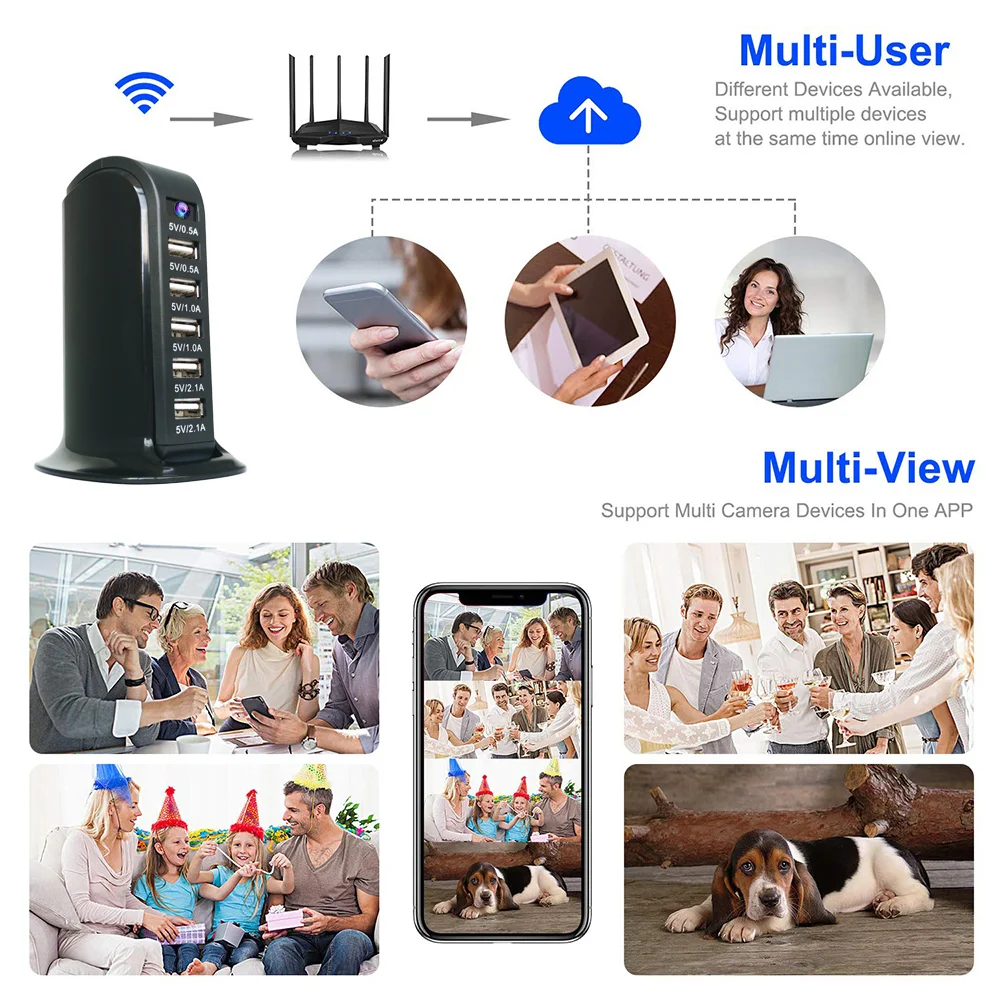
The H3 is built around a 5000mAh lithium-polymer cell, which gives it approximately 6–8 hours of continuous recording on a full charge. In standby mode with motion detection active, it can last several days before needing a top-up. This makes it practical for short deployment scenarios: checking in on a contractor at your home renovation, monitoring a small office after hours, or keeping an eye on a Airbnb rental between guests.
The camera records at 1080p via a CMOS sensor — not interpolated, not upscaled. That is an important distinction we will revisit later when we discuss fake-resolution complaints from end customers.
What the H3 does not have is WiFi connectivity. Footage is stored on a microSD card (maximum 128GB, approximately 18–24 hours of 1080p video depending on compression settings), and you retrieve it by plugging the card into a computer or connecting the device via USB to a laptop. For customers who want live remote viewing from their phone, the H3 is not the right recommendation.
2. What Exactly Is Inside the H20 Power Bank Camera?
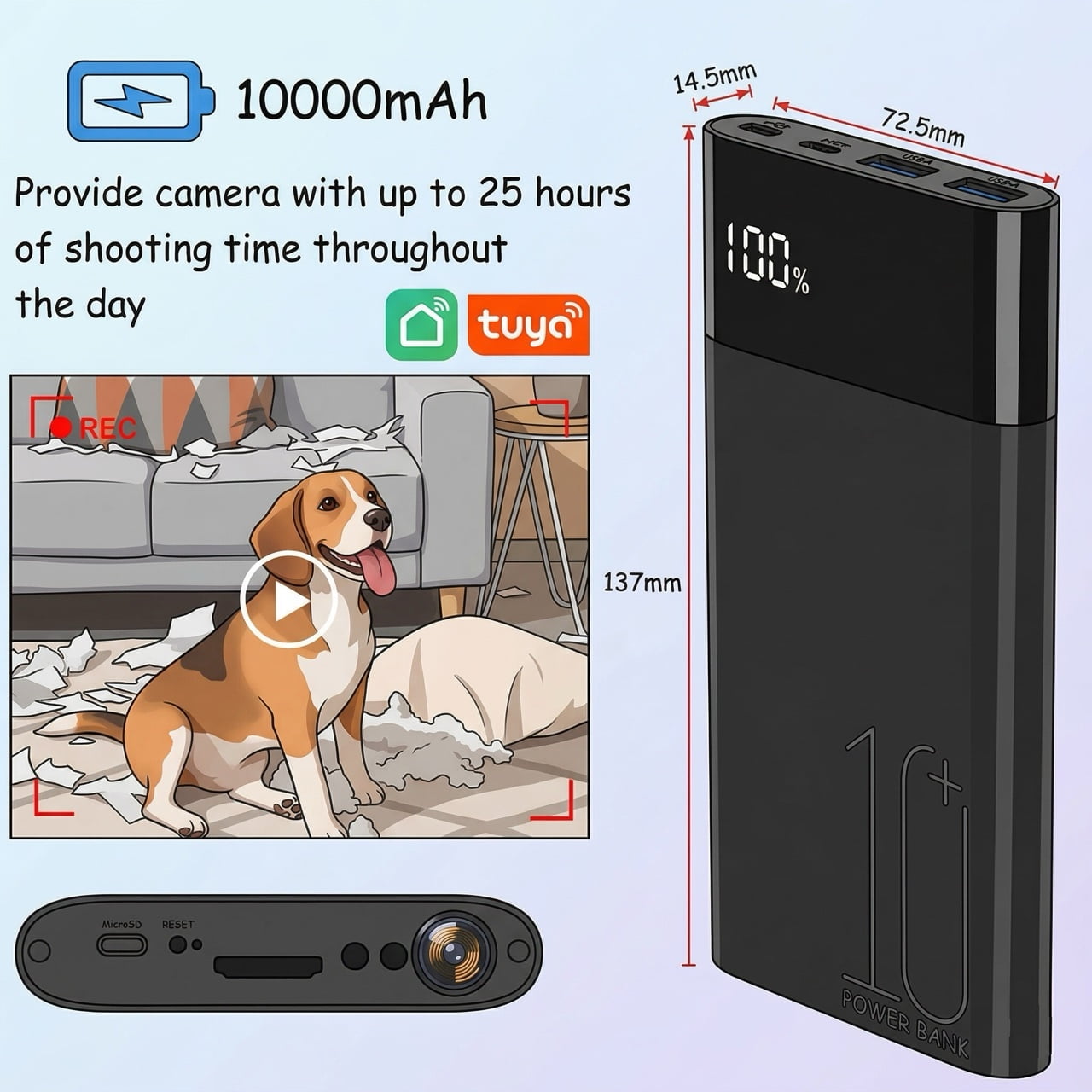
The H20 steps up in three meaningful ways. First, the battery capacity is doubled to 10000mAh, extending continuous recording to approximately 12–15 hours, and standby time to well over a week with motion-triggered events. Second, it supports TUYA smart home integration, which means your customer’s end users can connect the device to the TUYA Smart Life or Smart Plus app, view live footage remotely, receive push notifications when motion is detected, and adjust recording settings without physically touching the device.
Third — and this matters for European markets — the H20 is available in TUYA-compliant variants that integrate with popular European smart home ecosystems. If your reseller base is in Germany, France, or the UK and their end customers use Alexa or Google Home routines, the TUYA version opens doors that the H3 simply cannot.
The trade-off is price. The H20 commands a 20–35% higher unit cost depending on order volume, which changes your margin calculation.
3. H3 vs H20: Direct Specification Comparison
| Spécification | H3 Power Bank Camera | H20 Power Bank Camera |
|---|---|---|
| Capacité de la batterie | covert-camera-power-bank-hidden-lens-protective-cover-case.webp | 10000mAh |
| Enregistrement continu | 6–8 hours | 12–15 hours |
| Standby (motion detect) | 3–5 days | 7–10 days |
| WiFi / Remote Viewing | Non | Yes (TUYA app) |
| Live Remote Monitoring | Non | Oui |
| Notifications push | Non | Oui |
| Résolution vidéo | 1080p | 1080p |
| Stockage | Up to 128GB microSD | Up to 128GB microSD |
| Pass-Through Charging | Oui | Oui |
| Enregistrement en boucle | Oui | Oui |
| Vision nocturne | IR LEDs (optional variant) | IR LEDs (standard) |
| TUYA Smart Home | Non | Oui |
| Sortie USB | 5V/1A standard | 5V/2A fast charge |
The resolution is identical on paper. In practice, our internal testing shows the H20’s TUYA module adds slight latency (1–3 seconds) for live viewing compared to local playback from the H3. For law enforcement requests or evidence gathering where millisecond precision matters, some customers still prefer the H3’s direct-card approach.
4. Who Should Stock the H3? Target Customer Profiles
Here is what most people get wrong about the H3: they assume “basic” means “inferior.” For a significant segment of the market, the H3 is exactly what their customers need.
Short-duration evidence gathering. A UK homeowner who wants to catch a neighbour trespassing on their garden once or twice is not going to pay for a 10000mAh device. They want something discreet, affordable, and reliable. The H3 at its price point fills that role perfectly.
High-turnover rental properties. Property managers running short-term rentals through Airbnb or Booking.com in the EU frequently ask us about GDPR-compliant room monitoring. The H3, deployed in a communal area with proper privacy notice signage, is a cost-effective solution when customers do not need remote access — the card-pull retrieval model is actually preferred in some GDPR-sensitive contexts because it means no cloud storage of tenant footage.
Customers with no smartphone literacy. Remote viewing apps are intuitive for most people, but we consistently hear from distributors in Eastern European and MENA markets that a portion of their customer base simply cannot or will not configure WiFi apps. The H3 is genuinely the better product for that buyer.
> Key Takeaway: Do not underestimate the H3’s market. It is the product your customers buy when they need something that works without setup, without apps, and without a monthly cloud subscription.
5. Who Should Stock the H20? Target Customer Profiles
The H20 is for customers who need to monitor remotely and in real time. Think of it less as a “security camera in a battery pack” and more as a “portable remote monitoring station.”
On-the-go professionals. A small business owner in Milan running a retail shop wants to check in on their storage room from their phone during a lunch break. The H20’s live view via TUYA makes this possible without physically accessing the device. A sales rep travelling across Germany who wants eyes on their parked rental car at the airport parking garage — the H20 does that.
Extended deployment scenarios. Construction site managers, event security coordinators, and logistics supervisors deploying cameras over multiple days benefit from the 10000mAh capacity. Swapping and recharging batteries every 6 hours is not practical in these environments.
Smart home integrators. This is a growing segment in Northern Europe: customers who already have TUYA-compatible smart bulbs, plugs, or sensors and want to add a covert camera component to their existing setup. The H20 fits seamlessly into that ecosystem.
6. Customer Complaints We Hear Most — And How to Address Them
Over 100 real customer support tickets have taught us that most complaints about power bank cameras fall into three categories: image quality concerns, battery life not matching expectations, and app connectivity problems. Here is how to pre-empt each one.
“The image is not as sharp as I expected.” This complaint almost always comes from customers who bought based on marketing resolution claims (sometimes “4K” or “12MP stills”) rather than actual video performance. Be explicit with your product listings: the H3 and H20 both record 1080p video. Still photo capture at higher megapixels is not the same as video resolution. Manage this expectation upfront and you will cut return requests significantly.
“Battery only lasted two days.” Battery life claims from budget manufacturers are frequently exaggerated. Our real-world data: the H3 delivers 6–8 hours continuous or 3–5 days motion-detect standby. The H20 delivers 12–15 hours continuous or 7–10 days motion-detect standby. If a customer expects a week of continuous recording from a 5000mAh device, the product was mis-sold — not defective.
“The TUYA app is not connecting.” This is almost always a 2.4GHz vs 5GHz WiFi issue. The TUYA module in the H20 operates on 2.4GHz WiFi only. In 2025, many European homes and small businesses run dual-band routers with the 5GHz band as the default. The fix takes 30 seconds — switching the router’s 2.4GHz band to a visible SSID — but customers rarely know to look for this. Put this in your product manual and your listing FAQ, and your after-sales load will drop noticeably.
7. Legal Considerations for European and UK Resellers
This is where your role as a distributor matters most. Power bank cameras sit in a legally sensitive zone across the EU and UK, and your end customers need guidance that goes beyond the product box.
United Kingdom. The ICO’s guidance on domestic CCTV is clear: if the camera is recording in a private space you own or have legitimate access to (your home, your business premises), and you are not capturing public spaces or neighbouring properties systematically, you generally do not need a Data Protection Impact Assessment. However, if your customer’s deployment involves employees — even in a small office — you cross into UK GDPR territory and employment law considerations. Stock the H20 for these customers because its app-based retrieval gives better audit trail controls.
Germany and the EU. GDPR Article 6(1)(f) legitimate interests applies, but German state laws (especially BDSG at federal level) add requirements for Betriebsrat (works council) consultation in employment contexts. French CNIL guidance similarly requires clear signage and defined retention periods. For EU residential use — which represents the majority of end-customer deployments — the home privacy exemption in GDPR Recital 18 covers most scenarios. Document this for your B2B buyers.
Italy. We have had repeated inquiries from Italian customers asking about deployment in co-owned apartment buildings (condomini). The Garante has ruled that common area surveillance requires majority vote in the assembly and clear signage. Your Italian resellers need to know this.
8. Margin and Pricing Strategy for Distributors
If you are selling to trade customers (other resellers, security installers), your pricing strategy should reflect the different use cases rather than competing purely on unit price.
A useful framework: position the H3 as your volume mover and the H20 as your premium add-on.
– H3: Recommended retail price €35–55 depending on market. Target 30–45% margin for reseller. Volume discount threshold: 20+ units.
– H20: Recommended retail price €55–85 depending on market. Target 35–50% margin for reseller. Bundle with TUYA-compatible accessories (travel adapter, extra microSD) to justify premium pricing.
Do not try to compete on price against grey-market sellers offering “4K power bank cameras” at €20. Those products do not deliver 4K — they deliver returns and bad reviews. Your competitive advantage is product knowledge, after-sales support, and honest spec sheets. Train your resellers on this positioning.
9. After-Sales Support: What Your Customers Will Come Back With
Based on our distributor support records, here are the five most common post-purchase issues with power bank cameras and how to handle them:
| Issue | Root Cause | Reseller Response |
|---|---|---|
| Device not recording | microSD card not inserted / formatted | Include formatting instructions; recommend SanDisk or Samsung cards |
| App keeps disconnecting | 5GHz WiFi incompatibility | Provide WiFi troubleshooting guide; offer to swap for H3 if 2.4GHz unavailable |
| Battery drains overnight | Motion detection sensitivity too high | Adjust sensitivity in TUYA app (H20) or replace unit (H3) |
| Video playback choppy | Low-quality or counterfeit SD card | Recommend branded Class 10 cards; include brand recommendation in box |
| Pass-through charging not working | Incompatible charging cable or adapter | Include 5V/2A adapter with H20; warn against using cheap third-party cables |
The H20 has one additional failure mode worth noting: TUYA server outages occasionally affect live viewing functionality even when the device itself is functioning normally. Direct your customers to check the TUYA server status page before requesting warranty service.
10. H3 vs H20: Which One Should You Stock?
The answer is not H3 or H20 — it is both, with smart inventory allocation based on your customer mix.
Stock the H3 if your typical buyer: is price-sensitive, needs short-deployment monitoring, operates in markets with limited WiFi infrastructure, or serves customers who prefer simple no-app operation.
Stock the H20 if your typical buyer: is tech-comfortable, needs remote monitoring capabilities, operates in EU/UK smart home ecosystems, or sells to commercial customers who will pay for the premium features.
Most healthy distributors we work with carry both models in a 60/40 H3-to-H20 ratio, adjusting based on their actual sales velocity. Start there, track which SKU moves faster in your specific market, and let the data guide your reordering.
And if your customers are still unsure? Walk them through the three questions in Section 3. Those answers almost always make the decision obvious.
FAQ
Can I use the H3 or H20 to monitor employees legally in the UK?
Yes, but with conditions. You need to notify employees that monitoring is taking place (written policy, visible signage), limit coverage to areas with no reasonable expectation of privacy (break rooms and bathrooms are off-limits), and conduct a UK GDPR impact assessment if you have more than 10 employees. The H20’s app-based footage retrieval is generally preferable in employment contexts because it gives you better control over who accesses the recordings.
What’s the real battery life of the H20 power bank camera in practice?
In real-world use — motion detection on, TUYA notifications active, the device checking in every few minutes rather than continuous streaming — the H20 will comfortably run 7–10 days on a full charge. Continuous recording with live streaming will reduce this to approximately 12–15 hours. These figures are from internal testing; actual performance depends on ambient temperature, microSD card size (larger cards require more power to manage), and WiFi signal strength.
Will the TUYA app on the H20 work with 5GHz WiFi networks?
No. The H20’s TUYA module only supports 2.4GHz WiFi. This is a hardware limitation, not a software issue. If your customer’s router uses 5GHz as the default, they will need to either enable a 2.4GHz SSID or use a different router configuration. Most EU and UK routers from 2020 onwards are dual-band and have a 2.4GHz option, but it may be hidden by default. This is the single most common support ticket we handle for the H20 — address it proactively in your listings.
How do I know if a power bank camera claims “4K” but is actually 1080p?
Legitimate 1080p power bank cameras use a CMOS sensor capable of native 1920×1080 recording. Fake “4K” devices upscale from a 1080p or even 720p sensor and market the interpolated maximum photo resolution (sometimes listed as “12MP stills”) as video quality. Ask the supplier for a bitrate reading on a test recording: real 1080p at standard compression sits between 2–6Mbps. Downscaled 720p upscaled to 1080p will show visible compression artifacts on fast motion. Request a sample unit and run a recording test before committing to bulk orders.
What’s the best use case for the H3 power bank camera specifically?
The H3 excels in two scenarios: short-term evidence gathering (24–72 hours of targeted recording) and markets where WiFi penetration is low or customers resist app-based configuration. In MENA markets and across much of Eastern Europe, we consistently see the H3 outselling the H20 because the customer profile skews toward straightforward, no-frills deployment. If your market analysis shows a high proportion of budget-conscious buyers with limited smart home experience, lead with the H3.
Need help selecting the right power bank camera for your specific market? Contact our sales team for distributor pricing and technical specifications.

 English
  Italiano
  Deutsch
  Français
  Español
  Polski