
comment choisir la meilleure caméra horloge wifi pour la sécurité domestique
A WiFi clock camera combines a fully functional alarm clock with a hidden 1080P HD camera, giving you discreet 24/7 home monitoring without anyone knowing they are being recorded. The device looks completely ordinary on your nightstand or desk while streaming live video to your phone from anywhere in the world.
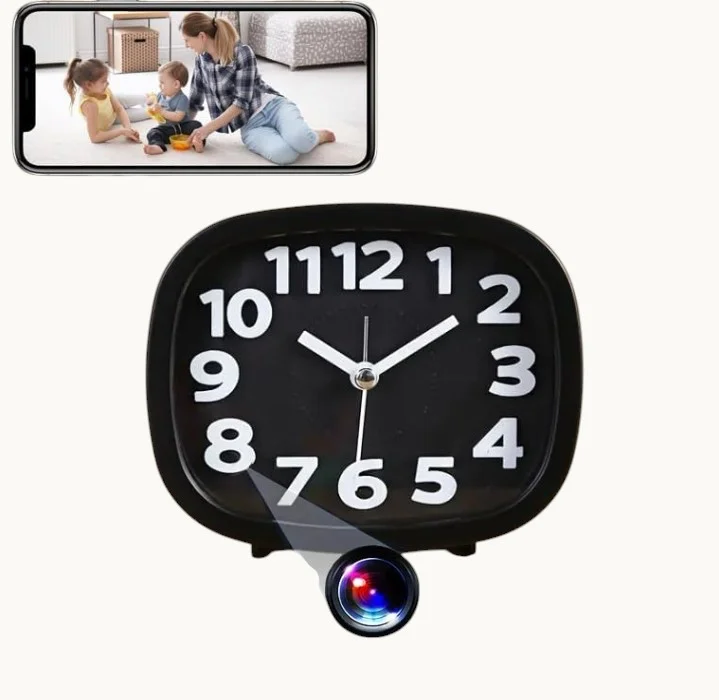
What Is a WiFi Clock Camera and How Does It Work
Une caméra horloge WiFi est un réveil numérique avec un objectif de caméra HD miniature caché à l'intérieur du boîtier. Elle se connecte à votre réseau WiFi domestique et diffuse des images en direct vers une application smartphone, vous permettant de surveiller votre maison en temps réel de n'importe où. La plupart des modèles enregistrent sur une carte SD locale (jusqu'à 128 Go) et prennent en charge l'enregistrement déclenché par le mouvement avec des notifications push instantanées lors de la détection d'activité.
The camera lens is positioned behind the clock face or display panel, making it virtually undetectable. It runs on standard USB power for continuous operation, and infrared LEDs enable clear night vision recording in total darkness without any visible glow.
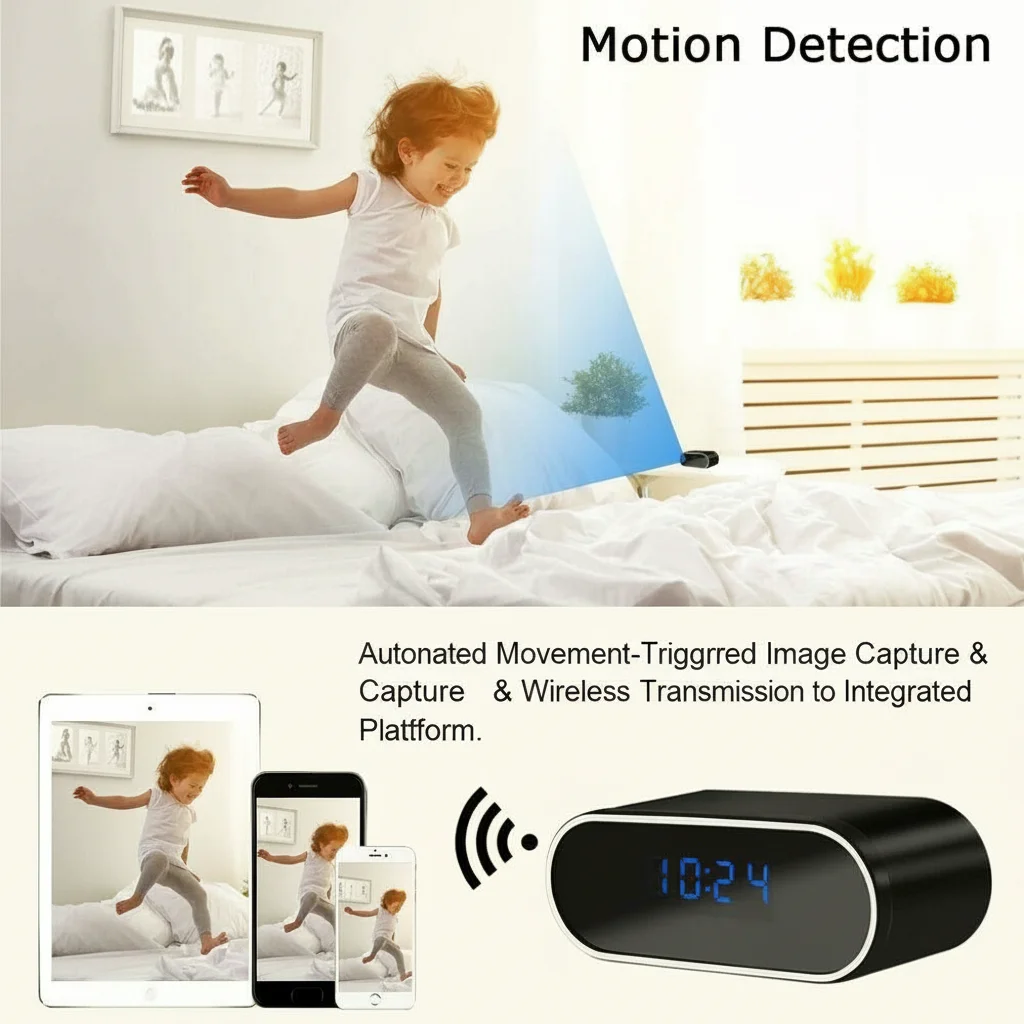
Key Features to Look for in a Clock Camera
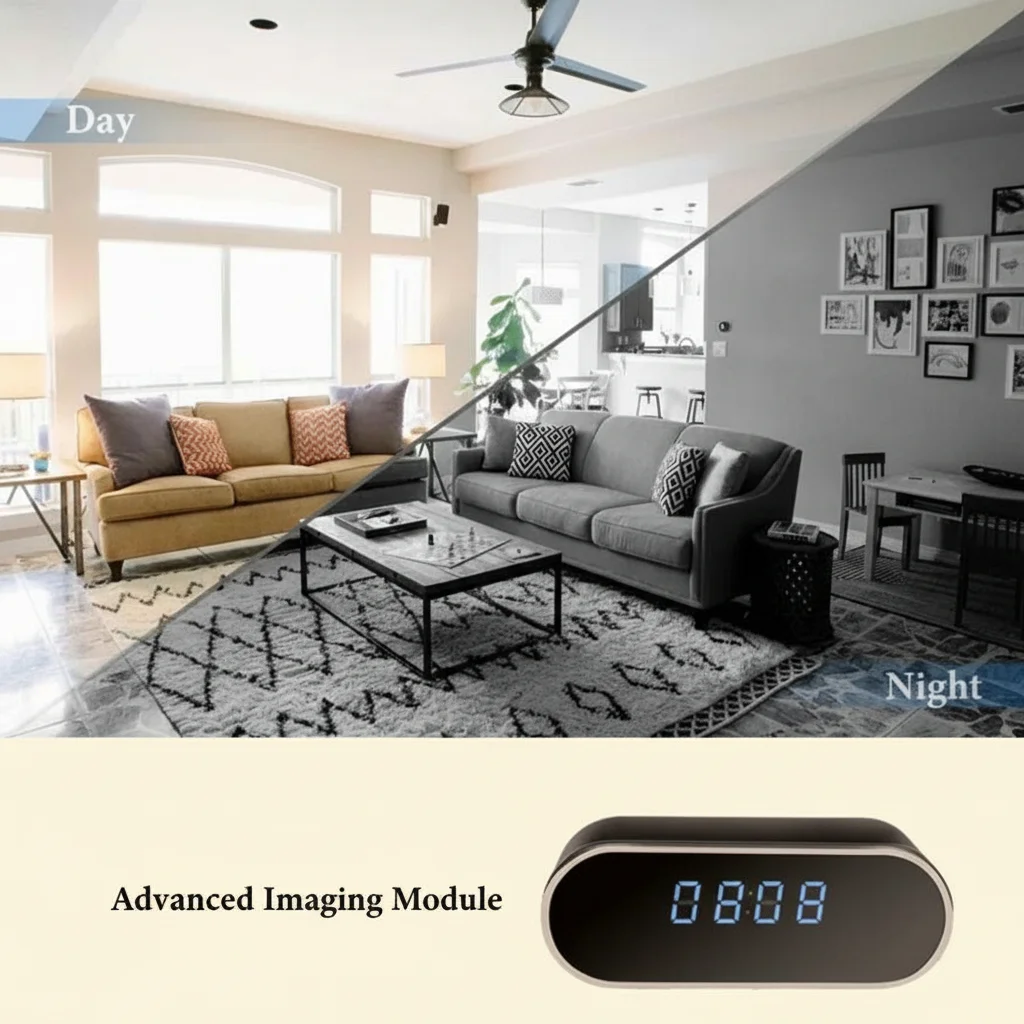
Video Quality and Night Vision. Choisissez des modèles avec au moins une résolution 1080P full HD et une vision nocturne infrarouge automatique. Les meilleures caméras horloges comportent des LED IR qui s'activent dans l'obscurité, fournissant des images claires en noir et blanc la nuit sans alerter quiconque de la présence de la caméra.
WiFi Connectivity and Remote Access. L'application mobile compagnon doit prendre en charge iOS et Android, offrir une diffusion en direct fluide et vous permettre de revoir les enregistrements sans retirer la carte SD. Certains modèles s'intègrent à Tuya Smart ou à des plateformes IoT similaires pour une expérience de maison intelligente unifiée.
Motion Detection and Alerts. Adjustable motion sensitivity reduces false alarms from pets or changing lighting. When motion is detected, push notifications reach your phone within seconds. Advanced models can send email alerts or auto-save clips to cloud storage.
Storage Options. Une carte SD de 128 Go contient environ 2 à 3 semaines de clips déclenchés par le mouvement selon les niveaux d'activité. La meilleure approche combine le stockage local sur carte SD avec une sauvegarde en nuage optionnelle pour la redondance des séquences critiques.
Common Use Cases for Clock Cameras in the Home
Nursery and Baby Monitoring. Clock cameras blend naturally into bedrooms, making them an excellent alternative to visible baby monitors. Parents get live video and audio without the device drawing attention on a bedside table.
Home Office and Workspace Security. A clock camera on your desk provides documented evidence of unauthorized access, package theft, or workplace incidents without alerting visitors they are being recorded.
Entryway and Living Room Surveillance. Positioned in common areas, a clock camera with a wide-angle lens (110 degrees or greater) can monitor multiple entry points and high-traffic zones simultaneously.
Elderly Care and Personal Safety. Families caring for elderly relatives can monitor for falls or emergencies discreetly. Always have a transparent consent discussion with the person being monitored.
How to Set Up Your WiFi Clock Camera
Step 1: Physical Placement. Choose a location with a clear view of the area you want to monitor. Avoid direct sunlight or bright windows, which create backlighting. Place the clock on a stable elevated surface — bedside tables, bookshelves, or mantels work well. Ensure the USB power cable reaches a nearby outlet.
Step 2: Network Configuration. Téléchargez l'application compagnon du fabricant (Tuya Smart ou l'application de marque). Allumez la caméra horloge et entrez en mode d'appairage en appuyant sur le bouton de réinitialisation pendant plusieurs secondes jusqu'à ce que le témoin lumineux clignote. Dans l'application, sélectionnez “Ajouter un appareil”, choisissez la catégorie caméra et entrez vos identifiants WiFi 2,4 GHz. Attendez que l'appareil se connecte — l'application confirme l'appairage réussi.
Step 3: Adjust Settings. Définissez le mode d'enregistrement sur “détection de mouvement” pour la plupart des cas d'utilisation. Ajustez la sensibilité au mouvement — commencez par un niveau moyen et affinez en fonction de la fréquence des fausses alertes. Activez les notifications push et configurez la politique de réécriture de la carte SD (l'écrasement des plus anciens est standard).
Step 4: Test and Refine. Walk through the monitored area during daylight and at night to verify clear footage. Check that the live stream loads quickly and that recorded clips save correctly. Adjust the camera angle to avoid glare or obstructions.
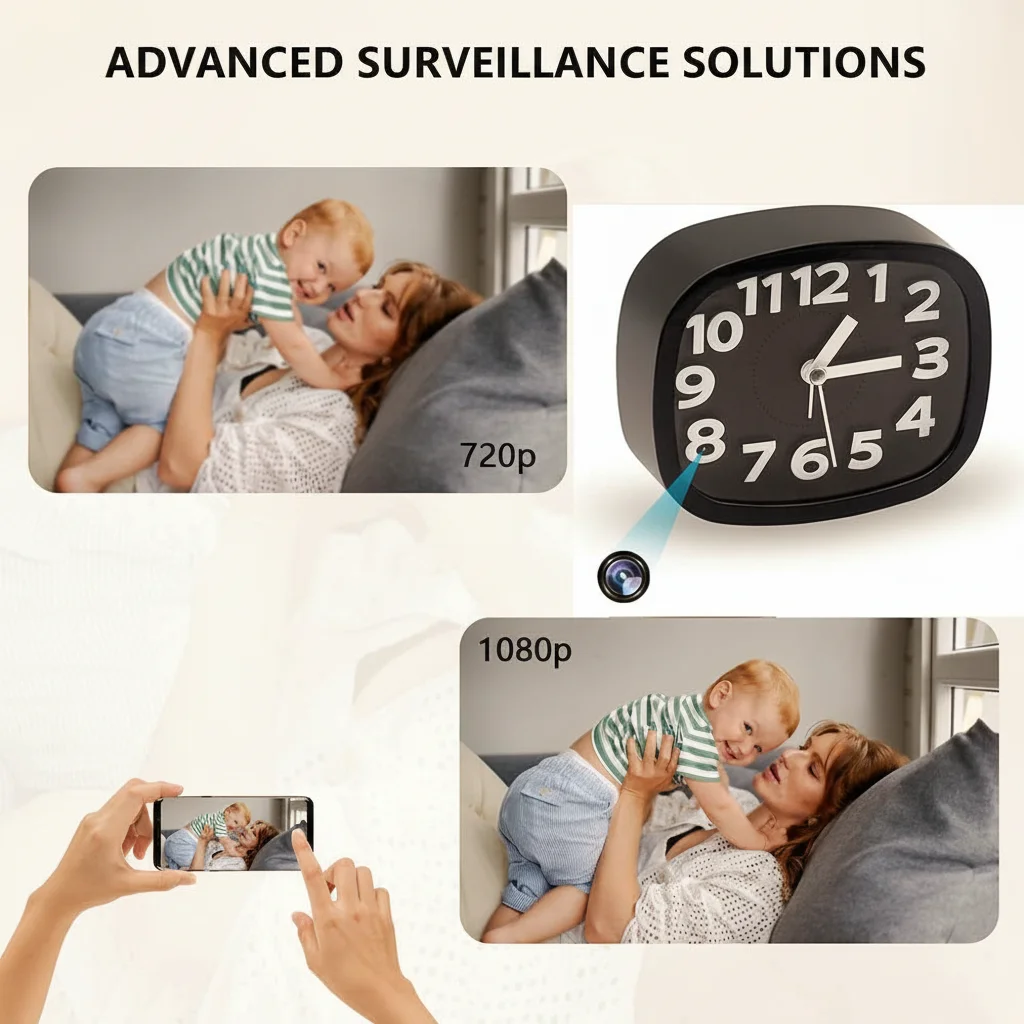
WiFi Clock Camera vs Other Hidden Camera Types
Clock Camera vs Smoke Detector Camera. Les caméras détecteurs de fumée sont montées au plafond pour une couverture aérienne en plongée des grandes zones ouvertes. Les caméras horloges se posent sur des surfaces planes, sont plus faciles à positionner et à déplacer, et paraissent naturelles sur une table de chevet ou un bureau. Choisissez une caméra détecteur de fumée pour une couverture large du salon ; choisissez une caméra horloge pour la surveillance de la chambre, de la chambre d'enfant ou du bureau.
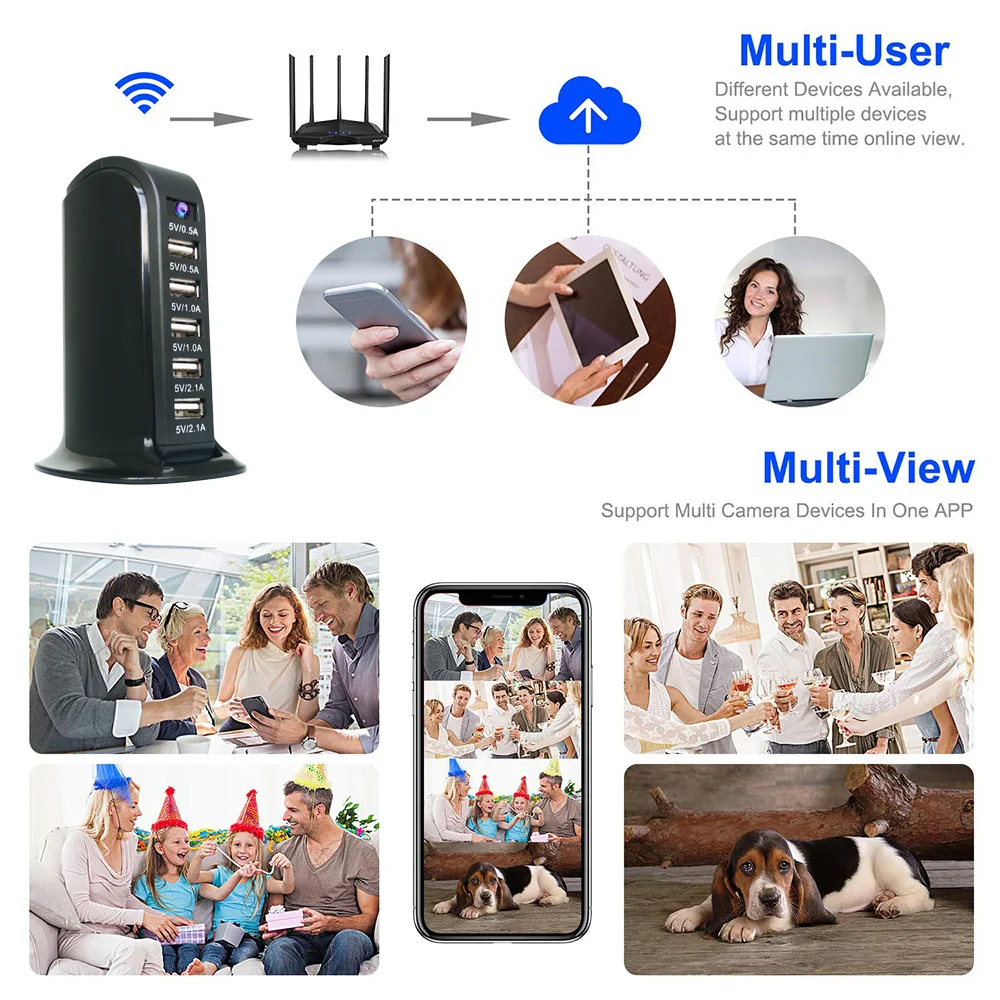
Caméra cachée dans une horloge vs caméra cachée dans un chargeur USB. comment choisir la meilleure caméra wifi horloge pour la sécurité domestique 2.
Clock Camera vs Body Worn Camera. Body worn cameras like pen cameras or glasses cameras are designed for personal portability and on-the-go recording. They are not suitable for continuous home surveillance due to limited battery life. A clock camera is the better choice for fixed-location home monitoring.
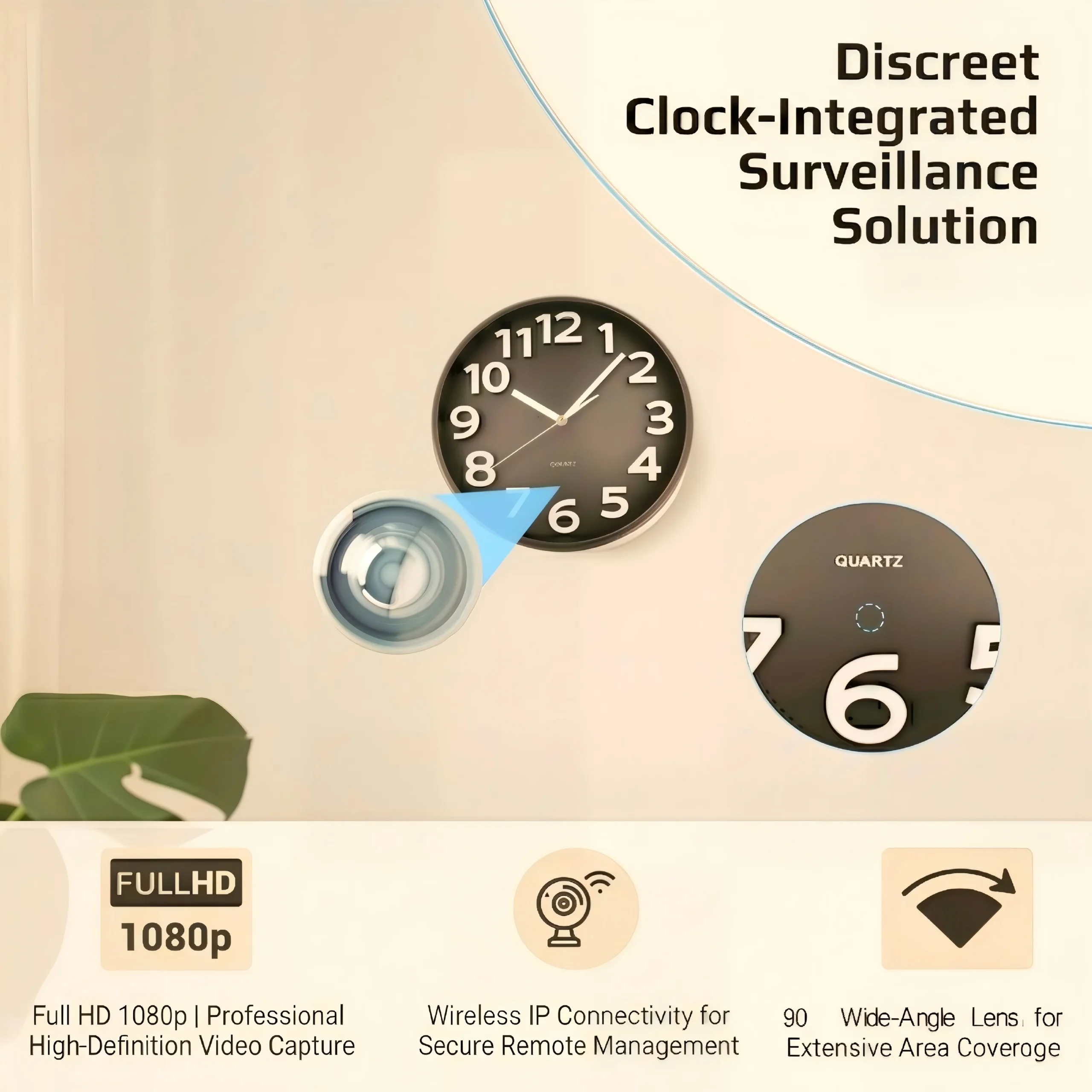
Why WiFi Clock Cameras Are Growing in Popularity
The appeal of WiFi clock cameras goes beyond their surveillance capabilities. Their dual-purpose nature addresses two common concerns for homeowners and renters simultaneously — timekeeping and security — without the clutter of multiple devices. Unlike traditional security cameras that must be mounted on walls or ceilings, a clock camera requires no installation, no drilling, and no special tools.
Privacy awareness is also driving adoption. Unlike outdoor security cameras that are visible from the street, clock cameras record interior spaces without broadcasting the presence of surveillance equipment. This makes them particularly attractive to renters who cannot install permanent cameras, or to families who want to monitor caregivers, babysitters, or home health aides without creating an atmosphere of distrust.
The integration of WiFi connectivity and smartphone apps has transformed these devices from simple recording gadgets into fully functional remote monitoring systems. Users can check in on their homes in real time, receive instant alerts, and review footage from anywhere — capabilities that once required expensive professional security systems.

Legal Considerations for Using Clock Cameras
Before deploying a clock camera in your home, it is important to understand the legal landscape around covert recording. In most U.S. jurisdictions, recording in areas where you have a reasonable expectation of privacy (such as bathrooms or private bedrooms of others) is illegal. Recording in common areas of your own home — living rooms, nurseries, home offices, or entryways — is generally permitted when the purpose is security or safety.
Si vous utilisez une caméra horloge pour surveiller les aidants, les baby-sitters ou les employés de maison, informez-les à l'avance de la présence de la caméra. De nombreux États exigent au moins le consentement d'une partie pour l'enregistrement audio. Les lois sur l'enregistrement vidéo varient considérablement, alors vérifiez vos règlements locaux avant de déployer une caméra.
For business use — monitoring employees in a home office or commercial space — additional disclosure requirements often apply. Consult a local attorney if you are unsure about the specific laws in your area.
Conclusion
A WiFi clock camera is one of the most versatile and discreet home security tools available today. By combining an ordinary-looking alarm clock with a 1080P HD hidden camera, it delivers professional-grade monitoring without the visible presence of security equipment. When choosing a model, prioritize video quality, reliable night vision, responsive motion detection, and a polished mobile app experience.
Proper placement and setup are just as important as the hardware itself. Take time to test the camera angle, refine motion sensitivity settings, and verify that live streaming works smoothly before relying on it for active security monitoring. With the right device and configuration, a WiFi clock camera provides peace of mind around the clock — whether you are checking in on your nursery from work or keeping an eye on your front entryway while traveling.
FAQ
Is a WiFi clock camera difficult to set up?
No. Most models take 10-15 minutes to set up. You download the companion app, put the camera in pairing mode, enter your WiFi credentials, and the app guides you through the rest. No drilling or professional installation is required.
Can a clock camera record at night?
Oui. Les caméras horloges de qualité incluent des LED infrarouges qui s'activent automatiquement en conditions de faible luminosité, fournissant des images de vision nocturne claires en noir et blanc sans aucune lumière visible.
Do clock cameras work on 5GHz WiFi networks?
Most clock cameras only support 2.4GHz WiFi networks. Check the product specifications before purchasing, and ensure your router broadcasts a 2.4GHz signal.
Combien de temps une caméra horloge peut-elle enregistrer sur une carte SD de 128 Go ?
À une résolution de 1080P avec enregistrement déclenché par le mouvement, une carte de 128 Go stocke généralement 2 à 3 semaines de séquences selon les niveaux d'activité. L'enregistrement continu utilise le stockage beaucoup plus rapidement.
Can I view the camera feed from multiple phones?
Yes. Most companion apps allow multiple accounts to access the same camera device. Some platforms charge a small fee for additional viewer accounts.

 English
  Italiano
  Deutsch
  Français
  Español
  Polski