
What Is the Best Nanny Cam for Home Security in 2026
The decision to install a nanny cam in your home is not an easy one. It implies a question you would rather not ask: what might be happening in my home when I am not there? But the documented cases of caregiver abuse, unauthorized access, and property damage in private residences make this question necessary. In the United Kingdom, over 100,000 incidents of elder abuse are reported to social services annually — the majority occurring in private homes. In the United States, theny cam phenomenon has driven the market for covert home monitoring devices from a niche product category to a mainstream home security category.
The challenge is not finding a camera. The challenge is finding the right camera for your specific situation: your home layout, your threat model, your technical comfort level, and your legal obligations to the people being monitored. This guide covers all of those dimensions, with specific product recommendations and a practical framework for evaluating any nanny cam — whether you are buying one for the first time or upgrading an existing system.
Why Nanny Cams Have Become a Core Part of Home Security
The term “nanny cam” originated from the early use case of monitoring childcare providers — a parent wanting to observe how a hired caregiver treated their children when no adult was present in the home. This use case remains the most common, but the category has expanded to cover elderly care monitoring, pet behavior observation, home office security while traveling, and general perimeter monitoring of private spaces.
The market has shifted from dedicated hardware (a single-purpose device designed to look like a household object) to IP-based networked cameras that integrate with smart home ecosystems. This shift has improved quality and reduced cost dramatically, but it has also created new privacy and security vulnerabilities that buyers need to understand before purchasing.
A Wi-Fi camera that streams footage to a cloud server accessible via a mobile app is more convenient than a local SD-card-only device, but it also means that footage of your home — your children, your family routines, your private moments — is stored on a third-party server. The camera is only as secure as the company’s cloud infrastructure, its encryption practices, and its data retention policy. This guide covers both local and cloud-based solutions with full context on the trade-offs.
The Five Core Categories of Nanny Cams
Before evaluating specific products, understand the five distinct form factors and their trade-offs. Each category serves a specific monitoring scenario better than the others.
Category 1: Standalone Wi-Fi cameras. The most common type. These are small, plug-in devices that connect to your home Wi-Fi and stream to a cloud account or local storage. They are easy to set up and relatively inexpensive ($30–$150), but they require a visible placement location — a shelf, a table, or a wall mount — which limits how covertly they can be positioned. The Cámara oculta en power bank WiFi 1080P con visión nocturna belongs to this category and adds a built-in battery that can power the device for 6–10 hours without a power outlet, making it suitable for temporary placements without requiring a power cable run.
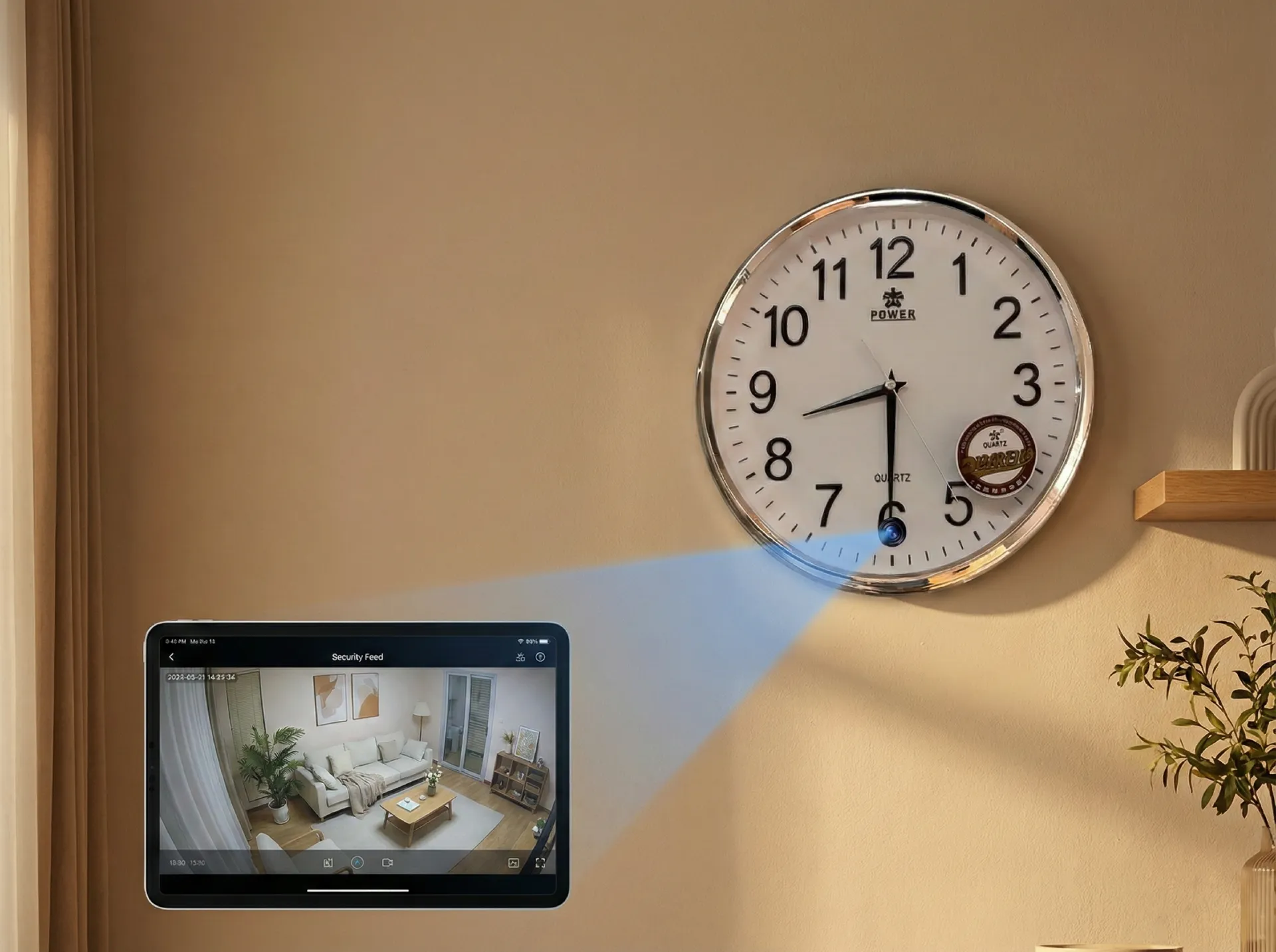
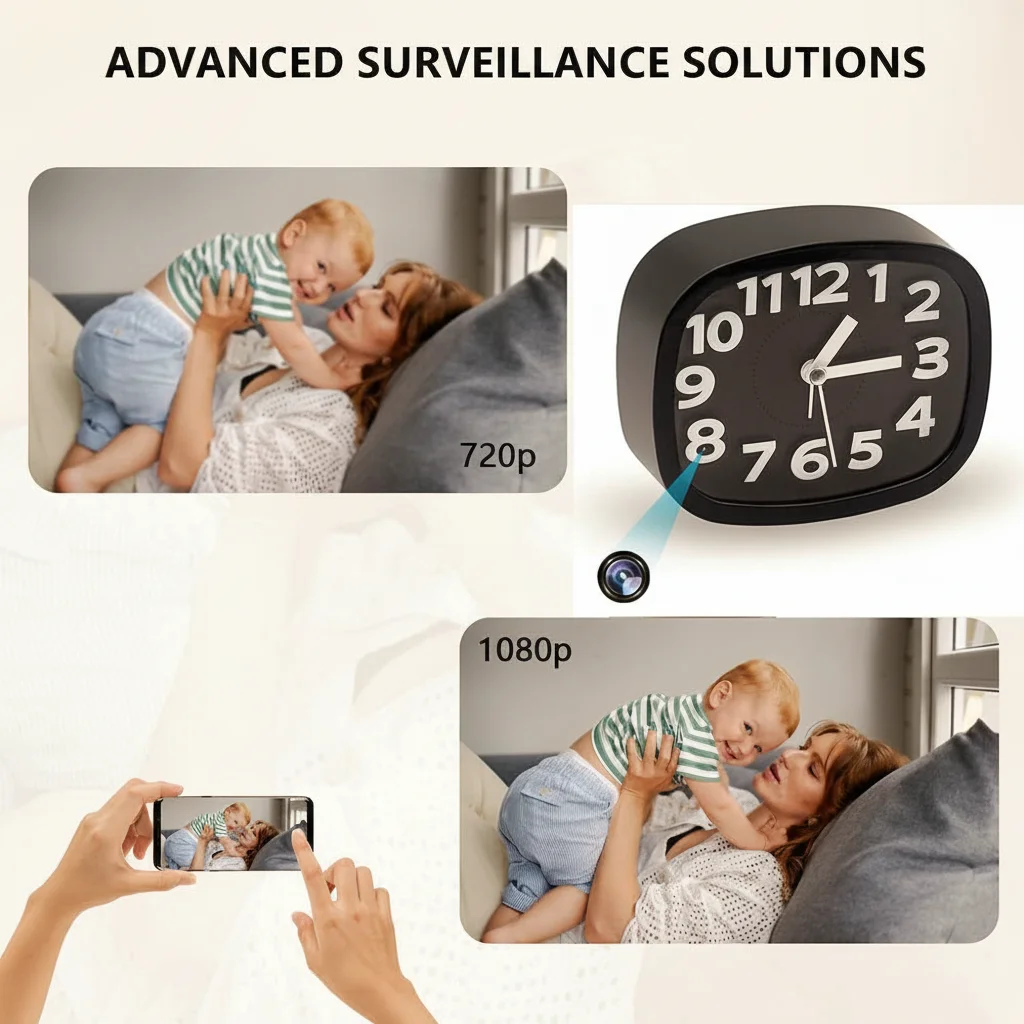
Category 2: Covert household objects. These devices look like everyday objects — clocks, smoke detectors, USB chargers, Bluetooth speakers, tissue boxes — and contain a fully functional camera inside. The advantage is placement flexibility: you can position a clock camera on a nightstand or mantle without it appearing to be surveillance equipment. A digital clock camera with night vision capability (infrared LEDs visible as a faint red glow in complete darkness) gives 24-hour coverage without a visible light source. The digital clock camera infrared night vision model is representative of this category.
Category 3: Power bank cameras. A battery-powered camera inside a power bank form factor. The device charges via USB and provides 6–24 hours of recording depending on the battery capacity. Because power banks sit on surfaces naturally — nightstands, desks, countertops — these cameras are exceptionally difficult to identify as surveillance equipment. The Power Bank Hidden Camera 1080P model illustrates this category: it functions as a legitimate 5,000 mAh power bank while simultaneously recording 1080p video with motion activation.
Category 4: System-integrated cameras (Ring, Nest, Arlo). Part of a broader smart home security ecosystem. These cameras cost more ($100–$300 per unit) and require a subscription for cloud storage, but they integrate with doorbell cameras, alarm systems, and smart locks to provide a comprehensive home security platform. They are not covert — their presence is visible and deliberate — but they offer superior reliability, cloud storage, and smart detection (person vs. pet vs. vehicle) that standalone cameras cannot match.
Category 5: DIY modules and developer boards. For buyers with technical knowledge, a Wi-Fi camera module (like the Módulo de cámara espía WiFi oculta DIY) can be integrated into a custom housing. This approach allows placement flexibility that commercial products cannot match — the module can be installed inside any object, behind any surface, or in a location where no commercial product fits. The trade-off is technical complexity: you are building the system yourself.
How to Choose: The Evaluation Framework
Do not buy a nanny cam based on the first product you see on Amazon. Evaluate it against these five criteria in order of importance.
Criterion 1: Placement location. Where will the camera sit? On a high shelf in a living room? On a nightstand in a nursery? Inside a decorative object on a mantle? The placement location determines which form factor is physically possible and which angle of view is required.
For bedroom monitoring: a wall-mounted smoke detector camera or a high shelf clock camera covers the room from the optimal angle (downward from the ceiling or elevated from a corner). A power bank camera on a nightstand covers the immediate area around the bed but misses the rest of the room.
For nursery and childcare: a wide-angle camera (130°–160° field of view) mounted at ceiling height or in a high corner covers the maximum area. A camera with two-way audio lets you hear and speak through the device — useful for calming a child without entering the room.
For living rooms and common areas: any category works, but the covert clock or speaker form factor is preferred because it does not look like surveillance equipment to visitors or household staff.
Criterion 2: Recording mode. Does the camera record continuously, on motion only, or on schedule? Each mode has implications for storage, power consumption, and evidence completeness.
Continuous recording (24/7) captures everything — including incidents that happen when no motion is occurring — but consumes the most storage and power. A 128 GB SD card holds approximately 72 hours of 1080p continuous recording before loop-overwrite kicks in. Cloud storage for continuous recording requires a substantial monthly subscription.
Motion-activated recording is the standard for most domestic surveillance use cases. The camera records only when movement is detected, conserving storage and making review more efficient. The trade-off is that very slow movements (a child getting out of bed and walking slowly) or gradual scene changes (curtains moving in afternoon light) can trigger excessive recording or miss genuine motion events.
Schedule-based recording is useful for monitoring a specific time window — for example, the period between when a childcare provider arrives at 8am and when the parents return at 6pm. This gives a clean recording window without capturing off-hours footage.
For childcare monitoring, a motion-activated camera with a pre-roll buffer (recording 5–10 seconds before the motion trigger) is the best configuration — it captures the beginning of an incident rather than starting recording mid-event.
Criterion 3: Night vision capability. Any camera placed in a bedroom, nursery, or room without constant lighting needs infrared night vision. IR LEDs illuminate the scene with light invisible to the human eye but captured by the camera sensor.
Evaluate night vision by three metrics: IR LED count (more LEDs = longer illumination range), IR wavelength (850 nm is standard; 940 nm is completely invisible to the human eye, which is better for covert placement), and sensor quality at low light (a larger sensor aperture captures more IR light and produces a brighter, clearer image).
A Cámara oculta en detector de humo WiFi placed on a nursery ceiling with 940 nm IR night vision covers the entire room in darkness, including the cot area, the changing station, and the door — the three most security-relevant areas in a childcare environment.
Criterion 4: Storage and access architecture. This is the privacy and security decision. Two options exist:
Local SD card storage: footage is stored on a memory card inside the device. You physically retrieve the card to review footage. No footage is transmitted to any server. The security profile is high — the only way to access footage is physical access to the device. The limitation is that you cannot review footage remotely and the device cannot send alerts when you are away from home.
Cloud storage: footage is uploaded to a manufacturer’s server and accessible via a mobile app from anywhere. The convenience is high, and you receive instant alerts with footage clips when motion is detected. The privacy concern is that the footage is on a third-party server — and unless the manufacturer explicitly states end-to-end encryption, the footage may be accessible to company employees, law enforcement with a subpoena, or hackers who compromise the account.
For childcare monitoring, the ideal configuration is local SD card storage for continuous recording (providing a complete record) combined with a cloud alert system that sends a push notification with a 30-second clip when motion is detected. This gives you the full recording for review and the immediate alert for time-sensitive situations.
Criterion 5: Wi-Fi stability and remote access. A camera that loses Wi-Fi connection at critical moments is worse than no camera. Evaluate the device’s Wi-Fi stability by checking its maximum supported distance from the router, its ability to reconnect automatically after a power outage, and its performance on 2.4 GHz versus 5 GHz bands.
Most nanny cam devices operate on 2.4 GHz Wi-Fi — this band provides better range through walls than 5 GHz but has more interference from neighboring networks and household appliances (microwave ovens, cordless phones). A camera placed in a basement, a room with thick concrete walls, or a building with significant RF interference from neighboring apartments will suffer connectivity issues on 2.4 GHz.
En Módulo de cámara espía WiFi oculta DIY supports both 2.4 GHz and 5 GHz bands and includes an external antenna connector — a significant advantage for challenging installation environments where standard consumer cameras would have connectivity problems.
Legal Considerations: Know Your Jurisdiction
The legal status of nanny cam footage varies significantly by jurisdiction, and ignorance is not a defense.
In the United Kingdom: You may record video and audio in your own home for security purposes. You may not record audio of a private conversation without the consent of at least one party (the one-party consent rule). A camera that records audio of a nanny or caregiver in your home may be illegal unless you have informed the caregiver that audio recording is in operation. Informing staff that monitoring devices are present is both a legal requirement in many contexts and good practice — documented notification protects you in the event of a legal dispute.
In the United States: One-party consent applies in most states — you may record a conversation if you are a participant. Recording audio in your home with a camera is generally legal. Recording in areas where there is a reasonable expectation of privacy (bathrooms, changing rooms) is illegal in all states regardless of property ownership.
In the European Union (GDPR): Installing cameras in areas where employees work — including domestic workers, nannies, and cleaners — requires notification to the employee. The Information Commissioner’s Office (ICO) in the UK specifies that employers must inform staff about the existence of CCTV in clear, visible signage. This applies to private homes where staff are employed. Failure to notify can result in a GDPR complaint and fine.
For B2B buyers: If you are a property manager, real estate agent, or hospitality operator considering camera installation in rental properties or staff housing, the legal requirements are substantially more complex. The difference between a private homeowner monitoring their own property and a business entity operating a monitoring system is significant under data protection law.
Top Configuration Recommendations by Use Case
For childcare and nanny monitoring (primary use case):
– Form factor: clock camera on nursery nightstand OR smoke detector camera on nursery wall
– Recording: motion-activated with 10-second pre-roll buffer
– Night vision: 940 nm IR (invisible to children and adults in darkness)
– Storage: SD card for continuous loop recording + cloud motion alerts
– Alerts: push notification with 30-second clip to parents’ phones
– Audio: two-way audio for parent-to-child communication
En Home Security Nanny hidden camera product range covers both the clock and smoke detector form factors with these specifications.
For elderly care monitoring:
– Similar configuration to childcare but with fall detection integration
– A camera with person detection (distinguishing a person from a pet or object) reduces false alerts from shadows, curtains, and pets
– Privacy consideration: elderly individuals in care have a right to dignity — inform them of the monitoring and position cameras only in common areas, not in private spaces like bathrooms
For pet behavior monitoring:
– Lower priority on covert appearance — the presence of a camera in a living room where a pet spends time is acceptable
– Focus on wide field of view (160°+) to cover the full room from corner placement
– Motion alerts for when the pet is active: useful for tracking behavior patterns and identifying triggers for anxiety or destructive behavior
– Pet-specific cameras (Furbo, Pawscams) add treat dispensing and barking alerts but are not designed for covert placement
For home office and property monitoring while traveling:
– Plug-in cameras with local SD card recording for continuous coverage
– Cloud connectivity for remote monitoring
– Person detection to filter out false alerts from wildlife, moving trees, or rain
– El advanced motion detection security alert system models offer push notification to mobile devices with remote access through a proprietary app — suitable for monitoring a property remotely without relying on third-party cloud services
How to Review Footage Without Missing Critical Moments
A camera that records 24 hours of footage per day produces more content than any parent or property manager can realistically review. The practical approach is a tiered review system:
Tier 1: Motion alerts (review daily). Every motion alert notification sent to your phone includes a 15–30 second clip. Review these as they arrive. A clip that shows a caregiver in an unexpected location, in an unexpected posture, or interacting with a child in an unusual way warrants a closer review of the full recording.
Tier 2: Key time windows (review weekly). For childcare monitoring, review the 30-minute window around naptime and the 30-minute window around pickup and drop-off times — these are the periods where supervision is most critical and incidents most likely to occur. Set your camera’s schedule recording to capture these windows at full quality.
Tier 3: Full review (monthly). Once per month, download and review the full SD card recording for the most critical week. Look for patterns — is the caregiver spending time in rooms where there is no legitimate reason to be? Is there audio that suggests a conversation being had that you are not aware of? This monthly deep review catches slow-developing situations that motion alerts do not flag.
Setup Checklist: What to Do Before the First Recording
Before relying on any nanny cam for home security, complete these steps:
1. Test the camera in daylight and complete darkness before permanent placement. Verify the field of view covers the target area, the night vision is sufficient for your room’s lighting conditions, and the Wi-Fi signal is stable at the intended location.
2. Format the SD card in the camera, not on a computer. Camera-specific formatting ensures the card uses the correct file system (FAT32 or exFAT) and allocation unit size for the device’s recording requirements.
3. Set motion detection zones. Most cameras allow you to define a specific area of the frame as the motion detection region, ignoring motion outside it. For a bedroom camera, define the detection zone to cover the bed and the door — not the window or the door frame where passing traffic will trigger constant false alerts.
4. Enable push notifications and test their delivery. Verifica que recibas alertas dentro de los 10 segundos posteriores a que ocurra movimiento. Asegúrate de que la configuración de No Molestar o de notificaciones de tu teléfono no esté suprimiendo las alertas de la cámara.
5. Documenta la instalación de la cámara. Toma una captura de pantalla de la vista de la cámara. Anota la fecha de instalación, la ubicación y el número de modelo. Guarda este registro — es útil para reclamaciones de garantía y si alguna vez necesitas proporcionar evidencia.
6. Informa a todos los miembros del hogar y cuidadores. El requisito legal y ético. Declara claramente: “Hay cámaras en el hogar con fines de seguridad.” No necesitas especificar la ubicación exacta o el modelo de cada cámara.
Preguntas frecuentes
P: ¿Puede un cuidador desactivar o cubrir una cámara sin que yo lo sepa?
R: Sí — una cámara físicamente accesible puede ser desenchufada, bloqueada o reubicada por cualquier persona con acceso a la habitación. Mitigación: coloca las cámaras a la altura del techo o detrás de muebles donde no sean fácilmente alcanzables sin trepar. Usa cámaras con alertas de manipulación — una notificación enviada a tu teléfono si el campo de visión de la cámara cambia o el dispositivo pierde energía inesperadamente. Una cámara de detector de humo montada en el techo es sustancialmente más difícil de desactivar que una cámara de reloj de mesa.
P: ¿Es legal grabar audio con una cámara niñera sin el consentimiento del cuidador?
R: En el Reino Unido, el GDPR y la guía de la ICO requieren que se informe a los empleados sobre la grabación de CCTV en las áreas donde trabajan. En los EE. UU., el consentimiento de una parte aplica en la mayoría de los estados — puedes grabar audio si eres parte de la conversación. Sin embargo, las reglas específicas varían según el estado y el contexto de la grabación. Consulta a un abogado local antes de grabar audio sin notificar a la parte monitoreada. La práctica más segura y profesional es colocar un aviso visible (señalización) de que se está realizando una grabación de audio.
P: ¿Debo informar a la niñera o cuidador sobre las cámaras?
R: Sí — en la mayoría de las jurisdicciones, la divulgación de los dispositivos de monitoreo es legalmente requerida y también es la práctica éticamente correcta. Te protege legalmente en caso de una disputa, establece expectativas claras para todos en el hogar y sirve como un disuasivo general contra comportamientos inapropiados. La divulgación no necesita especificar las ubicaciones de las cámaras — una declaración general de que “hay cámaras de seguridad en el hogar” es suficiente.
P: ¿Cómo evito que los hackers accedan a las grabaciones de mi cámara doméstica?
R: La vulnerabilidad principal es la infraestructura en la nube del fabricante de la cámara, no la cámara en sí. Pasos de mitigación: usa una cámara que admita almacenamiento local en SD sin opción en la nube (elimina por completo la superficie de ataque en la nube), cambia la contraseña predeterminada de la cámara inmediatamente después de la configuración, usa una contraseña fuerte y única para la cuenta en la nube de tu cámara, asegúrate de que tu red Wi-Fi doméstica use cifrado WPA3, y no accedas a las grabaciones de la cámara a través de Wi-Fi público. Las cámaras de marcas establecidas (Ring, Nest, Arlo) invierten sustancialmente en seguridad, pero también son objetivos de alto valor debido a su base de usuarios. Las marcas desconocidas con precios bajos pueden tener una inversión mínima en seguridad.
P: ¿Cuál es la diferencia entre una “cámara niñera” y una “cámara de seguridad para el hogar”?
R: La terminología ha convergido. Históricamente, “cámara niñera” implicaba un dispositivo encubierto (oculto dentro de un objeto doméstico) mientras que “cámara de seguridad para el hogar” implicaba un dispositivo de vigilancia visible y dedicado. En 2026, los productos son en gran medida el mismo hardware con diferente marketing y marca. La distinción funcional es: un dispositivo que colocas para monitorear a un cuidador sin su conocimiento es una cámara niñera por uso. Un dispositivo que colocas visiblemente para monitorear el perímetro de tu hogar es una cámara de seguridad por uso. Ambas categorías utilizan la misma tecnología.
Conclusión
Elegir la mejor cámara niñera para la seguridad del hogar es una cuestión de adaptar el dispositivo al entorno específico y al modelo de amenaza, no de encontrar el producto más caro o con más funciones del mercado. Para la mayoría de los padres, la configuración óptima es un factor de forma encubierto (reloj o cámara de detector de humo) colocado a la altura del techo o de un estante alto, que grabe imágenes activadas por movimiento con un pre-roll de 10 segundos en una tarjeta SD local mientras envía alertas de notificación push con clips a una aplicación móvil. La visión nocturna, el audio bidireccional y la copia de seguridad encriptada en la nube son las adiciones de funciones que justifican su costo.
El requisito de divulgación legal no es negociable: informe a cada miembro del hogar y cuidador que hay dispositivos de monitoreo en funcionamiento. La revisión mensual completa de la tarjeta es el hábito que detecta situaciones de desarrollo lento que las alertas de movimiento en tiempo real no marcan.
Para compradores B2B que evalúan cámaras para implementación en múltiples propiedades (instalaciones de cuidado infantil gestionadas, operaciones de vida asistida o empresas de gestión de propiedades), el historial de actualizaciones de seguridad del proveedor y la documentación de cumplimiento del GDPR importan tanto como las especificaciones técnicas. Un proveedor que proporcione actualizaciones de firmware regulares y políticas claras de retención de datos es el socio a largo plazo más seguro que uno que ofrece un costo unitario más bajo sin compromiso de actualización.

 English
  Italiano
  Deutsch
  Français
  Español
  Polski