
Wyze cameras are among the most popular budget home security cameras in the US market. But Wyze is a visible, openly mounted camera with a status light, a distinctive housing, and a fixed installation point. For anyone looking for a camera that cannot be seen as a camera — whether because you do not want it to be removed, because you need it in a location where a visible camera changes behaviour, or because you want footage without alerting whoever is being recorded — a Wyze is not the right tool. This guide explains when Wyze is the right choice, when it is not, and what the actual alternatives look like.
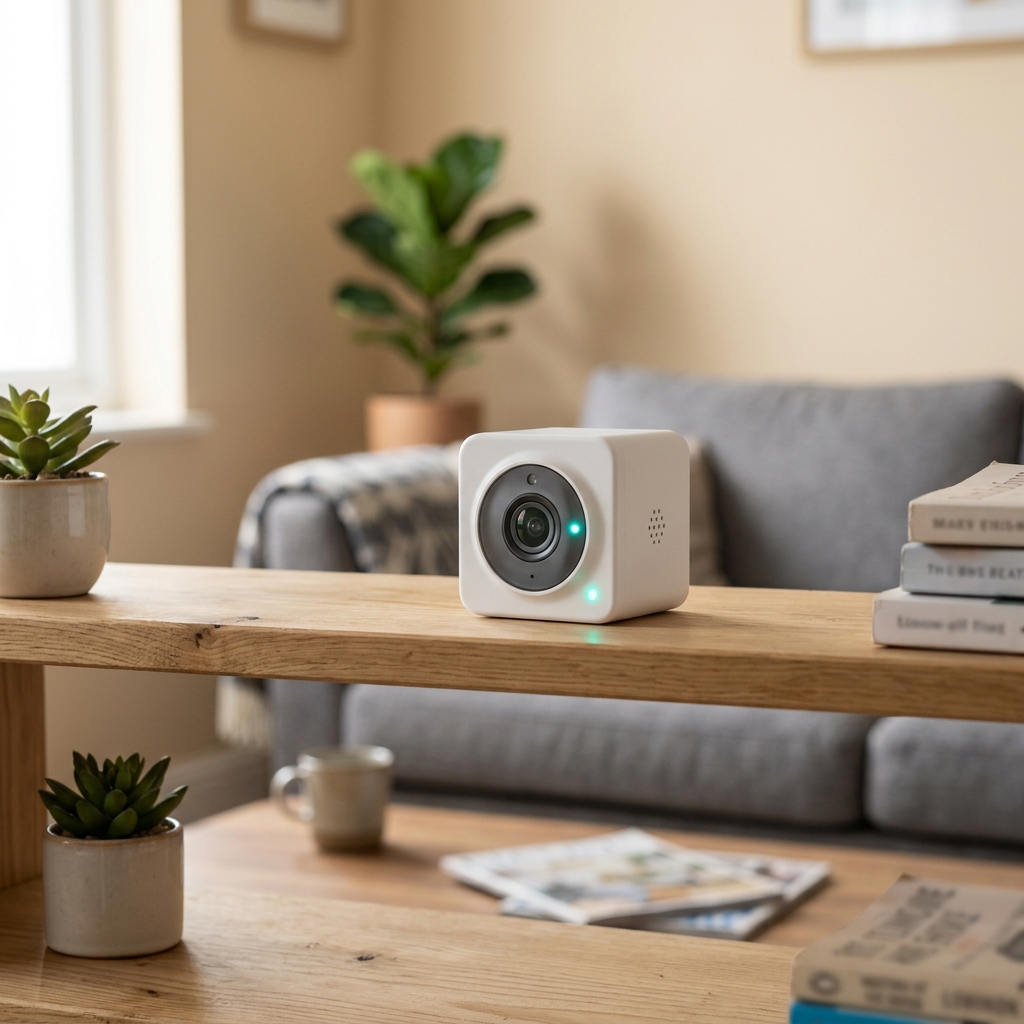
What is Wyze and what does it actually do well?
Wyze is an American consumer electronics company that sells affordable indoor and outdoor cameras, smart plugs, and related home automation devices. Their cameras — particularly the Wyze Cam v4 (2.5K resolution) — are well regarded in the budget security camera segment for:
- Low purchase price: Wyze cameras typically retail at $35–$50, below most comparable resolution cameras
- Local MicroSD storage: No mandatory subscription for basic local recording
- Reliable WiFi connectivity: The Wyze app is stable and has a large active user base
- visión nocturna: Standard IR night vision is included on most models
- Detección de movimiento: Cloud-based event clips and AI detection (person, pet, package) available on the subscription tier
Wyze cameras are best for: transparent home security where the camera’s visibility is acceptable or desired, monitoring a baby or pet, or general household awareness.
Where Wyze falls short: the visibility problem
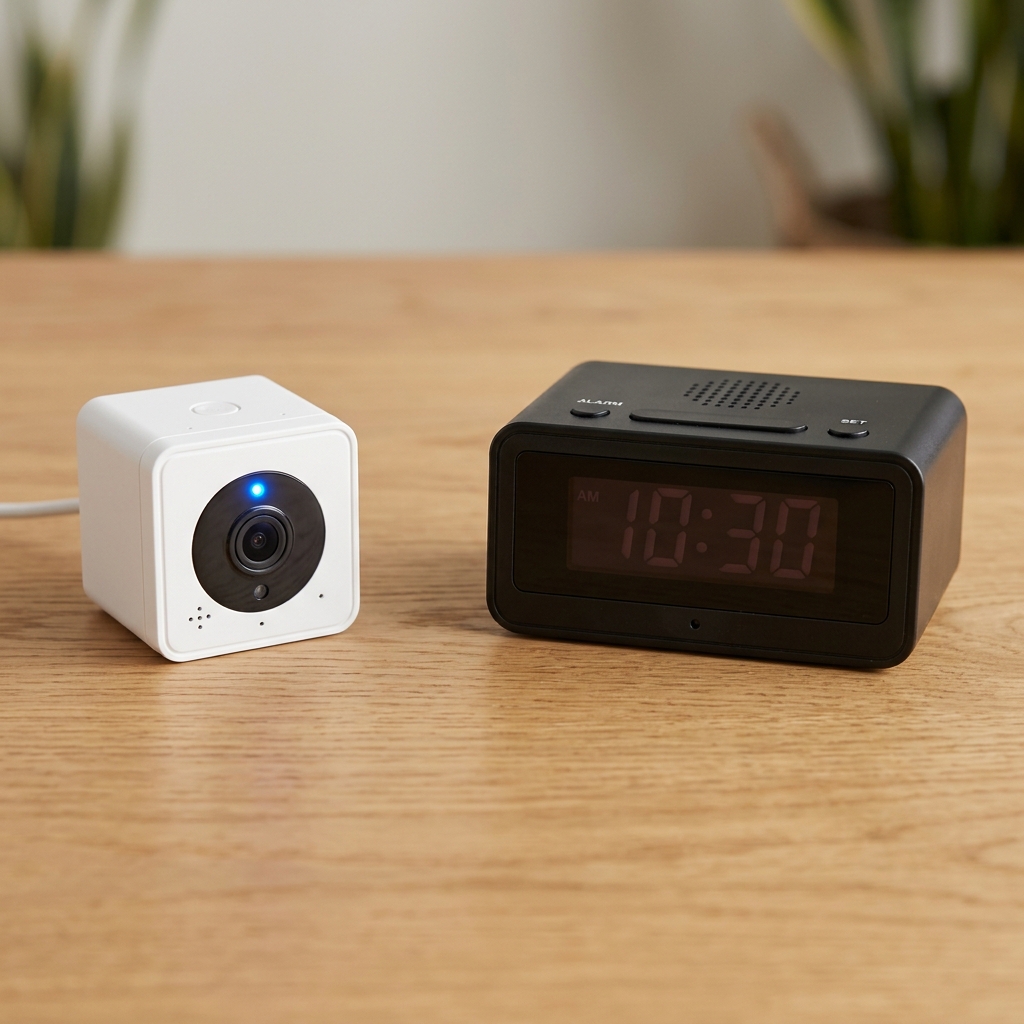
The Wyze camera is not designed to be hidden. It has a visible status light (which blinks or glows during recording), a distinctive white cube or cylindrical housing that is immediately recognisable as a camera, and requires a USB cable connected to a wall outlet. Attempts to hide a Wyze camera face practical limitations:
- The status LED is bright enough to be visible in normal lighting and very obvious in darkness
- The cable running to the power outlet creates a visible trail
- The housing is not designed to blend into common objects or furniture
- Anyone familiar with Wyze cameras — which includes a large portion of tech-aware adults — will immediately recognise it
Reddit users in r/homesecurity consistently note that while you can use a 3D-printed enclosure or fake plant to partially conceal a Wyze camera, the result is noticeably bulky and not reliably covert in close-range situations.
When do you need a hidden camera instead of a Wyze?
The choice between a visible security camera and a hidden camera comes down to your specific situation:
| Situación | Wyze sufficient? | Better option |
|---|---|---|
| Monitor front door for package theft | Yes ✓ | Wyze or any doorbell cam |
| Monitor babysitter or carer without their knowledge | No ✗ | Hidden clock camera |
| Document what happens when you are not home (cleaner, contractor) | Possibly — if they know a camera exists | Hidden camera if you need unaltered behaviour |
| Secure a storage unit or secondary property without WiFi | No ✗ (requires WiFi) | Non-WiFi SD-card camera |
| Monitor a rented room you let out | Legal issues (disclosure required) | Legal advice required before any camera |
| Record in a location where a camera would be removed if spotted | No ✗ | Disguised hidden camera |
| General living area monitoring (pet, child) | Yes ✓ | Wyze is appropriate |
Wyze alternatives: what to choose instead

If you need a visible camera that is more reliable than Wyze, the most recommended alternatives in the community are:
- TP-Link Tapo C120: Frequently cited as the top subscription-free Wyze alternative. Similar price point, more stable app, same local MicroSD recording capability.
- Eufy Indoor Cam 2K: Higher resolution, better AI detection without subscription, strong local storage. Eufy has had past security incidents — check current firmware status before purchasing.
- Reolink E1 Pro: A solid mid-range indoor camera with dual-band WiFi and reliable local recording. Good choice for locations with 5GHz networks.
If you need a genuinely hidden camera rather than just a smaller or less obtrusive visible one:
- Clock-form hidden camera: A functional clock with a hidden lens provides continuous AC-powered recording without any visible camera cues. The QZT Z10 clock camera records 1080p with WiFi and audio, using the Tuya platform for long-term app support.
- Socket/outlet hidden camera: Una Cámara de enchufe is installed in place of or alongside an existing wall outlet, providing fully continuous recording with no visible device above the surface.
- Non-WiFi SD-card camera: For locations without reliable WiFi, a charger-form camera with MicroSD-only recording provides continuous footage with no network dependency.
Can Wyze be used as a spy camera?
Technically, Wyze cameras record video and audio (with subscription) and can be viewed remotely. But they are not spy cameras in any meaningful sense — they are visible, identifiable devices that most people will notice. If the goal is recording without the subject knowing a camera is present, Wyze is the wrong product. Its status light, distinctive housing, and visible cable make covert use impractical in most situations.
Additionally, using any camera to covertly record people in the UK and EU requires careful compliance with GDPR and local privacy law. Visible cameras in your own property with appropriate signage have a clearer legal basis than hidden cameras in shared or semi-public spaces. For advice on compliant use of either visible or hidden cameras in the UK, consult the ICO CCTV guidance.
Preguntas frecuentes
Is Wyze better than a hidden spy camera?
They serve different purposes and cannot be directly compared on a “better/worse” axis. Wyze is better for transparent home security, pet and baby monitoring, and situations where a visible camera is acceptable. A hidden spy camera is better when the camera’s presence would be removed, when you need footage of natural unaltered behaviour, or when the camera must be installed in a location where a visible device would be inappropriate. Choose based on your specific requirement, not on brand reputation.
Why does Wyze keep disconnecting?
Wyze cameras use 2.4GHz WiFi exclusively (most models do not support 5GHz). In congested 2.4GHz environments with many competing devices, connection reliability can be poor. Ensuring the camera is within good signal range of the router, reducing 2.4GHz channel congestion, and using a static IP address for the camera in your router settings typically improves stability. If disconnection persists, this is a known issue with some Wyze firmware versions — check the official Wyze community forum for the current recommended firmware for your model.
Does Wyze work without a subscription?
Yes. The basic Wyze Cam v4 records continuously to a MicroSD card without any subscription. Motion-triggered event clips can be stored locally on the card. The Wyze Cam Plus subscription adds cloud storage for event clips, longer event clip length, and AI detection features (person, pet, package recognition) — but local recording functions fully without it.
For hidden cameras that provide genuine covert recording — not visible devices attempting to be concealed — visit the Gama de cámaras ocultas de seguridad QZT including cámaras reloj, Cámaras de enchufe, y Módulos de bricolaje.

 English
  Italiano
  Deutsch
  Français
  Español
  Polski