
Cómo Construir Tu Propia Cámara Oculta con un Kit de Cámara DIY
Un kit de cámara DIY te ofrece la máxima flexibilidad en vigilancia encubierta: la capacidad de incrustar un módulo de cámara de grado profesional en prácticamente cualquier objeto que elijas. Reloj, marco de fotos, oso de peluche, caja de pañuelos, enchufe de pared—si puede sostener el módulo y tiene una pequeña apertura para la lente, se convierte en una cámara oculta. Este enfoque permite instalaciones verdaderamente personalizadas que ninguna cámara espía producida comercialmente puede replicar.
Esta guía te lleva a través de todo lo que necesitas saber sobre kits de cámara DIY: qué incluyen, cómo integrarlos, qué carcasas funcionan mejor y cómo conectarlos a WiFi para monitoreo remoto.
¿Qué es un kit de cámara DIY?
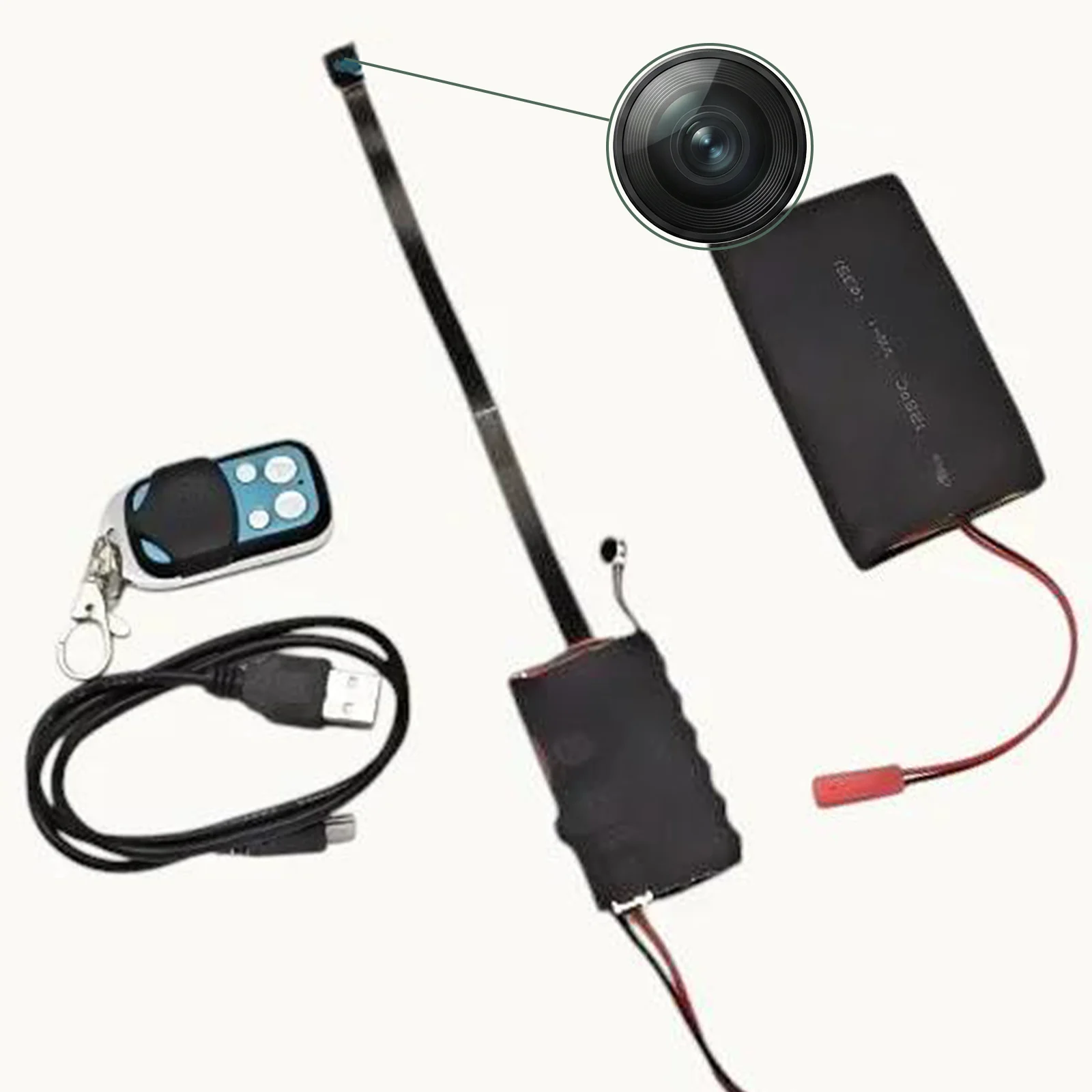
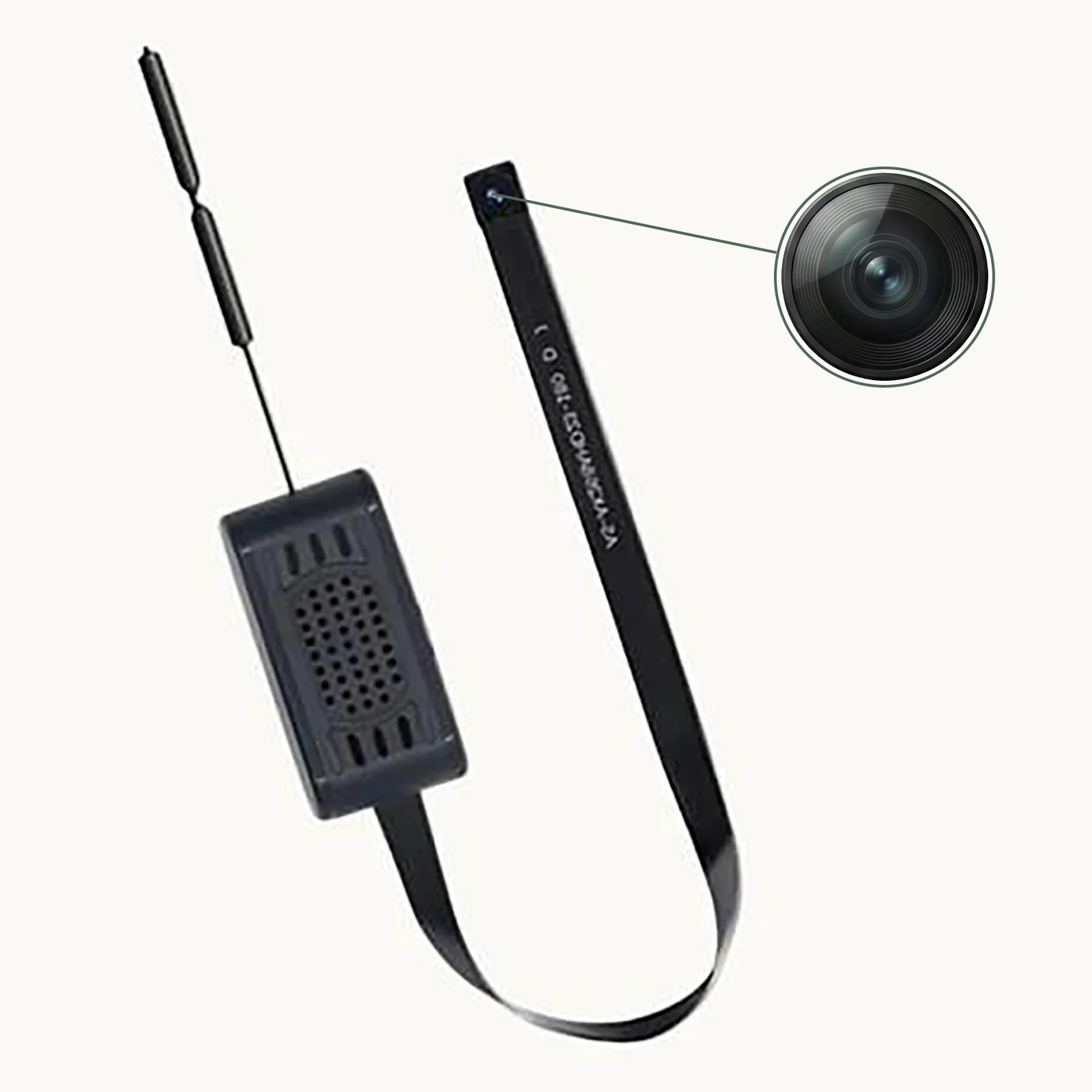
Un kit de cámara DIY es un módulo de cámara completo—lente, sensor de imagen, procesador, radio WiFi y batería—empaquetado sin carcasa. En lugar de estar integrado en un alojamiento específico (como un reloj o una unidad USB), el módulo desnudo está diseñado para instalarse en cualquier objeto o alojamiento que selecciones.
Un kit de bricolaje completo normalmente incluye:
– Módulo de cámara: La unidad central con lente, sensor y procesador integrados
– Antena WiFi: Para conectividad inalámbrica (a veces integrada en la PCB)
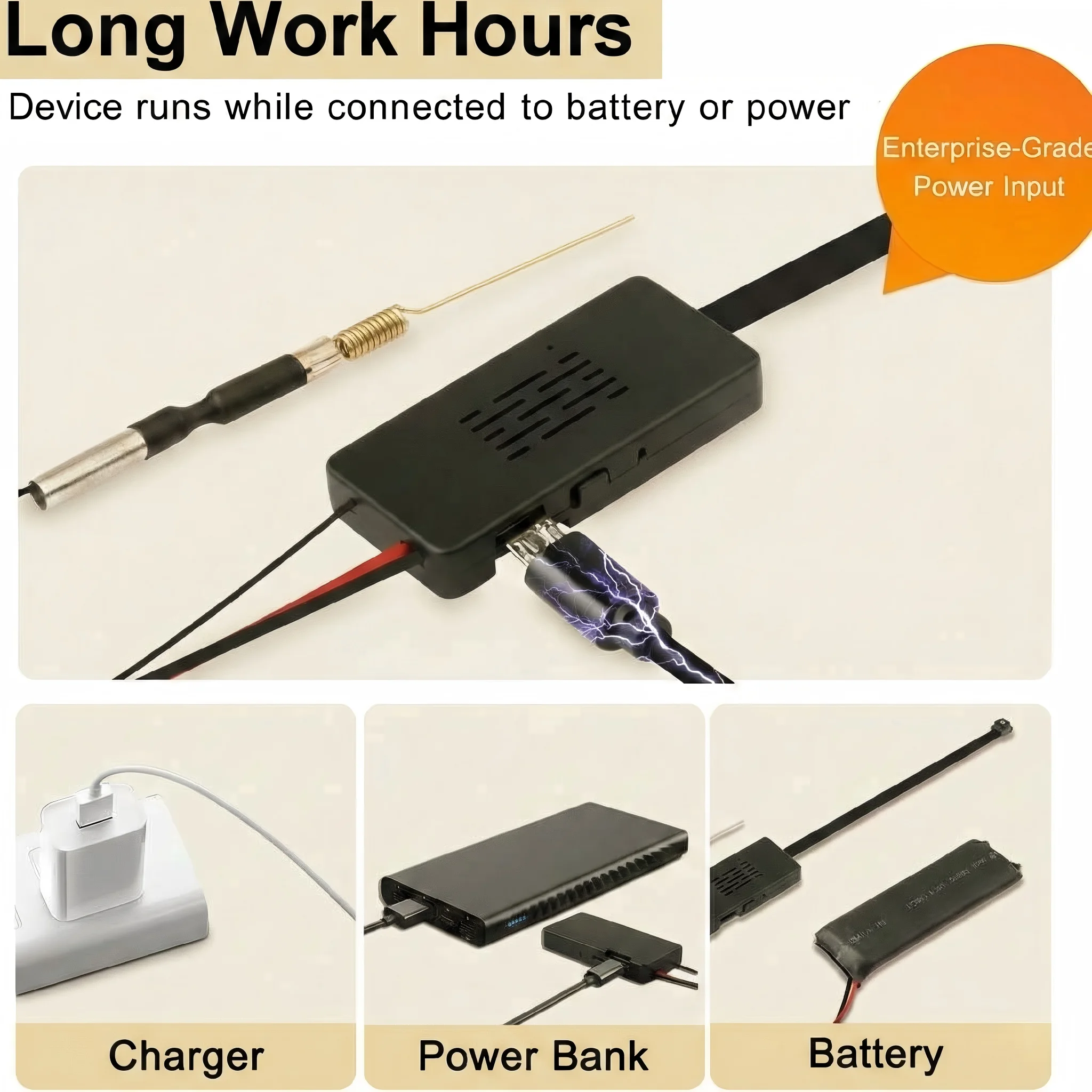
– Batería or Cable de alimentación USB: Fuente de alimentación para el módulo
– Ranura para tarjeta Micro SD: Para almacenamiento local
– Manual de instrucciones: Guía de configuración y configuración
– Información de la aplicación: Para visualización remota en smartphone
El módulo es notablemente compacto—a menudo más pequeño que una caja de cerillas—y está diseñado para esconderse dentro de cualquier objeto con suficiente espacio interior.
Especificaciones clave de módulos DIY de calidad
Opciones de resolución
Los módulos de cámara DIY vienen en varios niveles de resolución:
| Resolución | Ideal para | Tamaño del archivo (por hora) |
|---|---|---|
| 1080p Full HD | La mayoría de las aplicaciones | ~2GB |
| 2K (2560×1440) | Vigilancia crítica de detalles | ~3.5GB |
| 4K Ultra HD | Calidad máxima | ~6–8 GB |
Los módulos 4K proporcionan un detalle excepcional—puedes leer claramente texto en documentos, identificar rostros a distancia y capturar detalles finos que las cámaras de menor resolución pierden. La contrapartida son archivos de mayor tamaño y un mayor consumo de batería.
Conectividad WiFi
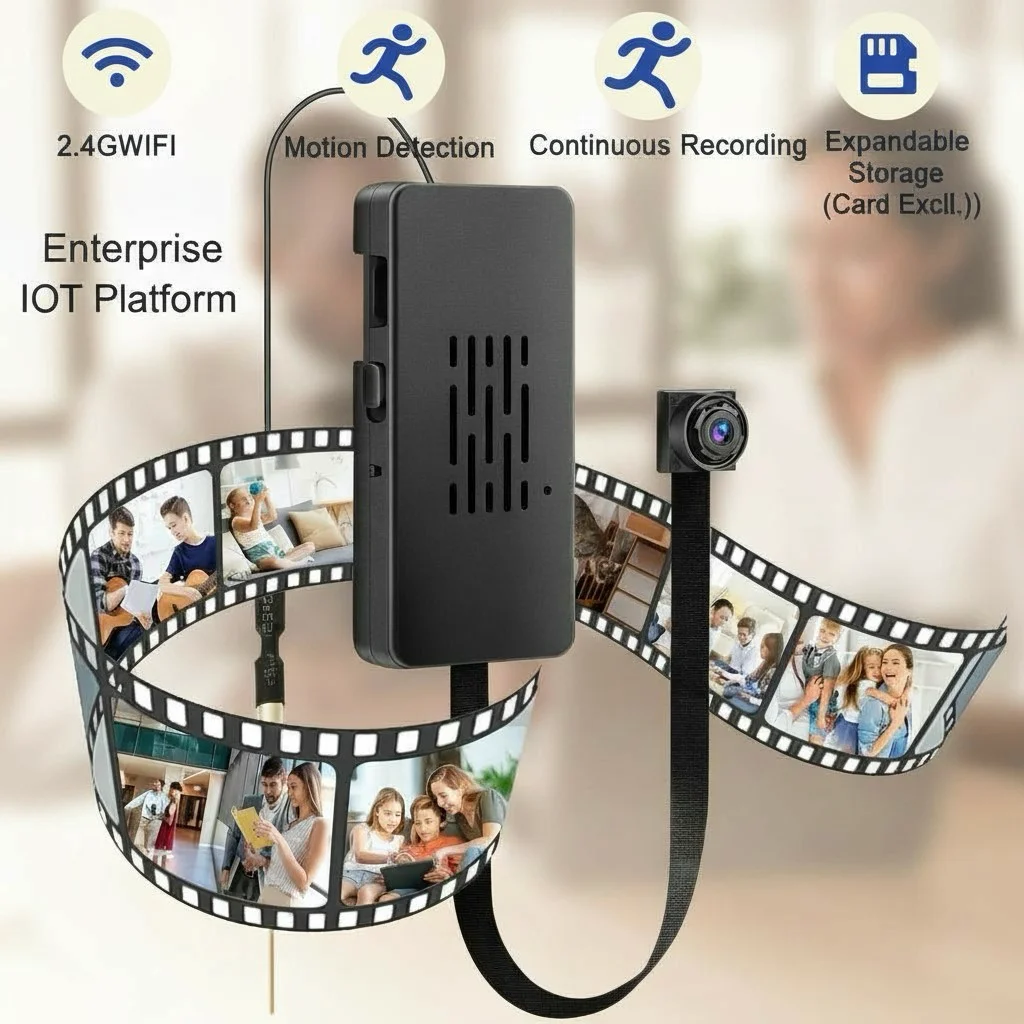
Los módulos DIY modernos se conectan a redes WiFi domésticas y transmiten video a smartphones a través de aplicaciones como Tuya Smart o HDLiveCam. Características clave de WiFi:
– Conectividad de 2.4GHz: Estándar; buen alcance, funciona con todos los routers
– Relé en la nube P2P: Permite visualización remota desde cualquier lugar
– Alertas de detección de movimiento: Notificaciones push al detectar movimiento
– Transmisión en vivo: Video en tiempo real desde cualquier lugar
Batería vs. alimentación USB
Los módulos de bricolaje pueden alimentarse de dos formas:
Batería incorporada: Funcionamiento autónomo, sin cables de alimentación necesarios. La duración de la batería varía—12 horas para 1080p, 6–8 horas para 4K. Requiere recarga periódica.
Entrada de alimentación USB: Conéctese a cualquier fuente de alimentación USB para una duración de grabación ilimitada. Requiere pasar un cable USB a un adaptador de corriente.
Para instalaciones permanentes en objetos cerca de tomas de corriente, la alimentación USB proporciona un funcionamiento ilimitado. Para instalaciones portátiles o remotas, la batería integrada es esencial.
Ideas de integración: ¿En qué puedes ocultarlo?
La potencia de un kit DIY es la libertad de integrarlo en cualquier objeto cotidiano:
Reloj analógico
Un reloj de pared o de escritorio es el objetivo de integración DIY más popular. La esfera del reloj proporciona cobertura, y la posición de las 12 en punto (donde las manecillas se superponen) es una ubicación ideal para la lente: el pequeño orificio se integra de forma natural en el diseño de la esfera del reloj.
Marco de fotos o portarretratos
Coloca el módulo detrás del tablero de montaje de un marco de fotos. Haz un agujero de 2–3 mm en el tablero para la lente, alineado con el módulo de cámara. El marco se coloca de forma natural sobre un escritorio o pared mientras proporciona una excelente cobertura de la habitación.
Caja de pañuelos o caja de papel
Corte un pequeño agujero en un lado de una caja de pañuelos (o un soporte decorativo de caja de papel). Inserte el módulo a través de la abertura y asegúrelo de modo que la lente quede alineada con el agujero. Esta es una de las integraciones más rápidas y produce resultados muy naturales.
Sujetalibros u objeto decorativo
Cualquier objeto decorativo sólido con suficiente espacio interior puede alojar un módulo. Sujetalibros de cerámica, jarrones decorativos, bases de trofeos o incluso libros de tapa dura grandes pueden modificarse para ocultar un módulo de cámara.
Purificador de aire o ventilador de escritorio
Las carcasas de electrónica a menudo tienen aberturas de ventilación naturales que pueden reutilizarse como aberturas para lentes. Un pequeño ventilador o purificador de aire es un objeto de escritorio natural con suficiente espacio interno.
Carcasas personalizadas impresas en 3D
Para usuarios con inclinaciones técnicas, la impresión 3D ofrece personalización ilimitada. Diseñe cualquier forma de carcasa que necesite, imprímala e instale el módulo. Este enfoque permite carcasas de cámara que ningún producto comercial ofrece.
Cómo instalar el módulo en la carcasa elegida
El proceso de instalación sigue los mismos pasos básicos independientemente de la carcasa objetivo:
Paso 1: Planifique la posición de la lente
Decida desde qué punto dentro del objeto debe mirar la cámara. El módulo debe colocarse de modo que la lente mire hacia esta abertura. Considere el campo de visión requerido: ¿verá la cámara toda el área que desea monitorear desde esta posición?
Paso 2: Crear la abertura de la lente
Utilice una broca de 2–3 mm (o una aguja caliente para materiales blandos como espuma o plástico) para crear la abertura de la lente. Perfore con cuidado desde el interior hacia el exterior para evitar astillas visibles en la superficie exterior. La abertura debe ser justo lo suficientemente grande para la lente: más pequeña es más discreta.
Paso 3: Asegure el módulo
Fije el módulo dentro de la carcasa con espuma de relleno, masilla adhesiva o bridas pequeñas. El módulo debe quedar firmemente asegurado—cualquier movimiento hará que apunte en una dirección no deseada.
Paso 4: Pase el cable de alimentación (si se alimenta por USB)
Si utiliza alimentación USB, dirija el cable desde la entrada USB del módulo hasta un punto de salida en la carcasa. Este cable se conectará a un cargador USB—intente dirigirlo a lo largo de un borde natural o la parte posterior del objeto para minimizar su visibilidad.
Paso 5: Pruebe antes del montaje final
Antes de sellar permanentemente la carcasa, encienda el módulo y verifique la calidad de imagen y el campo de visión usando la aplicación complementaria. Compruebe que la abertura de la lente no sea visible en las propias grabaciones de la cámara (la lente no debería ver su propia carcasa).
Paso 6: Finalizar y desplegar
Cierre y selle la carcasa. Coloque la cámara oculta terminada en la ubicación deseada.
Configuración WiFi y Monitoreo Remoto
La configuración de la conectividad WiFi normalmente implica:
1. Descarga la aplicación: Tuya Smart, Smart Life o HDLiveCam según el módulo
2. Encienda el módulo: El indicador WiFi parpadeará cuando esté en modo de emparejamiento
3. Agregue el dispositivo en la aplicación: Siga el asistente de emparejamiento para conectarse a su WiFi doméstico
4. Introduce las credenciales WiFi: El módulo se unirá a su red
5. Configurar ajustes: Configurar la sensibilidad de detección de movimiento, el modo de grabación y las preferencias de notificación
Tras la configuración, vea video en vivo desde cualquier lugar, reciba alertas de movimiento y acceda a los clips almacenados a través de la aplicación.
Consejos avanzados para construcciones DIY
Recubrimiento antirreflejo: Después de perforar el orificio de la lente, aplique una pequeña cantidad de pintura negra mate alrededor del interior del orificio. Esto evita el reflejo visible de la lente que podría revelar la presencia de la cámara.
Ventilación: Los módulos de cámara generan calor durante el funcionamiento. Asegúrese de que la carcasa elegida tenga algo de circulación de aire para evitar el sobrecalentamiento durante sesiones de grabación prolongadas.
Aislamiento de vibraciones: En objetos colocados sobre superficies con vibración (cerca de electrodomésticos, rejillas de climatización), utilice espuma de relleno para aislar el módulo de la vibración. La vibración provoca imágenes inestables y puede acabar dañando el módulo.
Prueba antes de la implementación: Tras completar el montaje, grabe una sesión de prueba de 30 minutos y revise la calidad del metraje, comprobando el enfoque, la exposición y la calidad de audio. Corrija cualquier problema antes de desplegarla en una situación real de vigilancia.
Comparación de kits DIY con cámaras espía terminadas
| Factor | Kit de cámara DIY | Cámara espía terminada |
|---|---|---|
| Flexibilidad | Máximo | Limitado a un formato específico |
| Complejidad de configuración | Más alto | Más bajo |
| Personalización | Ilimitado | Ninguno |
| Potencial de ocultamiento | Más alto (personalizado) | Bueno (forma fija) |
| Costo | Moderado | Moderado a alto |
| Hora de desplegar | Horas | Minutos |
Los kits DIY son la elección correcta cuando ningún formato de cámara espía comercial ofrece un ocultamiento adecuado para su situación específica, o cuando necesita un objeto verdaderamente único que nadie sospecharía.
Consideraciones legales y éticas
El mismo marco legal que regula las cámaras espía comerciales se aplica a las construcciones caseras:
– Propiedad propia: Legal de monitorear en la mayoría de las jurisdicciones para fines de seguridad legítimos
– Grabación de audio: Muchas jurisdicciones requieren el consentimiento de todas las partes; considere desactivar el micrófono
– Espacios privados: Totalmente prohibido en baños, vestuarios y áreas similares
– Consentimiento informado para cuidadores/trabajadores: Required or strongly recommended in many jurisdictions
El hecho de que una cámara sea de fabricación personalizada no cambia su clasificación legal ni las responsabilidades de la persona que la opera.
Preguntas frecuentes
P: ¿Cuál es el módulo de cámara DIY más pequeño disponible?
R: Los módulos más pequeños miden aproximadamente 20 mm × 20 mm × 15 mm (el tamaño de un sello postal grande). Con este tamaño, se pueden instalar en casi cualquier objeto con unos centímetros de profundidad interior.
P: ¿Cómo hago invisible la abertura de la lente?
R: Mantenga la abertura lo más pequeña posible (2 mm es óptimo para la mayoría de las lentes). Perfore desde el interior hacia el exterior para evitar astillas visibles. Para carcasas de color oscuro, perfore con una broca afilada y el agujero se mezclará naturalmente con el material. Para objetos de color claro, cubra el agujero visible con una pequeña pegatina oscura o píntelo para que coincida con una característica natural del objeto.
P: ¿Puedo usar cualquier power bank USB para alimentar el módulo?
R: Sí. La mayoría de los módulos DIY aceptan alimentación USB estándar de 5V. Un power bank conectado mediante cable USB proporciona desde horas hasta días de energía, dependiendo de la capacidad del power bank.
P: ¿Cómo actualizo el firmware del módulo?
R: Las actualizaciones de firmware normalmente se envían automáticamente a través de la aplicación complementaria cuando está conectado a WiFi. Algunos módulos también admiten actualizaciones manuales de firmware mediante tarjeta SD.
P: ¿Es ilegal una construcción DIY por estar oculta?
R: La legalidad depende de dónde y cómo se utiliza la cámara, no de cómo está construida. Una cámara oculta casera en su propio hogar para fines de seguridad legítimos es generalmente legal. La misma cámara utilizada para grabar en un espacio privado sin consentimiento es ilegal independientemente de cómo se haya construido.
Conclusión
Un kit de cámara DIY ofrece una flexibilidad inigualable para la vigilancia encubierta. Al separar el módulo de cámara de su carcasa, obtiene la capacidad de crear cámaras ocultas verdaderamente personalizadas adaptadas a su situación específica. Los módulos DIY modernos ofrecen resolución de 1080p a 4K, monitoreo remoto por WiFi, visión nocturna, detección de movimiento y batería de larga duración—todas las capacidades de las cámaras espía terminadas, en un formato que usted mismo diseña.
La clave para una construcción DIY exitosa es una planificación cuidadosa: elige una carcasa adecuada, planifica con precisión la posición de la lente, asegura una alimentación adecuada y realiza pruebas exhaustivas antes del despliegue. Con algunas habilidades básicas de manualidades y atención al detalle, un kit de cámara DIY permite soluciones de vigilancia que ningún producto comercial puede ofrecer.

 English
  Italiano
  Deutsch
  Français
  Español
  Polski